Tools like Hubstaff’s time tracking with built-in productivity monitoring layer enhance team accountability and give you clear visibility into how your teams work. One of its main goals is to support team morale.
Recent studies, such as the Workstyle Revolution Report, which captures insights from over 22,000 organizations and 185,000 workers, show how features like focus time, task breakdowns, and productivity metrics help teams improve productivity and accountability.
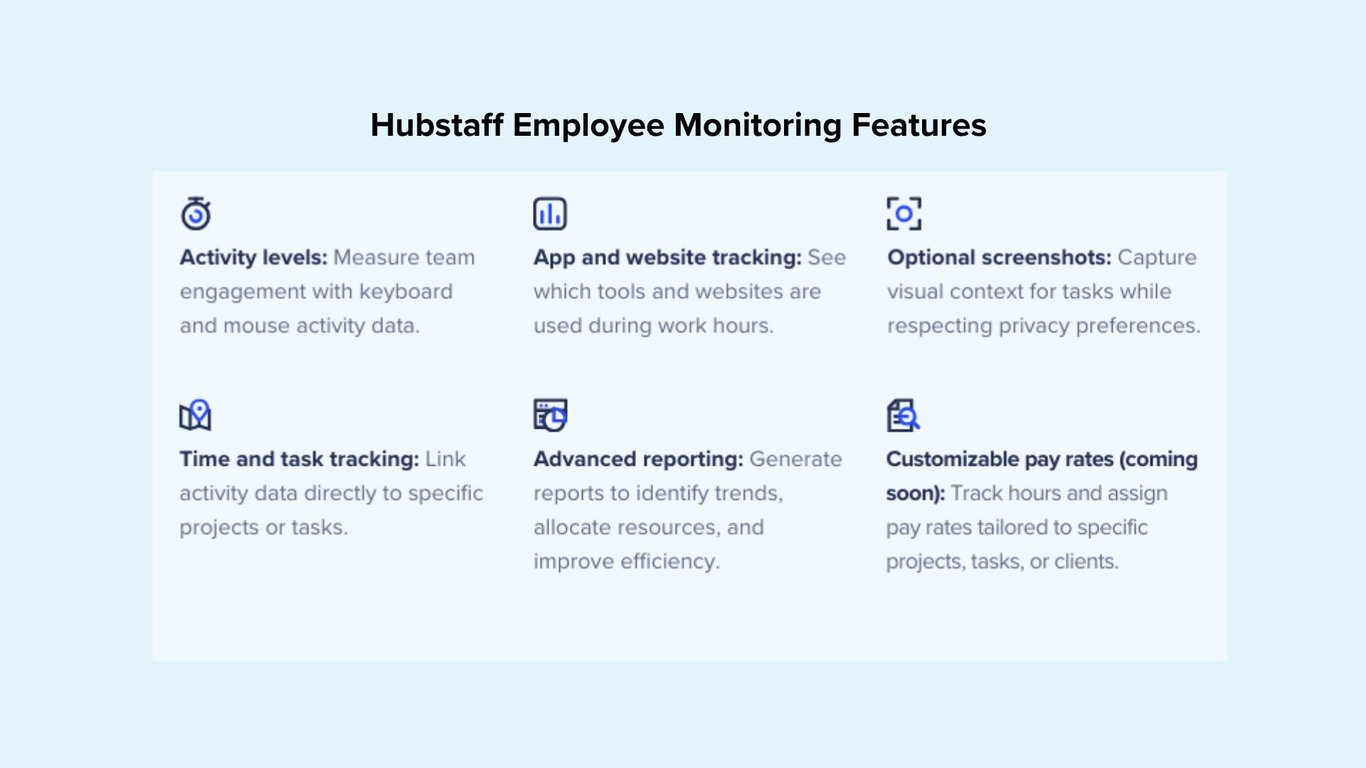
Here are the key Hubstaff workplace monitoring features designed to give you visibility and boost your team’s accountability.
Time tracking
Time is money, and with Hubstaff employee time tracking, you can track time directly to tasks to see the precise, real-time time and expenses tied to a project.
Hubstaff automatically generates timesheets the second you start tracking time. Add notes, manual time entries, and submit for approval. Approvals trigger streamlined payments directly from the Hubstaff app to your favorite payroll tools like PayPal, Gusto, and Deel.
App and URL tracking
Know exactly how your team spends their workday. With Hubstaff’s activity tracking features, you can monitor employee activity through app and URL usage and categorize the AI tools your team uses to gain visibility into productivity patterns across your organization. This data empowers you to spot productivity dips, reinforce accountability, and tighten workflows.
With built-in workforce analytics (or the Insights add-on), you can categorize productive and unproductive app and help spot potential security risks from unauthorized or unproductive website visits. Teams also have access to their data, an element that is crucial for building a culture of transparency and trust without micromanagement.
Screenshot capture
Gain complete visibility into how efficiently work gets done without compromising flexibility. Hubstaff lets you capture optional employee screenshots during tracked time, offering a transparent view of daily activity while respecting team autonomy.
As a manager, you’re in complete control of what data you track. Here are some examples of changes you can make to suit your management style:
- Enable or disable at the individual level with role-based access.
- Set screenshot frequency to your preference or keep the default 3 per 10 minutes.
- You can toggle on the screenshot blur feature to keep employee privacy in mind.
- Explore the screenshots add-on for more frequent captures.
This functionality is built to improve accountability and support compliance needs, not to micromanage. With customizable settings, Hubstaff empowers teams to work openly and efficiently on their terms.
Activity level monitoring
With activity level measurement in Hubstaff, you’ll have some tangible data on how productive your team is while tracking time to specific tasks. Hubstaff’s activity level monitoring analyzes the frequency of keyboard and mouse usage during work sessions to calculate a percentage-based activity score for each user.
- Activity levels are calculated based on keyboard interactions (not specific keystrokes) and mouse movement during active time.
- Activity levels may vary for different roles. (i.e., managers spending time in meetings and those doing data entry will have very different activity).
- Industry-based activity benchmarking allows you to evaluate your organization’s activity levels compared to other organizations in the same industry. Set realistic expectations, detect productivity spikes or drops, and identify efficiency gaps early.
Note: Activity scores naturally vary based on industry and job responsibilities. Writing code, reading reports, or jumping on client calls are all crucial parts of one’s day-to-day, so a 25% rate can be just as productive as a 75% rate. Activity rates are no replacement for good management. What matters is the context.
Idle time detection
Stay on top of work-time accuracy, prevent money leaks, and prevent productivity loss with Idle time. Hubstaff’s Idle time tracking is built to spot keyboard and mouse inactivity. Identify unproductive time, reduce manual errors, and tighten team accountability — especially in remote or hybrid environments.
- Set custom idle timeouts to intervals of 5, 10, or 20 minutes, or disable entirely.
- Personalize specific parameters for individual users based on their job duties.
- Prevent time theft, buddy punching, and unintentional overbilling.
Idle detection helps in everyday scenarios like:
- Forgetting to stop the timer after work
- Taking breaks, stepping away for calls, or reviewing physical documents
- Going idle unintentionally while the timer runs
With these safeguards in place, your team stays focused, your data stays clean, and your operations run more efficiently without constant oversight. Learn more about how to customize idle time settings to fit your workflows.
Weekly work limits
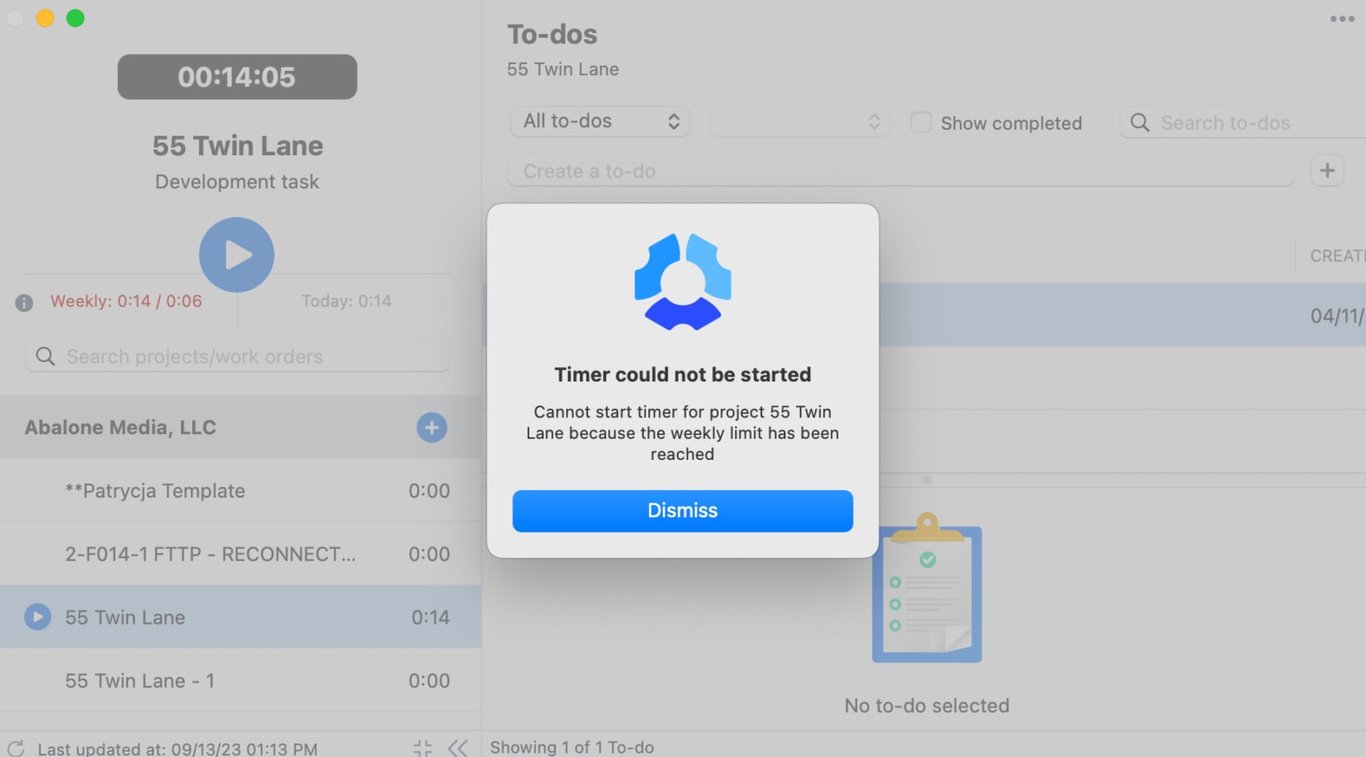
Keep labor costs predictable and prevent burnout with Hubstaff’s flexible work limit settings. You can define the number of hours employees are allowed to work each day, week, or within their scheduled shift to help you stay aligned with budgets and compliance goals.
- Set limits on daily, weekly, or scheduled shift hours.
- Automated enforcement (Hubstaff stops tracking once the time limit is reached, e.g., after 40 hours).
- Adjust settings to edit, override, or remove limits as workloads change.
Smart notifications
Stay informed and proactive with Hubstaff’s smart notification system. These alerts help you track team dynamics in real time and flag signs of overwork, underperformance, and unusual behavior so you can take timely action.
- Receive notifications for overwork, low activity, and other productivity shifts.
- Customize triggers to specific metrics like core work, activity rate, app usage, or URLs.
- Get location-based alerts for teams working in the field through GPS tracking.
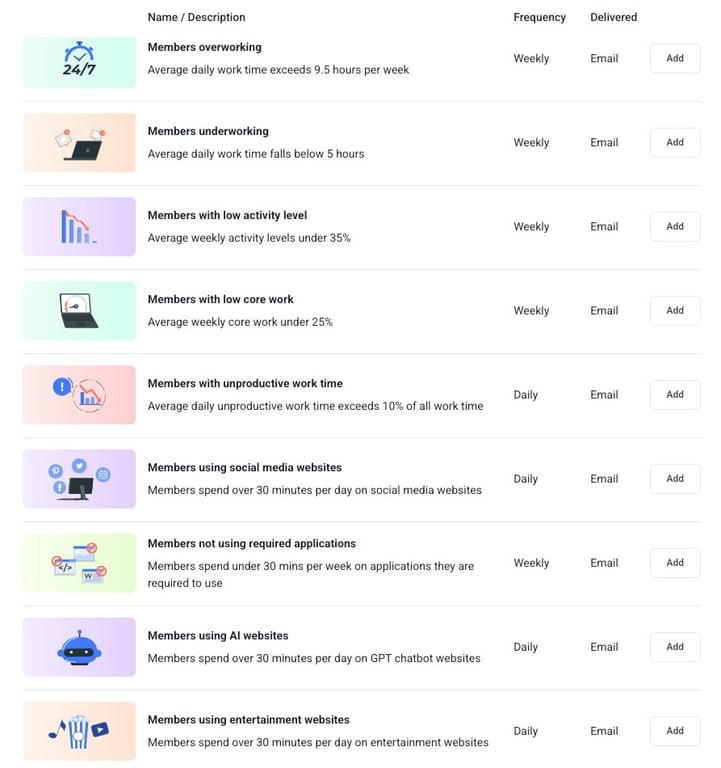
Smart notifications can be set up for metrics like:
- Daily work time
- Core, non-core, and unproductive work
- Activity rate
- App and URL usage (even for custom-specified sites)
- Suspicious applications
By surfacing these insights, Hubstaff helps you lead with data and get a pulse on team productivity.
Integrations
Connect your favorite tools to create a unified, automated workflow. Hubstaff integrates with over 30 project management, communication, and payroll tools to streamline your operations and keep your team in sync.
- Leverage an asynchronous work environment for remote teams (track time directly within tools like Trello, Asana, Jira, Slack, QuickBooks, and more).
- You can auto-sync time logs to the platforms you already use.
- Centralized data productivity across systems for better decision-making.
These integrations minimize manual work, increase team alignment, and let you manage productivity from a single source of truth.