How to Monitor Remote Employees in 2026 (Top Tools & Best Practices)

 7 min read
- Remote monitoring works best when built around defined outcomes and key performance indicators — not minute-by-minute tracking — to give teams visibility without micromanagement.
- Monitoring tools such as Hubstaff, Time Doctor, and Toggl Track help remote teams track time, streamline operations, and measure productivity.
- Teams can use productivity metrics such as time spent on tasks and idle time to optimize capacity planning and task management while celebrating high-performing employees.
In an office setting, managers can easily see when employees are present and working, but tangibly measuring their productivity is much more difficult. The same is true for remote or hybrid teams; without the right tools, it’s hard to understand who is working on what, how time is spent, and whether projects are moving forward. That’s concerning — especially considering that low employee engagement cost the global economy approximately $10 trillion in 2025.
Remote employee monitoring software offers a solution, allowing managers to track how much time employees dedicate to tasks and monitor work progress, even with distributed teams. Monitoring remote employees doesn’t mean tracking every click or watching screens all day. Instead, the goal is to gather clear, actionable insights into employee activity.
In this article, we’ll cover some of the most popular options for monitoring remote employees, features to look for, and how to use the productivity metrics these platforms surface. With the right tools, leaders get the visibility they need to balance workloads, identify bottlenecks, and ensure employee performance is on track.
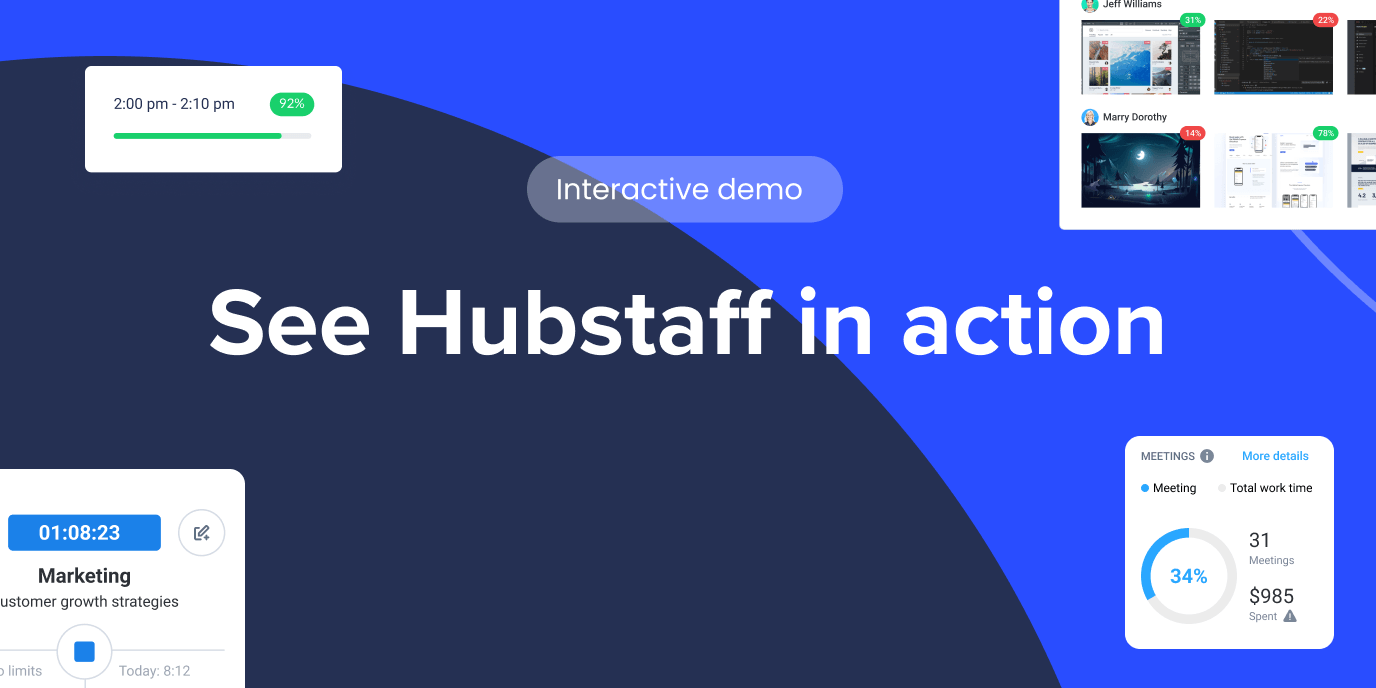
Hubstaff Walkthrough
Dive into our interactive demo and explore the features that make managing global teams easier than ever.
How to monitor remote employees
To track remote employees effectively, set clear expectations and clarify what success looks like for each role, whether that’s completed tickets, delivered projects, closed deals, or customer satisfaction scores. Focus on relevant productivity signals (i.e., task completion rates or time spent on projects) and trends over time rather than minute-by-minute activity.
Be transparent about what tools the company is using and what data is collected so employees understand the purpose behind it. As long as monitoring is built around clarity and open communication, managers can improve visibility while maintaining trust.
Features of remote employee monitoring tools to look for
Companies should select a remote work productivity tool that integrates smoothly with existing platforms and serves as a comprehensive one-stop shop for their monitoring needs. Features to consider include:
- Time tracking. Simplifies the payroll process and makes it easier for managers to make real-time adjustments to projects in danger of going over budget.
- Website and app tracking. Identifies productive and unproductive URLs to minimize distractions and help employees focus on core work.
- Task management. Facilitates capacity planning, prevents burnout, and ensures planned work is executed on time.
- Screen monitoring. Tracks employee activity with periodic screenshots of their screens. The best employee monitoring tools give you full autonomy over the frequency of screenshots, blurring, and other information.
- Data security. Identifies possible security risks and protects sensitive information by monitoring data transfers.
- Employee activity tracking. Tracks activity levels to understand work patterns.
- Idle time tracking. Identifies idle time and gives insight into productivity gaps.
Advanced techniques and technologies
Advanced technologies like artificial intelligence (AI) and machine learning (ML) deliver deeper insights into employee activities and efficiency ratings. Major achievements include:
- Workforce intelligence. With AI-ready workforce data, leaders get instant answers to specific questions rather than spending time combing through dashboards.
- Smart data analysis. AI-based algorithms analyze employees’ actions, detecting patterns in their working hours, app usage, and time spent to identify trends and inefficiencies.
- Automated reporting. AI-based tools create comprehensive reports on work activities, removing the need for manual data collection.
- Behavior analysis. Machine learning algorithms evaluate computer activity to identify idle time and unusual employee activity.
- Anomaly detection. AI can pinpoint potential data security breaches by detecting unauthorized sensitive data access or unusual app usage.
Comparing the top 5 productivity monitoring tools
When choosing remote monitoring software, evaluate features, usability, and cost to find the best fit.
Here are some popular options:
Hubstaff
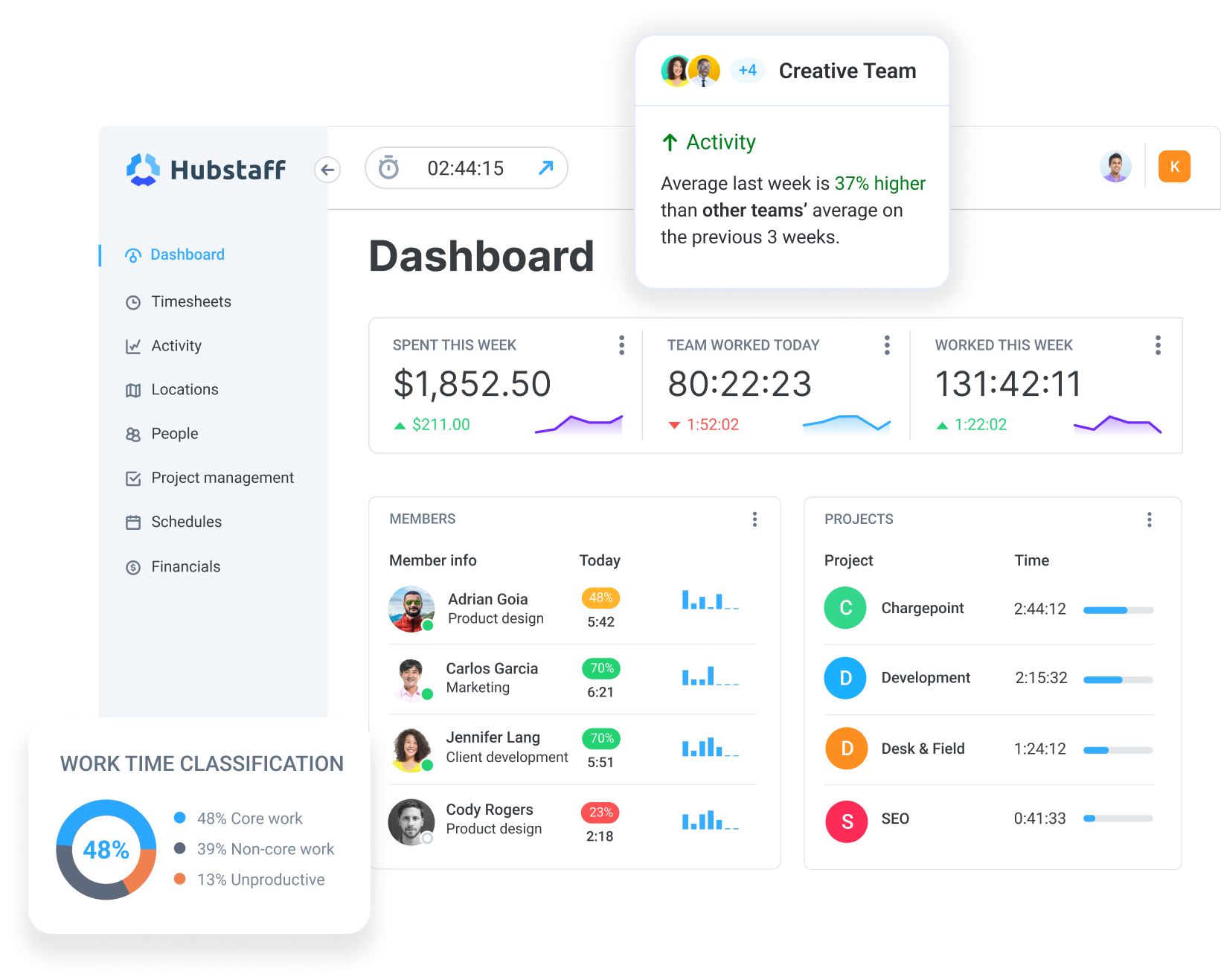
Hubstaff combines automated time tracking with built-in productivity monitoring and workforce intelligence tools. Instead of focusing on constant oversight, it helps teams understand how time is spent, balance workloads, and identify inefficiencies early while supporting accurate, time-based payments and clear visibility.
Best for: Global, distributed teams who want real-time insights and advanced reporting paired with transparency and control.
Toggl Track

Toggl Track is a user-friendly time tracking tool that helps businesses record time spent on projects and increase productivity. It’s clean and non-invasive but lacks some more robust features such as screenshots and full payroll capabilities.
Best for: Small teams or freelancers looking for a flexible, easy-to-use time tracking and billing tool.
Teramind

A comprehensive monitoring application designed for staff oversight, Teramind offers advanced features such as app usage tracking, screen recording, and data security management.
Best for: Robust employee monitoring and ironclad security in complex or highly regulated environments.
Time Doctor

Time Doctor combines time tracking, employee monitoring, and project management modules to help managers oversee progress and improve team collaboration. It offers features such as video screencasts for a high level of visibility into day-to-day activities.
Best for: Teams interested primarily in daily activity tracking and employee monitoring.
RescueTime
RescueTime’s time tracking capabilities focus on boosting productivity and generating accurate timesheets. It offers unobtrusive app and website tracking to encourage focus time.
Best for: Remote teams looking to track time and automate timesheets while blocking distractions.
Key metrics for monitoring productivity
Key Performance Indicators (KPIs) are productivity metrics that act as tracked indicators for businesses to evaluate growth and employee efficiency.
Defining and measuring KPIs
To effectively monitor remote employee productivity, track the following metrics:
- Work hours. Accurately calculating working hours using time management software helps ensure remote employees follow a consistent and productive schedule.
- Time spent on tasks. Managers can optimize capacity planning when they understand how much time employees dedicate to specific tasks.
- Idle time. Tracking daily idle time enables managers to allocate employee time more effectively and reduce inefficiencies within distributed teams.
- Task management. Tracking task completion rates and task-specific billable hours helps clarify employee performance and workload distribution.
- App and website tracking. By getting alerts for questionable app or website activity, managers can ensure that remote employees stay focused.
- Computer usage. Monitoring employees’ use of software and online resources can help identify potential inefficiencies or security risks.
How to use productivity data
Managers can use employee monitoring data to identify obstacles, balance workloads, and provide constructive feedback. Productivity data serves as a useful warning sign when performance is lagging, making it easier for managers to intervene with coaching conversations as soon as a concerning pattern appears.
Productivity data can also be used to celebrate exceptional performance by identifying high performers and highlighting employee achievements.
Ensuring privacy and trust
Transparency is critical when it comes to remote tracking. According to a 2025 Gartner survey, 52% of employees feel good about employee monitoring when they fully understand how and why it’s being used. But when leadership does not communicate clearly, only 18% find it acceptable.
To respect employee privacy, organizations should establish clear guidelines for remote employee monitoring and openly communicate their objectives with staff. Best practices to address privacy concerns include:
- Transparency. Inform remote employees how the monitoring tools work and share details about what will be monitored (i.e., working hours, app usage, or idle time).
- Consent. Obtain employee approval before implementing monitoring software.
- Ethical software. Choose tools that respect data privacy standards and focus on productivity insights rather than intrusive surveillance.
- Data security. Protect sensitive data collected through monitoring software by encrypting it and implementing robust cybersecurity measures.
Examples of successful remote productivity monitoring
Here are some real stories showcasing how businesses across different industries have used employee monitoring tools to increase productivity and streamline business operations.
Persnickety Prints: Better visibility, better productivity
The Challenge: While printing company Persnickety Prints uses a hybrid work model, about 30-40% of their employees are remote. As they scaled, they realized they didn’t have a good way to keep track of productivity.
The Solution: Persnickety Prints implemented a comprehensive time tracking system that included productivity monitoring. This centralized system offered the visibility they needed to understand how employees were spending their time while speeding up payroll processes.
The Results: Employee productivity increased by 30% while saving 40-60 hours a week on payroll and oversight tasks.
TalentPop: Saving payroll hours
The Challenge: TalentPop originally used Time Doctor for time tracking and payroll management, but this meant manual processes that became increasingly cumbersome as the company expanded.
The Solution: When the company switched from Time Doctor to Hubstaff, everything became one integrated solution. Payroll processing that used to take a full day of manual work could be completed via automated workflows.
The Results: Operational efficiency increased by 30-50%.
Law Firm: Better visibility for hybrid teams
The Challenge: A personal injury law firm with a hybrid workforce was using a time tracking and payroll tool but had a limited sense of productivity across the board since many of its salaried employees did not track time. They wanted better visibility into employee activity without compromising privacy and trust.
The Solution: The firm adopted an employee monitoring tool on company-owned devices. The onboarding process included transparent communication and training for employees so they understood exactly what was being tracked and why.
The Results: With a clearer view of activity across the organization, leadership could ensure productivity stayed high as the firm continued to grow.
Use employee monitoring to get actionable insights
Whether they’re operating in-office, fully remote, or hybrid, leaders can’t fix what they can’t see. Without the right tools, managers may not even realize that workloads are unbalanced or that some employees are in need of coaching while others deserve a hard-earned shoutout.
A strong remote employee monitoring tool provides visibility and produces clear data. That data empowers managers to plan ahead more effectively and act sooner to keep the organization operating at peak efficiency.
Most popular
A Quick Guide to Work Order Management
From quick fixes to long-term stability, work orders are crucial to asset management and helping managers keep operations running...
How to Identify High Performers Using Work Patterns
Every business has top performers, and managers are told to find them all the time. But in most cases, they default to approaches...
The AI Productivity Panel: Lessons From Leaders on What’s Working (and What’s Not)
When I moderated this AI productivity panel, I expected a solid conversation. What I didn’t expect was the flood of real-world i...
Ask Your Workforce Data Anything with Hubstaff’s New AI-Ready CLI and API
It’s Monday morning. Your CEO asks, “Which projects went over budget?” Instead of pulling reports, exporting numbers, and ve...