There are always plenty of distractions, from the co-worker who constantly stops by to chat to the relentless pings of incoming emails. Interruptions sabotage your focus and productivity. Identifying your time wasters is your first step in minimizing them.
Let’s break down the most common time wasters so you can identify the traps you and your team might fall into.
1. Overwhelming emails
Emails are necessary for workplace communication, but they can quickly become overwhelming and heavily affect workplace productivity.
Impact:
Employees receive around 121 emails per day, and it’s estimated that 28% of work time is spent reading and responding to emails. This constant influx of messages interrupts focus and prolongs task completion times, making emails one of the most common time wasters.
Practical steps:
- Set designated email times: Encourage your team to check emails at specific daily intervals to prevent constant disruptions. Hubstaff’s time tracking can be used to track how much time is spent on emails and help identify periods of high email activity, reducing this major time waster.
- Promote alternative communication: Encourage the use of project management tools like Hubstaff’s Tasks add-on for internal communication, reducing reliance on emails for team discussions. This helps prevent one task from becoming a productivity drain, improves time management skills, and minimizes email-related time wasters at work.
2. Instant message notifications
Instant messaging platforms like Slack are integral for team communication, but can also be a significant source of distraction, often contributing to time wasted at work. Frequent pings can disrupt deep work, leading to a loss of focus and productivity.
Impact:
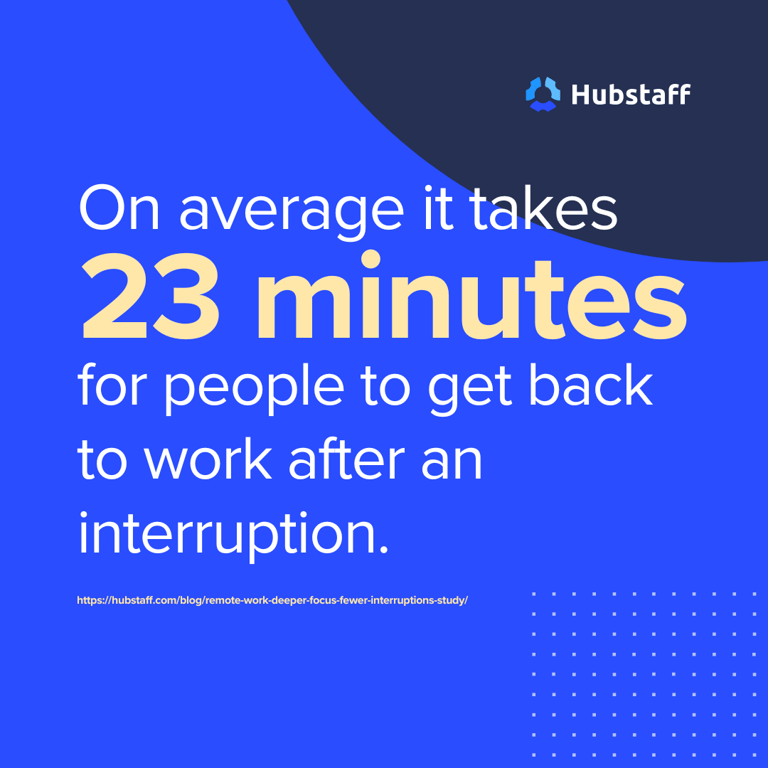
Research shows that it takes an average of 23 minutes to refocus after an interruption, highlighting how instant messages can become one of the biggest time wasters in the workplace.
Practical steps:
- Implement ‘do not disturb’ periods: Encourage employees to block off time during their day when they aren’t available for instant messaging. Hubstaff can help employees manage these periods, ensuring they have uninterrupted time for deep work and reducing these time wasters.
- Establish communication policies: Set clear guidelines on when to use instant messaging versus other forms of communication like email or project management tools.
Hubstaff’s Insights can track time spent on messaging platforms, identifying areas for improvement and helping to avoid wasting time. Hubstaff’s productivity research found that
3. Unnecessary meetings
While essential, meetings can often become time wasters if they are not well-planned or too frequent. Many meetings lack a clear agenda, leading to unproductive discussions and contributing to the list of common workplace time wasters.
Impact:
Employees spend over five hours per week in meetings, with 67% reporting that these meetings prevent them from doing their best work, making them one of the primary time wasters at work.
Practical steps:
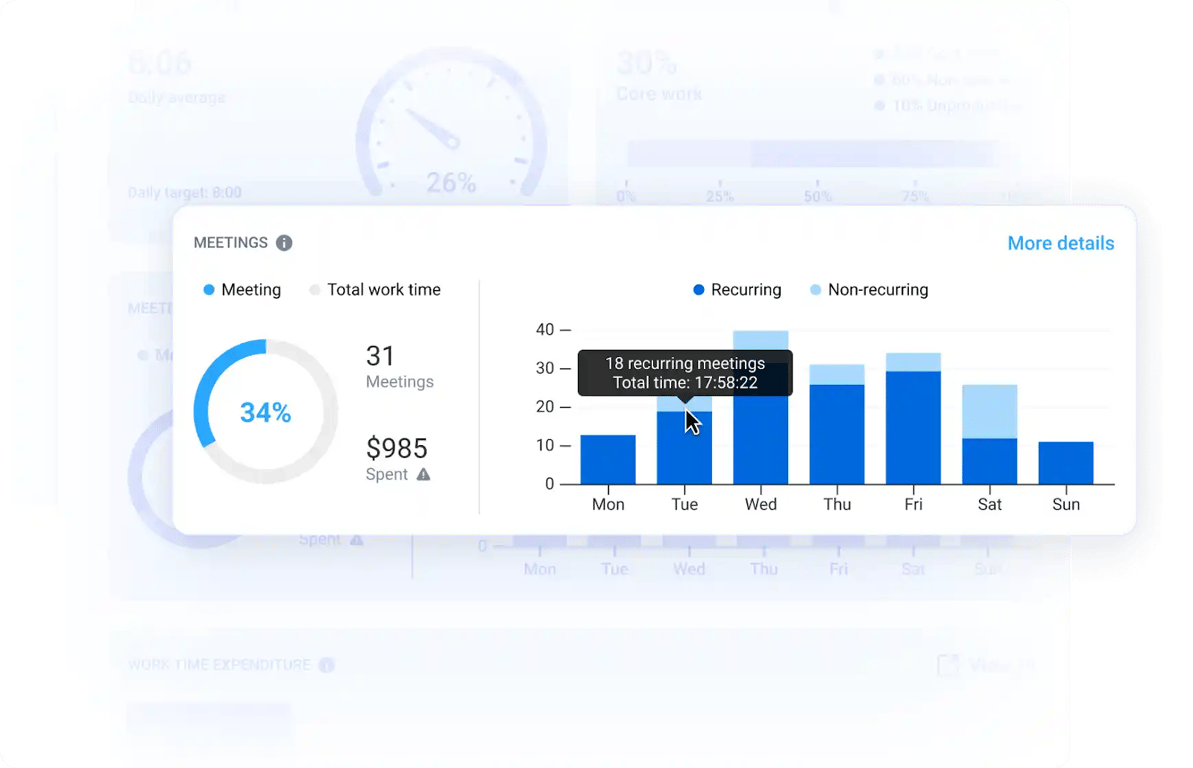
- Require clear agendas: Ensure every meeting has a specific purpose and only invite essential team members. When scheduling meetings, it’s important to establish a clear agenda and set time limits to maintain focus and productivity. Hubstaff can monitor the time spent in meetings and evaluate their effectiveness, helping to set time limits on meeting durations.
- Schedule meeting-free days: Designate certain days of the week as meeting-free to allow for uninterrupted work. Hubstaff’s time tracking platform includes scheduling tools that make it easy to set and enforce meeting-free days. This ensures teams have dedicated blocks for focused work, reducing context switching and preventing tasks from piling up.
4. Multitasking
Doing two things at once doesn’t mean accomplishing two things at once.
While multitasking is often seen as a way to get more done, it actually decreases productivity by splitting focus and increasing the likelihood of errors, making it one of the more deceptive time wasters.
Impact:
Multitasking can reduce productivity by up to 40%, as it takes longer to complete tasks and often results in lower-quality work. Engaging in multiple tasks simultaneously can make it harder to complete one task effectively.
Practical steps:
- Encourage single-tasking: Promote a culture of focusing on one task at a time. Hubstaff can help employees see how much time they are spending on each task, encouraging them to complete one task before moving on to the next, reducing multitasking-related time wasters.
- Use task prioritization tools: Hubstaff time tracking provides visibility into how employees use their work hours, creating a culture of accountability and minimizing distractions.
5. Mundane and repetitive tasks
Repetitive tasks like data entry or manual reporting can consume valuable time that could be better spent on more strategic activities, contributing significantly to time wasters in the workplace.
Impact:
It’s estimated that the average worker spends about one workday each week on repetitive tasks that could be automated, highlighting their role as common workplace time wasters.
Practical steps:
- Automate repetitive tasks: Use automation tools or an automatic time tracker to handle mundane tasks, such as data entry or reporting. Hubstaff integrates with various automation platforms to reduce time spent on these tasks, freeing up employees for higher-value work and eliminating these time wasters.
- Monitor task efficiency: Did you know that less than half of work time goes to core, high-impact work? Hubstaff’s time tracking platform powers workforce analytics that reveal how much time is being spent on routine tasks. These insights help managers identify opportunities for automation or process improvements, cutting down on wasted hours.
6. Social media
Social media is a major source of distraction in the workplace. While a quick check might seem harmless, it can easily turn into a prolonged session of browsing, making it one of the more challenging time wasters to control.
Impact:
Employees spend an average of 1.5 hours per day on social media during work hours, which can add up to nearly a full workday each week, making it one of the most significant time wasters at work.
Practical steps:
- Set clear usage policies: Implement policies that limit social media use during work hours. Hubstaff’s app and URL tracking features can help monitor social media usage and identify employees who might need additional support in managing their time, reducing these time wasters.
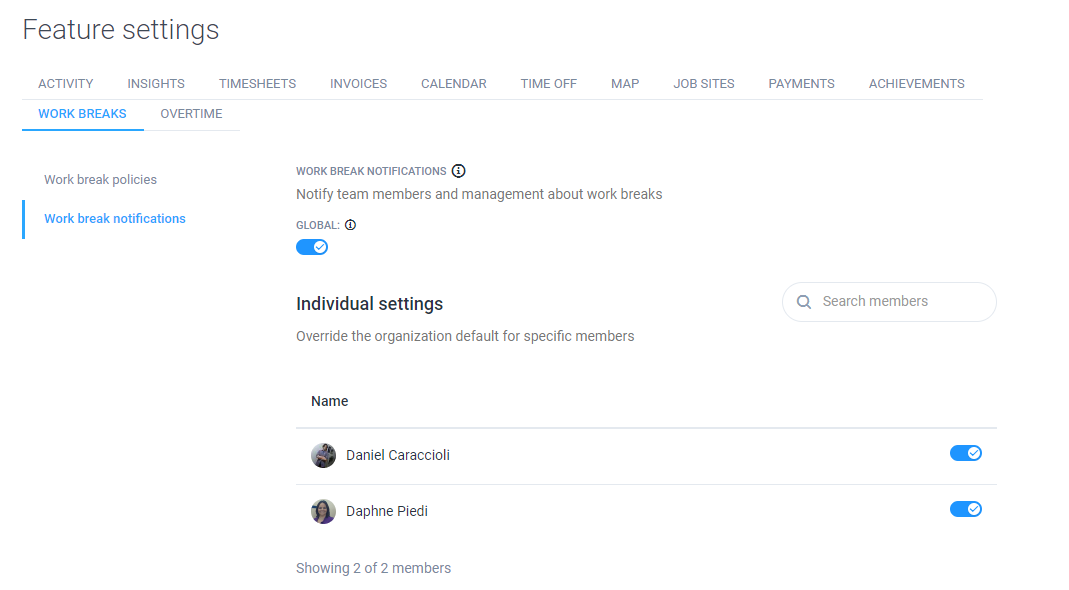
- Encourage scheduled breaks: Allow employees to take scheduled breaks where they can check social media, helping to satisfy their need for a mental break without impacting work. Use Hubstaff to ensure these breaks are kept within reasonable limits.
7. Disorganization
A cluttered workspace or disorganized digital files can lead to wasted time searching for documents or tools needed to complete a task, making disorganization one of the most common workplace time wasters.
Impact:
Disorganization can cost employees 7.8 hours each week, as they struggle to find the information they need to do their jobs effectively, contributing significantly to time wasters at work.
Practical steps:
- Implement organizational systems: Encourage employees to maintain a clean workspace and implement digital filing systems.
- Regular clean-up sessions: Schedule regular clean-up sessions to declutter workspaces and organize digital files. Use Hubstaff to monitor how much time is being saved as a result of these efforts, helping to reduce the impact of common workplace time wasters.
8. Lack of planning
Without proper planning, employees may spend too much time deciding what to do next, leading to inefficiency and missed deadlines, which is one of the more subtle but impactful time wasters at work.
Impact:
Employees without a clear plan can lose hours each week due to indecision and lack of direction, turning what could be productive time into one of the more prevalent time wasters.
Practical steps:
- Daily and weekly planning sessions: Encourage your team to spend time at the beginning of each day or week to plan out their tasks. Hubstaff’s Tasks add-on can help with setting priorities and deadlines, ensuring that everyone is aligned and focused on their goals, thereby reducing these time wasters.
- Use time tracking for accountability: Hubstaff can provide insights into how well employees are sticking to their plans and where adjustments may be needed, helping to mitigate time wasters at work and ensuring that each task is completed efficiently.
9. Work from home distractions
Remote work invites a whole new share of challenges. Work from home distractions ranging from household chores, TV, video games, and doctor’s appointments can make otherwise productive workers distracted.
Impact:
Home-related distractions like family, pets, roommates, and multitasking on chores can have a significant impact on productivity. These distractions can also have negative affects on productivity and quality of work if left unchecked.
Practical steps:
- Set clear boundaries. Just as you would in an office, encourage remote workers to take breaks for social media, chores, family needs, appointments, and other distractions. Time management techniques like time blocking can help here.
- Leverage productivity monitoring. Hubstaff’s time tracking software with built-in employee productivity monitoring helps managers identify distracted remote workers with features like idle timeouts, keyboard and mouse activity levels, and app and URL tracking. In fact, Hubstaff users average 50 more minutes of focus time per day (4+ hours per week) than their in-office counterparts.