working hours
guide

How Hubstaff Ensures Accurate Time Tracking (Even When Offline)

Connectivity has become so taken for granted in today’s workplaces that “offline time tracking” sounds like a limitation. However, there are numerous practical use cases where an offline tracking system can be an advantage. 

When work that happens on a job site, in a basement, or even during an outage is still tracked accurately and automatically, it brings a level of peace of mind that can be hard to quantify. 

Hubstaff is one of the few tools that executes this well. It tracks time whether or not your team is connected, capturing everything locally and syncing automatically the moment a connection is restored.

What offline time tracking actually means

Offline time tracking refers to a time tracking application’s ability to keep recording work data like hours, activity, and location without an active internet connection. This data is stored locally on the device and, once connectivity is restored, is automatically synchronized to the cloud.

Offline time tracking is not the same as manually recording hours after the work is already done. It’s also different from pausing the timer until the internet connection returns.

Here are a few common situations where offline tracking can be extremely helpful:

  • Field service technicians working in buildings with no signal
  • Construction crews on job sites without reliable Wi-Fi
  • Traveling consultants logging hours on flights or between client sites
  • Healthcare workers in restricted network environments
  • Drivers and delivery teams with intermittent mobile connectivity
  • Remote employees in rural areas with unstable broadband

For any of these workers, a time tracker that requires constant connectivity is simply unsuited to the way they work. When they lose that connectivity, they will have to resort to reconstructing hours from memory. This quickly compounds inaccuracies that can severely damage the business.

construction-overtime-desktop-2x-8cb52d20253dc3845fdeebf942a95eaa9ce1853d31d66304d57d46391542af06-1.webp

Why time tracking accuracy is a workplace data-integrity issue, not a productivity one

When people hear “time tracking,” they think of “productivity.” Given that most time trackers are designed to serve that outcome, the reflex makes sense.

For business leaders, though, the more consequential point of view is data integrity. Payroll, for instance, depends on accurate time records. So does the ability to pass an audit or show compliance with several acts and regulations.

To demonstrate what inaccurate time data can cost, here are a few statistics:

  • According to UKG, 49% of employees say they will look for a new job after just two incorrect pay cycles.
  • A 2022 EY survey found that missing and incorrect time punches cost $78,700 per 1,000 employees per year.
  • In the same survey, it was discovered that time and attendance errors are the most frequent error type overall.
After two incorrect pay cycles,  49% of employees look for a new job.png

None of these findings has anything to do with how hard employees are working. They are simply the cost of having bad records, such as hours worked that weren't captured and corrections that had to be made.

When you’re using a time tracking system that takes your data with it when it goes down, you are inadvertently exposing the organization to costly scenarios like the ones above.

How Hubstaff captures time accurately when a device is offline

For most time trackers, the software stops when the device loses its network connection.

Hubstaff does not. Instead of stopping the tracking, it continues storing time tracking data locally, resulting in a continuous record through the WiFi loss. Users don’t have to do anything.

Here’s how that works:

  • Local timestamping at the device level. Hubstaff continues recording time directly on the device even when the connection drops. It also generates timestamps locally instead of relying entirely on the server.

  • Continuous activity capture in the background. Keyboard and mouse activity, app usage, and GPS data on mobile devices continue to be recorded while offline. Nothing about the tracking experience changes.

  • Tamper-evident local cache. For the locally stored data, retroactive alteration is detectable, which helps preserve the integrity of the record.

  • Automatic sync on reconnect. When the connection returns, Hubstaff automatically uploads the locally stored data to the cloud in the background, without requiring users or admins to upload it manually.

  • Idempotent sync and conflict resolution. If a sync process is interrupted or a record is submitted more than once, the system can de-duplicate and reconcile without creating duplicate entries or overwriting valid data.

Practically speaking, all of this means that shortcomings in connectivity no longer lead to holes in timesheets. What gets tracked offline arrives in the dashboard like everything else does: timestamped, to the right project, and ready for approval.

What gets tracked offline and what waits for sync

With Hubstaff’s offline tracking, you can rest assured that all time, productivity, location, and budget data you’ve configured will still be captured the moment it happens. Everything tied to communicating that work to the rest of the team is what waits until a connection is available again.

Captured offlineQueued for sync
  • Manual timer start and stop
  • Automatic timer based on schedule
  • Activity levels (keyboard and mouse)
  • Screenshots (if enabled)
  • App and URL activity (if enabled)
  • GPS coordinates (mobile)
  • Project and task management
  • Notes and to-dos
  • Real-time admin dashboards
  • Live team-status views
  • Push notifications to managers
  • Payroll integrations
  • Project management integrations
  • Reports requiring server-side aggregation

A manager won’t see a dashboard update while their team is offline, but when the connection returns, the record of everything that happened (complete and timestamped) will be there.

Cloud-based time tracking, explained for IT and compliance

Cloud-based time tracking means time data is captured on the device and stored on remote servers rather than on local machines, spreadsheets, or systems accessible only by one admin. For IT and compliance teams, that means there is less risk.

To meet these high standards, Hubstaff is designed so that the device serves merely as a collection point for accurate time data rather than a storage dependency. Here’s how it achieves that goal:

Anywhere access

Cloud-based means device-independent, which is big for distributed teams.

For instance, a manager in Chicago, an auditor in London, and a contractor in Manila all see the same authoritative data. There is no on-device master copy to lose or a local database accessible only on one person’s machine.

Access is also tied to role-based permissions, so each person sees data relevant to their role. For example, managers see their team members’ hours, finance sees billable totals, and IT sees audit logs. The data lives in one place, and the people who need it can reach it from anywhere.

Automatic backups and durability

A record that exists on a device is only as durable as that device. Hubstaff eliminates that fragility by storing time data in the cloud, where it persists independently of whatever happens to the hardware that captured it.

With Hubstaff, a device can be gone the same day it tracked several hours of work, and every one of those hours will still be in the dashboard. Retention windows with Hubstaff range from 2 weeks to 6 years for core records such as time logs, timesheets, and payroll history.

Enterprise-grade security

Security is an absolute necessity for IT and compliance teams evaluating any cloud-based tool.

That’s why Hubstaff is built with controls that cover data in motion (TLS 1.2+), data at rest (AES-256), access management, and auditability.

Hubstaff also supports single sign-on via SAML/SCIM, two-factor authentication, and IP allow-listing to control who can reach it. Detailed audit logs of admin actions record changes to time entries, access events, and configuration adjustments with immutable timestamps.

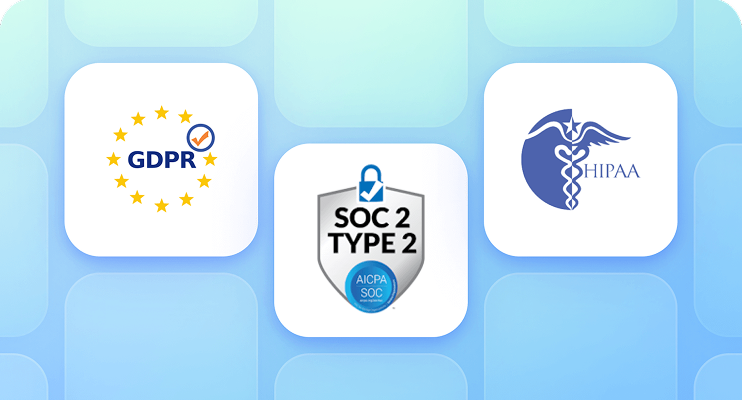
Hubstaff holds the following certifications:
enterprise-grade-solutions-1.png

For healthcare and adjacent industries, Hubstaff supports HIPAA-aligned controls and can provide a Business Associate Agreement (BAA) upon request.

How Hubstaff stays accurate when employees are offline

Capturing time offline is only half of the equation. The other half is making sure what gets captured is correct — that the hours and timestamps are real, and that the record that arrives in the dashboard truly reflects what happened.

Hubstaff handles this through a combination of checks that run automatically:

  • Server-side timestamp verification. When data syncs, server-side timestamps are cross-checked against device timestamps. This creates a reconciled record that neither the device nor the server unilaterally controls.

  • Idle-time detection. If keyboard and mouse activity stops while the timer is running, Hubstaff flags the idle period and prompts the user to confirm or discard that idle time.

  • Automatic timesheet generation. Tracked time is automatically turned into timesheets with no manual entry. This is the step where many errors are introduced.

  • Continuous activity sampling. Rather than checking in at long intervals, Hubstaff continuously samples activity, which means the record reflects what happened across the full tracked period.

Additionally, screenshots, activity levels, and idle time thresholds are all configurable. You can design Hubstaff around your team’s existing policies instead of Hubstaff imposing itself upon them. But regardless of how you configure Hubstaff, the integrity of the time record will not change.

Why IT and compliance teams trust Hubstaff with time data

Hubstaff holds the certifications, maintains the logs, and structures data handling in a manner that gives IT and compliance teams something concrete to point to when they need it.

  • Certifications and frameworks. Hubstaff has SOC 2 Type II, GDPR, HIPAA, LGPD, and CCPA compliance designations. A BAA is also available upon request for organizations operating under HIPAA requirements.

  • Data residency and processing. Where the data is contained, who processes it, and what mechanisms govern cross-border transfers are documented in Hubstaff’s Data Processing Agreement and Data Transfer Compliance pages.

  • Audit logs and recordkeeping. Admin actions, edits to time entries, and access events are logged with timestamps. This supports FLSA recordkeeping requirements in the US and the EU Working Time Directive.

Workers have full visibility into their own tracked data through their dashboard and can export it on request.

When offline-capable time tracking is useful: industries and use cases

Offline time tracking is a practical requirement for any team whose work takes place in areas with inconsistent internet connectivity. The industries below are examples where always-online software can fail.

tab-1-live-map-view-1.png
  • Construction and field services. Job sites, basements, and remote builds often lack reliable WiFi. GPS-enabled offline tracking ties hours to location.

  • Healthcare and clinical settings. Restricted networks and air-gapped environments are common in healthcare. Offline tracking with HIPAA-aligned controls means billable hours and shift records stay accurate without compromising network policies.

  • Logistics and transportation. Drivers, delivery teams, and route-based workers move in and out of connectivity constantly. Offline tracking alleviates the pressure to maintain accuracy there.

  • Professional services and consulting. Travel, client sites, and flights are where billable hours can disappear without anyone knowing.

  • Remote and global teams. Rural broadband, ISP outages, and cross-border travel create challenges that are always difficult to plan around.

  • Education and research. Fieldwork, lab environments, and locations with restricted internet access are standard in research settings. Often, the work itself requires being in a location where a connection cannot be made.

For all of these examples, the work does not stop even if the connection does, making it all the more important that you have a tool to prevent the recordkeeping from stopping as well.

How to set up offline time tracking in Hubstaff

  1. Install the app. Download the Hubstaff desktop, mobile, or Chrome app on each user's device.

  2. Sign in once while online. This caches the user's organization, projects, and task assignments locally so the app knows what to track against when offline.

  3. Configure tracking policies. Set screenshots, idle thresholds, and activity levels in the admin dashboard. Settings push down to each client on the next sync.

  4. Work normally. If the connection drops, the app keeps tracking automatically. Users see a small "offline — syncing later" indicator.

  5. Reconnect and sync. Data uploads automatically in the background. Admins can verify sync status in the dashboard's audit and activity view.

  6. Review timesheets. Once data is reconciled, entries created offline are flagged in the audit log so nothing arrives in the record without context.

Try Hubstaff: accurate time tracking, online or off

Every hour that goes untracked is an hour that has to be estimated or reconstructed. In industries where compliance is critical, that’s simply not acceptable.

Hubstaff removes that problem. Whether your team is connected or not, the record stays intact and honest. When the data arrives in your dashboard, it will be ready for payroll, billing, or compliance without you having to lift a finger.

If you’re ready to see what Hubstaff can do for your organization, try it free for 14 days.

Frequently asked questions

FAQs about working hours

Track time offline with Hubstaff


Track time offline from anywhere and re-sync for detailed insights, reports, and more. Try it free for 14 days.

Try Hubstaff now