Teramind review (2026): features, pricing, and verdict

 12 min read
- Regulated industries need monitoring tools that balance security depth with usability — Hubstaff delivers SOC 2, HIPAA, and GDPR compliance without the steep learning curve of enterprise-heavy platforms.
- Teramind's real-time insider threat detection and DLP capabilities make it a strong fit for large organizations with dedicated IT/security teams, but setup demands significant technical resources.
- Smaller teams should weigh total cost of ownership carefully — minimum seat requirements and tiered feature gates can push compliance-focused monitoring costs well beyond initial expectations.

Teramind is a popular choice among many security- and compliance-minded teams. It’s also one of the best employee monitoring software options out there because it pairs insider threat detection, data loss prevention (DLP), and user activity monitoring (UAM) in one product.
For a firm that handles patient records, client files, or financial data, there is value in that combination. You get visibility into what people do with sensitive information, and you also get alerts when something looks off.
A tool’s fit inside your firm is determined by more than a feature list. Some teams need every layer of security tooling, while others don’t need anything beyond audit-ready records. Knowing which bucket you’re in can save you money and setup time.
In this Teramind review, we’ll talk about what it delivers: what it does, how it handles privacy, what it costs, and where users run into trouble. You’ll also see how Teramind compares with other employee monitoring software.
Hubstaff Walkthrough
Dive into our interactive demo and explore the features that make managing global teams easier than ever.
What is Teramind?
Teramind is a behavior-based monitoring platform. It records what users do on company-owned devices and flags activity that looks risky. Teramind reports that more than 10,000 organizations use it.
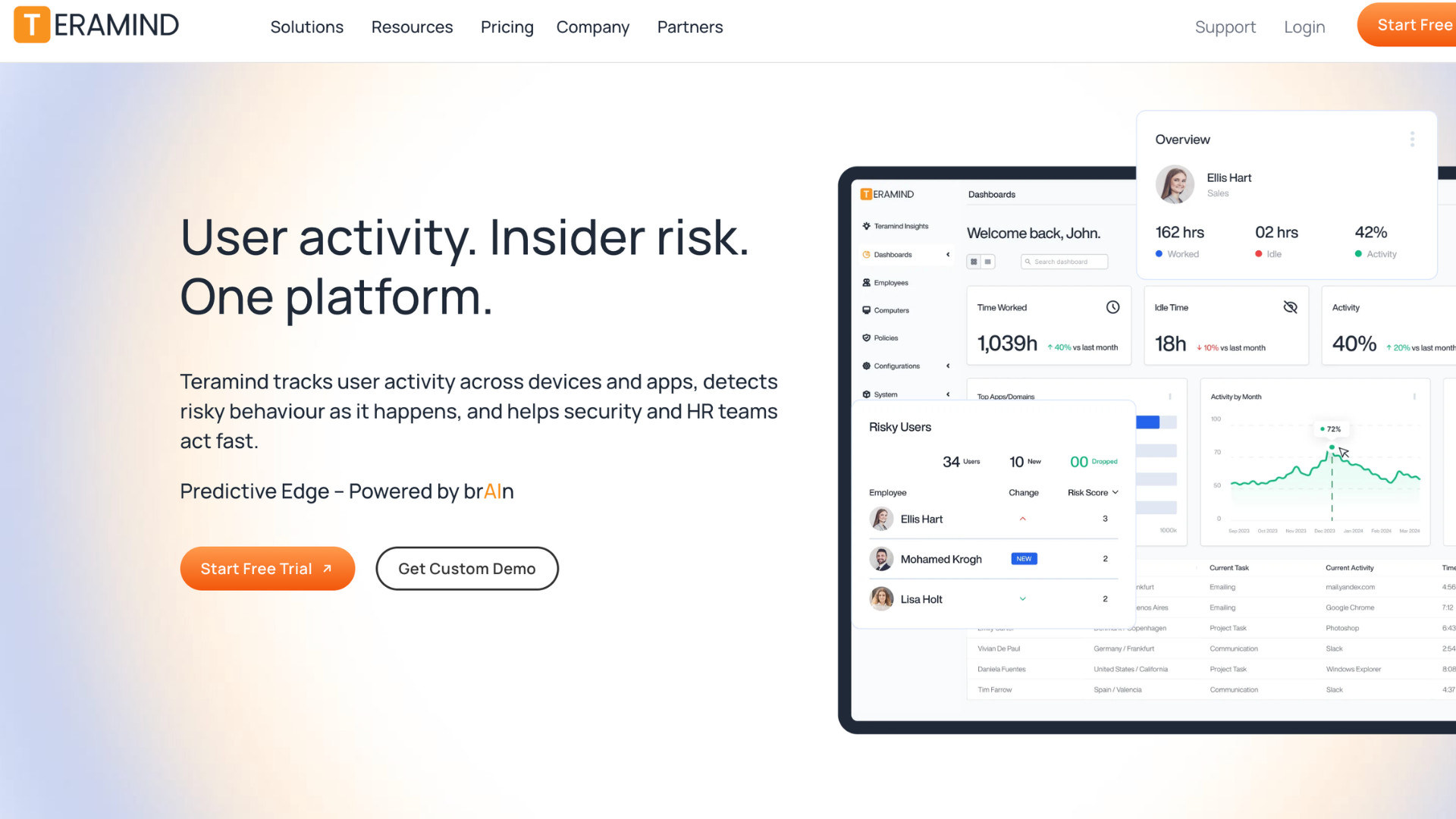
The product has three core capabilities:
- User activity monitoring (UAM) tracks apps, websites, email, file transfers, and screen activity.
- Data loss prevention (DLP) applies rules to that activity and alerts or blocks when sensitive data moves.
- Insider threat management scores each user’s risk based on behavior and detects unusual patterns early.
Teramind provides employee productivity monitoring, which includes active time, focus trends, and workload reports. These reports pull from the same data the security tools collect.
Teramind is typically used by larger organizations with strict security and compliance obligations in industries like finance, health care, BPO, and government contracting. A few examples of this profile are a hospital system, a bank, and a federal contractor.
Deployment runs in the cloud, on-premise, or as a hybrid. It supports Windows, macOS, and Linux. So firms that can’t send sensitive data to a cloud service still have an option.
Teramind also connects to SIEM and SOAR tools such as Microsoft Sentinel and Splunk. Alerts can show up within existing security tools. With Teramind, security is at the center, and productivity reporting sits on top.
Is Teramind’s monitoring ethical and private?
Teramind records screens, and it also provides live viewing and recorded playback capabilities. Admins can review the footage around a flagged event.
Screen capture is only part of what it collects, though. Teramind also tracks employee activity like websites and apps used, email contents, and more. Additionally, Teramind records keystrokes and makes them searchable, and it has optical character recognition (OCR) that reads text inside images and screenshots. Admins can add geolocation tracking for chosen employees or teams.
Whether employees know is up to you. Teramind offers two agent modes:
- A revealed agent is visible on the device
- A hidden agent runs in the background with no sign of it
You set the mode by team or department.
Consent is your job. Teramind supplies the software, but your firm carries the legal duty. Some US states require notice of electronic monitoring, and GDPR requires a lawful basis and transparency. It’s best to have counsel review your notices before you deploy.
Teramind encrypts the data it collects, and you can mask sensitive fields, limit access with roles, anonymize users, and restrict monitoring to set schedules. On-premise deployment keeps recordings on your own servers.
Employees get little control over their own data. With the revealed agent, they know monitoring is on, but Teramind doesn’t publicly describe a way for them to edit or delete what was recorded about them.
Teramind features
Teramind gathers activity data from every monitored device in your organization. Each feature in the platform builds on that same data, which is why it can support both a security investigation and a productivity report. Which features you can use depends on your plan tier.
User activity and behavior monitoring
Teramind can track a wide variety of employee activity, such as:
- Websites visited
- Applications used
- Email content and attachments
- File transfers
- Clipboard activity
- USB use
- Print jobs
It also logs how long each person spends in each app, so you can see where time goes and which tools people rely on.
Admins can watch a screen live or replay a session later. Remote desktop control lets an admin step into a user’s session to provide assistance when needed, and Remote Desktop Protocol (RDP) session recording captures remote desktop sessions.
Teramind’s behavior features work through rules and baselines. You can write rules for relevant behaviors like opening a restricted application or visiting a blocked site. Teramind then responds with an alert, a warning to the user, or a block.
The platform also builds a baseline of normal activity for each user and detects when they deviate from it. Teramind is designed to detect activity falsification too, such as mouse jigglers that mimic work.
Alerts appear in OMNI, a news-style interface that groups related alerts together. That helps your team distinguish a one-off event from a developing pattern.
Insider threat detection and risk scoring
Teramind assigns each user a risk score based on their activity, role, and history. The score changes as their behavior changes, so admins can see which users carry the most risk at any given time.
The platform looks for early signs of trouble, such as:
- Off-hours access
- Unusual file compression
- A jump in print volume
It also links events that happen weeks apart. For instance, an employee might start logging in after hours one week and copy a large set of files to a USB drive a few weeks later. Teramind treats those as one pattern instead of two separate entries. Its unusual activity detection features monitor patterns that build over time, not just single events.
When an alert fires, admins can replay the session from before, during, and after the event. That replay helps separate an honest mistake from deliberate misconduct. Timmy, Teramind’s AI copilot, provides a plain-language summary of what happened, why it carries risk, and what to do next.
Responses can escalate with the score. For users with elevated scores, Teramind can require acknowledgments, tighten access controls, or block file transfers. For lower-risk mistakes, it can show real-time prompts and policy reminders.
Data loss prevention (DLP)
Teramind’s DLP tracks how sensitive data moves across:
- Endpoints
- Web uploads
- Cloud storage
- USB devices
It covers data in motion, at rest, and in use.
To find that data, Teramind matches patterns for personal information, health records, and payment card numbers using predefined and custom regular expressions. It also flags confidential documents by what they contain, where they’re stored, their file properties, and how users handle them. OCR reads text inside images and screenshots, which closes a common way around text-based rules.
When a rule triggers, admins choose the response based on severity. Teramind can send an alert, block the action, or end the user’s session. Rules can be scoped by department, role, and data sensitivity, and admins can set exceptions for specific users or temporary projects.
Teramind ships with 11 pre-configured behavioral rules and reporting templates for GDPR, HIPAA, PCI-DSS, and SOX. Evidence packages can be exported for audits or connected to GRC platforms. Teramind also monitors employee use of AI tools such as ChatGPT and Claude, and it can block unauthorized ones.
Productivity and workforce analytics
Teramind measures active and idle time, work hours, breaks, and time spent in each application and website. It tracks data from in-office, hybrid, and remote staff, so managers can compare how work gets done across settings. With geolocation turned on, they can also compare productivity by work location.
Benchmarking then uses that data to profile top performers and set targets for the rest of the team. Teams can be measured against their own historical baselines. Time data can be compared with project estimates, which shows where work runs over.
Dashboards and reports can be customized for each audience, too. Teramind delivers productivity metrics and team efficiency scores, which support workload reports that show who’s stretched thin. For deeper analysis, it sends behavioral data to Power BI, Tableau, and Google BigQuery.
Teramind can map business processes. Its in-app parsing reads individual fields, so admins can follow a record from one user to the next. It supports integrations to project management tools like Jira, Asana, and ClickUp too.
What Teramind doesn’t do well
Teramind’s depth comes with a real setup cost. The platform has many options, settings, and modules. Getting rules, risk scoring, and behavior baselines configured correctly takes time. A team without a dedicated IT or security person will feel the time commitment.
Pricing also scales with the feature set. Moving from Starter to UAM to DLP adds noticeable cost per seat, and every plan carries the same 5-seat minimum regardless of team size. A very small team will likely end up paying for capacity it does not use.
While deployment itself isn’t the issue, as Teramind advertises setup in minutes, the hard work comes after installation, when a team has to configure the platform to fit their policies and workflows.
Teramind pricing
Teramind offers four plans priced per seat every month. Each plan includes everything in the one below it, and the price climbs as the feature set moves from basic productivity tracking toward full data loss prevention.
| Plan | Price per seat/month | Features included |
| Starter | $15 ($14 annually) Minimum $69/month (annual pricing) | – Live view and screen recording – Website and app tracking – Activity blocking – Time tracking – Limited behavior rules |
| UAM | $30 ($28 annually)Minimum $138/month (annual pricing) | – Email monitoring – File transfer monitoring – Keystroke logging – Print tracking – Geolocation tracking – Risk scoring – Anomaly detection – AI conversation recording – Unlimited behavior rules – SIEM integration |
| DLP | $35 ($32 annually)Minimum $160/month (annual pricing) | – Clipboard tracking – Content-based rules – Sensitive content detection and redaction – Automatic blocking – 200 pre-packaged DLP rules |
| Enterprise | Custom pricing | – OCR In-app parsing for fraud detection – Premium support – Deployment assistance – Availability in AWS GovCloud – Azure Government |
All plans require a minimum of five seats per month. On monthly billing, that puts the entry price at $75 a month for Starter and $175 for DLP.
That means a firm with fewer people has to pay for seats it won’t yet use. Teams of ten or more won’t notice the minimum, but for a very small practice, it raises the real cost above the listed per-seat rate.
Teramind pros and cons
Teramind’s strengths and drawbacks come from its design choice: it’s built for security-heavy environments, so it’s most helpful for firms with strict data and compliance demands.
| Pros | Cons |
| Deep insider threat and DLP capability Granular risk scoring Strong fit for regulated, high-security environments Cloud, on-premise, and hybrid deployment | Steeper learning curve Five-seat minimum on every plan Cost climbs quickly across tiers Can feel heavier and more surveillance-oriented than lighter productivity tools |
If your firm has strict data and compliance demands, Teramind will likely be a helpful tool. But if you primarily need productivity tracking, the cons outweigh the security depth.
What real users say
Teramind reviews draw the strongest praise for security. Reviewers on G2, Capterra, and TrustRadius describe it as a way to catch data leaks and insider risk early. One G2 reviewer credited it with stopping leaks and flagging odd behavior as it happens.
“Its ability to prevent data leaks and detect unusual behavior in real time is key. It gives us great peace of mind knowing that our company’s sensitive information is well protected thanks to its customizable rules and alerts.”
– Moises G., Supervisor IT Support, Enterprise, G2
Users also value it for compliance. They tie its alerts and reports to audit and risk work.
“[Teramind’s monitoring and risk management features] can prevent data incidents or potential fraudulent activities.“
– Rolands B., Fraud Analyst, Financial Services, Capterra
That said, the complaints show up just as consistently.
The most common is the learning curve. Teramind’s interface has many options, and setup takes time; some reviewers only got through it with a vendor rep’s help.
“Although Teramind is highly capable, the user interface can be difficult to navigate, especially for new administrators. There are many options, settings, and modules, which can make setup and day-to-day management more complex than necessary.”
– Verified User, Legal Services, Mid-Market, G2
Users also point to cost, with reviewers noting its pricing.
“It’s pretty expensive, and for more monitoring options, you have to pay even more.”
– Esty K., Secretary, Real Estate, Capterra
Teramind alternatives
Teramind isn’t the only option for security and compliance monitoring. If its scope or setup doesn’t fit your team, a few other tools can do what it does.
Some handle lighter compliance needs without the full insider-threat and DLP features, while others compete more directly on security depth. Here are the top three alternatives.
Hubstaff
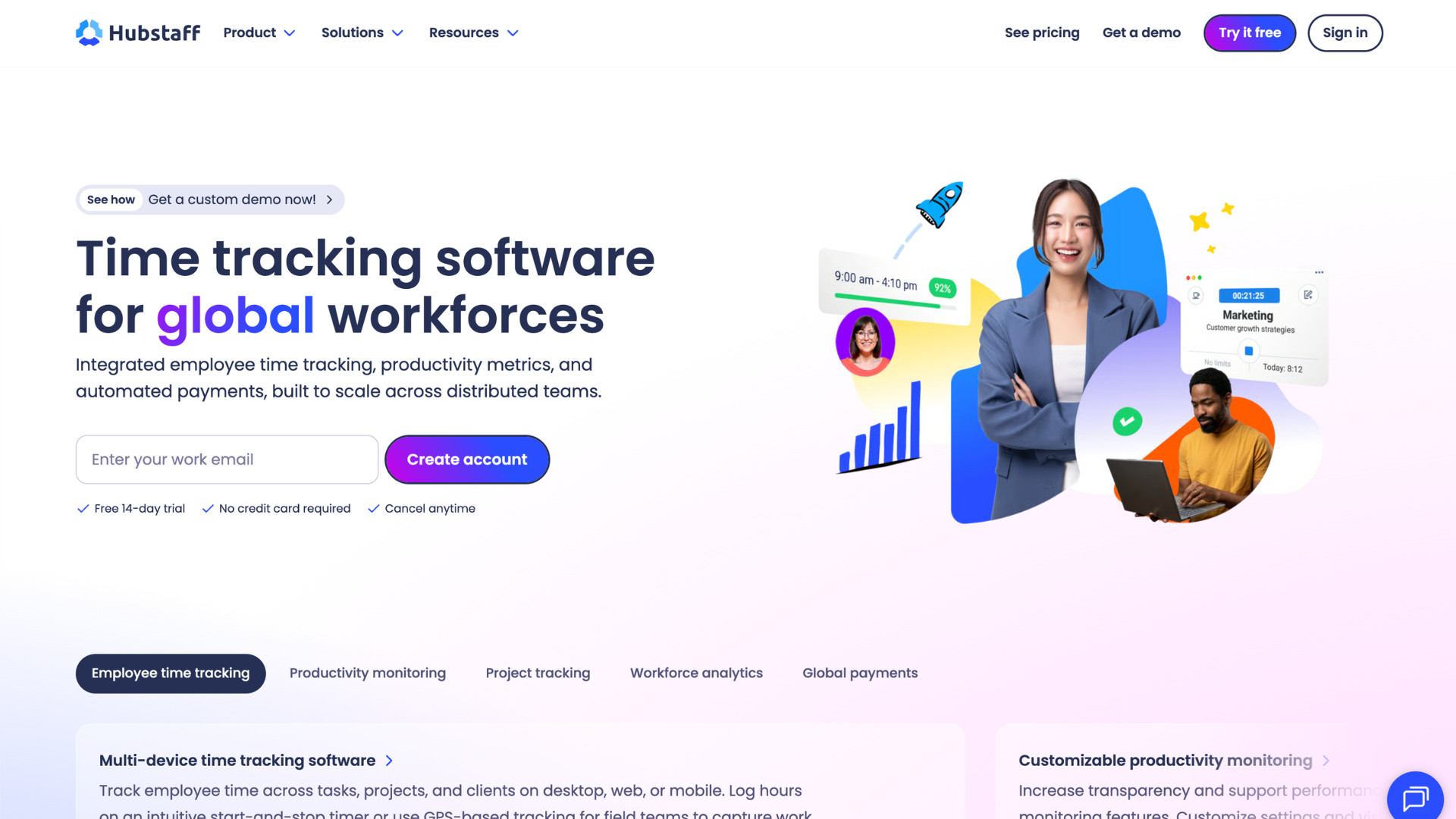
Hubstaff is a workforce management tool with time tracking at its core, and capabilities like productivity monitoring, workforce analytics, and administrative tools like payroll and invoicing are built around it. It’s lighter and easier to configure than Teramind. It deliberately leaves out DLP rules and keystroke logging, so it fits firms that need audit-ready time and activity rather than deeper surveillance. .
Hubstaff is compliant with GDPR, HIPAA, SOC 2 Type II, LGPD, and CCPA guidelines, which means if your priority is productivity and visibility, you don’t have to give up audit-ready reporting and compliance coverage.
Here’s what Hubstaff offers:
- Time tracking that shows exactly where hours went, by task, project, or client.
- Productivity monitoring that detects distraction and idle time without keystroke logging, webcam access, or email content collection.
- Unusual activity detection that detects patterns like scripted mouse movement or falsified time so managers can catch discrepancies early. See how Hubstaff does this compared to Teramind.
- Workforce analytics that turn tracked time into utilization rates, capacity gaps, and department-level trends.
- Audit-ready reporting with role-based access, exportable records, and configurable data retention for compliance reviews.
Hubstaff runs on three guiding principles: transparency, access, and control.
Employees can see their own tracked data, and monitoring stays tied to active work time. In a firm managing remote or hybrid staff across health care, legal, or financial services, that gives managers the visibility they need while keeping the monitoring itself easy for the team.
ActivTrak
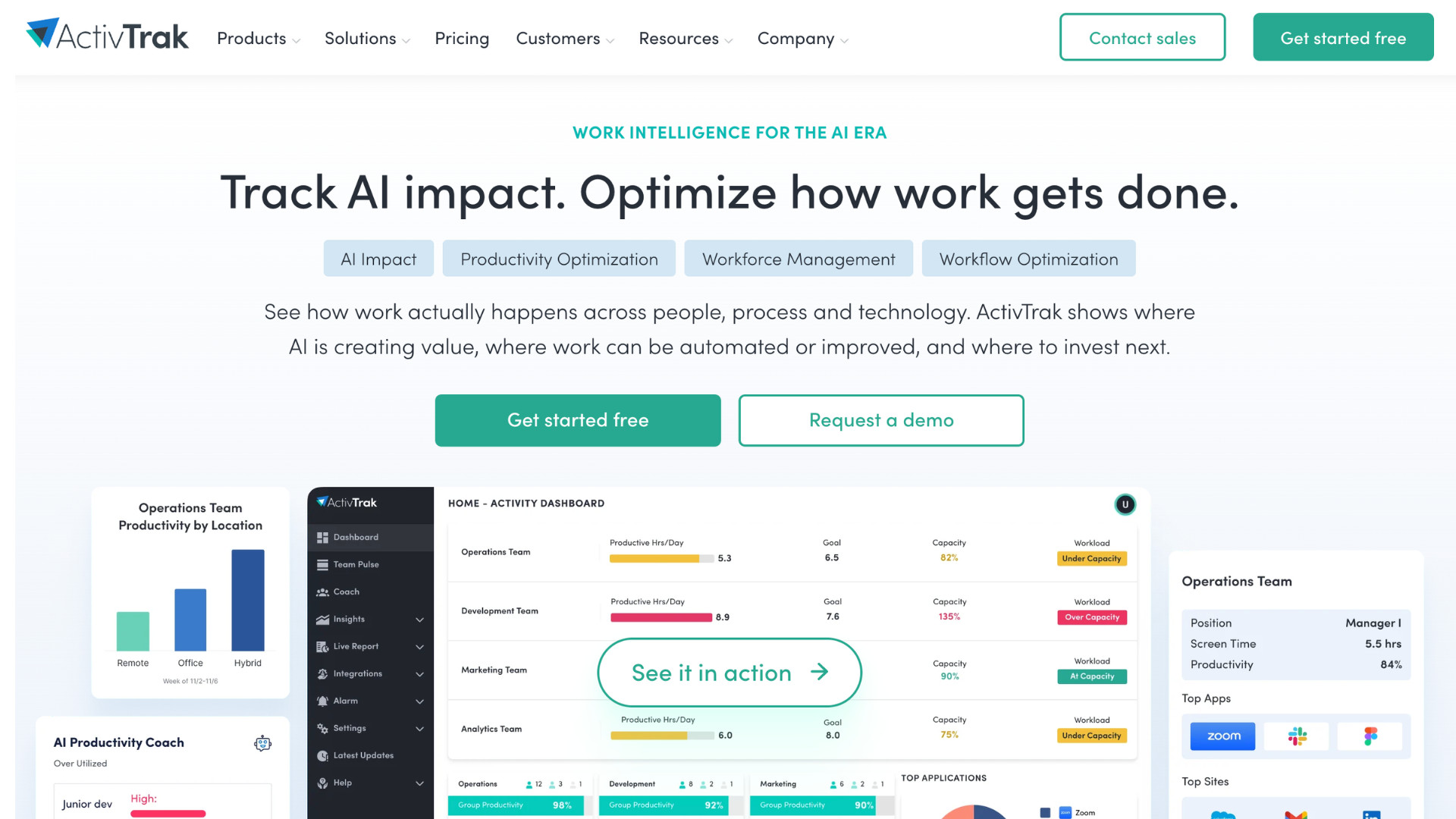
ActivTrak refers to itself as a work intelligence platform. It shows how work happens across people, processes, and AI tools.
ActivTrak does not focus on watching individual employees. Rather, they help teams spot patterns across a whole organization. Take a look at what ActivTrak can do:
- Activity tracking that shows which apps and websites drive real work without keystroke logging or screen recording.
- Schedule adherence reporting that compares actual hours worked against assigned shifts. It also sees late starts and coverage gaps.
- Timesheet reconciliation that compares reported hours against tracked activity. This is useful for catching overbilling or invoice errors.
- AI usage tracking that shows which AI tools employees use, how often, and whether any unapproved tools are being used.
- Activity-mimicking detection that catches mouse jigglers and other tools designed to fake activity.
ActivTrak doesn’t offer DLP, insider threat scoring, or session recording, which are defining features of Teramind’s security suite.
For a firm weighing compliance requirements specifically, that should be taken into consideration. But for one that mainly wants to understand how work gets done and where AI is paying off, ActivTrak is designed around that. Find out if it’s a good fit for your team in our ActivTrak review.
Insightful
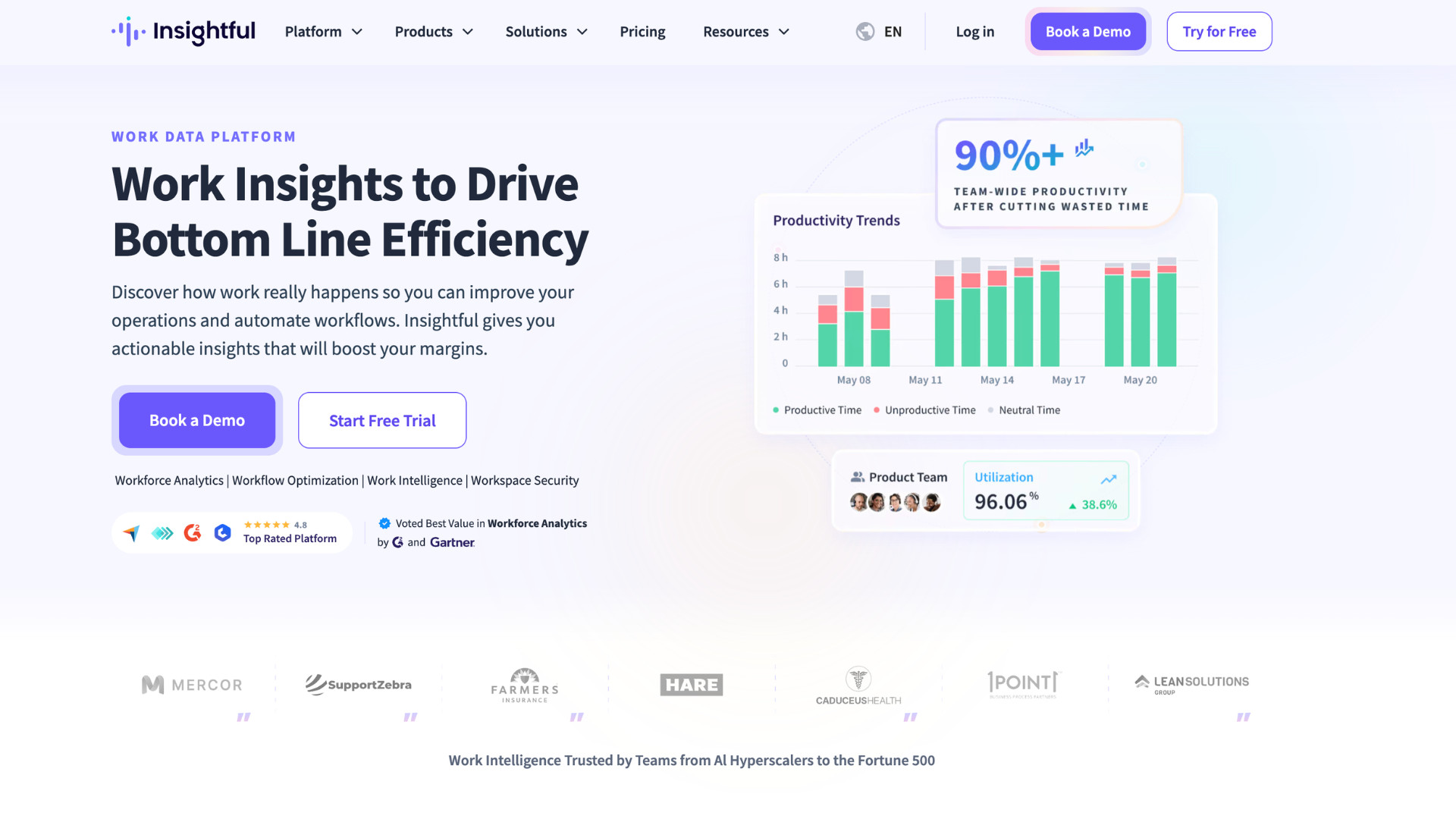
Insightful combines time and activity tracking with insider threat detection, forensic-level activity logs, and audit trails. It doesn’t include a DLP rule engine as Teramind does.
Insightful is SOC 2, ISO 27001, HIPAA, GDPR, and CSA compliant, and it supports both cloud and on-premise deployment. Check out what you can expect from Insightful:
- Screen and activity monitoring with screenshots, real-time tracking, and a hidden or visible agent mode. It does not have keystroke logging.
- Activity Logs that record every app, site, and URL down to the second. Useful for compliance reviews and policy enforcement.
- Insider threat detection that alerts on unauthorized app or website use, high-risk keywords, and policy violations, with forensic tools to investigate after an incident.
- Irregular Behavior Alert, which detects mouse jigglers, auto-clickers, and other activity-simulation tools against a maintained list.
- Audit Logs that record every account change with the actor, role, and old and new values. This is sold as part of a Workspace Security add-on.
Insightful carries more security tooling than Hubstaff and less than Teramind’s full DLP suite. Where a given team lands between those two depends on what their compliance work requires.
Here’s how each compares against the others:
| Teramind | Hubstaff | ActivTrak | Insightful | |
| Deployment | Cloud, on-premise, hybrid | Cloud only | Cloud (not stated either way) | Cloud, on-premise (250-employee minimum for on-premise) |
| App & URL tracking | Yes, with per-app time and behavior rules | Yes, with activity levels (keyboard/mouse input) | Yes, categorized by productive/unproductive | Yes, logged to the second with full URLs |
| Keystroke logging | Yes | No | No | No |
| Screen recording/ session replay | Yes | Screenshots only (optional) | Not offered | Screenshots only |
| DLP | Yes | No | No | No |
| Insider threat/risk scoring | Yes | Unusual activity detection (not a scored profile) | No | Yes |
| Billing/invoicing | No | Yes, timesheets and invoicing | Timesheet reconciliation only | Yes, invoicing tied to approved hours |
| Certifications | ISO 27001, SOC 2 Type II (company-wide) | SOC 2 Type II, HIPAA, GDPR (Enterprise tier only) | SOC 2 Type I, SOC 2 Type II, HIPAA, GDPR, CCPA | SOC 2 Type II, ISO 27001, HIPAA, GDPR, CSA |
Teramind review: the verdict
Teramind is built for large, regulated organizations that need insider threat detection and DLP working together in one platform.
Finance, health care, and government contractors with dedicated security staff get the most out of it. The five-seat minimum and steep learning curve won’t bother a team that size, and the cost scales in proportion to what they’re protecting.
It’s different for smaller regulated firms. A ten-person practice doesn’t need risk scoring or content-based DLP rules built for a security operations center. The setup time and cost work against a team without IT staff to run it.
If that’s closer to your firm, Hubstaff carries SOC 2 Type II, HIPAA, and GDPR compliance, along with audit-ready reporting, without the heft of a DLP suite behind it.
Book a demo to see how Hubstaff’s compliance reporting and workforce analytics work for a team your size.
Frequently asked questions
Is Teramind safe?
Yes. Teramind is ISO 27001:2022 and SOC 2 Type II certified as a company, and it encrypts data in transit and at rest. Cloud deployments run on Oracle Cloud infrastructure, which carries its own set of security certifications.
Does Teramind record my screen?
Yes. Teramind supports live screen viewing and recorded playback, and admins can review footage tied to a specific alert. Whether the agent is visible on employee devices depends on the mode chosen by the administrator. Teramind offers both a revealed agent and a hidden one.
How much does Teramind cost?
Plans start at $14/seat per month on the Starter tier, billed annually, with a 5-seat minimum. Pricing climbs to $28/seat for the UAM plan, $32 per seat for the DLP plan, and Enterprise pricing is custom.
Can Teramind access your camera?
Yes, on the UAM plan and above. Camera monitoring is not available in Teramind’s base plan.
What companies use Teramind?
Teramind is used by larger, regulated organizations that need to monitor sensitive data and prove compliance to a regulator or client. Smaller companies without that kind of obligation are less likely to need it.
Is Teramind a good fit for small teams?
Not particularly. A small team often doesn’t need the depth Teramind offers. DLP rules, risk scoring, and session recording can feel like more surveillance than a small team requires.
On top of that, every plan carries a 5-seat minimum, so a team that size may have to pay for seats it won’t use. Setup and maintenance also take a dedicated IT or security person to run well, which most small firms don’t have available.
Most popular
The Top Time Management Statistics in 2026 for Workplace Productivity
We all have the same hours in the day. But when employees struggle to focus, those hours likely won’t be used effectively. Witho...
The Best Coaching Conversations Start With Productivity Data
Most coaching conversations happen too late. A deadline is missed, or a client flags a problem, and then a manager schedules a sit...
A Quick Guide to Work Order Management
From quick fixes to long-term stability, work orders are crucial to asset management and helping managers keep operations running...
How to Identify High Performers Using Work Patterns
Every business has top performers, and managers are told to find them all the time. But in most cases, they default to approaches...