Ask Your Workforce Data Anything with Hubstaff’s New AI-Ready CLI and API

 3 min read
- The Hubstaff CLI lets you query workforce data instantly via terminal or natural language AI prompts, replacing slow dashboard navigation with direct, real-time answers.
- By wrapping Hubstaff's full public API with a self-updating schema, the CLI automatically recognizes new endpoints, keeping your workflows current without any manual updates.
- Built for developers, team leads, and AI builders alike, the CLI and AI-ready API lay the foundation for deeper workforce automation and advanced insights ahead.

It’s Monday morning. Your CEO asks, “Which projects went over budget?”
Instead of pulling reports, exporting numbers, and verifying the data, now you can simply ask the Hubstaff CLI and get the answer in seconds.
Let’s dive in.
Stay in the loop
Subscribe to our blog for the latest remote work insights and productivity tips.
What’s new
Meet the Hubstaff CLI, a new command-line tool paired with an AI-ready API layer that makes your workforce data easy for AI tools to work with too.
Together, they’re a faster way to get real answers out of Hubstaff without navigating through dashboards or waiting on a report from someone else.
Hubstaff’s reports offer valuable insights, but they aren’t always the fastest way to answer a specific question. But with the CLI, you can pull any specific answer through the terminal, or hand it to an AI tool and just ask.
Why it matters
This isn’t just Hubstaff reporting with fewer steps. It’s that, and an additional level of how teams understand how work happens as it happens.
Instead of staring at several data points and trying to piece the story together, you can just ask Hubstaff for exactly the thing you need. When paired with an AI assistant, you can ask questions like:
- Who are my top performers this month?
- What looks abnormal in this data?
- Which team has had a drop in productivity?
The possibilities are virtually endless, and you’ll get an understanding of your workforce that’s deeper than ever before.
Working with the CLI
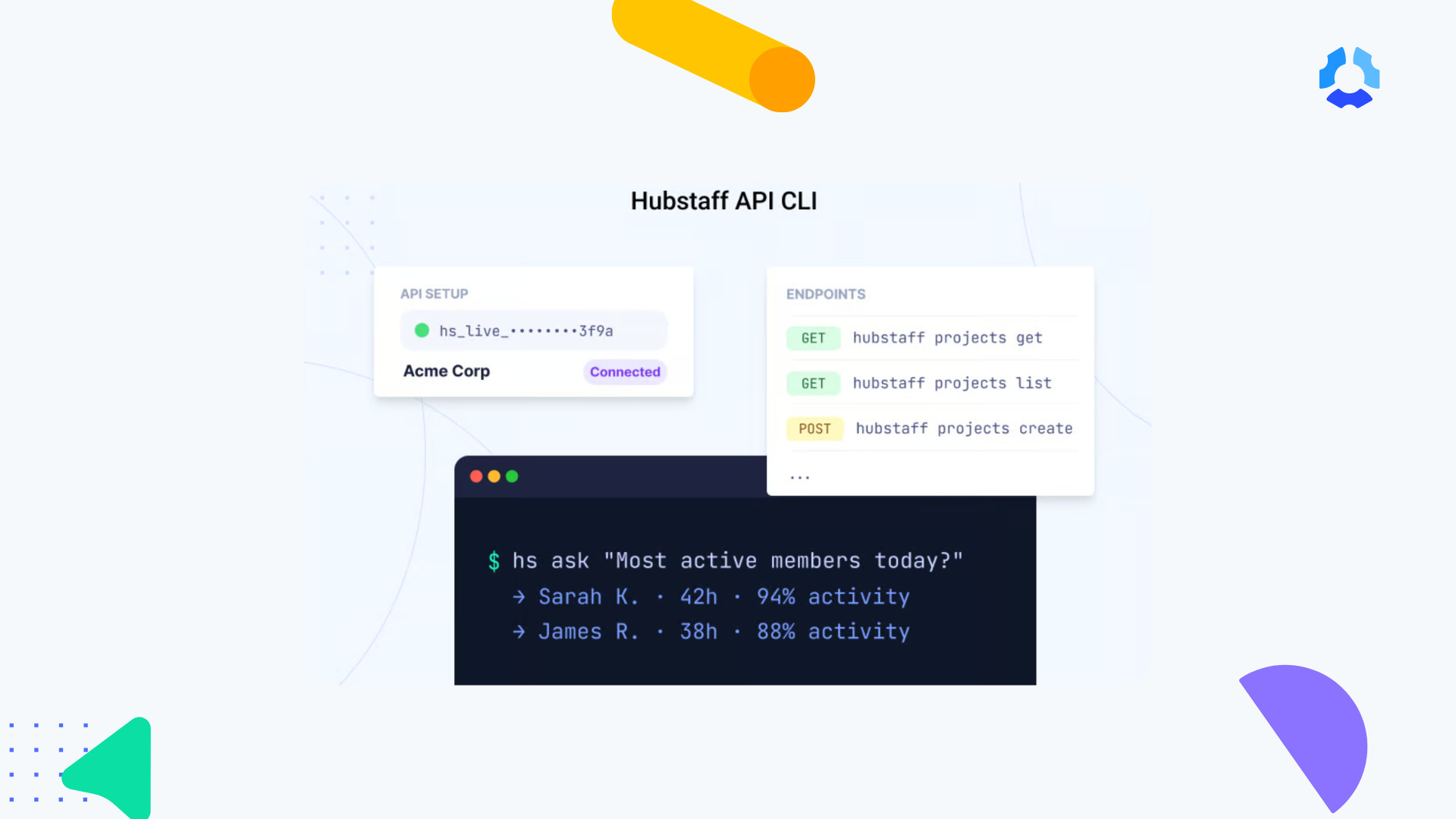
It takes minutes to get from installing the Hubstaff CLI to getting precise information from your Hubstaff data. From there, you can retrieve workforce data, automate tasks, and build AI-powered workflows.
You’ll get a clean, readable answer back immediately.
Want to make it even easier? Pair the CLI with an AI tool, and you don’t even need to remember the exact command.
Just ask it natural-language questions like:
- “Who logged the most hours this week?”
- “Which projects had the most activity yesterday?”
The AI will handle the translation from question to command to answer.
How it works
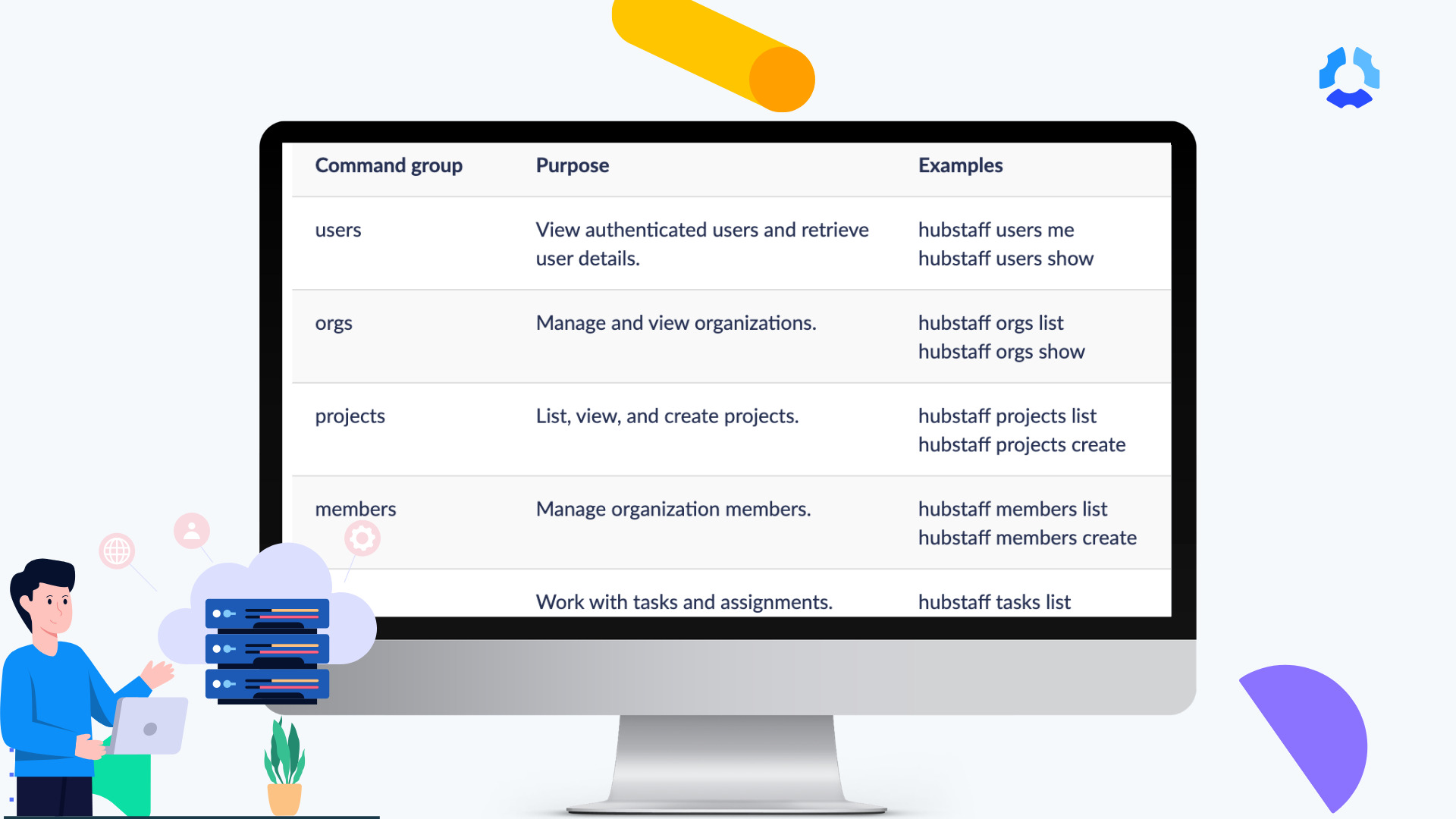
Under the hood, the CLI wraps Hubstaff’s entire public API, but it doesn’t memorize it.
Every time you run a command, it checks the API’s own schema to see what’s available and builds its command list from that, on the spot. In other words, if we add a new endpoint tomorrow, the CLI would know about it instantaneously.
That same schema is what makes the API AI-ready. AI tools can also consume the same machine-readable schema to discover available operations, which means the same commands work whether a person is typing them or an AI agent is running them on your behalf.
Who this is for
The Hubstaff CLI is built for anyone who wants faster, more direct access to their workforce data, including:
- Developers who can build integrations, scripts, and AI workflows.
- Teams that want faster answers to specific queries from the data they already have.
- AI builders who can plug real workforce data straight into agents and tools.
The Hubstaff CLI works with both humans and agents, which means just about anyone on the team can pull the exact workforce data they need anytime they need it.
What’s next
We’re always hard at work improving Hubstaff so it can provide businesses with the workforce intelligence to drive better team performance and support profitable growth.
The CLI and AI-ready API are big steps, and they’re the foundation for deeper AI capabilities down the line, including more advanced insights and automation. We’re just getting started!
See what you can do with the Hubstaff CLI
Your workforce data has the answers to your questions. They were always accessible to you, but there hasn’t been a more straightforward way to get exactly the data you need — until now.
Whether you’re a developer building something new or a team lead who wants to see how your team members perform through a specific lens, the Hubstaff CLI and AI-ready API will get you there.
Most popular
A Quick Guide to Work Order Management
From quick fixes to long-term stability, work orders are crucial to asset management and helping managers keep operations running...
How to Identify High Performers Using Work Patterns
Every business has top performers, and managers are told to find them all the time. But in most cases, they default to approaches...
The AI Productivity Panel: Lessons From Leaders on What’s Working (and What’s Not)
When I moderated this AI productivity panel, I expected a solid conversation. What I didn’t expect was the flood of real-world i...
Ask Your Workforce Data Anything with Hubstaff’s New AI-Ready CLI and API
It’s Monday morning. Your CEO asks, “Which projects went over budget?” Instead of pulling reports, exporting numbers, and ve...