7 Best AI-Based Time Tracking Software for 2026

 14 min read
- AI time tracking tools serve very different purposes — from timesheet automation to behavioral analytics — so evaluating what the AI actually does, not just the marketing, is essential for finding the right fit.
- Tools like TimeCamp offer broad functionality including GPS, payroll, and anomaly detection, but AI features concentrated in the desktop app can limit consistency across access points for distributed teams.
- For teams that need reliable time tracking tied to payroll, billing, and workforce analytics, Hubstaff stands out by using AI to interpret tracked work data — not generate it — giving teams visibility into productivity, workloads, and performance.

The “best AI time tracking software” is one of those seemingly self-explanatory phrases — at least until you try to explain it. When you do, it often opens up a few questions:
- Do these AI tools track your time?
- Do they analyze that time tracking data?
- Do the tools run in the background or require manual input?
When it comes to most time tracking software, the answer is yes to some or all of the above — at least in the eyes of those marketing said tools.
The reality is that most tools that call themselves AI-powered are telling the truth, albeit a partial one. The AI might live in the timesheet layer or the analytics layer. Or, it could be somewhere in the behavioral pattern detection that helps you analyze suspicious or unusual activity.
These nuances are exactly what make this category tricky to shop in. In this guide, we’ll compare seven tools based on what they do with AI, not what they say about it.
Hubstaff Walkthrough
Dive into our interactive demo and explore the features that make managing global teams easier than ever.
Table of contents
What is AI-based time tracking software?
AI-based time tracking software takes basic time tracking a step further by using automation and machine learning to reduce manual admin efforts and turn time tracking data into valuable insights.
Instead of relying on user or manager inputs, this software can detect patterns in team activity to prevent future challenges. In other words, the “AI” is less about chatbots and more about background automation and pattern recognition.
Most tools enhance traditional time tracking rather than replace it. Common capabilities include:
- AI-assisted time capture
- AI-generated or suggested timesheets
- Automatic categorization of apps, tasks, or projects
- Anomaly detection in work patterns
- Productivity and utilization insights
- Behavioral pattern analysis across teams
The key difference between basic time tracking software and the more nuanced, AI-powered solutions is that these tools don’t just record time — they actively interpret and understand it.
How we evaluated the best AI time tracking tools
Not every tool that mentions AI on its website applies it the same way, or with the same depth.
To make this comparison useful rather than just comprehensive, we evaluated each tool across a consistent set of criteria that reveal whether AI is doing real work in the product or just lending its name to the marketing page.
- Strength and credibility of AI capabilities. Does the AI feature change how the tool behaves, or is it mostly decorative?
- Automation depth in time capture. How much can the tool track on its own without someone manually starting a timer?
- Intelligence of categorization or pattern recognition. Can it figure out what work belongs to which project, and can it get better at picking up on these trends over time?
- Productivity and utilization insights. Does it turn tracked hours into something a manager or team can act on?
- Reporting and workforce analytics. How sophisticated is the data layer, and how accessible is it to non-analysts?
- Integrations and API ecosystem. Can it connect to the tools a team already uses, and how cleanly?
- Suitability for teams vs. individual users. Some tools are built for solo knowledge workers; others are built for operations at scale.
- Transparency and user control. Does the software make clear what it’s tracking, and does it give people reasonable control over that?
Taken together, these criteria help distinguish tools that genuinely apply AI to time tracking workflows from ones that are essentially manual trackers with an extra coat of paint.
The 7 best AI-based time tracking tools for 2026
The tools below showcase the range of what AI time tracking functionally looks like right now. You’ll find platforms that analyze workforce patterns, intelligently decide when to start tracking in the background, and more.
| Tool | AI Focus Area | Best For | Key Strength | Limitation | Pricing (Starting) |
| Timely | AI timesheets + activity categorization | Agencies, consultancies, billable teams | AutoSheet generates accurate timesheets automatically | Limited workforce analytics depth | $11/user/month |
| Rize | Behavioral analytics + focus insights | Freelancers, knowledge workers, small teams | Deep focus tracking and productivity insights | Not built for enterprise workforce management | $12.99/month |
| TimeCamp | AI pattern recognition + timesheets | SMBs to enterprise teams needing full suite | All-in-one platform with strong AI + affordability | Can be complex to configure | Free plan available |
| Replicon | AI-powered time capture + compliance | Enterprise, government, compliance-heavy orgs | ZeroTime automatic tracking across 100+ apps | High complexity and no transparent pricing | Custom pricing |
| Time Doctor | AI workforce analytics + anomaly detection | Remote teams, BPOs, operations leaders | Benchmarks AI + unusual activity detection | Monitoring depth may feel intrusive | $8/user/month |
| Hubstaff | AI-powered workforce analytics + operational insights | Remote/hybrid/ teams needing visibility + workforce ops | AI-ready workforce analytics built on reliable time and activity data | Advanced AI analytics require the Insights add-on | $4.99/user/month |
| Reclaim.ai | AI scheduling + calendar optimization | Knowledge workers, teams optimizing schedules | Automatically protects and schedules focus time | Not a true time tracking or billing tool | Free plan available |
Timely
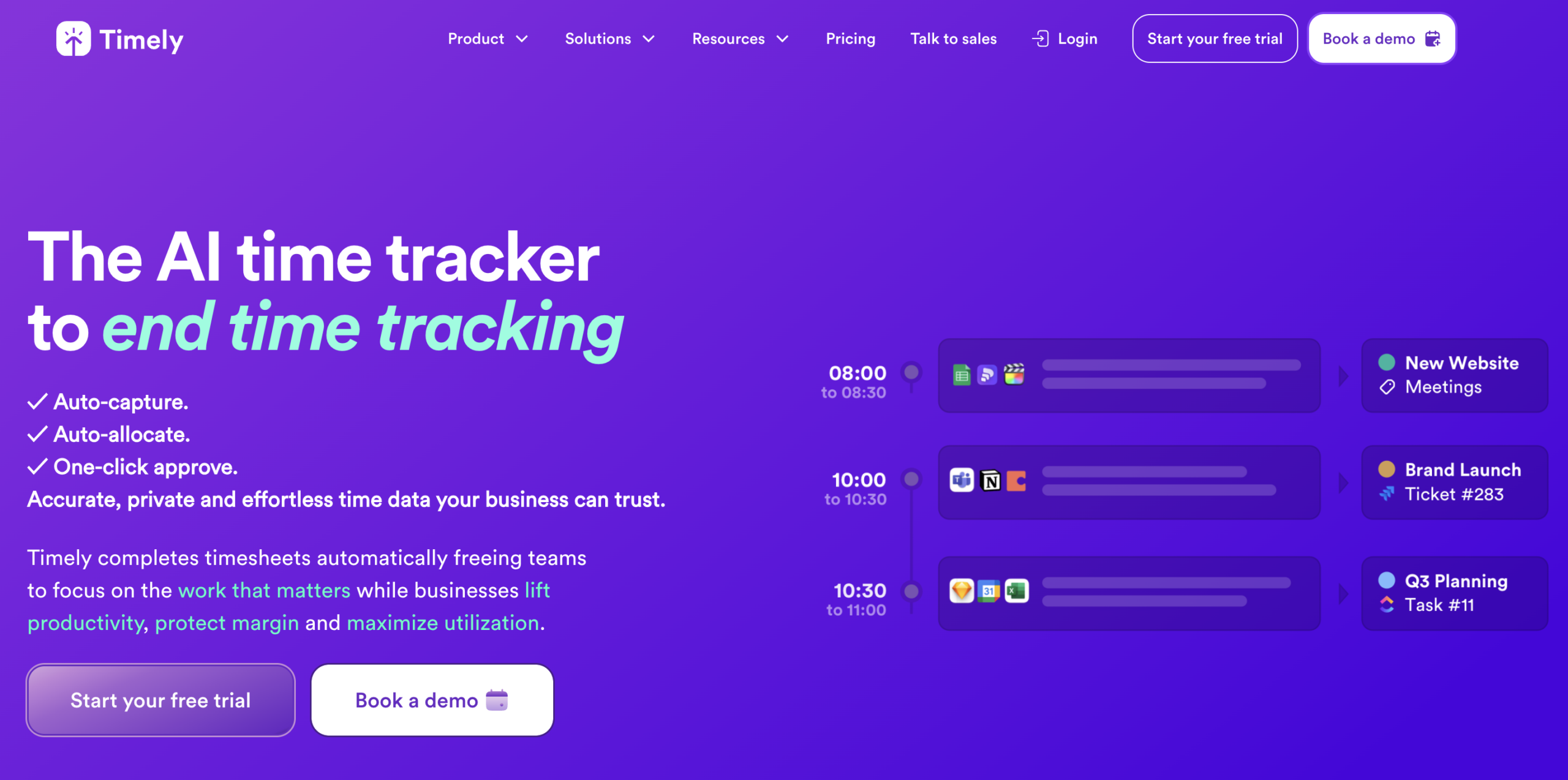
Timely is an automatic time tracking platform built around the idea that nobody should have to remember what they worked on.
It runs a background tracker called Memory that captures activity across apps and websites, then uses that data to draft timesheets on your behalf. For teams where billable hour accuracy directly affects revenue, that’s invaluable.
AI capabilities
The centerpiece of Timely’s AI layer is AutoSheet, which takes the data captured by Memory and automatically generates a completed timesheet draft ready for one-click review and submission. The AI also handles activity categorization, sorting time spent across apps and tasks into the right projects without requiring users to tag everything manually.
Those AI-generated timesheets then feed directly into utilization and profitability dashboards, which means the insights are only as good as the capture.
Best for
Agencies, consultancies, and professional services teams that bill by the hour and need high timesheet adoption without making it a weekly chore.
Key features
- Memory Tracker for automatic background time capture
- AutoSheet AI-generated timesheets with one-click weekly submission
- AI activity categorization by app, task, and project
- Real-time utilization and profitability reporting
- Billable rates, budget tracking, and invoicing
- Integrations with project management and accounting tools
Limitations
Timely’s strength is in the timesheet and billing layer, but it’s less focused on workforce-wide behavioral analytics or anomaly detection compared to tools built specifically for team operations and management visibility.
Pricing
- Starter: $11 per user/month; up to 5 users, 20 projects, automatic tracking, AI categorization
- Premium: $20 per user/month; up to 50 users, unlimited projects, integrations, and budget management
- Unlimited: $28 per user/month; unlimited users, capacity management, advanced reporting, Azure AD
Why choose Timely over other tools
If the core problem is that timesheets are not being filled out accurately or on time, Timely is probably the most direct solution on this list. The Memory-to-AutoSheet pipeline removes most of the friction between working and logging, and the AI categorization means the drafts it generates are usually close enough to submit without much editing.
For teams where billing accuracy and utilization visibility are the priority, and where surveillance-style monitoring is not the culture, Timely is a strong fit.
Rize
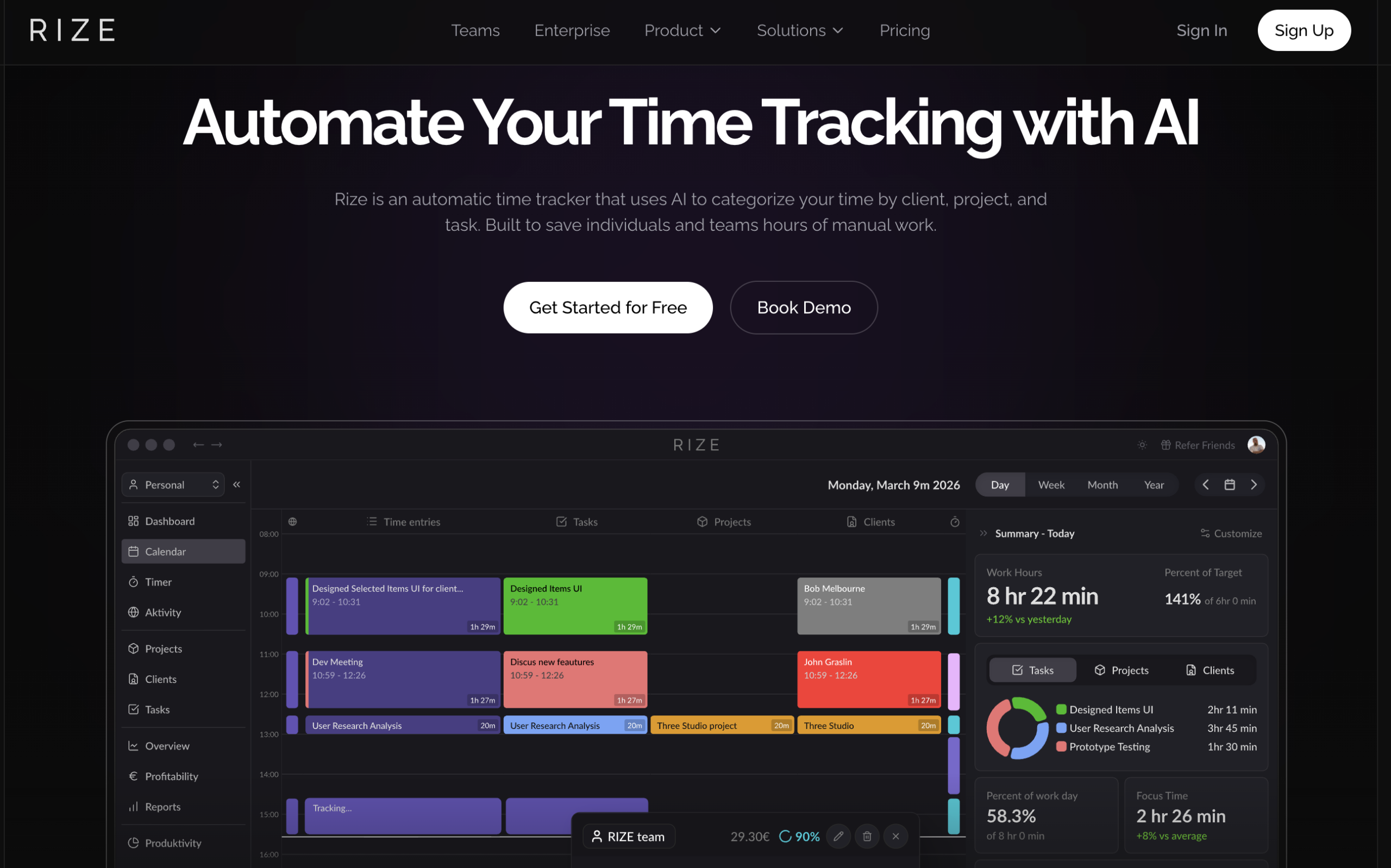
Rize is an automatic time tracker that runs in the background and uses AI to categorize your activity by client, project, and task as you work. That means there are no timers to start or entries to create after the fact.
Where Timely’s AI centers on timesheet generation, Rize goes a step further into the behavioral layer. It tracks not just what you worked on but how well you worked by looking at focus quality, distraction patterns, break habits, and the rhythm of your day.
AI capabilities
Rize’s AI handles activity categorization automatically, associating time with the right client, project, or task based on patterns in your behavior. It can even generate entry descriptions without you typing anything.
It also calculates a Focus Quality Score derived from more than 20 attributes of how you work, identifies when you’re drifting toward burnout, and suggests breaks based on your activity patterns.
For teams, those same behavioral signals get aggregated into productivity insights and utilization dashboards that managers can use to understand how work is actually distributed.
Best for
Knowledge workers, freelancers, consultants, and agencies that want automatic time capture combined with genuine insight into how they and their teams focus and work.
Key features
- Automatic background tracking across apps, websites, and meetings
- AI-powered tagging and entry generation by client, project, and task
- Focus Quality Score and focus metrics
- Distraction blocker and AI-driven break suggestions
- Scheduled client and project reports (PDF and CSV)
- Team productivity dashboards and utilization reporting
Limitations
Rize skews toward individual and team knowledge work rather than large-scale workforce operations.
Organizations looking for enterprise-grade compliance tracking, payroll integration, or the kind of operational depth that comes with managing hundreds of field workers may find it undersized for that context.
Pricing
- Basic: $12.99/month; 1 seat; automatic tracking, AI categorization, productivity insights
- Professional: $18.99/month; 1 seat; adds client and project tracking, scheduled reports, API access
- Team: $23.99/seat/month; 2-seat minimum; team dashboards, AI team insights, admin controls
- Enterprise: Custom pricing; org-wide reporting, SSO, dedicated support
Why choose Rize over other tools
Rize is the right choice when you want automatic time tracking and a genuine read on where your team directs their attention. The focus analytics go deeper than most tools in this category are willing to go, and the AI categorization is designed to require almost no manual correction.
For agencies and client-service teams specifically, the combination of automatic billable hour capture and scheduled client-ready reports excises a meaningful amount of administrative drag from the billing cycle.
TimeCamp
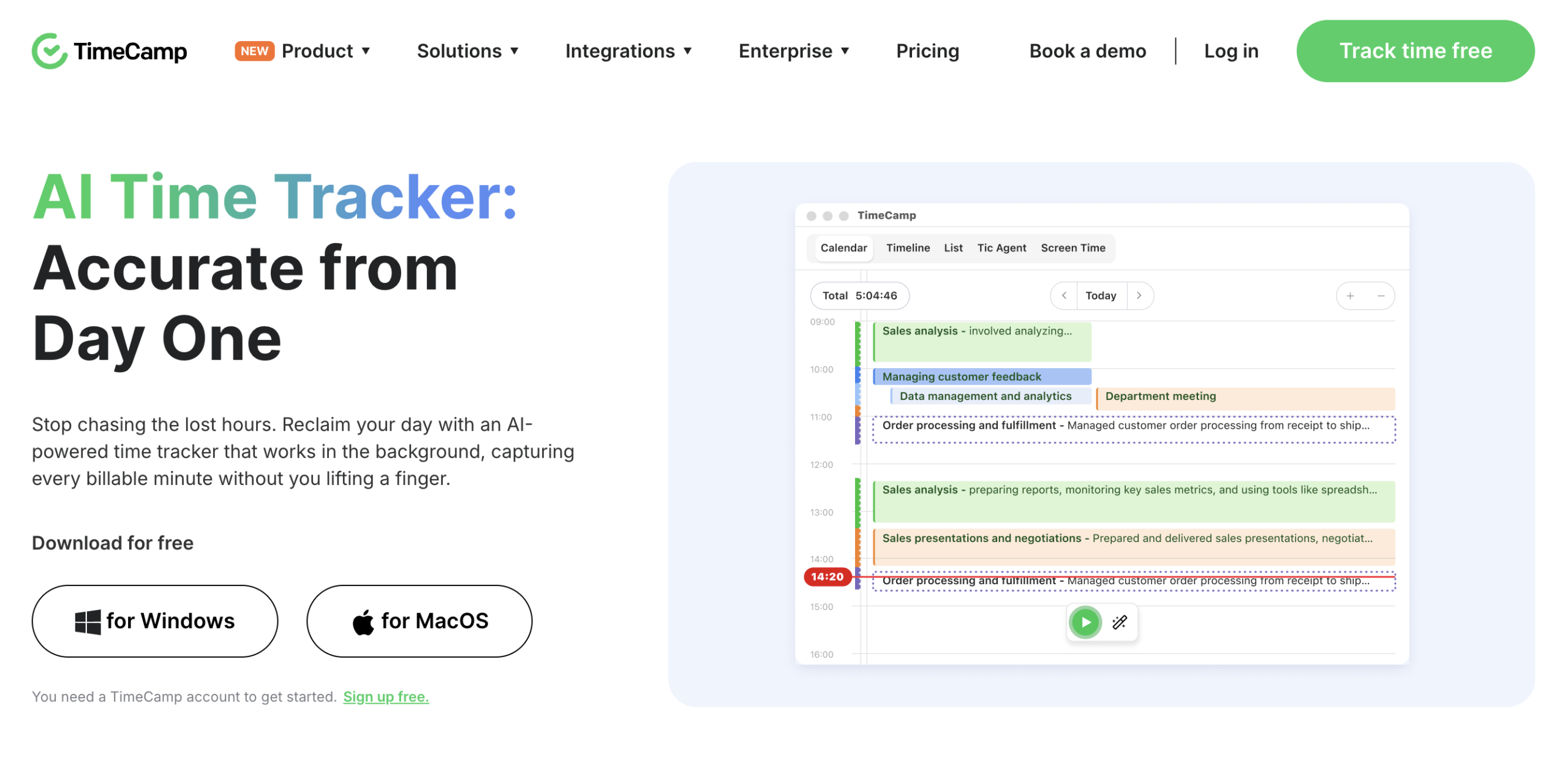
At its core, TimeCamp does what a time tracker should. It records hours, fills timesheets, and generates reports, but the more interesting development is TIC, its AI Time Tracking Agent.
With TIC, TimeCamp takes a more autonomous approach to the whole productivity problem by observing work patterns, categorizing activity, flagging anomalies, and learning over time without requiring much from the user.
It’s a hybrid product in the truest sense, comfortable serving a solo freelancer on the free plan and an enterprise team that needs private cloud deployment and a data pipeline to BigQuery.
AI capabilities
TimeCamp’s AI layer runs through TIC, the Time Intelligence Center, which monitors apps, documents, meetings, and activity in the background and continuously maps that activity to the right projects through pattern recognition.
It also generates AI timesheets from calendar events, app usage, and previous logs, and flags anomalies proactively when something looks misassigned or when logged time diverges from estimates.
With TimeCamp, intelligence isn’t a single headline feature. Instead, it’s a system that observes, learns, and nudges — a reasonable description of what useful AI in a workflow tool looks like in practice.
Best for
TimeCamp is best for teams of almost any size that need a full-featured time tracking system that includes attendance, billing, payroll, project budgeting, and compliance. AI handling categorization and pattern recognition is a huge plus and runs in the background without requiring manual setup.
Key features
- TIC AI Time Tracking Agent with zero-touch logging and smart categorization
- AI timesheets generated from calendar, app, and activity data
- Proactive anomaly detection and alerts
- 20+ report types including, pivot tables, labor costs, and billing reports
- Attendance management, overtime tracking, and timesheet approval workflows
- GPS tracking, geofencing, and remote work detection
Limitations
TimeCamp’s breadth is genuinely impressive, but it can also make the product feel like a lot to configure — especially for smaller teams who just want tracking to work without thinking about keyword mapping or approval hierarchies.
The AI features are also concentrated in the desktop app, which means the full intelligence layer isn’t equally available across every access point.
Pricing
- Free: $0 forever; unlimited users and projects; timesheets, web, desktop, and mobile apps
- Starter: $3.49 per user/month; adds invoicing, attendance, overtime tracking, time off.
- Premium: $4.99 per user/month; adds billable time, budgets, app tracking, and scheduled reports.
- Ultimate: $6.99 per user/month; adds billing rates, approvals, unlimited integrations, SSO, screenshots.
- Enterprise: Custom pricing; private cloud, custom integrations, data warehouse access, dedicated support
Why choose TimeCamp over other tools
TimeCamp earns its place on this list by being one of the most complete platforms at a price point that is hard to beat, especially given the free tier.
For organizations that need time tracking to touch payroll, compliance, attendance, billing, and project management all at once, with AI helping stitch it together, TimeCamp covers a lot of ground without asking teams to cobble together multiple tools to do it.
Replicon
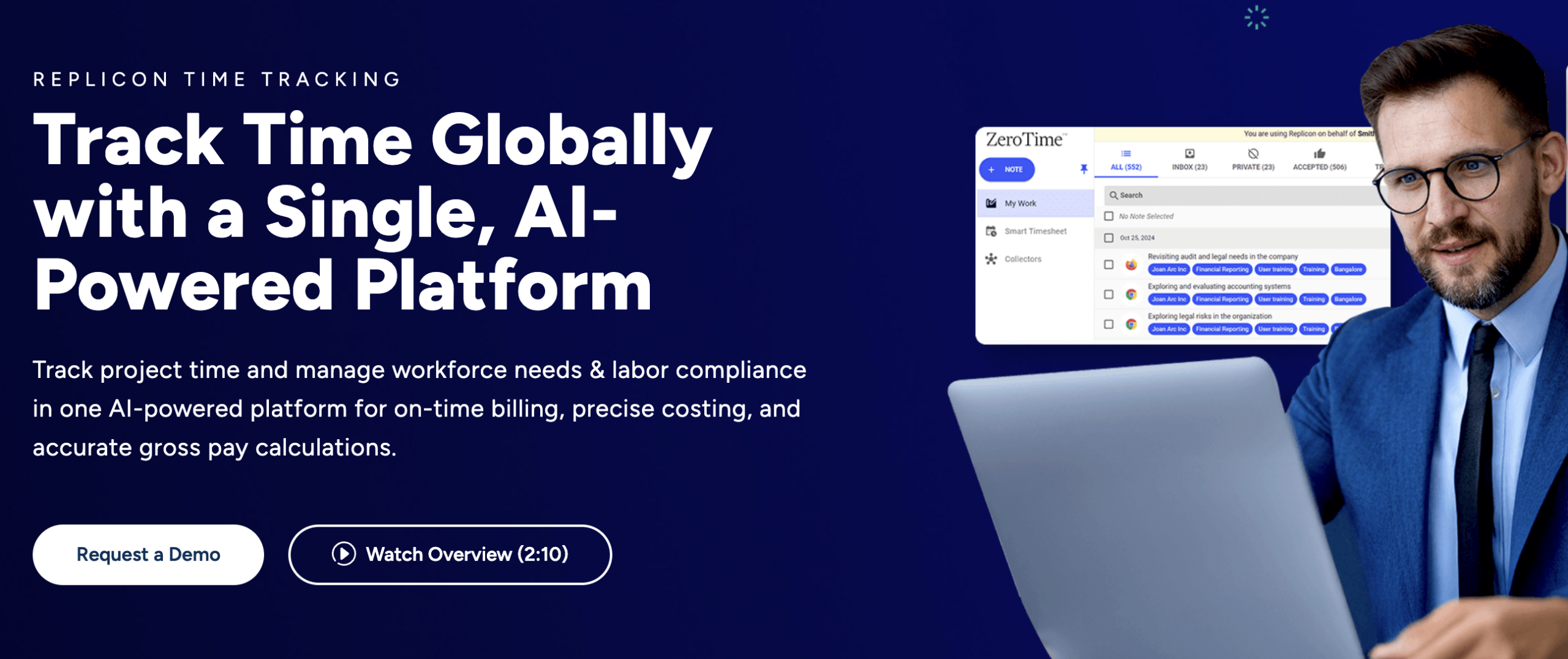
Replicon, operating under the Deltek umbrella, is built for organizations where time tracking is a compliance requirement.
The platform handles project time tracking, workforce management, and global labor law compliance across 145+ jurisdictions. It also offers billing, costing, and payroll features in a single system.
If that sounds like a lot, it is, but it is by intention. Replicon is not your average, lightweight time tracker.
AI capabilities
The AI centerpiece is ZeroTime™, which automatically captures time from 100+ work applications without requiring manual entry or timer interaction.
From there, AI-powered timesheets organize that captured data into billing-ready records, reducing the gap between completed and invoiced work. The AI layer ensures billable time doesn’t fall through the cracks in complex, multi-project environments.
Best for
Replicon is great for enterprise and mid-market organizations in the professional services, government contracting, architecture, engineering, and consulting space. Those that need project time tracking tied directly to billing, costing, compliance, and payroll across global teams could also benefit from Replicon’s versatility.
Key features
- ZeroTime™ automatic time capture from 100+ applications
- AI-powered timesheets for billing and payroll accuracy
- Labor compliance across 145+ jurisdictions in 75+ countries
- FedRAMP Moderate authorization; CMMC Level 2/3 and DFARS 7012 support
- Global leave management, attendance, and scheduling
- Advanced analytics for project costing and utilization
Limitations
Replicon is enterprise software and presents itself that way. Pricing requires a demo request, configuration is substantial, and smaller teams will likely find it to be more robust than they’re looking for. It’s not a tool you pick up and master in an afternoon.
Pricing
Replicon does not publish pricing publicly. It’s available on request through a demo or sales conversation.
Why choose Replicon over other tools
When the stakes around time tracking are high (e.g., government contracts, cross-border compliance obligations, complex billing models, or audit requirements), Replicon is built to handle that weight.
Time Doctor
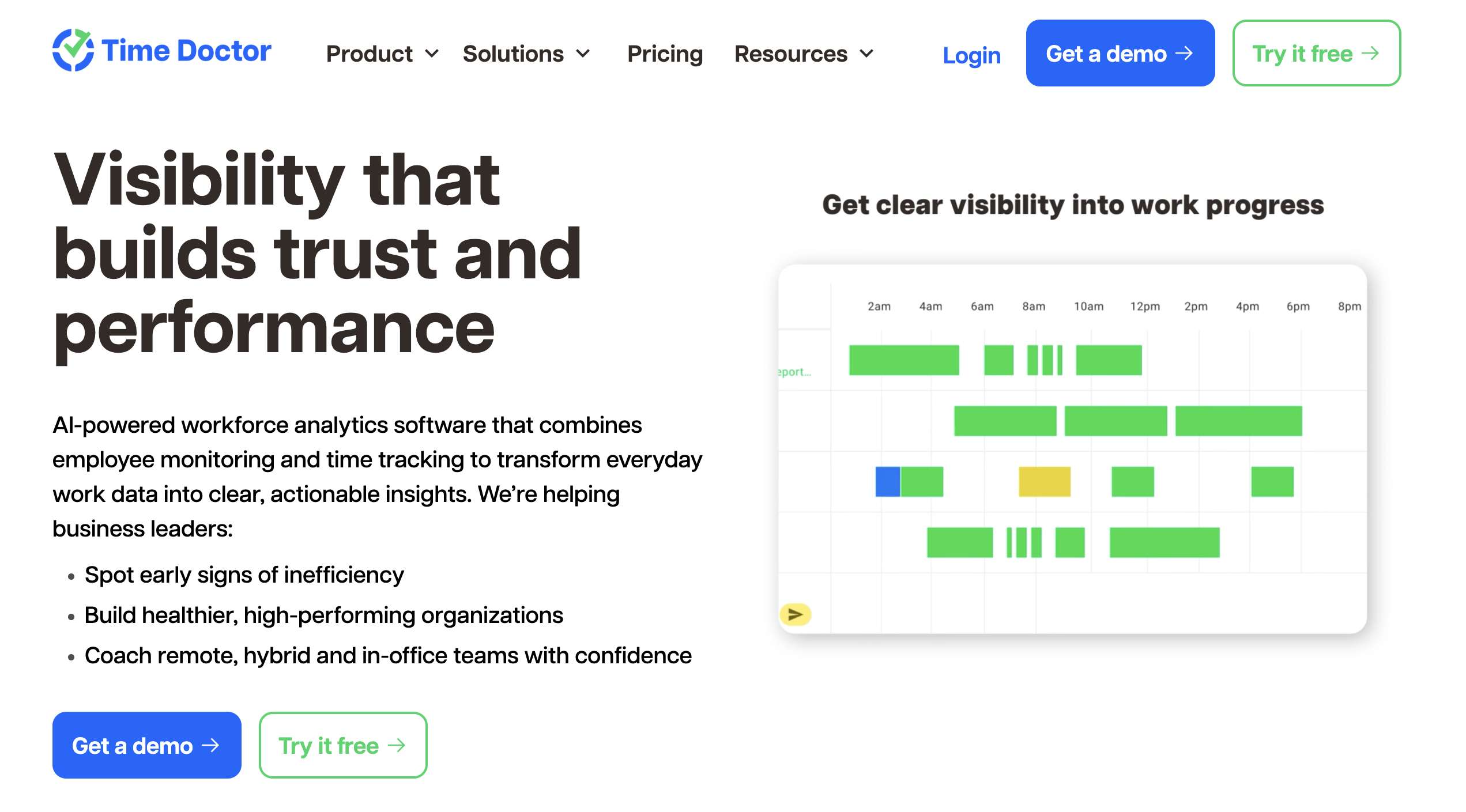
Time Doctor is not primarily trying to generate your timesheets or categorize your apps. Instead, it’s focused on providing managers and executives a data-driven picture of how work happens across their organizations and flagging data when something looks off.
AI capabilities
Time Doctor’s AI layer runs through two main features:
The first is the Unusual Activity Report, which analyzes input patterns to detect behavior that doesn’t add up. Think mouse jigglers, auto-clickers, idle time logged against active hours, and keyboard activity that’s different from normal human patterns.
The second is Benchmarks AI, which matches teams and individuals to peer groups based on actual work patterns across more than 250,000 users and 12,000 organizations. From there, it shows how performance compares across metrics like productive time, collaboration tool usage, and active versus passive work.
Best for
Operations leaders, HR teams, and executives managing remote, hybrid, or distributed workforces who need visibility into performance trends, risk signals, and workforce patterns across teams and locations.
Key features
- Benchmarks AI for peer-matched productivity comparisons across users, teams, and organizations
- Unusual Activity Report with mouse jiggler and auto-clicker detection
- AI-powered workforce analytics and trend detection
- Screen monitoring, video screen recording, and web and app usage reporting
- Payroll, attendance, scheduling, and break tracking
- Work-life balance metrics and burnout risk signals
- 60+ integrations; open API and SSO on Premium and above
Limitations
Time Doctor’s monitoring depth can feel like a lot for teams that are sensitive to surveillance, even when it’s implemented transparently. The AI layer is also more useful as an analytical tool after data has accumulated than as something that adds value on day one.
Pricing
- Basic: $8 per user/month; automatic tracking, projects and tasks, screenshots, timeline reporting.
- Standard: $14 per user/month; adds attendance, payroll, productivity ratings, work-life balance metrics, 60+ integrations.
- Premium: $20 per user/month; adds Benchmarks AI, Unusual Activity Report, video screen recording, executive dashboards, and SSO.
- Enterprise: Custom pricing; private cloud deployment, customizable BI dashboards, professional services.
Why choose Time Doctor over other tools
Time Doctor delivers when it comes to analyzing performance. The Benchmarks AI feature in particular fills a gap that many time tracking tools miss: giving organizations external context for what good looks like, based on real work patterns rather than internal guesswork. For BPOs, distributed enterprises, and operations-heavy teams where workforce visibility is a genuine strategic concern, this is rare among adjacent tools.
Hubstaff
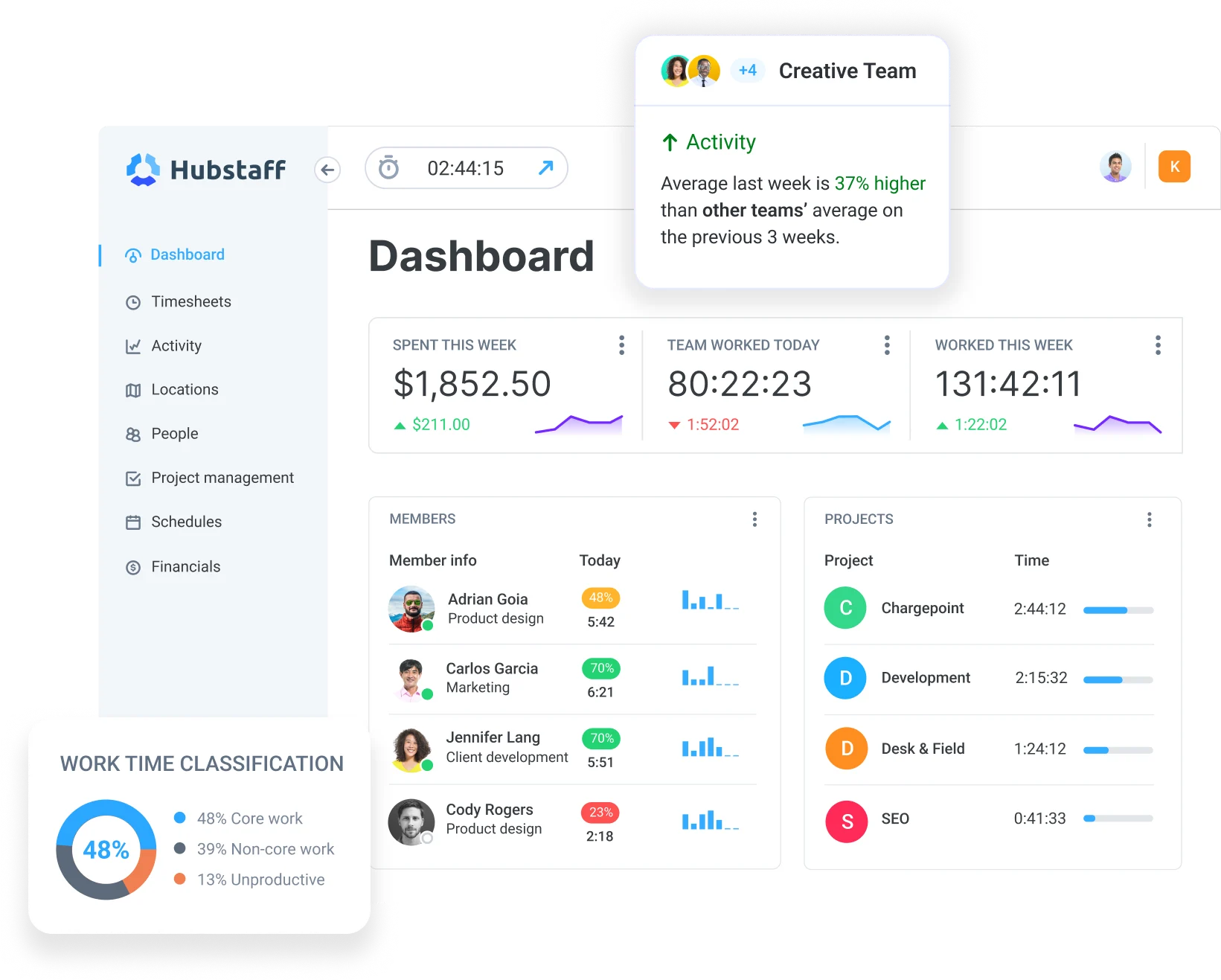
Hubstaff is a time tracking platform built on the idea that high-quality workforce data is the foundation for operational decisions.
Unlike other tools, Hubstaff focuses on accurate time tracking and activity signals, then uses AI to analyze work patterns and operational signals from that data. The intelligence layer sits on top of the tracking layer, not instead of it. Organizations can also extend these capabilities through Hubstaff’s AI-ready API, CLI, and MCP server to integrate workforce data into AI-powered workflows and agent-based automation.
AI capabilities
Hubstaff’s AI is concentrated in two main areas.
- Insights. The Insights add-on takes tracked time and activity data and converts it into workforce analytics, including utilization trends, capacity gaps, workload distribution, focus patterns, and productivity insights that support operational planning.
- Unusual activity. AI-powered unusual activity detection analyzes behavioral patterns in tracked time to flag anomalies like significant drops in keyboard and mouse activity, suspicious application usage, or input patterns that may indicate inaccurate time tracking.
Hubstaff’s AI features focus on explaining patterns in tracked time and activity, not just detecting anomalies. It distinguishes natural work pattern variation from genuine irregularities before putting anything in front of a manager.
Best for
Hubstaff is best for remote and distributed teams that need reliable, automated time tracking combined with visibility into productivity, workloads, and team performance – especially in industries like outsourcing, software development, and digital services.
Limitations
Hubstaff’s AI capabilities are largely concentrated in the Insights add-on, which is not included in the base plans. Teams looking for AI-generated timesheet drafts or automatic activity categorization without manual timer use may find those capabilities limited here.
Pricing (billed monthly)
- Starter: $7 per seat/month; 2-seat minimum; basic time tracking and productivity tools.
- Grow: $9 per seat/month; 2-seat minimum; advanced reporting and one integration.
- Team: $12 per seat/month; 2-seat minimum; payments, scheduling, unlimited integrations.
- Enterprise: $25 per seat/month; billed annually; custom setup, dedicated support.
Why choose Hubstaff over other tools
Hubstaff is designed for organizations that view time tracking as the foundation for workforce intelligence. Rather than using AI to replace tracking, Hubstaff uses AI to help organizations understand work patterns, uncover operational insights, and make better workforce decisions based on reliable data.
For organizations building AI-powered workflows, Hubstaff also provides an AI-ready API, CLI, and MCP server, enabling AI tools and agents to query, analyze, and work with workforce data beyond traditional dashboards.
The platform is trusted by over 140,000 users, which is an indicator that teams have been relying on it to solve real operational problems at scale for a long time.
Reclaim.ai
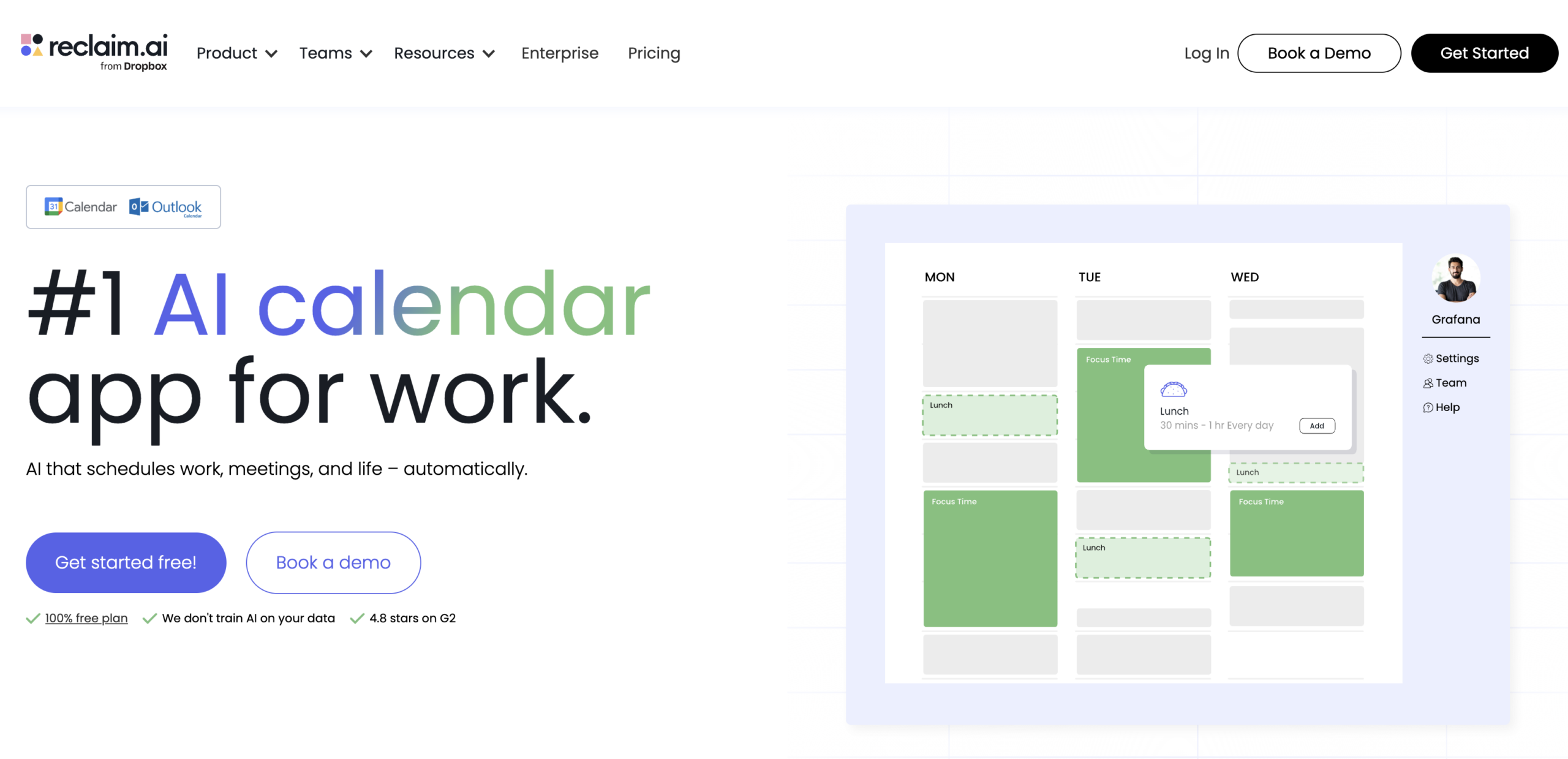
Reclaim.ai is the most calendar-based tool on this list, which is either a perfect fit or a category miss depending on what you are looking for.
Its goal is to actively manage your calendar so that focus time, tasks, meetings, habits, and breaks all get scheduled intelligently and automatically. This means adapting in real time as your week changes.
AI capabilities
Reclaim automatically defends blocks of focus time based on your goals, reschedules them when meetings take over, prioritizes tasks onto your calendar by importance, and suggests break and buffer time to prevent back-to-back meeting fatigue.
On the analytics side, it tracks how your time is being spent across deep work, meetings, habits, and personal time. It also measures things like your Deep Work Index, meeting load, calendar fragmentation, and overtime.
For organizations, the Workforce Analytics layer aggregates those signals across departments to measure focus time trends, meeting culture, and time waste at scale.
Best for
Knowledge workers, individual contributors, and teams, particularly in product, engineering, sales, and marketing, are look to Reclaim.ai to actively protect and optimize how they allocate their time across the week.
Key features
- AI Focus Time scheduling with automatic goal-setting and conflict rescheduling.
- AI Tasks that sync with project management tools and auto-schedule by priority.
- AI Smart Meetings and Scheduling Links with priority-aware availability optimization.
- AI Buffer Time for automatic break, decompression, and travel scheduling.
- Personal time tracking with Deep Work Index, meeting load, and work-life balance metrics.
- Workforce Analytics with team and department-level productivity insights.
- Integrations with Slack, Asana, Jira, ClickUp, Linear, Todoist, Zoom, and Google and Outlook calendars.
Limitations
Reclaim is not a traditional employee time tracking tool. It does not capture app and website activity, generate timesheet records, support payroll workflows, or track billable hours by client or project. Organizations that need time tracking for billing, compliance, or workforce monitoring will find it falls well outside that territory.
Pricing
- Lite: Free forever; 1 user, 1 Scheduling Link, 1 Habit, unlimited Tasks and Buffer Time, limited integrations
- Starter: $10 per seat/month; up to 10 seats; unlimited Focus Time, Habits, Tasks, and integrations; People Analytics and Time Tracking; 3 Scheduling Links and Smart Meetings
- Business: $15 per seat/month; up to 100 seats; unlimited Scheduling Links and Smart Meetings; adds Delegated Access and Webhooks support
- Enterprise: $22 per seat/month; 100+ seats; adds SSO and SCIM user provisioning
Why choose Reclaim.ai over other tools
Reclaim is for teams where the problem is not logging time after the fact but protecting it in the first place. If meetings are consuming focus time, tasks are getting deferred because they never make it onto the calendar, and people are burning out from weeks with no breathing room built in, Reclaim is solving a unique problem.
Conclusion
AI time tracking is not a single-feature thing. Across the tools we covered here, you’ll notice how it’s a selection of several intelligent features, sometimes all in a single product, other times a portion of those things done extremely well.
The right choice isn’t the tool with the deepest AI integration. Like in other scenarios where you’re making a software decision, the answer depends on what problem you’re trying to solve.
If manual timesheets are the pain, look at tools built around automatic capture and AI-generated drafts.
If visibility into how your team works is the gap, the analytics-first tools will serve you better.
If you need time tracking to connect cleanly to payroll, billing, and project budgets, prioritize platforms built for that operational depth, like Hubstaff.
AI in time tracking is still maturing, but even in its current state, the best tools in the category are already doing genuinely useful work.
Most popular
The Top Time Management Statistics in 2026 for Workplace Productivity
We all have the same hours in the day. But when employees struggle to focus, those hours likely won’t be used effectively. Witho...
The Best Coaching Conversations Start With Productivity Data
Most coaching conversations happen too late. A deadline is missed, or a client flags a problem, and then a manager schedules a sit...
A Quick Guide to Work Order Management
From quick fixes to long-term stability, work orders are crucial to asset management and helping managers keep operations running...
How to Identify High Performers Using Work Patterns
Every business has top performers, and managers are told to find them all the time. But in most cases, they default to approaches...
![How to Use Time Blocking to Make 2024 Your Most Productive Year Ever [Free Template]](https://hubstaff.com/blog/wp-content/uploads/2018/12/time-blocking@2x-780x390.png)