How to Monitor Employees Using AI at Work (Without Invading Privacy)

 10 min read

It’s only been a few years, but using AI at work has shifted from a novelty to a necessity. That said, there are many cases where employees use tools that their employer didn’t approve.
While over 80% of businesses are embracing AI, there’s a vested interest from department heads in how it’s being used:
- Security wants visibility.
- Legal wants documentation.
- Finance wants to know what’s being spent.
Employees, on the other hand, just want to keep using the tools that can make their jobs easier. Both sides of the conversation are legitimate. You can honor both, but only if you start with policy and principles rather than reaching straight for the surveillance stack.
Hubstaff Walkthrough
Dive into our interactive demo and explore the features that make managing global teams easier than ever.
Why AI monitoring suddenly lands on every leader’s desk
Given the near-universally revolutionary capabilities of artificial intelligence, the tools arrived at workstations much faster than policies did.
As a result, leaders are left with a set of real, consequential questions to which they have no clean answers yet. Here is what makes this concern quite complex:
- Employees are using unapproved LLMs. This typically happens out of habit, convenience, and genuine usefulness. However, using these tools on data that belongs to clients is a huge liability.
- Data leaks are no longer theoretical. Sensitive information like customer records, source code, and internal financials has already made its way into public LLM prompts at companies that thought they had this under control.
- Compliance frameworks haven’t caught up, but regulators have noticed. The GDPR, HIPAA, and SOC 2 were not written with large language models in mind. This has resulted in ambiguity and exposure risk.
- AI spend is growing but invisible. Individual subscriptions, tools expensed through department budgets, purchases that skipped procurement entirely — the money is leaving the organization whether or not anyone has a line item for it.
- Leadership genuinely doesn’t know what the workforce is doing with AI. That’s not a criticism. It’s just a byproduct of adoption outpacing visibility.

The question is no longer whether to monitor. That ship has sailed.
Instead, it is how to do it without harming the trust you’ve spent years building with the people who do the work.
The overreach problem: when “AI monitoring” becomes surveillance
When a situation starts to feel like it’s spiraling out of control, a common knee-jerk reaction is to reach for the AI monitoring tools that promise control.
That said, there is a meaningful difference between productivity monitoring and surveillance, and the line is easier to cross than most leaders realize. And usually, this happens without anyone making a conscious decision to cross it.
Here are a few real-world examples of how that occurs:
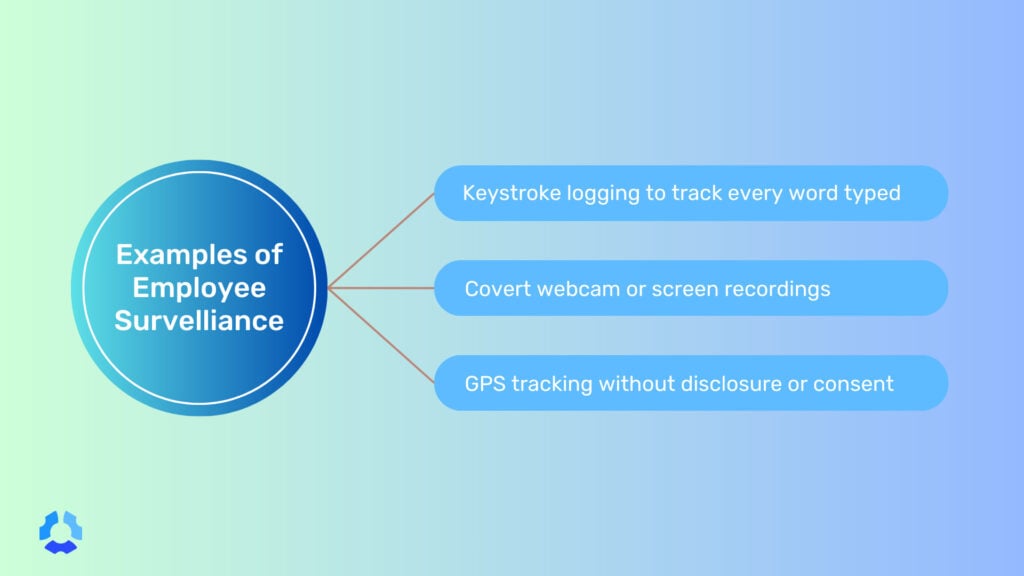
- Keystroke logging captures specific keystrokes, an in-depth (and arguably intrusive) way of gauging employee activity. Keystroke logging might have some appeal in high-compliance industries, but it’s excessive in most environments. It’s different from keyboard activity tracking, which measures the frequency of keyboard usage.
- Always-on screen capture is the digital equivalent of standing behind someone’s desk all day while they work. This would obviously be excessive to hover over an employee in an in-office setting, so it ends up being accusatory by default.
- AI “productivity scores” that rank employees by output reduce complex, often collaborative work to a number generated by a system. Activity can serve as a nice benchmarking method, but only if the software provides flexibility and the data itself is taken with industry and job-specific nuance.
- Covert DLP that reads personal messages on BYOD devices extends organizational surveillance into spaces that were never meant to be organizational. There is no reason monitoring should ever carry over to a worker’s personal life, with laws like the ECPA in place to protect against said monitoring.
Heavy-handed monitoring doesn’t bring AI use into the open. It does the opposite: drive it further underground. Ironically, that’s the exact outcome leaders say they’re trying to prevent.
If people feel watched in a way that feels punitive or disproportionate, they likely won’t stop using AI, but they might get better at hiding it.
What “ethical AI monitoring” actually means
Ethical monitoring is not a softer version of surveillance.
Fundamentally, the approach is different, with the starting assumption being that employees are adults who deserve to know what is being collected about them and why.
In practice, it comes down to four principles.
- Transparency. Employees know what is being collected, when, and why, before collection starts.
- Proportionality. Collect the minimum signal that answers the business question. If tool adoption rates tell you what you need to know, you don’t need prompt contents. More data is not always better data.
- Purpose limitation. Data employees agree to share for security purposes should not be repurposed for performance reviews, disciplinary action, or anything else it wasn’t originally collected for without clear consent. If you cross that boundary, you’ll likely damage trust and morale in the process.
- Shared benefit. Insights should flow back to the teams being monitored, not only upward to management. If the data is useful for understanding how AI is being used, it is likely useful to the people using it, too.
While these principles don’t make monitoring frictionless or easy to implement, they make it something employees can tolerate, and, in some cases, something they can perhaps appreciate.
What to monitor and what to leave alone
Not everything that can be measured should be.
Remember, the goal of monitoring AI usage is not total visibility into every interaction every employee has with a language model. Rather, it is specific, purposeful visibility into the things that carry genuine organizational risk.
Here’s a simple table you can use as a starting point:
| Monitor | Leave Alone |
| Approved AI tool adoption rates | Full prompt text from personal accounts |
| License and seat utilization | Personal device activity |
| Sensitive-data events (PII or source code detected in an LLM prompt) | Emotion- or affect-inference from webcams |
| Overall AI spend | Individual AI “productivity scores” intended to rank workers |
| Unapproved tool usage on company networks | Private communications on personal accounts |
| Data volume sent to external LLM endpoints | Individual browsing history unrelated to AI tools |
The left column answers real business questions related to risk, spend, adoption, and compliance.
On the other hand, the right column answers questions that most organizations don’t really have a legitimate reason to be asking. Monitoring should not creep from the left column into the right.
Policy first, tools second: what belongs in an AI usage policy
A monitoring tool can tell you what’s happening, but it can’t tell you what should or shouldn’t be happening, and it certainly can’t tell your employees what’s expected of them.
Policy comes first, always. Here are some of the guidelines you should include in your policy:
- Which AI tools are approved, and for what purposes. Employees shouldn’t have to guess whether using ChatGPT to draft a client email is fine or a fireable offense. The policy should name tools, categories of tools, and the contexts in which each is acceptable.
- What data can and cannot be entered into an LLM. This is the highest-stakes boundary in most organizations. The policy should be explicit about what stays out of the prompt box, including customer data, source code, financial projections, personally identifiable information, and more.
- How AI-assisted work should be disclosed. Whether an employee uses ChatGPT to draft a report or Claude to write a function, there should be a clear expectation around when and how that gets recorded.
- What the consequences of policy violations look like. This should not exist to be punitive, but rather because ambiguity surrounding consequences is pretty unfair.
- How the policy will be enforced and what is being monitored. This is where policy and tooling connect. Employees tend to be more trusting when these two things are aligned.
This policy should not be written by one person or handed down from legal as a compliance artifact. A small cross-functional group (i.e., someone from IT, HR, legal, and ideally a few people who use AI tools day to day) will produce something far more grounded and far more likely to be followed.
A four-step framework for privacy-respecting AI usage tracking
The principles we covered earlier are the foundation. In this section, you’ll see what it looks like to build on them.
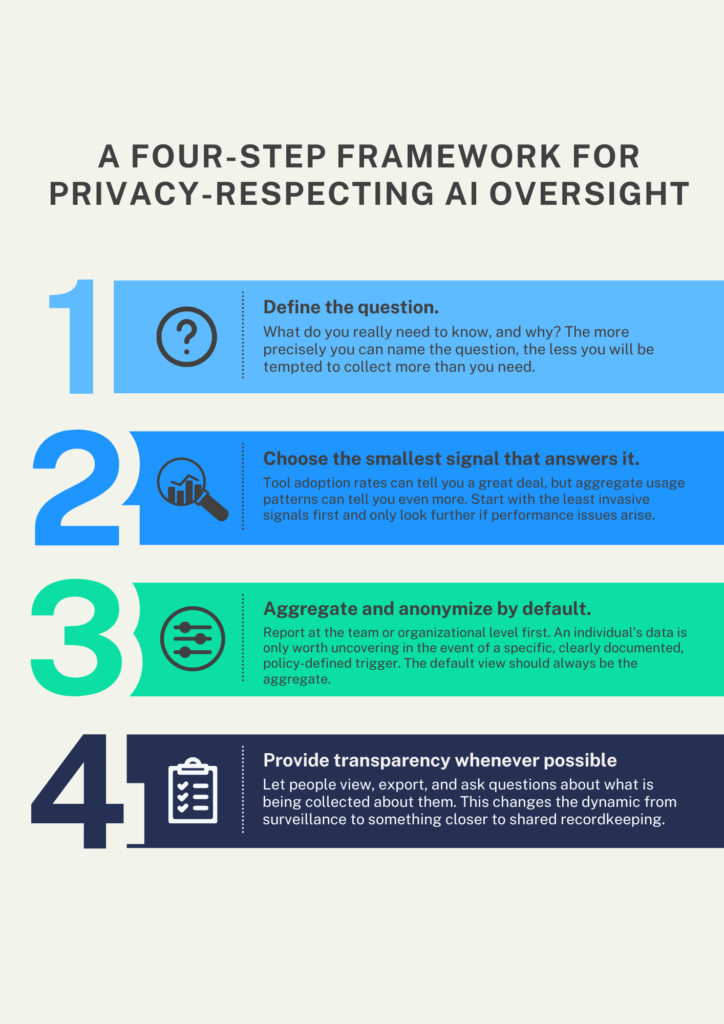
- Define the question. What do you really need to know, and why? “We want to understand how AI is being used across the organization” is not a specific enough answer. “We want to know whether employees are sending customer PII to unapproved LLMs” can be. The more precisely you can name the question, the less you will be tempted to collect more than you need.
- Choose the smallest signal that answers it. Tool adoption rates can tell you a great deal, but aggregate usage patterns can tell you even more. Start with the least invasive signals first and only look further if performance issues arise.
- Aggregate and anonymize by default. Report at the team or organizational level first. An individual’s data is only worth uncovering in the event of a specific, clearly documented, policy-defined trigger. The default view should always be the aggregate.
- Provide transparency whenever possible. Let people view, export, and ask questions about what is being collected about them. This changes the dynamic from surveillance to something closer to shared recordkeeping.
None of these steps are technically complicated. The difficulty is organizational, because it requires decision-makers to resist the pull toward more data and granularity than the business truly demands.
Tell employees what is being monitored and why
Transparency needs to be enacted, deliberately and in sequence, before any monitoring goes live. How you introduce it tells employees almost as much as what the monitoring is.
- Pre-announce monitoring before turning it on. Give people time to read, process, and ask questions before anything is collected. Turning on monitoring and notifying employees afterward or simultaneously is not transparency. It’s a notification, which is an entirely different thing.
- Publish the policy somewhere people can find it. The policy shouldn’t be buried in an onboarding portal that people stop visiting after their first week. Use a shared drive, an internal wiki, or another secure, accessible, and easy-to-search location.
- Hold a live Q&A. A written monitoring policy may not anticipate every question, but showing up to answer them in real time fixes that. It signals that the people responsible for this decision are willing to be accountable.
- Name a single point of contact. This can be a Data Protection Officer (DPO), an HR business partner, or a security lead. It has to be someone with a name and a way to reach them, so that employees with concerns have somewhere to go.
- Document the retention and deletion schedule. How long is the data kept? When is it deleted, and by whom? Employees shouldn’t have to wonder whether something collected today will be used as reference data in a future performance review. If you’re planning to collect data, it’s crucial that you stay abreast of regional laws and regulations that specify this schedule.
Covert monitoring (i.e., turning on collection without disclosure) is a breach of the employment relationship. There is no version of ethical AI monitoring that includes tracking employees without their knowledge.
If you can’t talk about the program openly, you shouldn’t use it.
Red flags that your AI monitoring has gone too far
Most organizations don’t set out to build a surveillance program. They accumulate one, gradually, through a series of decisions that each seemed reasonable at the time.
In other words, you can spot warning signs before the damage is done, but only if there’s someone looking out for them.
- Employees have stopped using AI at work. Not because they lost interest, but because something about the environment made it feel unsafe to keep going. Adoption dropping without explanation should be investigated before assuming it’s a tool problem.
- Managers, not data owners, receive the raw reports. Aggregated trend data flowing to leadership is one thing; raw individual-level data landing in a manager’s inbox is another. Who receives what (and in what form) is a policy question that must have an explicit answer.
- There is no documented deletion schedule. Data collected indefinitely is data that can be misused indefinitely. If nobody can tell you when the records are deleted or who’s responsible for deleting them, the program has a structural problem.
- There is no opt-out or separation on BYOD devices. Personal devices are personal. If employees cannot separate their work activity from their personal activity (or cannot opt out of monitoring on hardware they own), the program has already crossed a line — and one that may even lead to legal repercussions.
- Dashboards default to individual views instead of team trends. If the first thing a manager sees is an individual employee’s activity rather than aggregate patterns, that design choice should probably be questioned.
- HR uses the data for discipline without a due-process step. Monitoring data collected for security or compliance purposes should not lead directly to disciplinary action without a defined process, a human review, and a clear policy basis.
- Your policy and your tooling disagree. If the tool is collecting more than the policy says it collects, employees are living under different rules than the ones they were shown. That is a trust problem. Depending on your jurisdiction, it may be a legal one too.
If more than one of these is true at your organization, the issue probably isn’t the tools. Rather, it is the absence of a governing framework that someone should be accountable for maintaining.
Build a two-way transparency culture around AI
Transparency around AI at work must go both ways.
Employees should disclose when and how they used AI in their work. That could be in a deliverable, a decision, or a piece of code.
On the other hand, leaders should disclose what is being monitored, what was collected, and why.
This arrangement isn’t complicated, but it does require both sides to hold up their end of it.
A quarterly transparency report from IT or security, summarizing what was tracked and what it showed, goes a long way toward making monitoring feel like a shared practice. So does a simple, low-friction norm around AI disclosure.
How Hubstaff fits a privacy-respecting approach to monitoring AI usage
Hubstaff was designed around a set of principles that align closely with ethical AI usage tracking.
The philosophy behind Hubstaff is and has always been straightforward: employees and managers should be looking at the same data.
- Transparency is the foundation. Hubstaff is explicit about what it tracks, when, and why. Employees can see what’s being collected for themselves.
- Dashboards are visible to employees, not just managers. Employees should have access to their own data, which means people can engage with monitoring rather than just having it done to them.
- Reporting defaults to team-level trends. Rather than ranking individuals against each other, Hubstaff uncovers productivity patterns at the team and organizational level. This is where legitimate business concerns live anyway.
- Activity monitoring is configurable, not fixed. Organizations can configure monitoring features based on role, context, and policy.
- Data retention is documented and controlled. There are clear controls around what is stored, for how long, and who can access it.
Hubstaff isn’t a magic solution to the harder questions around AI monitoring. Those questions are organizational, not technical. That said, if you’re building a monitoring policy with the goal of holding up to scrutiny, Hubstaff is a strong tool built with those same constraints in mind.
Monitor AI-usage ethically with Hubstaff
The four principles and the framework we discussed earlier aren’t complicated.
The challenge doesn’t stem from the framework itself, but from the organizational will to follow it when the easier path is to just turn everything on and sort it out later. Getting this right requires honesty about building something your employees understand the purpose of and can reasonably accept as part of how work gets done.
If you want to see what transparent, employee-visible activity tracking looks like in practice, Hubstaff is a good place to start. Sign up for a free 14-day trial.
Most popular
The AI Productivity Panel: Lessons From Leaders on What’s Working (and What’s Not)
When I moderated this AI productivity panel, I expected a solid conversation. What I didn’t expect was the flood of real-world i...
Ask Your Workforce Data Anything with Hubstaff’s New AI-Ready CLI and API
It’s Monday morning. Your CEO asks, “Which projects went over budget?” Instead of pulling reports, exporting numbers, and ve...
How to Spot and Manage Work Overload Before Your Best People Burn Out
Work overload occurs when the demands placed on an employee or team exceed their available resources, leading to stress, burnout,...
Workplace Productivity Statistics in 2026: What the Numbers Say
For many businesses, having the ability to maximize output without compromising quality gives them a major edge over their competi...