9 Best Software Apps to Track Focus Time vs. Multitasking Across Teams

 15 min read
- Most time trackers measure activity. Focus time tools measure uninterrupted work and context switching.
- Compare 9 tools based on focus tracking, app classification, workforce analytics, and team reporting.
- Tools like Hubstaff, RescueTime, and ActivTrak help teams reduce distractions, protect deep work, and improve productivity visibility.

There are few words in the English language as polarizing as “multitasking.” Some people swear by it, but others will tell you (usually with the sure conviction of someone who learned it the hard way) that it is mostly an illusion and the foil to focused work.
Often, what looks like a productivity boost from doing multiple things at once is better described as doing two things badly, one after the other, with a small tax each time you switch.
Most time tracking software has never really resolved this tension. Time trackers measure activity like apps opened, hours logged, and keystrokes made. However, few do so while also showing how productive you could have been with more focused work.
Focus time tracking software intends to bridge this gap by taking a different position, where depth of work is a metric, that interruptions have a cost, and that both must be measured.
Why focus time vs. multitasking is the productivity metric that matters in 2026
The instinct to measure productivity by hours worked is understandable, since that’s been the extent to which we’ve measured it for quite some time.
Hours are visible, countable, and easy to report upward, so they’ve been a staple of productivity for quite some time.
And then there are activity percentages, a newer metric for the digital age that feels even more precise. Putting a number between zero and a hundred to an employee’s output seems to say something definitive about whether a person was working.
The problem? Neither of them tells you whether anything got done. They are, at best, a proxy. At worst, they are a way of measuring the appearance of work rather than the substance of it.
Focus time is different. It measures something harder to fake: uninterrupted blocks of work long enough for a person to get inside a problem and solve it. In fact, psychologist Gloria Mark’s work on digital distraction and attention fragmentation has consistently showcased that interruptions and task switching lead to significant cognitive fatigue.
When we looked at anonymized data from more than 133,000 users in our Workstyle Report, the finding that stood out was that teams that prioritize uninterrupted deep work blocks consistently complete more high-impact tasks during those periods.
The business case isn’t complicated. In our report, we found that 49% of tracked work time is spent outside of direct deliverable work. Instead, it’s spent on emails, admin work, context switching, and low-leverage tasks.
With this data in mind, the question leaders should be asking isn’t whether their team is busy. It’s about whether hours are protected so that the work that actually drives progress toward broader company goals is prioritized correctly.
That’s not to say multitasking is the enemy. That said, it is expensive, and most teams have no way of knowing what it’s costing them because they’ve never had a tool that measured the right thing.
What “focus time tracking software” actually does (and what it doesn’t)
Focus time tracking software goes a step further than the average time tracker. In addition to tracking activity, it also looks further towards the absence of interruption. That might not seem like a big deal at first glance, but here’s how it addresses that issue on a deeper level:
- It finds and quantifies uninterrupted blocks. Concepts like time blocking have existed for ages, but how often do you come across tools that help you create and protect these blocks? Instead of showing that an employee was clocked in for eight hours, tools like Hubstaff help users understand what percentage of that time was spent on focused work (or sessions of 30+ minutes of uninterrupted work).
- It detects context switching. As previously discussed, multitasking comes at a cost due to context switching. Tools with focus-time features can quantify this context switching with features like app & URL tracking.
- It classifies apps and URLs by intent. Not every tool used during the workday is created equal. A developer spending time in a code editor is different from a developer spending the same amount of time in a social feed. For a marketer, social media might be a productive tool. Focus time software can categorize applications and websites by whether the user’s job responsibilities or the project they’re tracking time to.
How to evaluate focus time tracking software: A 6-criteria buyer’s framework
Not every tool that mentions focus time is measuring it. Before committing to a platform, look for these capabilities:
- Focus session detection. Does the app you’re considering separate out focus time and quantify it as its own metric? Or is the user left to make assumptions on tracked time with limited information?
- Context-switching visibility. Does the app have features like app and URL tracking to signal when a user has been context switching to different work, multitasking, or taking excessive social media breaks? The frequency of these switches is often more telling than the total time.
- App and URL classification. Within features like app and URL tracking, does the software in question have a good classification system? The best apps look beyond binary, predetermined productive and unproductive labels to let you make role or project-based tweaks of your own.
- Team-level reporting. High-level aggregate patterns help spot company-level distractions. For instance, a lack of focus time in the same time block for various employees could signal a detrimental meeting cadence that might be impacting an entire department.
- Transparency to employees. Focus time is a helpful metric for employees to know, too. While one’s first inclination may be to monitor employees in the background, employees may actually show more progress if they have the opportunity to look at these trends and draw conclusions for themselves.
- Workflow integrations. Focus time data is most useful when it connects to the systems where work happens, like project management, calendars, and payroll tools.
Taken together, these six criteria won’t help you find a definitive best choice for focus time tracking. That said, they’ll help you create a blueprint you can apply as you trial different tools and uncover your true needs.
How to differentiate productive vs. unproductive apps in reports
We’re willing to bet that upon hearing the word “unproductive,” “social media” is one of the first things that pops into their heads.
Context is everything, though. Take YouTube, for example. It can easily be a distraction for one person, but it can also be a research tool for another. For marketers, they may even upload YouTube clips for webinars and social media marketing as part of their day-to-day job responsibilities.
To decipher which apps are productive or unproductive:
- Start with the role, not the app. Before classifying anything, map out what a productive day looks like for each role on your team. What applications does that work require? What work might pull someone out of deep work? The answers will be different for a designer, an analyst, and a customer support agent. Your classification system should reflect that.
- Use a three-tier classification system. Binary productive/unproductive labels create false precision. A three-tier framework (Core, Non-core, and Unproductive) is more honest and leaves room for the large middle category of work that isn’t directly tied to deliverables but isn’t wasted time either. This is the model Hubstaff Insights uses.
- Configure per-role overrides. Once you have a baseline classification, apply different rules for different teams. An app that’s Core for one group should be configurable as Non-core or Unproductive for another, without that change affecting the whole organization.
- Review classifications quarterly. Tools change, roles evolve, and a classification that makes sense now may not in a few months. A quarterly review doesn’t need to be exhaustive, but it should ask if the current labels still match the current reality.
Getting this right is literally a matter of trust. A misconfigured classification system produces not bad data but convincing bad data.
Comparison table: the 9 best focus time tracking software apps at a glance
| Tool | Best for | Focus time metric | Context switching tracked? | App classification | Starting price | Team plan? |
| Hubstaff | Tme tracking software with focus time, utilization rates, and other workforce analytics capabilities | Yes. The Insights add-on marks 30+ min uninterrupted blocks as focus time. | Yes. Meeting overload is tracked with Insights | Yes. Ability to classify apps as, Core, Non-core, and Unproductive. | Starts at $7/seat/month (Starter). Insights add-on included in Team and Enterprise plans | Yes. $12 per user/month team plan. Includes scheduling, payments, and unlimited integrations. |
| RescueTime | Solo users looking for automatic distraction tracking | Yes. Focus Sessions and team productivity trends | Indirect. Productivity is scored by category. | Auto-categorization with per-user customizations. | $9/month (Solo Focus); $12/user/month (Team) | RescueTime for Teams |
| Toggl Track | Agencies and consultancies that want simple time tracking | Partial. No native focus block metric; inferred from project-time data | No. Measures project time, not interruptions | None; categorization is by project, not app | Free up to 5 users; Starter $10/user/month | Yes |
| Time Doctor | Distributed teams that need distraction alerts plus payroll | Yes. Idle detection and distraction alerts | Yes. Distraction alerts and unusual activity reports | Yes. Productive/unproductive, customizable | $8/user/month (Basic) | Yes |
| Timely | Teams in need of AI-powered automatic categorization | Partial. Memory Tracker captures session lengths, but no named focus metric | Implied; full app sequence captured for review | Yes. AI-suggested project tags, user-confirmed | $11/user/month (Starter, up to 5 users) | Yes |
| Rize | Individuals tracking deep work and context switching | Yes. Focus session length, Focus Quality Score | Yes. Explicit context-switching count | Yes. Automatic, AI-categorized per app | $12.99/month (Basic, 1 seat). $30/seat/month (Team) | Limited. Team analytics in early access |
| Insightful | Ops leaders who need real-time focus dashboards | Yes. Focus time and idle time tracked in real time | Yes. App switching visible in live dashboards | Yes. Productive / Unproductive / Neutral, configurable per team | $10/seat/month (Workforce Analytics) | Yes |
| DeskTime | SMBs that want automatic productive vs. unproductive scoring | Partial. Daily productivity percentages, Pomodoro timer | No. Time is tracked as total time per app, not switching frequency | Limited. Productive, Unproductive, and Neutral only. | $7/user/month (Pro) | Yes |
| ActivTrak | Enterprises focused on workforce productivity intelligence | Yes. Focused-time and multitasking-time reports | Yes. Multitasking sessions tracked explicitly | Yes. Productive, Unproductive, Undefined | Free up to 3 users. Essentials plan at $10/user/month | Yes |
The 9 best focus time tracking software platforms for teams in 2026
Now that you have a high-level overview of our list of the best focus time tracking tools, let’s delve deeper into each tool. But first, here’s the criteria upon which each tool was evaluated:
- Best use cases
- How focus time functions
- Advantages
- Disadvantages
- Pricing
This list will help you find the right fit for your team’s size, working style, and tolerance for complexity.
1. Hubstaff: Best for teams that need focus time, app classification, and workforce analytics in one place
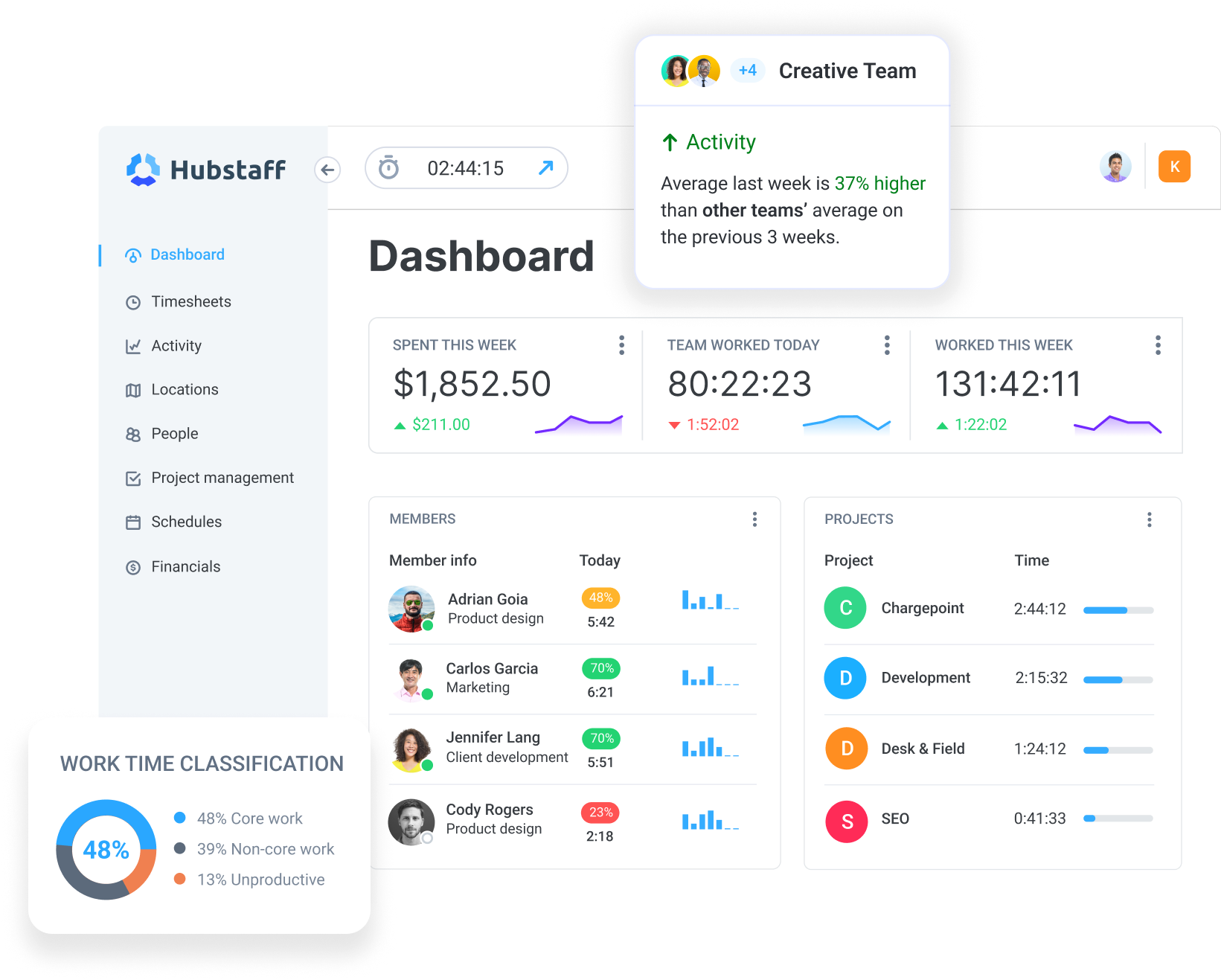
Most tools in this roundup do one or two things well, but Hubstaff’s strength as a time tracker is in its versatility. With built-in productivity monitoring, workforce analytics, and payment features, it’s a one-stop shop for minimizing admin work and helping teams increase productivity.
- Focus-time scoring. With Insights, Hubstaff tracks focused work (or sessions of 30+ minutes) without interruptions. Hubstaff can score this data over time to present a full picture of your team’s undistracted work time.
- Meeting-overload detection. Insights also helps teams balance meeting and focus time to ensure employees have the time blocks they need for focused work. See high-level breakdowns of time spent in meetings and drill into individual meeting times to optimize schedules for peak productivity.
- Three-tier app and URL classification. Core, Non-core, and Unproductive classifications are crucial to Hubstaff’s app and URL tracking features. While other tools on this list can gauge the tools your team is using, Hubstaff allows you to add context by determining productive and unproductive apps based on job role and project-specific needs.
- Transparent activity dashboards. Activity data is a two-way experience, as employees can see the same data as managers. They also have the authority to delete sensitive personal information, easing surveillance concerns while making the whole system more manageable for all.
- 30+ integrations. Hubstaff offers over 30 integrations with project management, CRM, communication, and help desk tools like Asana, Salesforce, Slack. Payroll integrations allow for in-app payments through apps like PayPal, Wise, and Deel.
Hubstaff has its limitations, as the deepest focus analytics require Hubstaff users to purchase the Insights add-on on top of the base plan. If all your team needs is a lightweight personal focus timer, Hubstaff is probably more than you’re looking for.
That said, add-ons like Insights start at just $2.50 per user per month and are included in Team and Enterprise plans.
Pricing
Hubstaff starts at $7/user/month (Starter), with various tiers unlocking additional features. There’s also a flat rate for enterprise users at $25/user/month. Insights is available as an add-on, but it’s included in the Team and Enterprise plans. A 14-day free trial is available.
2. RescueTime: Best for individual contributors who want automatic distraction tracking
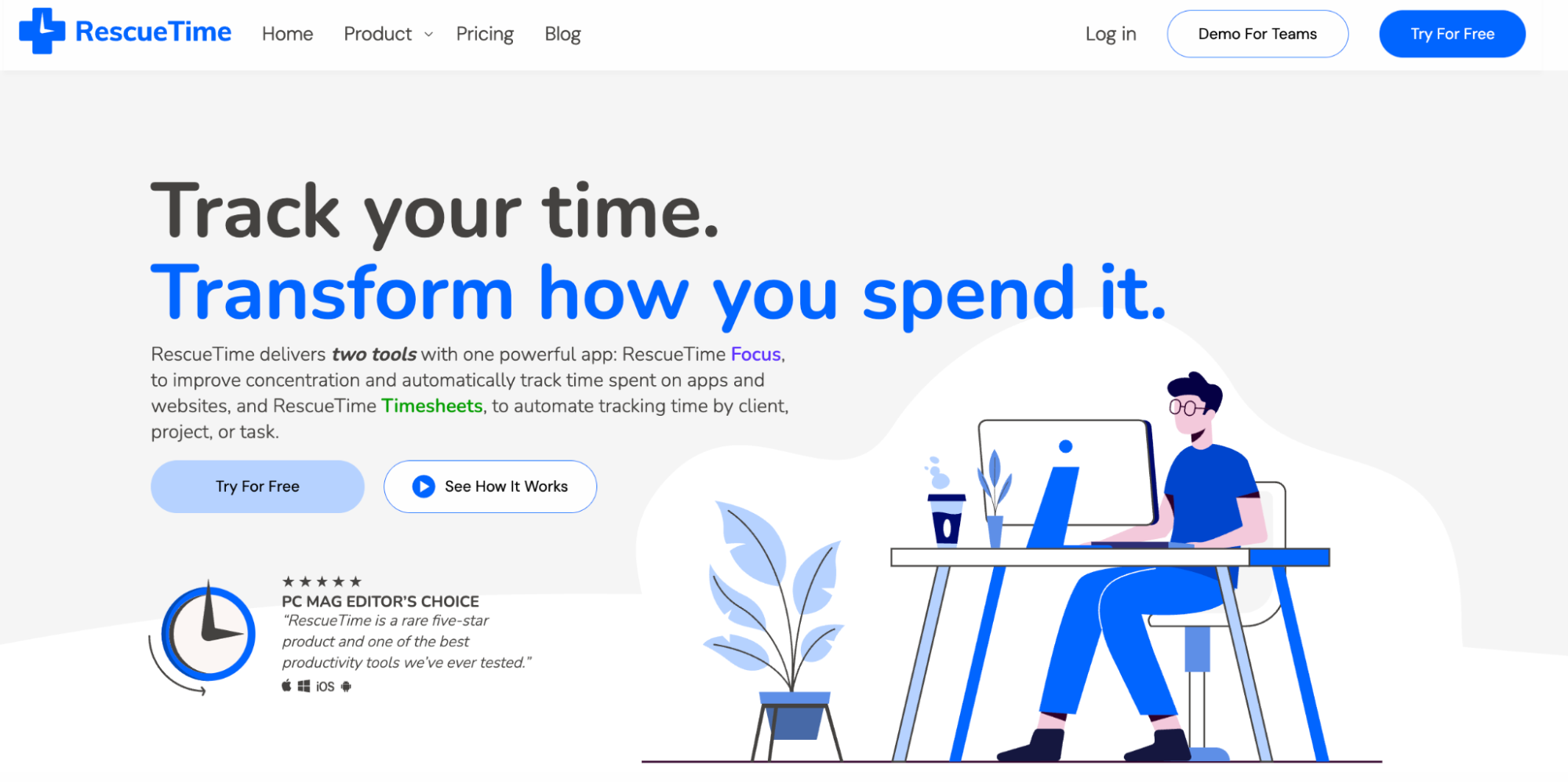
RescueTime is a time tracking tool that prioritizes focus by categorizing apps and websites without manual input to reveal trends in how your team spends their hours.
- Automatic time tracking. RescueTime runs automatically in the background without timers or manual entry. It can log the apps and websites teams visit and assign them a productivity category.
- Focus Sessions. When it’s time to work without interruption, Focus Sessions block selected websites and apps and silence notifications. It’s a simple feature, but it’s an active approach to protecting the time it’s also measuring.
- Team-level reporting. RescueTime’s Team plan reveals productivity trends across teams, including peak hours, category breakdowns, and key tools used. For an automatic tracker, it’s nice that team members retain visibility into their own data.
RescueTime falls short in terms of team depth. The classification system is customizable, but it lacks the granularity of tools like Hubstaff, as you can’t make customizations on specific job roles. Workforce analytics are also less in-depth than other tools.
Pricing
RescueTime starts at $9/month (Solo Focus) and goes up to $18/user/month (Team+, which bundles Focus and Timesheets). There’s no free plan listed on their pricing page, but a free trial is available.
3. Toggl Track: Best for teams that want simple time tracking with insight reports
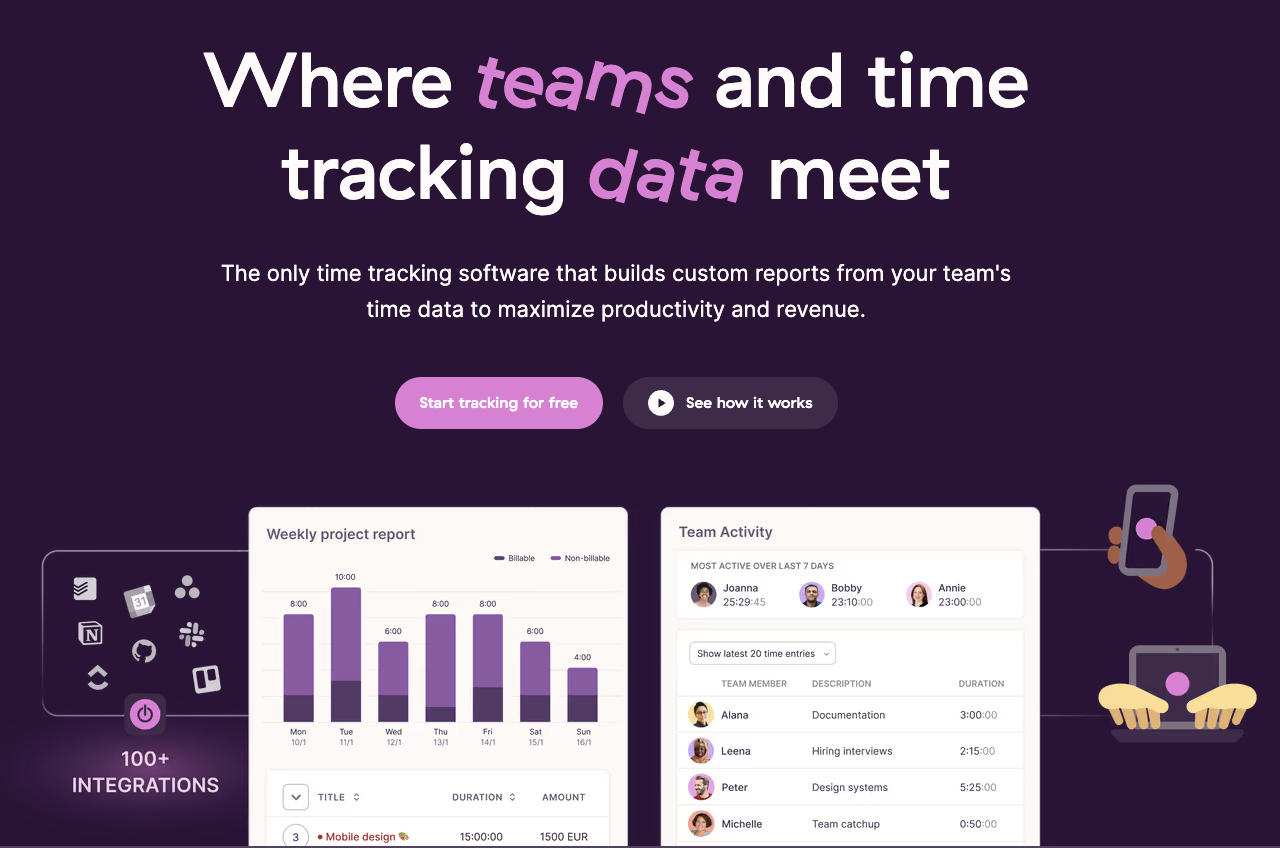
Toggl Track’s reputation is built on providing clean, intuitive time tracking and reporting. For agencies and consultancies that bill by project and need their team to adopt a time tracker, simplicity and clarity are essential.
- Project-based time tracking. Toggl Track makes it easy to log time against clients, projects, and tasks across web, desktop, and mobile. The tool also provides enough reporting flexibility to satisfy most billing and productivity needs without a steep learning curve.
- Automated background tracking. The desktop app records app and website usage and enables users to convert that activity into time entries. That data stays private for the individual, and managers won’t see it unless the user chooses to share it.
- 100+ integrations. Toggl Track connects to Jira, Asana, Salesforce, Google, and Outlook calendars, and various other tools via browser extension. The versatility in terms of integrations makes it easier to implement into your existing tech stack and workflows.
Where Toggl Track falls short for this use case is focus time specifically. It doesn’t measure uninterrupted blocks as its own metric, there’s no app or URL classification system, and context switching isn’t tracked.
If focus time is something you’re adamant about measuring with little manual effort, Toggl Track is probably not the best place to start.
Pricing
Toggl Track has a free plan for up to 5 users. Paid plans start at $10/user/mo (Starter) with the highest tiered Premium plan coming in at $20/user/mo. There’s a 30-day free trial on all paid plans.
4. Time Doctor: Best for distributed teams that need distraction alerts plus payroll
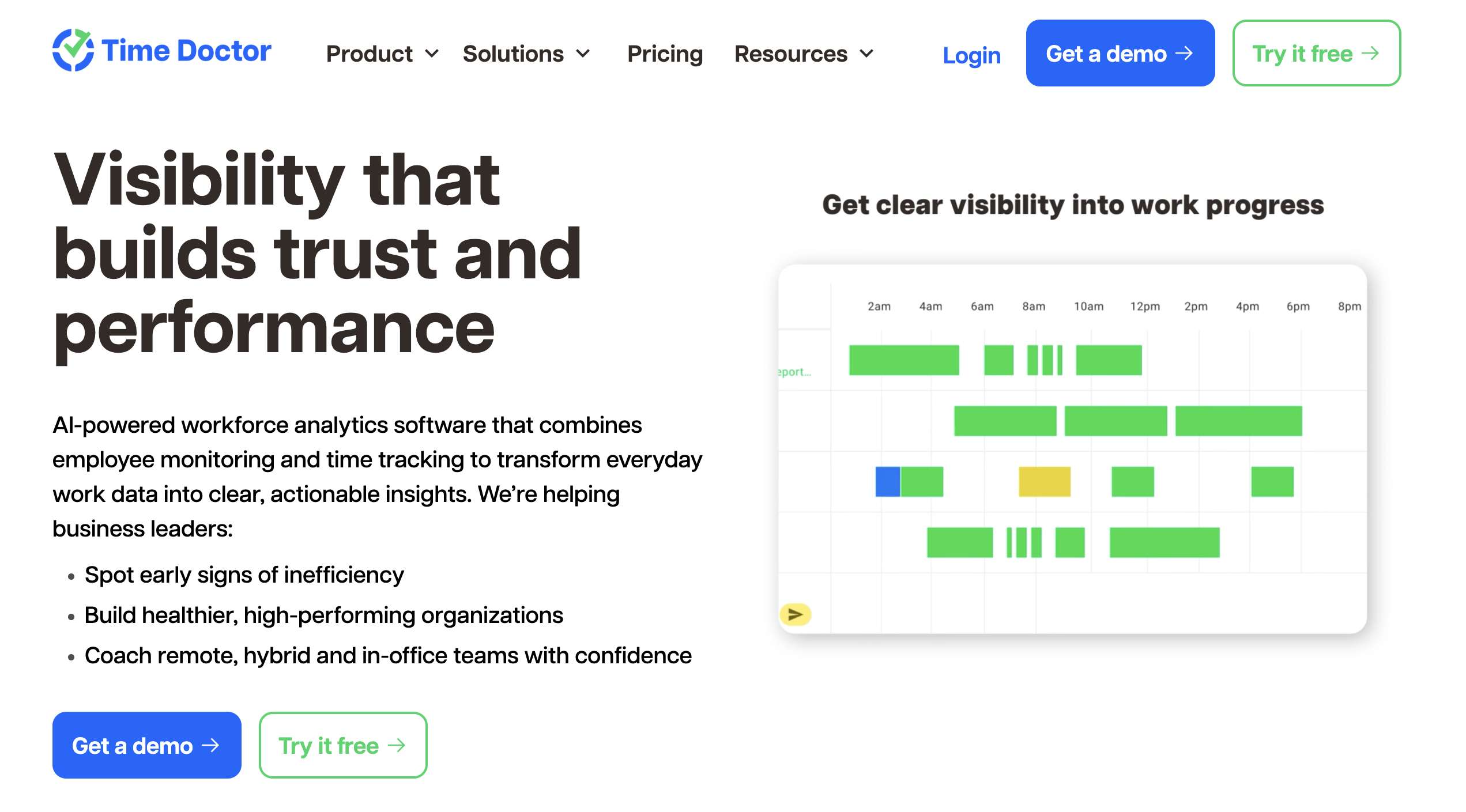
Time Doctor is built for organizations that manage teams across locations, time zones, and employment types. It provides visibility to help teams stay aligned without constant check-ins.
- Distraction alerts and idle detection. Time Doctor approaches inactivity with helpful nudges to employees and flags for excessive use of unproductive apps and websites. It’s a valuable feature for remote teams where it’s more challenging to gauge your team’s progress.
- Workforce analytics dashboard. Focus gaps, meeting load, and productivity trends in Time Doctor are provided on the team level, not just the individual, which makes it easier to spot structural problems.
- Payroll integration. Like Hubstaff, Time Doctor links hours to payroll for global teams, which is helpful for organizations paying across currencies and employment structures looking to keep their payment process in one central app.
Time Doctor leans further toward monitoring than most tools in this roundup: keystroke logging, unusual activity detection, and real-time monitoring.
Pricing
Time Doctor starts at $8/user/mo (Basic) and goes up to $20/user/mo (Premium). Enterprise pricing is custom. A 14-day free trial is available.
5. Timely: Best for teams that want AI-powered automatic categorization
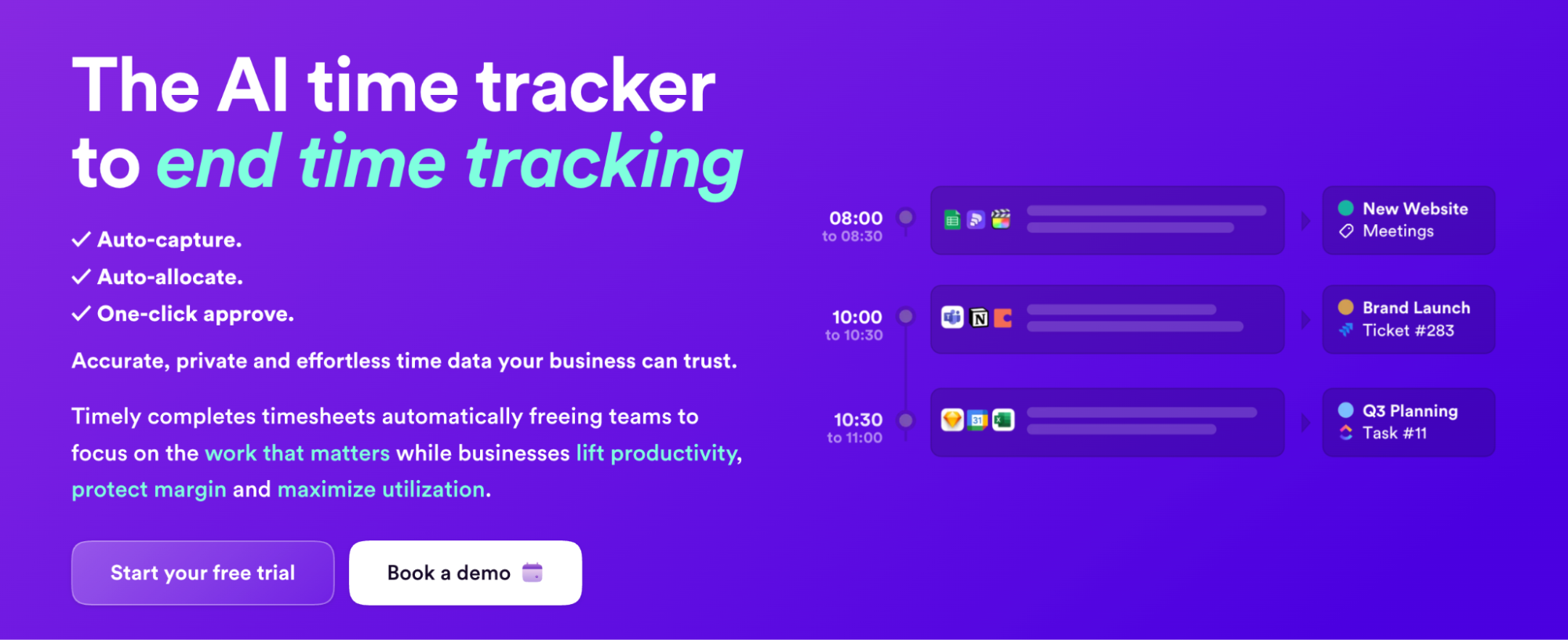
Timely approaches focus time from a different angle than other tools on our list. Instead of asking users to log time with a start and stop digital timer, time is tracked in the background with their AI-assisted Memory feature. Memory captures time tracked to projects and tasks and uses AI to analyze it and suggest categorizations and project allocation options.
- Memory Tracker. Timely’s background tracker records apps, documents, and websites users visit throughout the work day to a private timeline only the user can see. Nothing is shared until the user approves it, which addresses the surveillance concern very directly.
- AI-powered timesheet completion. After each work day, Timely’s AI suggests how to allocate time across projects and clients. For teams billing by project, this can help you corral missing billable hours with relative ease.
- Focus block visibility. Memory produces a natural record of a user’s focus by determining which periods involved context switching. However, the tool doesn’t formally label those blocks as focused sessions.
Where Timely falls short is depth on the team analytics side. The People Dashboard gives managers visibility into capacity and hours, but it isn’t built around focus time as a primary metric. AI suggestions are helpful, but they require significant human interaction. You wouldn’t want to fully trust AI findings without drawing your own conclusions.
Pricing
Timely starts at $11/user/mo (Starter, up to 5 users) and goes up to $28/user/mo (Unlimited). A free trial is available.
6. Rize: Best for individuals tracking deep work and context switching
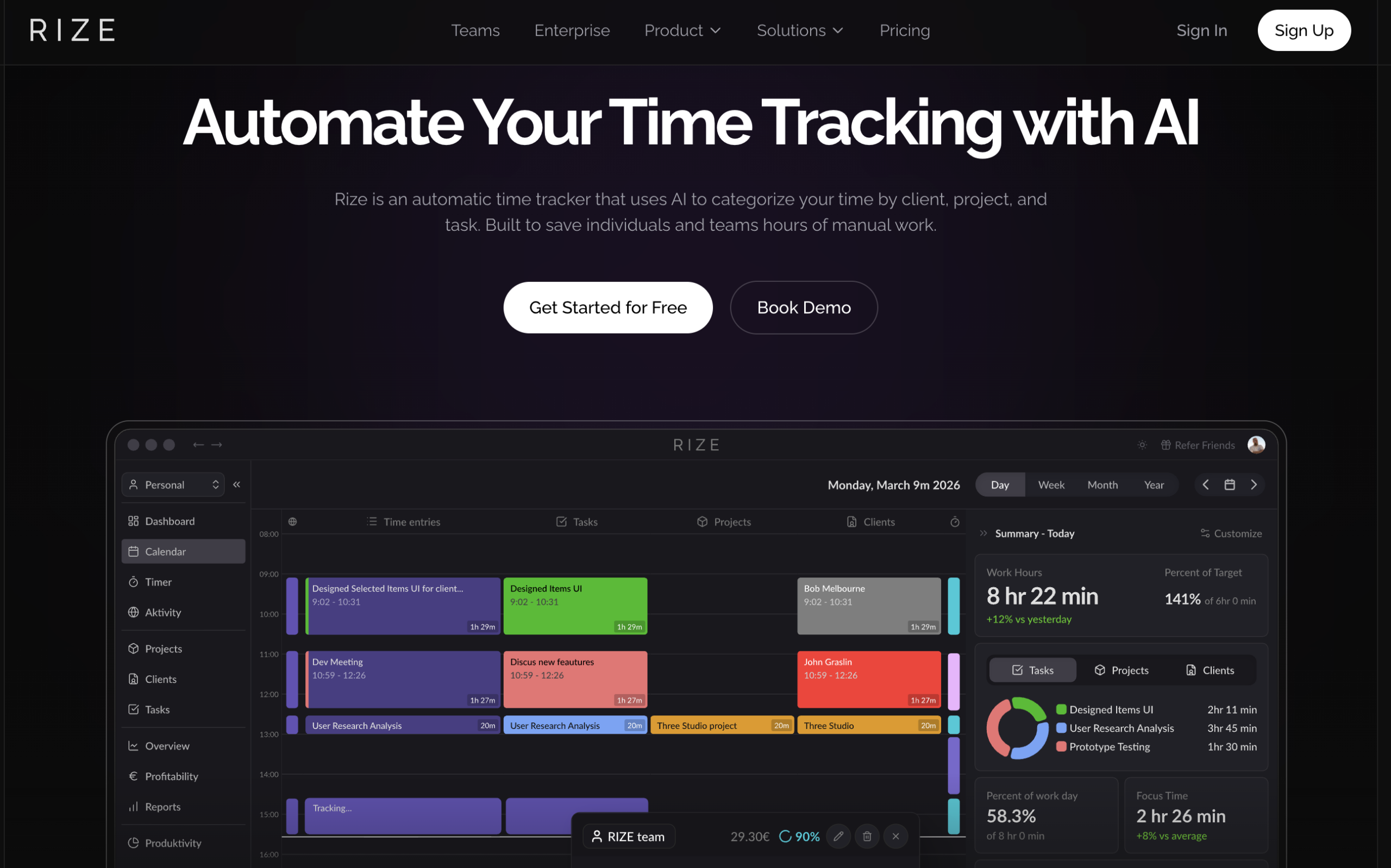
Rize is arguably the most focus-native tool on this list. Unlike other tools we’ve looked at, it’s built around focus from the ground up and tracks metrics like session length, context-switching frequency, and longest uninterrupted block as primary outputs.
- Automatic focus detection. Rize’s automatic focus detection identifies sustained, uninterrupted activity and can read app and window metadata to classify time for you.
- Focus Quality Score. Rize provides a focus score for each user based on over 20 work style attributes. This number is great for managers of larger teams, providing a high-level overview of team activity. That said, it’s not a perfect science or a completely accurate indication of productivity.
- Context-switching visibility. Rize explicitly tracks how often a person moves between apps and contexts, which it quantifies as its own separate metric.
Rize’s limitation is scale. While it boasts high-level, innovative focus features, it’s primarily a personal tool. While team features do exist, they’re still developing. Team-level analytics are in early access and aggregate-only, which means managers don’t get the role-level or department-level reporting that ops-focused teams need.
Pricing
Rize starts at $12.99/month (Basic, 1 seat) and goes up to $30/seat/month on the Team plan (5-seat minimum). There’s also a free trial available.
7. Insightful: Best for ops leaders who need real-time focus dashboards
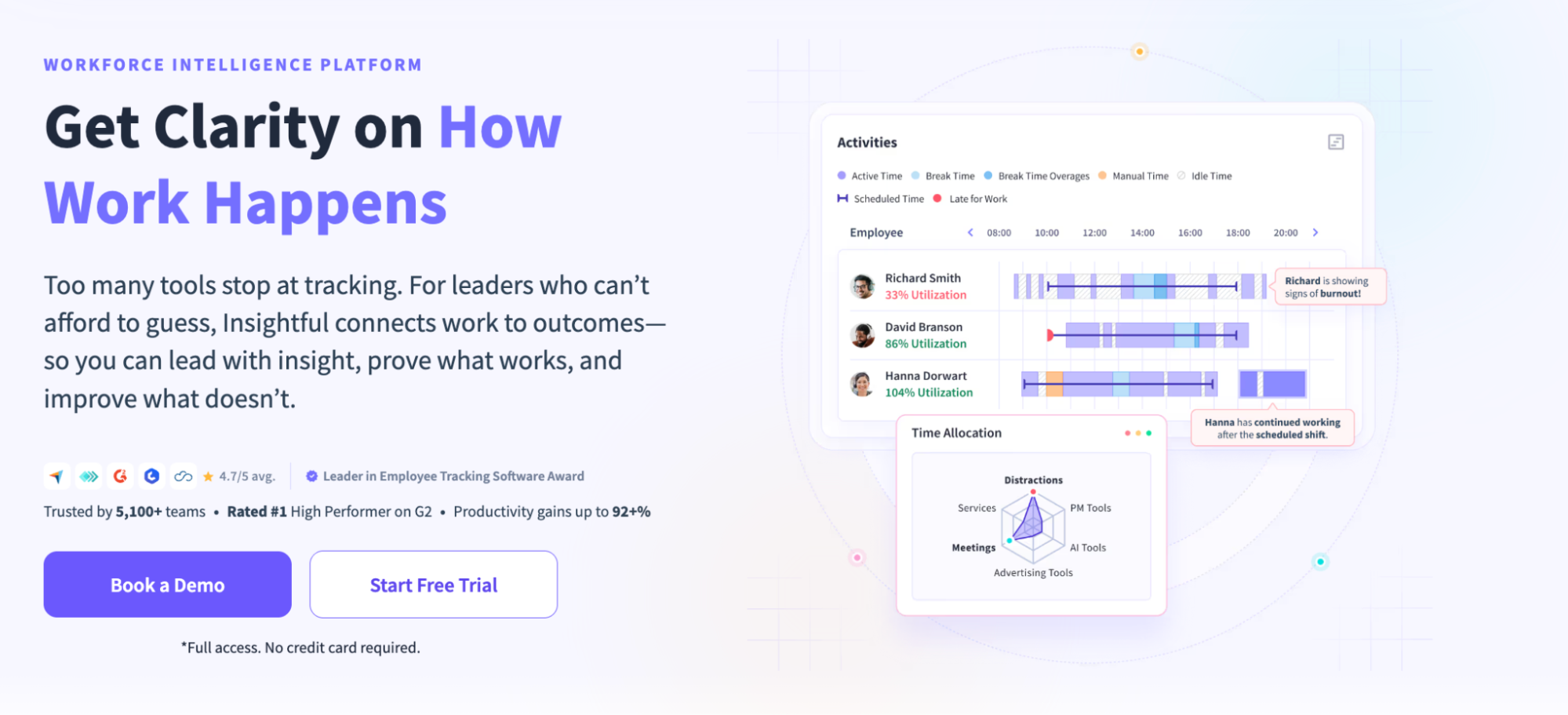
Insightful’s strength is in its real-time dashboards that provide a clear breakdown of focus, idle time, and areas where time has fragmented. It’s a great fit for organizations with ops leaders managing large-scale remote and distributed teams.
- Real-time activity dashboards. Like other tools on this list, Insightful tracks focus time, idle time, and app switching as live data. This means managers can spot unhealthy focus patterns and make adjustments before it’s too late.
- App and URL classification with per-team rules. Managers can configure productivity labels at the role or team level for added context on productivity and workloads.
- Workforce analytics depth. Beyond focus time, Insightful tracks workload balance, burnout signals, and software utilization, giving ops leaders a signal to act on performance problems before they show up in output.
Insightful provides both manager and employee-facing dashboards and privacy controls, but some of the monitoring features are questionable. In addition to screenshots, there are more high-intensity monitoring features like stealth mode and live screen recording that might be overbearing in the eyes of some users.
Pricing
Insightful starts at $10/seat/month with Workforce Analytics, with the most advanced combo plan coming in at $20/seat/month. Enterprise pricing is custom. A free trial is available.
8. DeskTime: Best for SMBs that want automatic productive vs. unproductive scoring
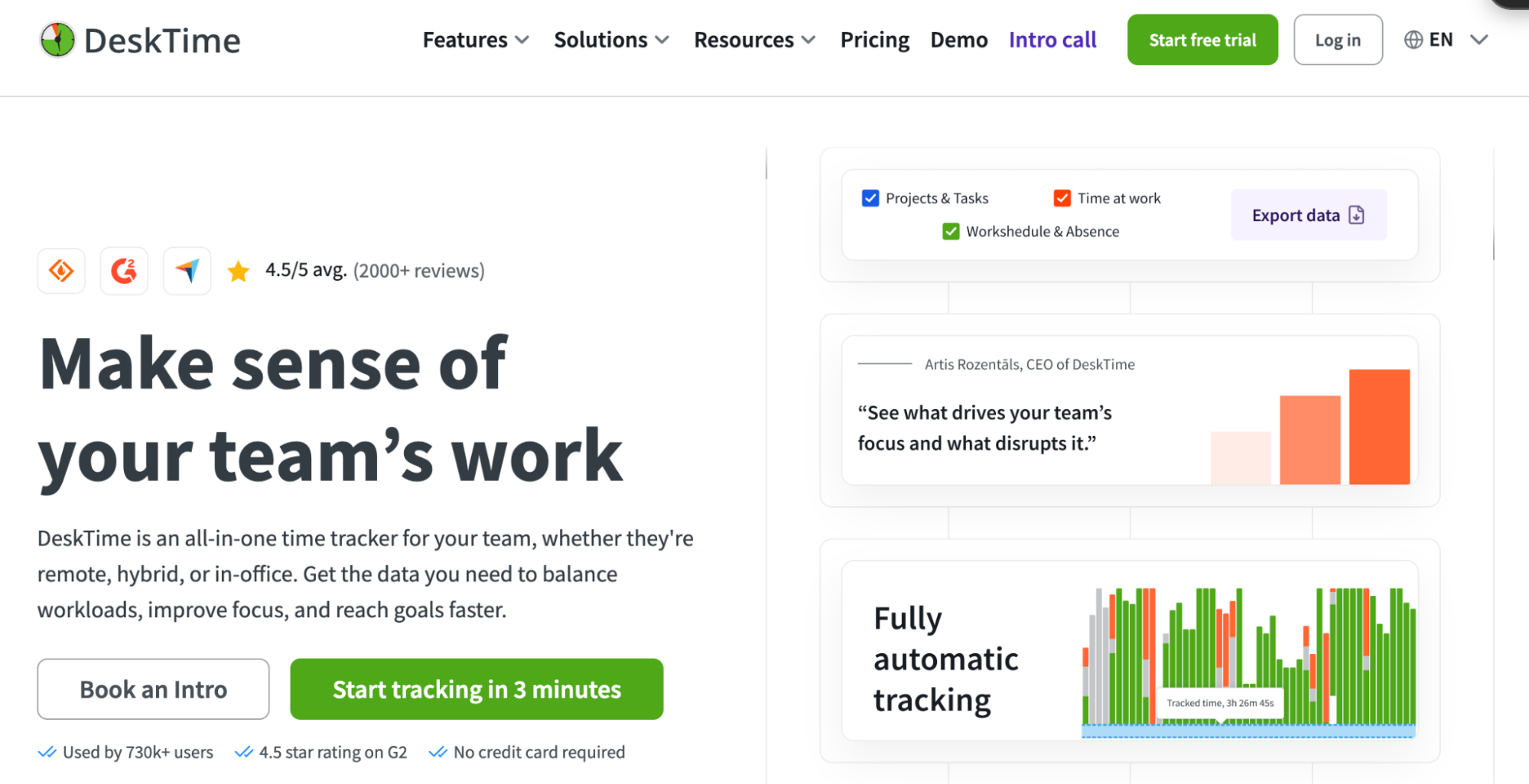
Like other tools on this list, DeskTime can label apps as productive, unproductive, or neutral, so teams can see a daily percentage score without configuration overhead. It helps teams gain a clearer picture of where time is going with a basic setup.
- Automatic productivity scoring. DeskTime labels apps and websites and calculates a productivity percentage for each. Managers get a fast, scannable view of how the day broke down across the team.
- App and URL classification. Every app and website gets a productivity label, and those labels can be customized on a per-team basis. The same tool can be marked differently for different roles.
- Project tracking and Pomodoro timer. DeskTime allows teams to log time against specific projects and tasks. It also includes a built-in Pomodoro timer for individuals who want to manually structure their focus sessions.
DeskTime’s classification of productive vs. unproductive is its limitation. This binary approach works well at a glance, but it might not hold under a microscope. For starters, it doesn’t account for a large category of work that isn’t directly tied to a deliverable but isn’t wasted time either.
Pricing
DeskTime starts at $7/user/month (Pro) and goes up to $10/user/month (Premium), both billed monthly. Enterprise pricing is custom. A 14-day free trial is available.
9. ActivTrak: Best for enterprises focused on workforce productivity intelligence
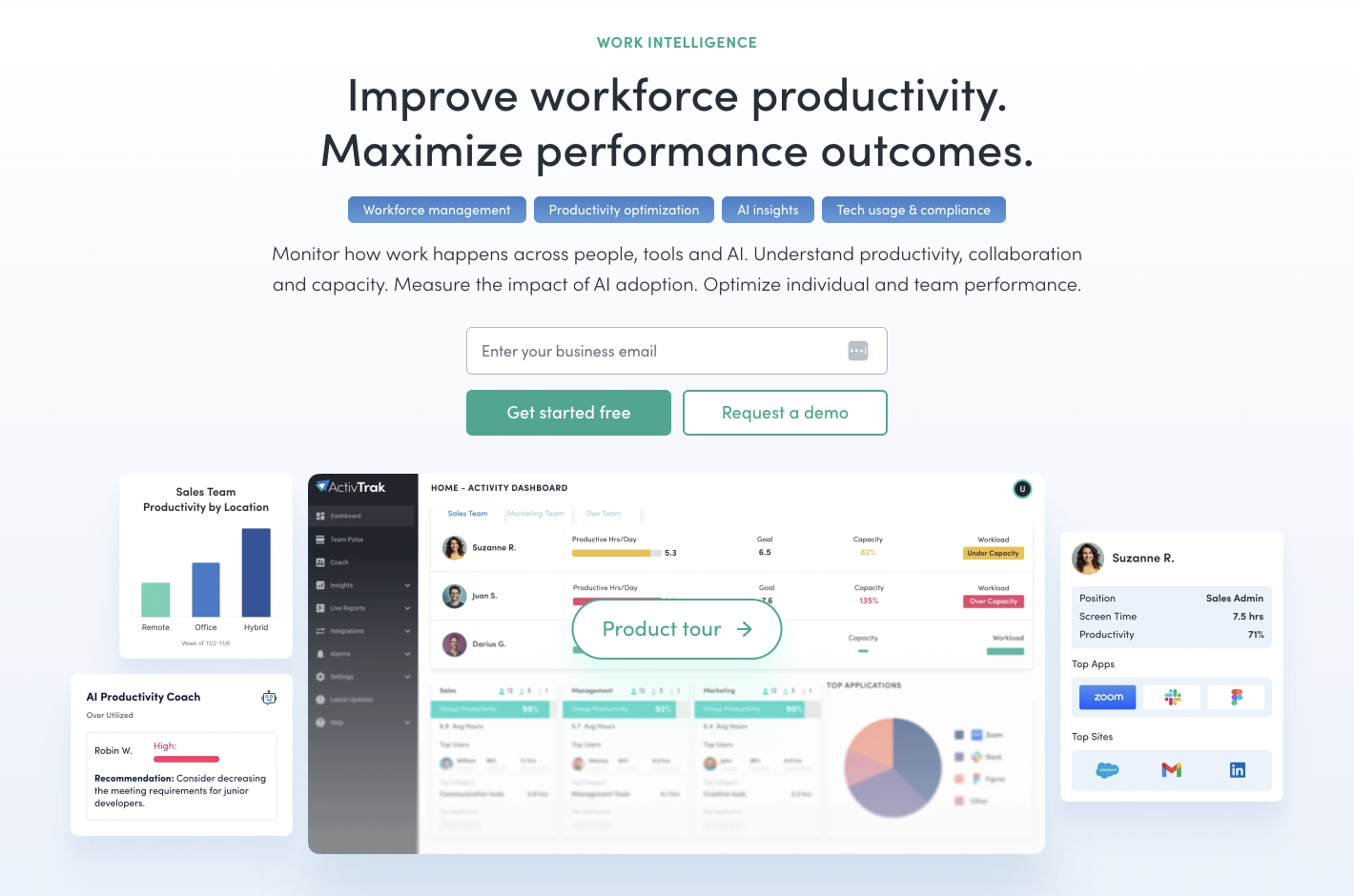
ActivTrak is an automatic employee monitoring and workforce analytics tool. If you issue company-owned devices, it’s a great tool, as data collection runs in the background with time tracking, app and URL usage, and screenshots (as a paid add-on).
- Focus time and distraction analysis. Similar to Hubstaff’s Insights, ActivTrak offers focus time and distraction analysis features that help managers protect employees from context switching and other distracted work that can hinder productivity.
- Advanced analytics and integrations. With high-level reporting and behavioral analytics, managers can spot bottlenecks, optimize workflows, and provide insight to key stakeholders with business intelligence integrations. These features make ActivTrak a strong choice for enterprise-level teams looking to tie monitoring to broader business goals.
- App and URL tracking. Like other tools on this list, ActivTrak helps managers gauge what websites and apps teams are using. It’s a great way to make SaaS purchase decisions based on what elements of your tech stack your team is actually using.
ActivTrak provides a lightweight tracker and deep performance insights, including focus time and distraction analysis. That said, the key downside is that it only functions as a background tracker. There’s no timer-based option like with other tools on this list, leaving employees in the dark about monitoring and businesses more at risk for legal issues.
Pricing
ActivTrak has a limited free plan (up to 3 users), but paid plans are more expensive than other tools on this list, ranging from $10-19 per user/month for alerts, advanced analytics, and capacity planning.
Which focus time tracking software is right for your team?
The right tool isn’t always the one with the most features. When selecting a focus time tracker, you’ll need to identify the metrics that are most important to you, your team, and the business at large.
That said, the decision ultimately boils down to one question: is the time my team spends working moving things forward in a meaningful way? The tools in this roundup won’t answer that question on their own. However, the right one will give you the data to figure out the answer with your team.
Want to start tracking focus time in a way that supports your team’s unique workflow? Sign up for a free trial with Hubstaff.
Most popular
The Top Time Management Statistics in 2026 for Workplace Productivity
We all have the same hours in the day. But when employees struggle to focus, those hours likely won’t be used effectively. Witho...
The Best Coaching Conversations Start With Productivity Data
Most coaching conversations happen too late. A deadline is missed, or a client flags a problem, and then a manager schedules a sit...
A Quick Guide to Work Order Management
From quick fixes to long-term stability, work orders are crucial to asset management and helping managers keep operations running...
How to Identify High Performers Using Work Patterns
Every business has top performers, and managers are told to find them all the time. But in most cases, they default to approaches...