5 Best HIPAA and SOC 2 Compliant Time Tracking Software Applications (2026)

 10 min read
- What HIPAA and SOC 2 compliance actually requires from time tracking software — including BAAs, encryption, access controls, and audit-ready logs.
- Why SOC 2 Type II is the stronger standard, and how it impacts real-world security and audit readiness.
- How tools like Hubstaff and ActivTrak differ in productivity monitoring, workforce analytics, and privacy-first tracking approaches.

Health care is a challenging profession as leaders are managing patients, staff, schedules, and more — and that’s before audits. Fortunately, HIPAA-compliant time tracking software can serve as a solution for this often overwhelming industry.
Time tracking, in theory, is a simple solution. In health care, though, it has to be something more: a compliant, auditable, and careful tool that solves administrative headaches while circumventing exposure risks.
In this guide, we’ll delve into the 5 best HIPAA and SOC 2 compliant time tracking solutions to streamline operations and simplify your day-to-day life. But first, let’s delve into what constitutes HIPAA and SOC 2 compliance.
Boost your team’s efficiency with Hubstaff's productivity tools
What “HIPAA and SOC 2 compliant” really means for time tracking
HIPAA and SOC 2 get thrown around a lot, often by software vendors who know that compliance-conscious buyers respond to them. But what do the terms really mean?
- HIPAA. The Health Insurance Portability and Accountability Act (HIPAA) a U.S law established in 1996 to create standards for sensitive patient health information to ensure it remains confidential. It’s designed to keep Protected Health Information (PHI) from falling into the wrong hands.
- SOC 2. SOC 2 stands for System and Organization Controls 2. It’s a compliance standard created by the AICPA that establishes how SaaS and cloud computing organizations should handle customer data with five “trust services criteria”: security, availability, processing integrity, confidentiality, and privacy.
Both frameworks represent real, meaningful security standards — they’re not just buzzwords designed to help sell software. Let’s take a look at how these standards apply to the time tracking niche.
HIPAA and time tracking
HIPAA’s core concern is Protected Health Information, or any data that could identify a patient and connect them to their health records.
On its own, time tracking software typically doesn’t touch PHI directly, but the environments it operates in often do, which means the tool still needs to handle data carefully.
The principle of minimum necessary use matters here: a compliant tool should capture what it needs to and nothing more.
That means secure storage and encrypted transmission are non-negotiable, and any vendor you work with should be willing to sign a Business Associate Agreement, which is the legal mechanism that makes them accountable for how they handle data in your environment.
SOC 2 and what it certifies
SOC 2 is an auditing framework built around five Trust Service Criteria:
- Security
- Availability
- Processing integrity
- Confidentiality
- Privacy
A SOC 2 Type I report means a vendor’s systems were evaluated at a single point in time. On the other hand, Type II means those controls were tested over a sustained period (usually 6 to 12 months), which is obviously more thorough.
While it doesn’t mean a product is perfect, it does mean that an independent party audited the software to assess how it handles data.
What buyers should look for when choosing a time tracker
When you’re evaluating tools, the practical checklist looks something like this:
- End-to-end encryption
- Role-based access controls
- Exportable audit logs
- Documented compliance posture you can share with a client or an auditor
Deployment options matter too. Some regulated environments need on-premise or private cloud options rather than a standard SaaS setup.
The 5 best HIPAA and SOC 2 compliant time tracking tools
| Tool | HIPAA stance (public) | SOC 2 status | Best for in this guide |
| Hubstaff | Maintains HIPAA-aligned controls; BAAs available for health care | SOC 2 Type II compliant | Privacy-first, enterprise, and audit-ready time tracking |
| ActivTrak | Supports HIPAA, privacy compliance | SOC 2 Type 1 & 2 certified | Workforce analytics and compliance insights |
| Connecteam | Fully HIPAA-compliant health care/employee app | SOC 2 Type 2 certified | Frontline/deskless workforce management |
| TimeCamp | HIPAA-compliant time tracking | No public SOC 2 attestation; strong security controls | Budget-friendly HIPAA time tracking |
| WorkTime | HIPAA-friendly non-invasive monitoring | In the process of obtaining SOC 2 | Privacy-first monitoring in health care environments |
Hubstaff – best for audit-ready time tracking in regulated teams
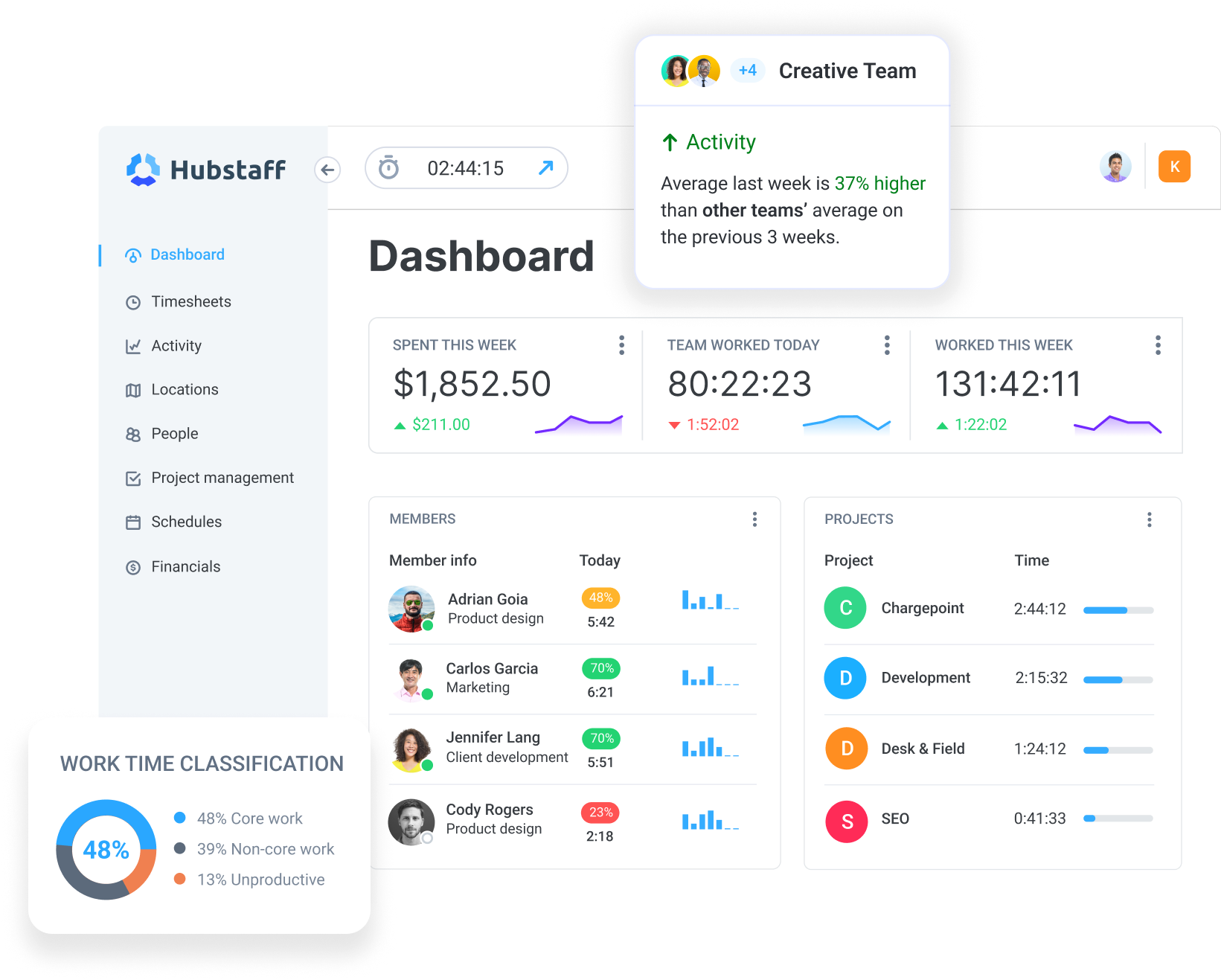
Hubstaff is SOC 2 Type II, HIPAA, and GDPR compliant time tracking software platform, which puts it in a fairly short list of fully compliant time tracking tools.
It supports Business Associate Agreements for health care clients, keeps data encrypted, and gives administrators granular control over who sees what.
Alongside its compliance capabilities, Hubstaff also provides workforce analytics that help teams understand productivity patterns, track utilization, and make informed decisions based on how time is actually spent.
For regulated teams (especially those managing remote or hybrid staff across clinical and non-clinical roles), that combination of certifications and configurability is what makes it a tool you can defend to an auditor.
Key Hubstaff compliance features
- SOC 2 Type II and HIPAA alignment with BAA availability. Hubstaff’s compliance features include exportable audit trails, role-based permissions, and the ability to sign a BAA, which means your vendor relationship has legal accountability built into it.
- Background tracking on company-owned devices. Hubstaff runs automatically in the background on company-owned devices, capturing time, activity levels, app and URL usage, and optional screenshots. It’s great for regulated environments that need consistent, uninterrupted documentation that doesn’t rely on employees remembering to clock in, but also doesn’t accidentally capture more than it should.
- Fully configurable monitoring scope. Administrators can choose exactly what gets captured and by whom, down to the role level. Screenshots can be blurred or disabled, app tracking can be scoped or excluded, and data visibility can be restricted so that only the people who need to see certain records can.
- Offline tracking with automatic sync. Time and activity data captured without an internet connection syncs once connectivity is restored, keeping records complete even in environments where connectivity isn’t guaranteed, such as certain clinical settings or field-based care teams.
- Audit- and export-ready reports. Hubstaff generates detailed time and activity reports that can be filtered, customized, and exported as PDFs or CSVs. This means that when an audit arrives or a client asks for documentation, you are always ready.
Built with a privacy-first, transparency-driven approach, Hubstaff allows organizations to configure monitoring in a way that is visible, controlled, and aligned with internal policies. This approach encourages transparent tracking practices, where teams understand how and why time data is collected. With granular control over data collection and access, teams can support fair pay, audit-ready records, and accountability — without relying on invasive tracking practices.
ActivTrak – best for HIPAA-aware workforce analytics
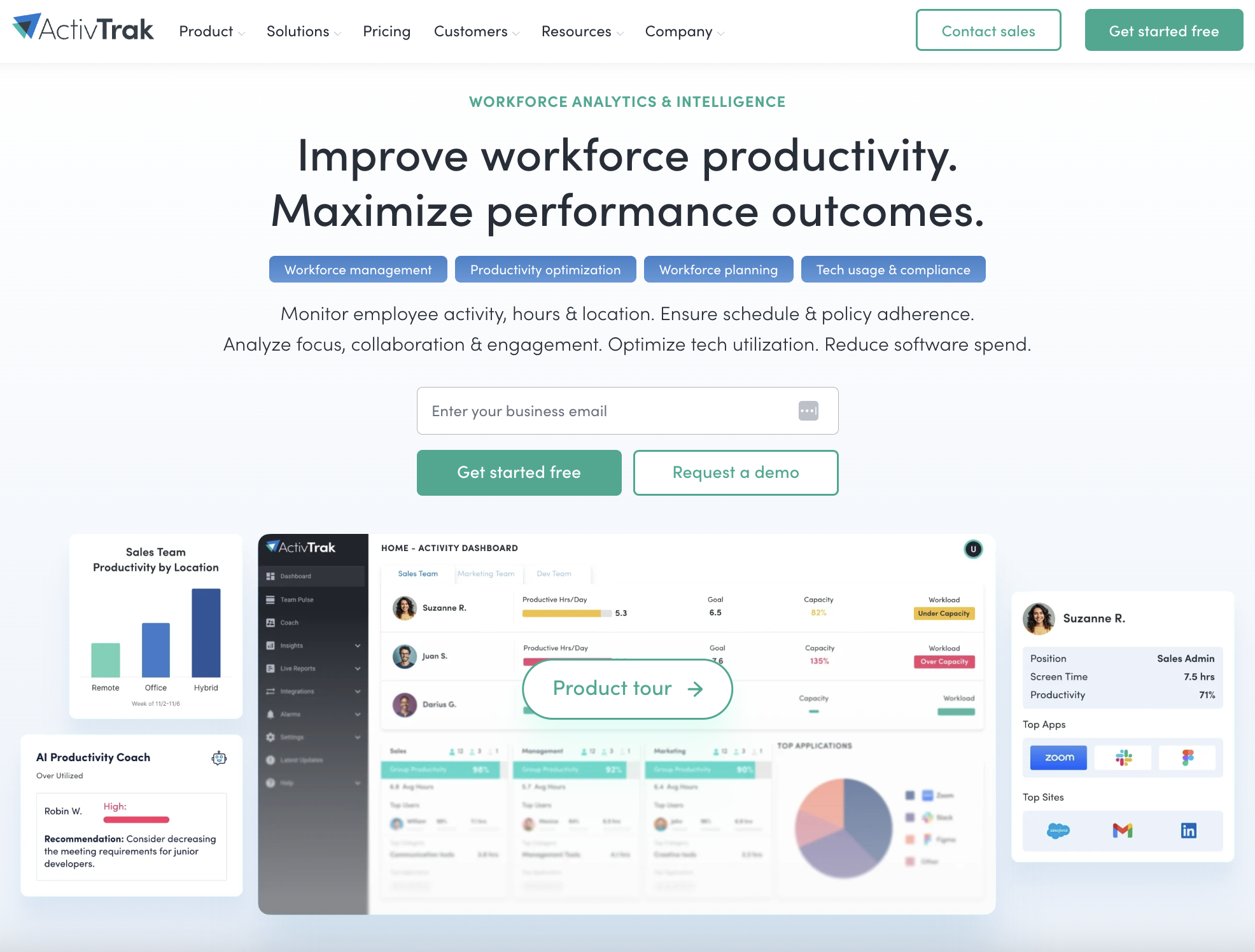
ActivTrak holds both SOC 2 Type I and Type II certifications and supports HIPAA, GDPR, CCPA, and COPPA compliance. This gives it a broad enough compliance footprint to show up credibly in regulated industries.
It distinguishes itself with workforce analytics to help teams understand productivity patterns, spot engagement trends, and make sense of how work happens across distributed teams.
- SOC 2 Type I and Type II certified, with HIPAA support. ActivTrak’s dual SOC 2 certifications cover security, availability, and confidentiality, and its broader compliance posture extends to HIPAA, GDPR, CCPA, and COPPA.
- Privacy-first monitoring by design. ActivTrak explicitly rules out keystroke logging, email monitoring, camera access, and video recording. In a HIPAA context, where the instinct to over-monitor is exactly the kind of thing that creates exposure, a tool with hard limits on what it will and won’t collect is a meaningful design choice.
- Productivity analytics tied to compliance-relevant behavior. Schedule adherence tracking, app and website usage monitoring, and real-time activity classification give compliance teams the ability to spot policy violations like unauthorized app use or unusual activity patterns before they become audit findings.
- Triggered screenshots for compliance verification. Rather than capturing screenshots continuously, ActivTrak can trigger them in response to specific alarms or policy violations. This keeps visual documentation targeted and proportionate.
ActivTrak is a solid choice for regulated teams that want compliance coverage and an analytical layer on top of it. If the goal is understanding workforce behavior at scale, it’s a capable and well-credentialed option.
Connecteam – best for HIPAA-compliant frontline and health care teams
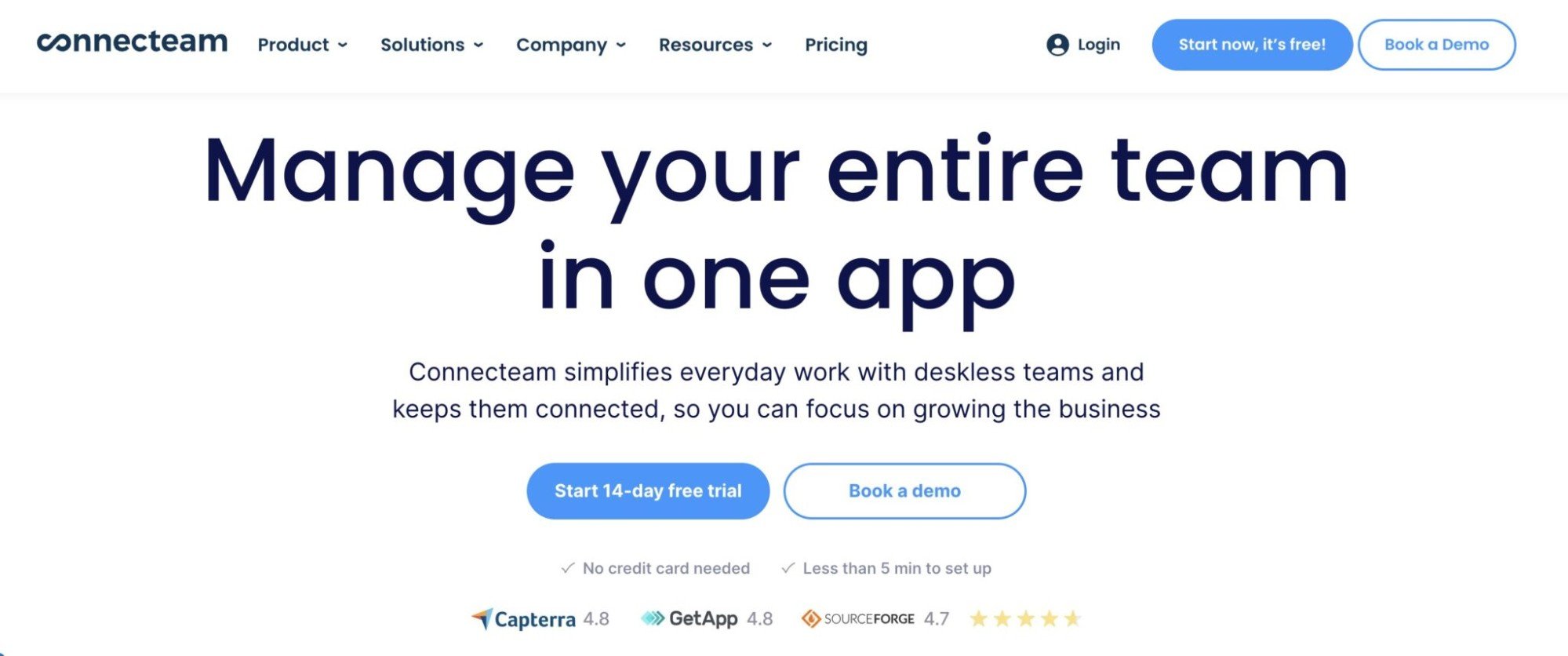
Connecteam is SOC 2 Type 2 certified, fully HIPAA-compliant, and also holds ISO/IEC 27001 certification on top of that. That’s an impressive security stack that reflects how seriously it takes data protection across its platform.
Where Connecteam differs from the other tools on this list is in who it’s built for. Deskless, frontline workers like home care aides, clinic staff, and field-based health care teams benefit from Connecteam’s mobile accessibility for scheduling, time tracking, and communication.
Key features:
- HIPAA compliance with BAA requirements and an encrypted infrastructure. Connecteam’s HIPAA posture covers confidentiality, integrity, and security of health data across the platform, and the BAA requirement ensures that accountability is formalized before any protected health information enters the picture.
- SOC 2 Type 2 and ISO/IEC 27001 certified. The dual certification means Connecteam’s security controls have been tested both over time and against an internationally recognized information security management standard.
- Role-based access control with configurable permissions. Administrators can set feature-specific restrictions, enforce two-factor authentication, and also limit access by IP on request, which gives compliance-conscious teams good control over who can see and do what inside the platform.
- Mobile-first time clock with geofencing and audit-ready timesheets. Employees clock in and out via the app or an on-site kiosk. There’s also geofencing to verify location and automatic timesheet generation for payroll.
Connecteam is a strong fit for health care organizations whose compliance burden lies not in desktop monitoring but in documenting that the right people were in the right places doing the right work.
It won’t give you the granular activity tracking that tools like Hubstaff offer for knowledge workers, but for frontline and field-based health care teams, that’s probably not what you need anyway.
TimeCamp – best for HIPAA-compliant time tracking on a budget
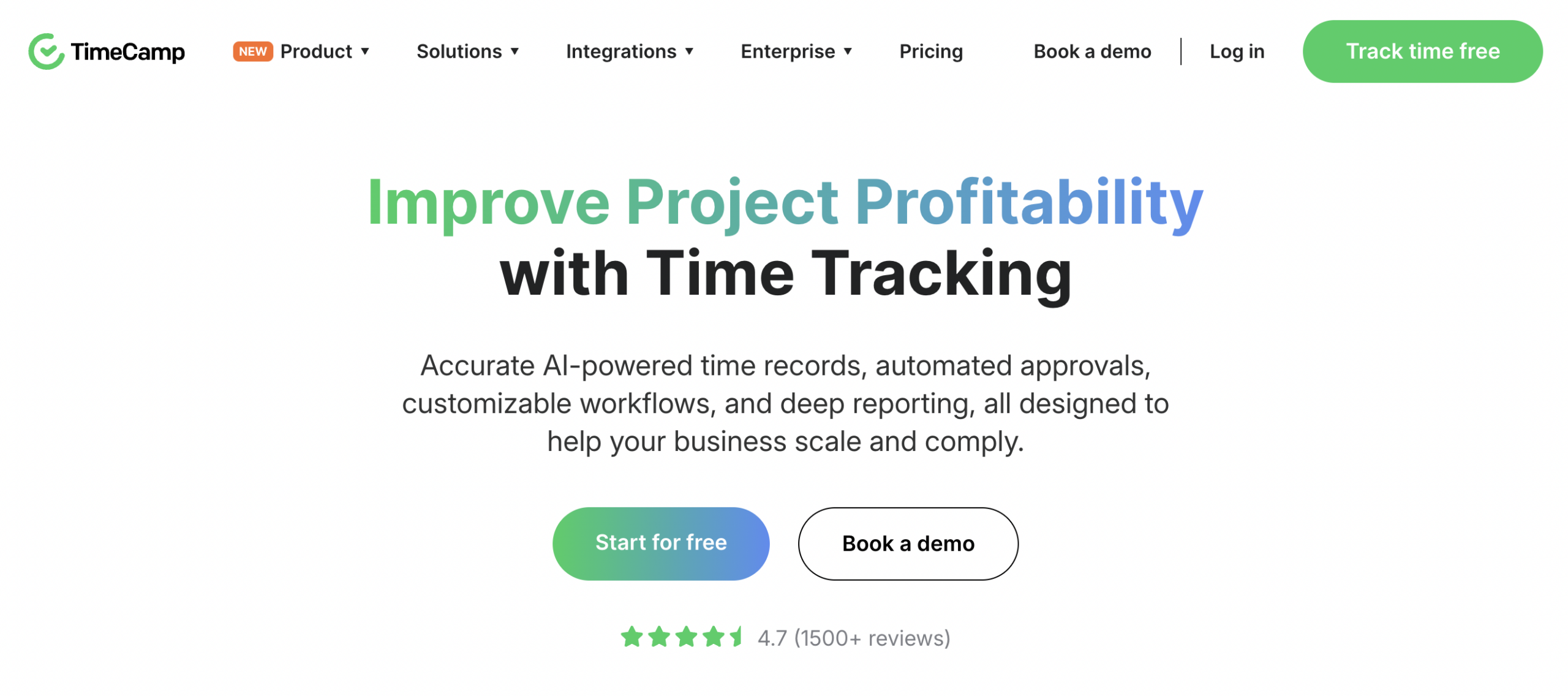
TimeCamp has a dedicated HIPAA compliance page, encrypts all data in transit and at rest, and backs that up with regular security audits and periodic penetration testing.
It also holds ISO 27001 certification and complies with GDPR and CCPA, giving it a compliance footprint that punches above its weight class. It’s a serious combination for smaller health care organizations or regulated teams that need credible security without an enterprise price tag.
Here are its compliance features:
- HIPAA alignment with encryption and access controls. TimeCamp’s security architecture covers data encryption, role-based user permissions, and a dedicated Information Security Management System.
- Regular audits and penetration testing. TimeCamp conducts both technical and non-technical security evaluations on a periodic basis, including external penetration tests to identify system vulnerabilities before they become exposure events.
- Self-hosted and private cloud deployment options. Available on the Enterprise tier, self-hosting means your data never touches a shared cloud environment. This is a significant consideration for organizations with strict data residency requirements or internal policies that limit third-party data processing.
- Project time tracking with billable hours and profitability reporting. TimeCamp’s core strength is project-level time intelligence: tracking hours to specific tasks and clients, generating invoices from tracked time, and then producing detailed reports on budget status and profitability, all with the compliance infrastructure running underneath.
TimeCamp won’t give you the workforce analytics depth of ActivTrak or the background tracking on corporate devices like Hubstaff, but it isn’t trying to. What TimeCamp offers is a genuinely capable, security-conscious time tracking platform at a price point that also makes compliance accessible to organizations that don’t have an enterprise budget to work with.
WorkTime – best for non-invasive monitoring in health care
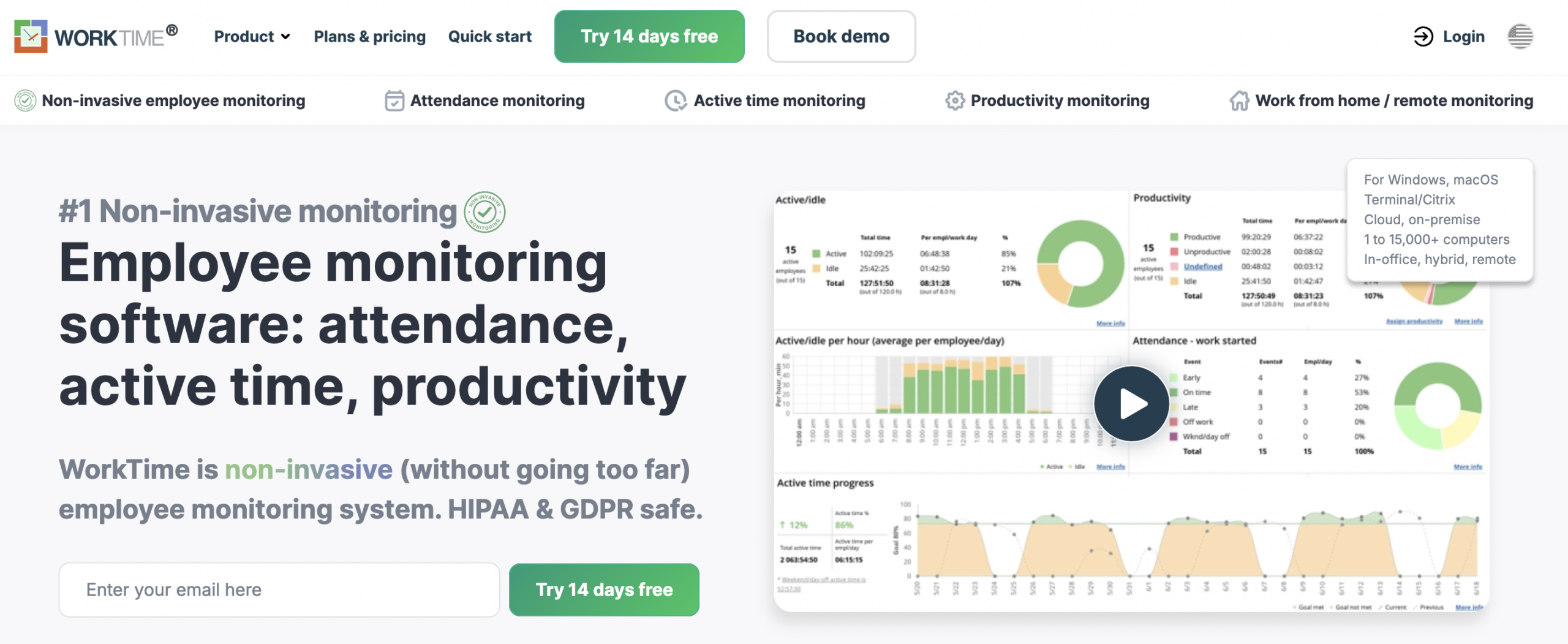
WorkTime’s approach to monitoring has stayed remarkably consistent throughout its history: track only what’s necessary for productivity, and nothing more.
It’s HIPAA-compatible by design rather than by configuration, and, because it never captures screenshots, keystrokes, or any content that could constitute PHI, the compliance risk is structurally minimized rather than managed after the fact.
WorkTime is currently pursuing SOC 2 certification, which it has not yet obtained, and that’s worth knowing before you put it in front of an auditor.
Key compliance features:
- HIPAA compatibility through non-invasive design. WorkTime only records numerical productivity data: active time, idle time, attendance, app and website usage patterns. That’s invaluable in a health care environment where the greatest monitoring risk is accidentally capturing something you shouldn’t.
- AES-256 encryption with on-premise deployment options. Data is encrypted using AES-256, and WorkTime can be deployed on-premise. That means monitored data never leaves the client’s own servers.
- SOC 2 certification in progress. WorkTime is currently undergoing the SOC 2 compliance process and has not yet completed certification. For teams where a current SOC 2 report is a hard requirement, that’s worth factoring into the decision.
- 70+ non-invasive productivity reports. WorkTime generates detailed reports on attendance, active and idle time, software usage, online meeting time, distraction scores, and more. These are all in numerical form, without visual content.
WorkTime occupies a specific and defensible position: it’s the tool for organizations that want a minimal monitoring footprint as a compliance strategy. If your concern is less about deep audit trails and more about not accidentally collecting data you shouldn’t have, WorkTime’s entire product philosophy is built around that.
How to choose the right HIPAA/SOC 2 time tracking software
Not every tool on this list will be the right fit for every organization, and the differences between them matter more than they might appear on a feature comparison table.
The right choice depends on what your compliance exposure looks like, how your team works, and what kind of documentation you need to produce when someone asks. Consider these factors:
- Data handling. Understand what the tool collects, where it stores it, and whether you have deployment options. On-premise, private cloud, or shared SaaS carry different risk profiles depending on your internal policies and regulatory environment.
- Compliance evidence. A vendor claiming HIPAA alignment is not the same as a vendor who can hand you a current BAA and a recent SOC 2 Type II report. Ask for the paperwork before you sign anything.
- Monitoring philosophy. The more configurable a tool is (optional screenshots, app tracking scoped by role, data visibility restricted by permission, etc.), the more precisely you can align it to the principle of minimum necessary use.
- Deployment and scale. If you need Mobile Device Management (MDM) or mass deployment infrastructure add implementation complexity worth planning for — especially across distributed teams with multiple device types.
- Pricing, support, and implementation assistance. Ask directly whether the vendor will engage with your legal or compliance staff during onboarding.
For teams that need both rigorous documentation and practical day-to-day usability, Hubstaff’s combination of SOC 2 Type II certification, HIPAA alignment, BAA availability, and the background tracking on company-owned devices makes it the most complete option on this list.
The ability to configure exactly what gets captured, who can see it, and how it gets exported means you can match the tool to your compliance requirements rather than the other way around.
HIPAA and time tracking FAQs
Is Hubstaff HIPAA and SOC 2 compliant?
Yes. Hubstaff maintains HIPAA-aligned controls, is SOC 2 Type II certified, and BAAs are available for health care clients.
Can time tracking tools see PHI?
Most time tracking tools don’t interact with PHI directly, but they can inadvertently capture it through screenshots, app tracking, or URL logging if those features aren’t configured carefully. Choosing a tool with configurable monitoring scope significantly reduces that risk.
What’s the difference between SOC 2 Type I and Type II?
Type I evaluates whether a vendor’s security controls are properly designed at a single point in time, while Type II confirms those controls were operating effectively over a sustained period, typically 6 to 12 months. For compliance purposes, Type II carries significantly more weight.
Most popular
Workplace Productivity Statistics in 2026: What the Numbers Say
For many businesses, having the ability to maximize output without compromising quality gives them a major edge over their competi...
Time Doctor vs. ActivTrak: Which Tool Is Right for Your Team?
Time Doctor and ActivTrak are two of the most powerful and popular time tracking solutions. Both have strong features, and both ca...
Work-Life Balance Statistics in 2026: A Global Perspective
Work-life balance has become a deciding factor in how people, especially Gen Z, choose or leave jobs. The data shows that work-lif...
Employee Monitoring Statistics in 2026: Trends & Adoption
Keeping tabs on employees used to mean walking the floor and checking in face-to-face. However, with remote and hybrid work now th...