
Return-to-office (RTO) mandates are accelerating in 2026. From global banks to tech giants, five days in the office is quickly becoming standard again. But why?
The rationale is framed around performance gains, collaboration quality, and operational discipline. In fact, 61% of U.S. companies have formal RTO policies requiring office attendance for a set number of days per week.
But does physical presence actually move the needle on performance?
To answer that, we analyzed data from more than 140,000 workers across 17,000 organizations in the 2026 Global Trends and Benchmarks Report.
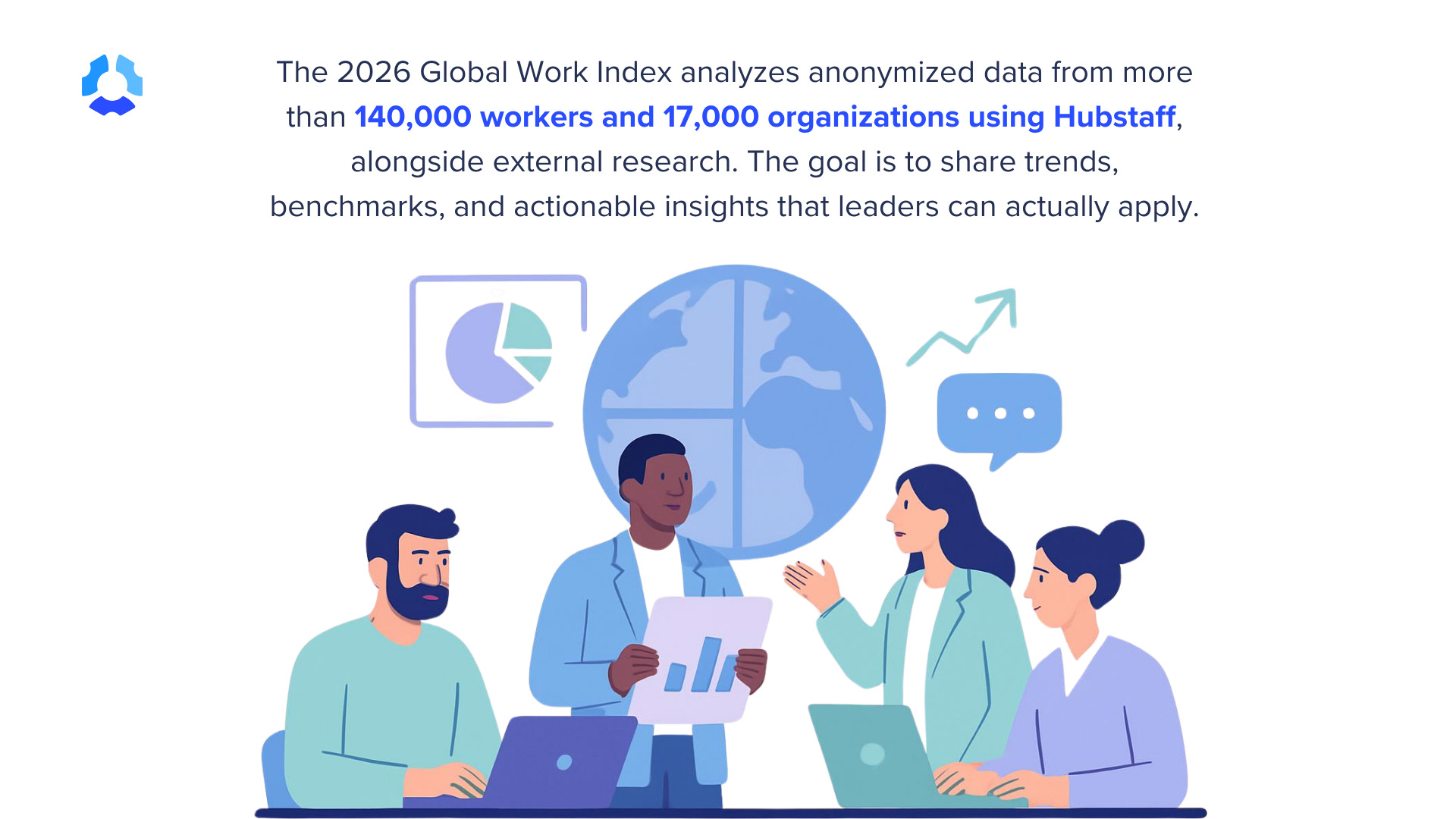
Instead of continuing to fret over remote versus in-office work, the data examines how time is actually spent: focus hours, meetings, tool usage, AI adoption, and workload patterns. The findings suggest productivity challenges in 2026 are less about location and more about system design.
The question isn’t whether people are in the office. It’s whether the way work is structured supports sustained, high-quality output.
Let’s look at what the data reveals.
Stay in the loop
Subscribe to our blog for the latest remote work insights and productivity tips.
Who is pushing RTO?
RTO is gaining the most traction in industries shaped by hierarchy, legacy norms, and in-person optics, particularly in finance, legal, and consulting.
Major financial institutions like JPMorgan and Goldman Sachs have reinforced expectations for full-time office attendance, often tying visibility to promotion. In consulting and professional services, client-facing delivery models and apprenticeship-style cultures have accelerated the return to pre-2020 structures.
In tech, several high-profile companies have formalized mandates:
- Amazon. Amazon requires corporate employees to be in the office at least 3 days per week, tying attendance to performance management.
- Google. Google has incorporated office presence into performance reviews.
- AT&T. AT&T has gone further, requiring some employees to relocate or return to designated hubs.
The common assumption is that physical presence drives productivity. But our 2026 benchmark data suggests the relationship between location and performance is far less straightforward.
What the 2026 productivity data shows
The return-to-office debate is often framed as a binary choice: remote versus office, flexibility versus control. But the Hubstaff 2026 Global Work Trends and Benchmarks report suggests a more important truth — and it’s not what you might expect.
Location alone does not resolve productivity constraints. The real bottlenecks show up in how work is structured around factors like:
- Focus time
- Meeting load
- Tool sprawl
- AI integration
- Capacity planning
Here’s what the latest findings reveal:
1. Focus time by workstyle: hybrid teams feel the squeeze
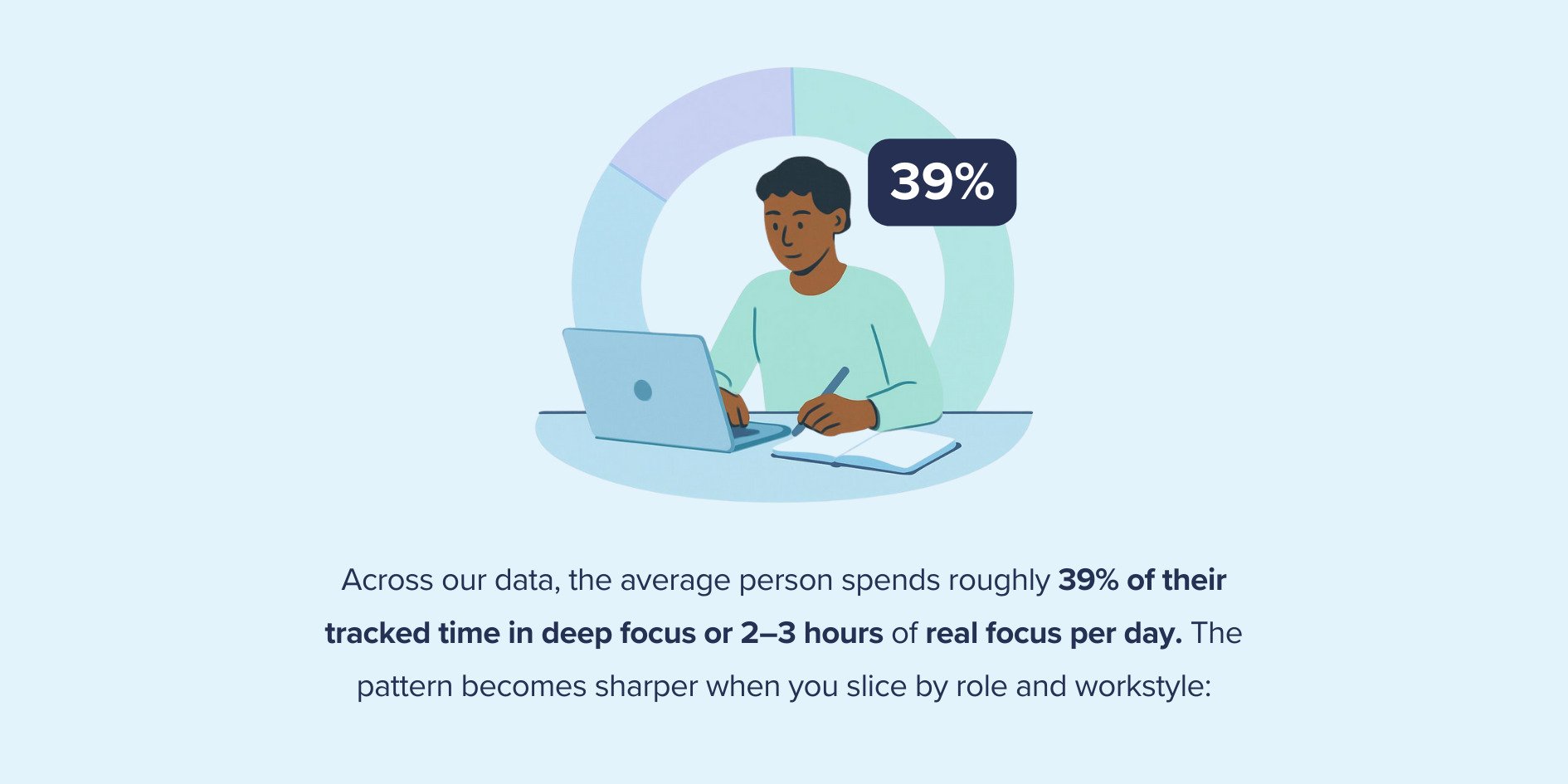
Across 140,000 workers and 17,000 organizations, the average person spends 39% of their tracked time in deep focus, roughly 2–3 hours per day.
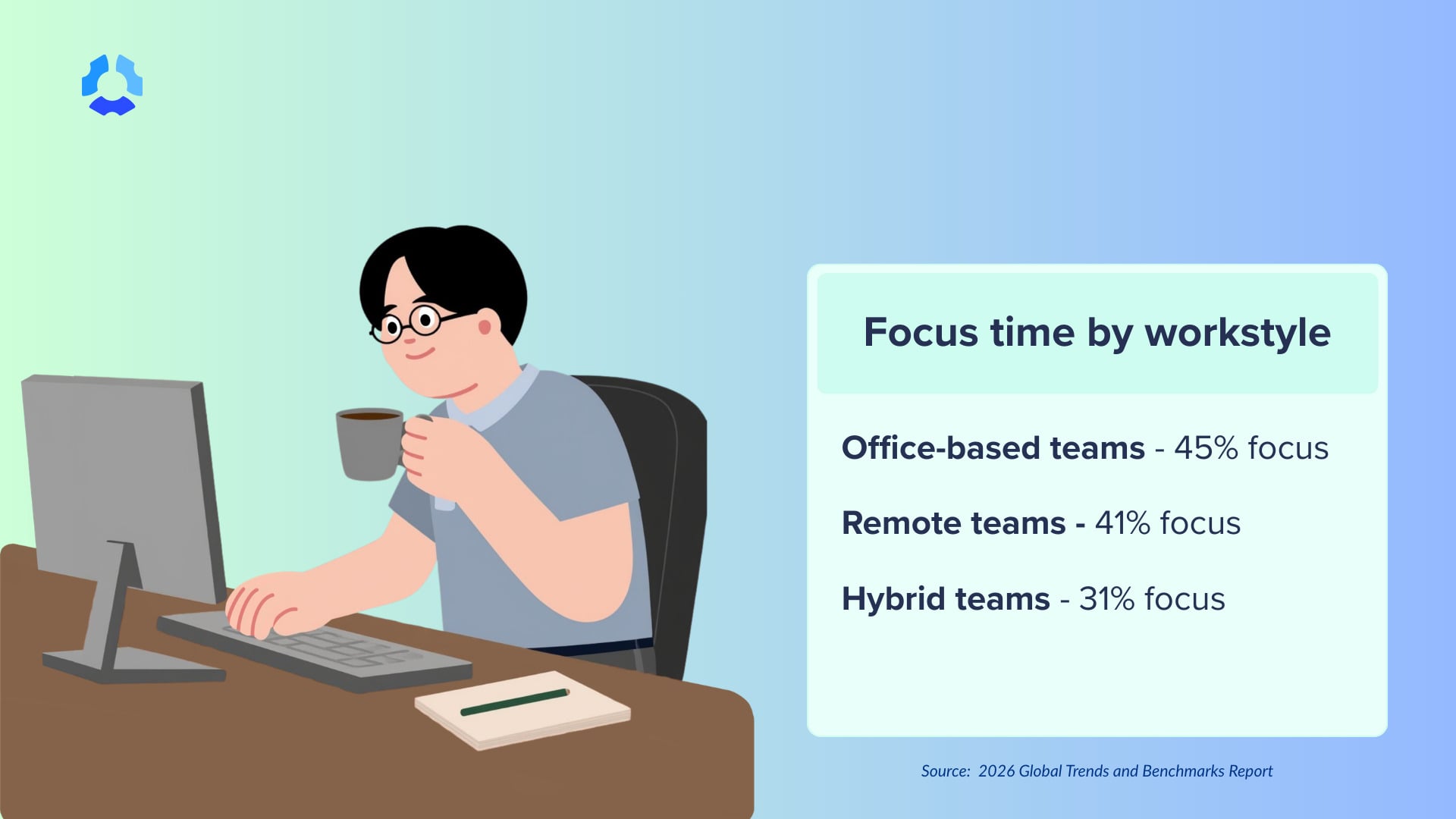
The 2026 Hubstaff benchmarks uncover focus time by workstyle:
- Office-based teams: 45% focus time
- Remote teams: 41% focus time
- Hybrid teams: 31% focus time
If simply being in the office solved productivity challenges, we would expect office-first or hybrid models to dominate on focus metrics. However, the data suggests there must be other factors involved, as hybrid teams log the lowest share of deep focus time in the dataset.
2. Meeting fragmentation is the hidden tax
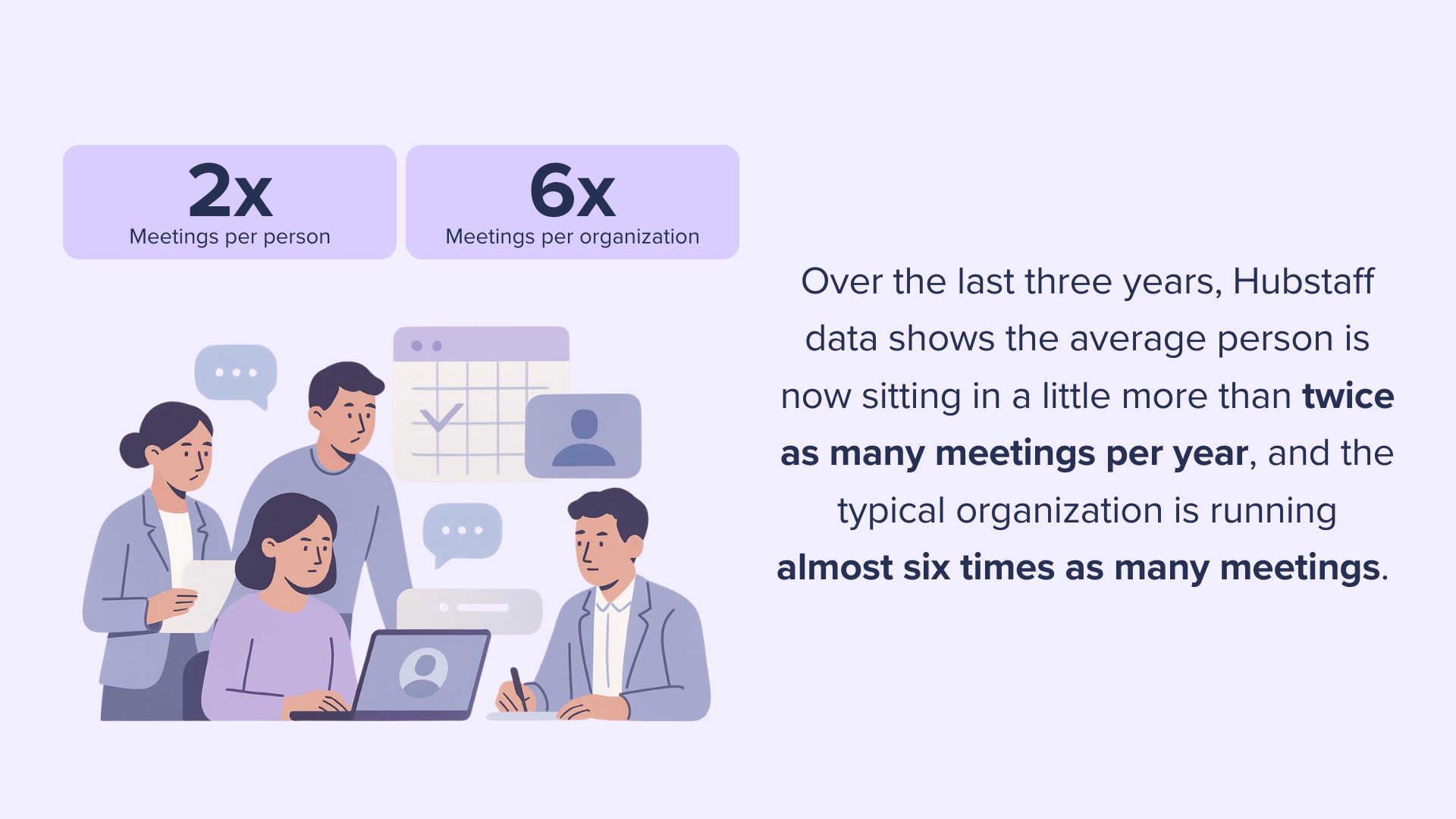
Meeting sprawl and fragmentation go hand in hand, disrupting productivity. This is a structural issue that transcends location. Employees now average 25 meetings per person per month, while 26% of meeting minutes occur during 9:00–11:00 maker time.
Every hour of the traditional 9–5 window is now considered a potential meeting time slot, making it harder to distinguish between meeting hours and protected deep-work blocks. When focus windows are constantly interrupted, productivity drops, regardless of location.
3. 50+ hour weeks: A system pressure indicator
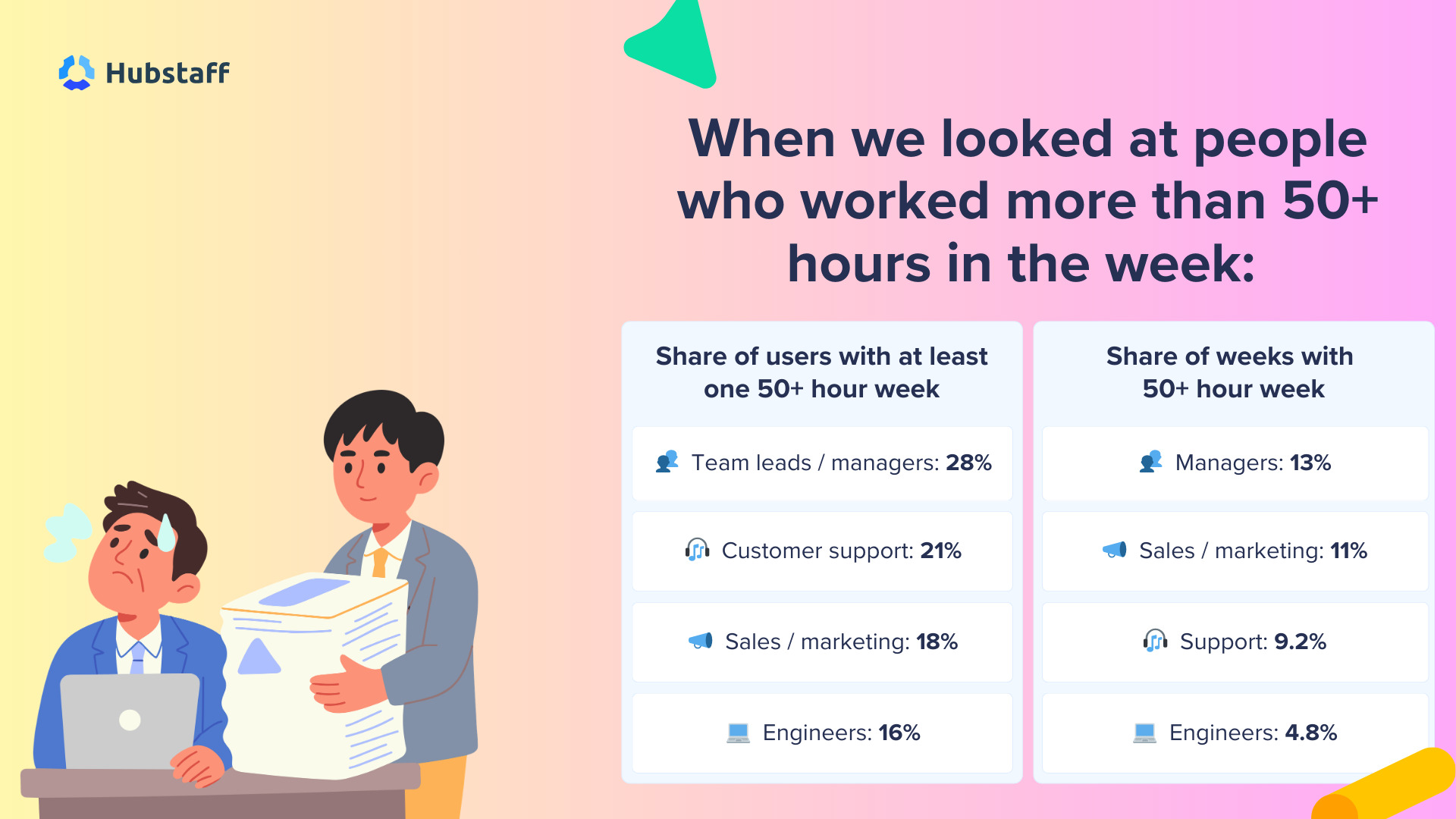
If your team is working 50+ hours a week, that’s a huge problem. While it may seem advantageous to pile on extra hours, the Hubstaff 2026 Global Trends and Benchmarks report reveals how a 50+ work week chips away at productivity.
In the report, we were able to identify the job roles with at least one 50+ hour week:
- Managers: 28%
- Customer support: 21%
- Sales/marketing: 18%
- Engineers: 16%
50+ hour workweeks emerge from a capacity-planning failure, and it has nothing to do with productivity. If managers are buried in coordination and meetings, simply bringing them into the office more won’t magically clear their schedules and reduce the underlying demand.
4. Tool overload and context switching
Another structural constraint is overusage of tools at work. Data shows people use an average of 18 apps per day, which sounds like a lot. But the real question is, how many work tools are too many?
Research shows digital workers toggle between apps nearly 1,200 times per day. That means they’re losing roughly 4 hours per week (9% of working time) to reorientation that stems from this seemingly constant context switching.
Context switching erodes attention, which is now one of our scarcest resources. Once more, this is unrelated to office versus remote work. It has everything to do with workflow design.
5. AI adoption shows workflow depth matters
AI adoption is rising across all team types, but the depth of usage varies dramatically. Hybrid teams increased AI adoption from 72% to 84%, and their time in AI tools jumped from 5% to 11% of the workday.
Remote and office-based teams also sit at around 80% adoption, but spend only 1–2% of the workday in AI tools. While 67% of Hubstaff users used AI at work, only 4% of their tracked time was attributed to it.
The difference isn’t where people work anymore. It’s whether AI is embedded into workflows or used as an occasional helper.
The 2026 benchmarks made it clear that these productivity challenges stem from a lack of solid workflow design frameworks. Location alone won’t fix this, as leaders need to also redesign work to protect focus and reduce meeting overload.
What RTO doesn’t solve
Return-to-office mandates are often framed as a reset: a way to restore collaboration, alignment, and productivity. But the 2026 benchmark data shows a more nuanced reality:
Simply bringing people back into the office does not automatically fix how work is structured.
Most of the friction slowing teams down today has nothing to do with location and everything to do with operational inefficiency. Here’s what RTO doesn’t solve:
- Meeting overload and calendar fragmentation. Nearly 30% of meeting time falls outside the standard 9–6 window. Office attendance doesn’t reduce fragmentation on its own.
- Context switching and tool sprawl. Digital workers are now losing roughly 4 hours per week to reorientation from tool sprawl. An office mandate doesn’t consolidate your tech stack.
- Burnout signals in the system. When attention is scattered, and coordination grows, people often “catch up” after hours, creating triple-peak workdays and extending the work window.
Return-to-office policies may influence culture or collaboration dynamics. But they do not correct workflow inefficiencies, fragmented calendars, or overbooked managers. Work improves when the system improves, regardless of where the employee is working from.
The real leadership question in 2026
The future-of-work debate has been framed for years as a remote vs. office debate. But is location the biggest obstacle to productivity? The real leadership question is whether you’ve intentionally designed how work gets done.
In 2026, high-performing teams have one thing in common, and it’s not their in-office presence. They’re winning because they know the answers to four crucial operational questions:
- Have you optimized schedules around protected focus time?
- Have you capped recurring meetings?
- Are 50+ hour workweeks a trend across your organization?
- Have you implemented AI into existing workflows to optimize productivity?
These questions reflect a measurable system design for meaningful work. When calendars are full, and meetings spill into peak cognitive hours, performance drops across distributed teams.
Meanwhile, 50+ hour workweeks signal an imbalance in capacity planning — especially in coordination-heavy roles. AI adoption alone doesn’t solve this problem. You can only reap the true benefits of artificial intelligence when it’s integrated into daily workflows through drafting, summarizing, triaging, and meaningful outputs.
The companies that will be ahead in the game won’t be the ones that picked the “right” location model. They’ll be the ones who work with a system that protects attention, manages coordination, flags overload early, and integrates technology into execution instead of layering it on top.
If not RTO, then what actually improves productivity?
Now, you might be thinking, if RTO isn’t the biggest indicator of improving productivity, what is?
The reality is that in-office attendance doesn’t dramatically improve productivity. The current benchmarks point to a small set of operational decisions that consistently separate high-performing teams from overloaded ones.
Here are a few best practices that awareness and data-driven leaders will benefit from:
- Protect maker mornings
Focus time is now the rarest resource in knowledge work, accounting for an average of 39% of tracked time (2–3 hours per day). High-performing teams protect the first 2–3 hours of the workday from recurring meetings, especially for high-focus roles.
- Define clear overlap windows.
Instead of spreading meetings across the entire day, strong teams define a 2–4-hour collaboration window for real-time work and default to async outside of it.
This reduces fragmentation and prevents the “always-on” calendar creep that erodes deep work. Use this method as your single source of truth for scheduling meetings this week.
- Treat focus time as a KPI
Productivity isn’t just output; it’s the conditions that make output possible. Use AI-powered workforce analytics to track focus percentage and weekly focus hours by role. When focus drops, treat it as an indicator to check in with employees, not evidence of a personal failure.
- Monitor apps per day
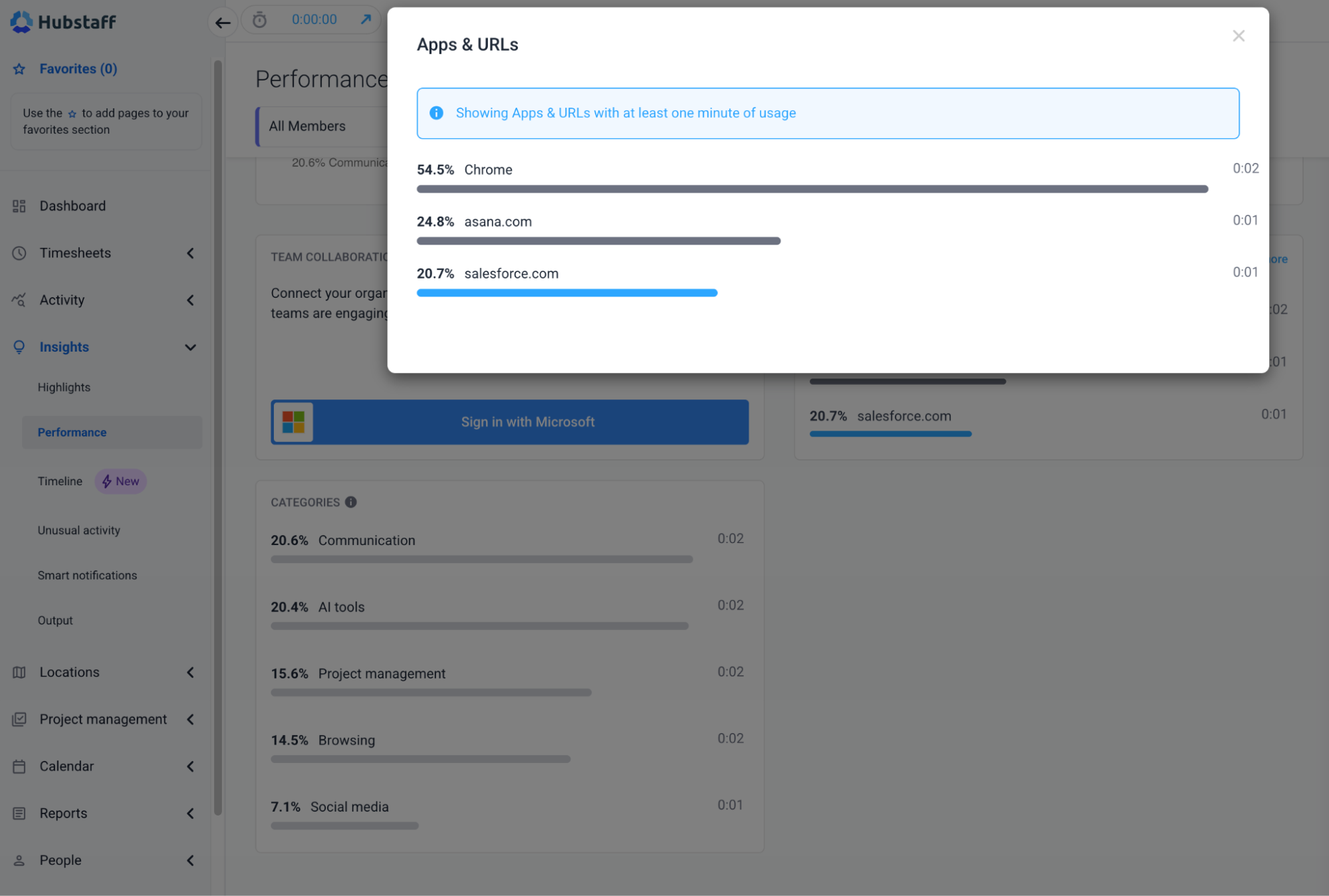
The average employee uses 18 apps per day; high app counts often correlate with context switching and coordination drag. Monitor apps and website usage during work hours as an early indicator of tool sprawl. Then consolidate and clarify your digital spine.
- Automatically review 50+ hour weeks
28% of managers log at least one 50+ hour week, leading teams to treat 50+ hour weeks as an automatic review trigger. It’s definitely not a badge of honor. If someone crosses that threshold, ensure that workload and staffing best practices are examined in the next sprint. It’s a sign that you need better system-wide capacity planning to prevent burnout and promote healthy work-life balance.
- Embed AI into real workflows
AI adoption is widespread, but its impact only shows up when AI is integrated into daily execution.
Here’s how top teams use AI, and you should too:
- Identify 3–5 high-impact AI use cases per function
- Embed prompts and AI steps into SOPs
- Track AI hours alongside cycle time and output
Level up from just experimenting with AI to actually using it as an assistant to reduce admin work and simplify workflows. Productivity improves when leaders design for focus, manage coordination intentionally, monitor overload early, and integrate technology into real workflows.
Redesigning work, not just the workplace
Mandating in-office presence is measurable through badge swipes, office utilization, and attendance reports; it’s easy to track. However, redesigning work is harder as it requires leaders to examine meeting load, protect focus time, streamline tools, monitor capacity signals, and embed AI into real workflows. It means:
- Treating 50+ hour weeks as an operational warning, not a performance metric.
- Intentionally managing rhythm and coordination.
- Digging deeper into workforce analytics instead of assuming proximity will solve productivity issues.
In 2026, mandating presence might give you face time, but will it give you a competitive advantage?
Leaders who embrace systems over work location will truly see the difference, and it’ll come from redesigning how work operates. The organizations that outperform will embed focus, capacity discipline, and sustainable rhythm into their systems. To see how your team compares, explore the 2026 Global Trends and Benchmarks Report and benchmark your performance against global data.
Most popular
Hidden AI Usage in the Workplace: What Your Tools Don’t Tell You
How much has AI changed your team’s work? On the surface, work might not look that different. The meetings are still there, docu...
How Many Meetings Are Too Many? 2026 Benchmarks by Role
How many meetings are too many? In 2026, the honest and boring answer is: it depends on your role. Our 2026 Global Trends and Benc...
When Evening Work Becomes a Red Flag: How to Fix Triple-Peak Overload with Smarter Core Hours (2026 Data)
Most people don’t remember the first time they worked in the evening, and even fewer people know when the last evening work sess...
How Much Deep Work Do Employees Really Get?
Employees are more distracted than you think — and it isn’t due to lack of discipline. In fact, the blame falls far from them:...