How AI Is Transforming Workforce Analytics: A Roadmap for Team Leaders

 9 min read
- Workforce analytics AI shifts leadership from reactive reporting to real-time pattern detection, helping managers spot burnout, workload imbalances, and performance trends before they escalate.
- AI-powered insights are most effective when paired with human context — data reveals what's changing, but team conversations uncover why, leading to smarter coaching and better outcomes.
- Hubstaff gives leaders always-on visibility into how work actually happens, surfacing workforce patterns automatically so teams can act early without relying on micromanagement or manual reporting.

Why do you think most leaders struggle with managing their teams? While many believe it’s a lack of data, AI workforce analytics didn’t emerge to solve a technical problem, but rather a leadership one.
Leaders have data, but they struggle because the data arrives too late, says close to nothing, or flattens real work into averages that fail to represent what their teams are experiencing. By the time a report explains what happened, the moment to act has often passed.
How do you understand patterns in work while the work is still happening without turning visibility into surveillance or insight into control?
That question sits underneath every dashboard, alert, and prediction, and it’s one several modern teams are scratching their heads over.
Stay in the loop
Subscribe to our blog for the latest remote work insights and productivity tips.
What is workforce analytics AI?
Workforce analytics AI is the use of artificial intelligence to identify patterns in how work really happens across people, teams, and time. This way, leaders can understand what’s changing, what’s likely to happen next, and where attention is needed before problems harden into outcomes.
Instead of just reporting on past activity, it continuously interprets work data as it unfolds and turns it into signals leaders can act on.
For instance, traditional people analytics tends to look backward:
- Headcount trends
- Engagement scores
- Quarterly performance summaries
Static productivity reports do something similar — they log hours, output, or activity, then freeze those numbers into charts that explain yesterday with impressive precision and very little relevance to today.
Workforce analytics AI sits in a different place. It uses machine learning to recognize patterns humans would struggle to spot on their own. For example:
- Minor changes in focus time
- Creeping workload imbalances
- Gradual performance drift trends
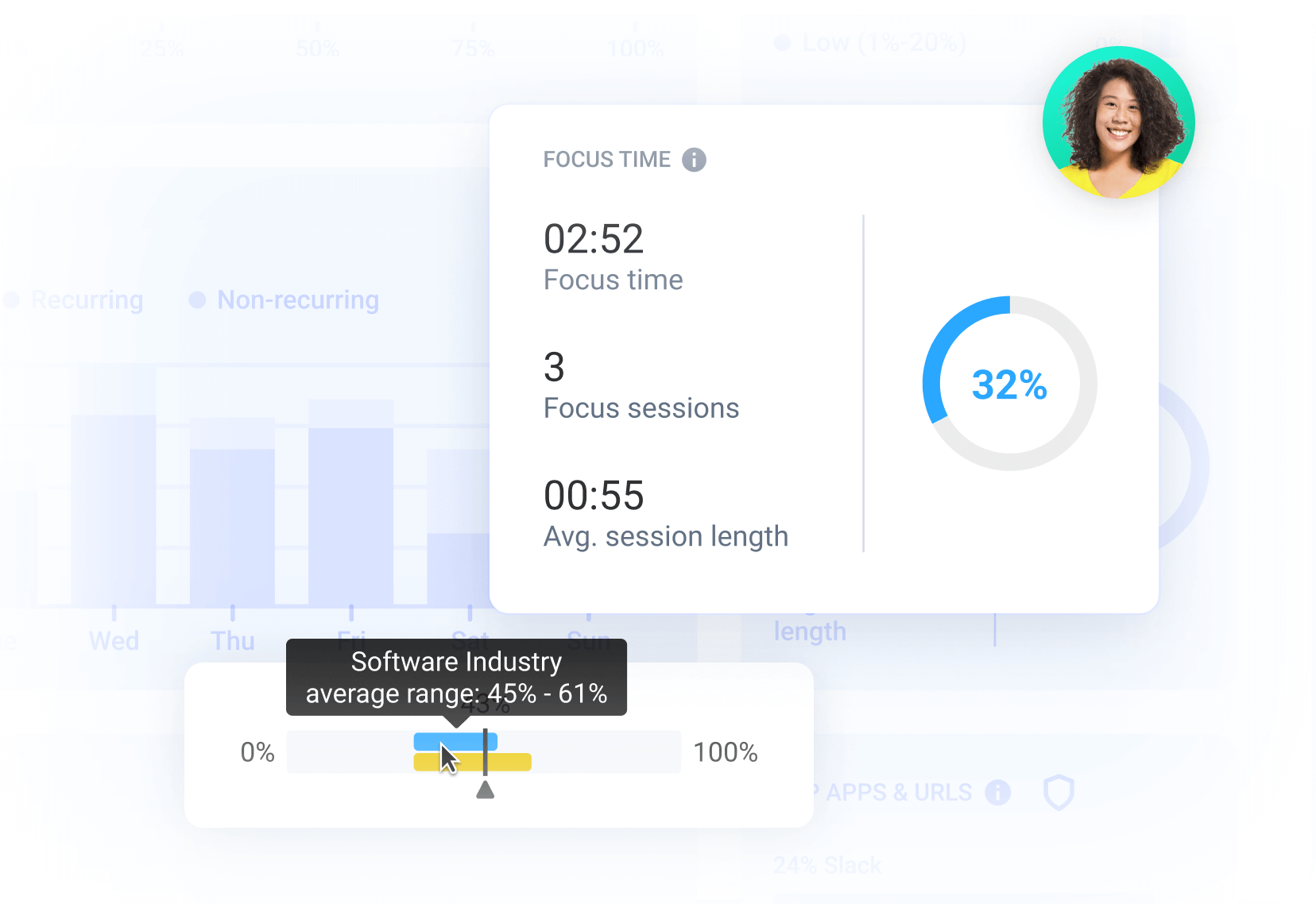
Automation handles the constant scanning and comparison, so insights don’t depend on someone remembering to pull a report or ask the right question at the right time.
What matters isn’t the technology itself, but the orientation it creates. You move from averages to trajectories, from snapshots to movement, from reactive explanations to early signals.
Key ways AI is transforming workforce analytics
The most impactful shift isn’t that workforce analytics suddenly became smarter.
It’s that, with the support of AI, it stopped behaving like a reporting function and started acting more like a system of awareness. AI changes how insight shows up, how often they’re available, and how close they sit to a moment of decision.
Here’s what that looks like.
The emergence of AI workforce analytics
- Analytics move closer to the present. Instead of explaining work after the fact, AI-driven analytics uncover patterns as they form. Leaders don’t have to wait for weekly or monthly summaries to understand what’s changing, because they can see movement in real time and adjust before small issues compound.
- Insight becomes automated rather than requested. Traditional analytics rely on someone knowing which question to ask and when to ask it, but this is an extremely difficult skill in itself. AI changes that by continuously scanning for changes, anomalies, and emerging patterns without manual effort, which reduces the chance that important signals go unnoticed.
- Work is understood at the level it actually happens. Rather than collapsing everything into team-wide averages, AI makes it possible to see differences across individuals and sub-teams. This helps in explaining why outcomes diverge even when inputs look the same on paper.
Once those shifts are in place, the impact becomes visible in very practical ways. Patterns that were previously invisible (or easy to dismiss) start showing up consistently enough to act on.
- Productivity trends can be forecast instead of retroactively explained. Gradual changes in output or focus become noticeable early, giving leaders time to intervene thoughtfully instead of reacting defensively.
- Workload imbalances surface before burnout does. AI can detect when work is slowly accumulating in certain roles or teams, even if overall capacity still looks collectively “fine.”
- Focus time and distraction patterns become clearer over time. Instead of isolated snapshots, leaders can see how attention changes week to week and how those shifts correlate with performance changes.
This is what many teams are starting to experience in the AI productivity shift.
This is also where workforce analytics stops being descriptive and starts becoming genuinely useful. Understanding patterns over time is what makes better decisions possible in the first place.
Practical use cases for team leaders
The value of workforce analytics AI is palpable in day-to-day leadership decisions. The technology matters, but only insofar as it changes what leaders notice, when they notice it, and how confidently they act.
Here are some practical ways analytics reshapes how teams are supported and managed.
AI-powered productivity insights
AI helps leaders move past surface-level signals like hours logged or tasks completed toward a more accurate representation of the workflow. So, instead of asking whether someone is “productive,” leaders can see patterns in focus time, interruptions, and output and draw their own conclusions.
This also shifts conversations away from pressure and toward alignment: what kind of work enables people to do their best work consistently.
Identifying burnout and overwork early
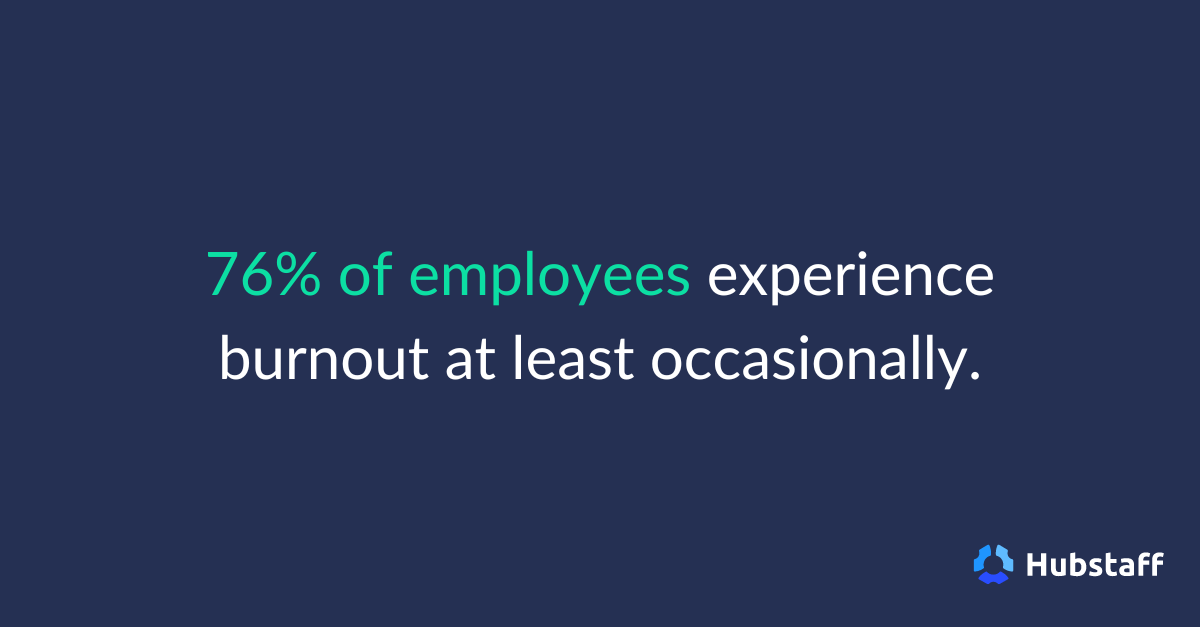
Burnout, in most cases, is a slow burn (pun intended). It’s also often accompanied by initially steady output, which throws off even experienced teams.
Workforce analytics AI can uncover early warning signs like:
- Sustained overwork
- Shrinking recovery time
- Unbalanced workload distribution across teams
The value of AI here isn’t prediction for its own sake but the timing it affords. Leaders gain the ability to intervene before exhaustion turns into disengagement or a performance nosedive.
Improving capacity planning and resource allocation
When capacity planning fails, it’s typically because it relies on assumptions instead of lived patterns. AI helps replace those assumptions with evidence.
Leaders see exactly where work is piling up, where capacity is underused, and how demands change over time, and that makes resourcing decisions less reactive. From there, leaders gain a better understanding of rewards and consequences based on tangible data instead of guesswork.
Supporting performance conversations with data
Performance conversations are often difficult, not because of disagreement, but because of ambiguity.
AI-driven analytics give leaders shared reference points like patterns and trends over time, which ground discussions in honest, observable data. This data helps conversations feel fairer, more specific, and less driven by isolated or recent events.
Optimizing remote and hybrid team performance
Visibility is uneven in remote and hybrid environments by default. Workforce analytics AI helps leaders understand how distributed work functions without relying on constant check-ins or performative presence.
Patterns around collaboration, focus time, and workload become clearer, even in asynchronous teams. The result is a form of visibility that supports autonomy.
The ethical side of AI workforce analytics
At some point, every conversation about workforce analytics runs into the same question:
Just because you can see something, should you?
Yes, AI makes patterns easier to spot, faster to interpret, and harder to ignore. However, none of that explains how those insights are used once they exist.
Ethical workforce analytics starts with transparency. People are more receptive to increased visibility when they’re informed of what’s being observed and how it applies to them. When that context is missing, even well-intentioned analytics can feel invasive.
There’s also a thin line between awareness and micromanagement. AI, for all its capabilities, does not automatically stay on the right side of it. Analytics can very easily tempt leaders into over-monitoring or overreacting.
How insights are framed matters just as much as what they reveal. Analytics have to be treated as context rather than verdicts to be effective.
Remember: team members don’t resist analytics because they dislike data. People simply do not like feeling judged by something they can’t respond to or understand.
As with anything related to tracking, responsible use has to be the default. Analytics that respect autonomy and intent are more likely to be adopted and acted on. And in the long run, trust is what determines whether workforce analytics becomes a force multiplier or a liability.
What to look for in AI analytics software
Once leaders understand what workforce analytics AI can do, the next challenge is choosing tools that support good judgment.
Not every platform that uses the word “AI” is actually helpful, and there are a lot. Usually, the difference shows up in how the tool presents data, how teams experience the tracking, and how intuitive the system is on a day-to-day basis.
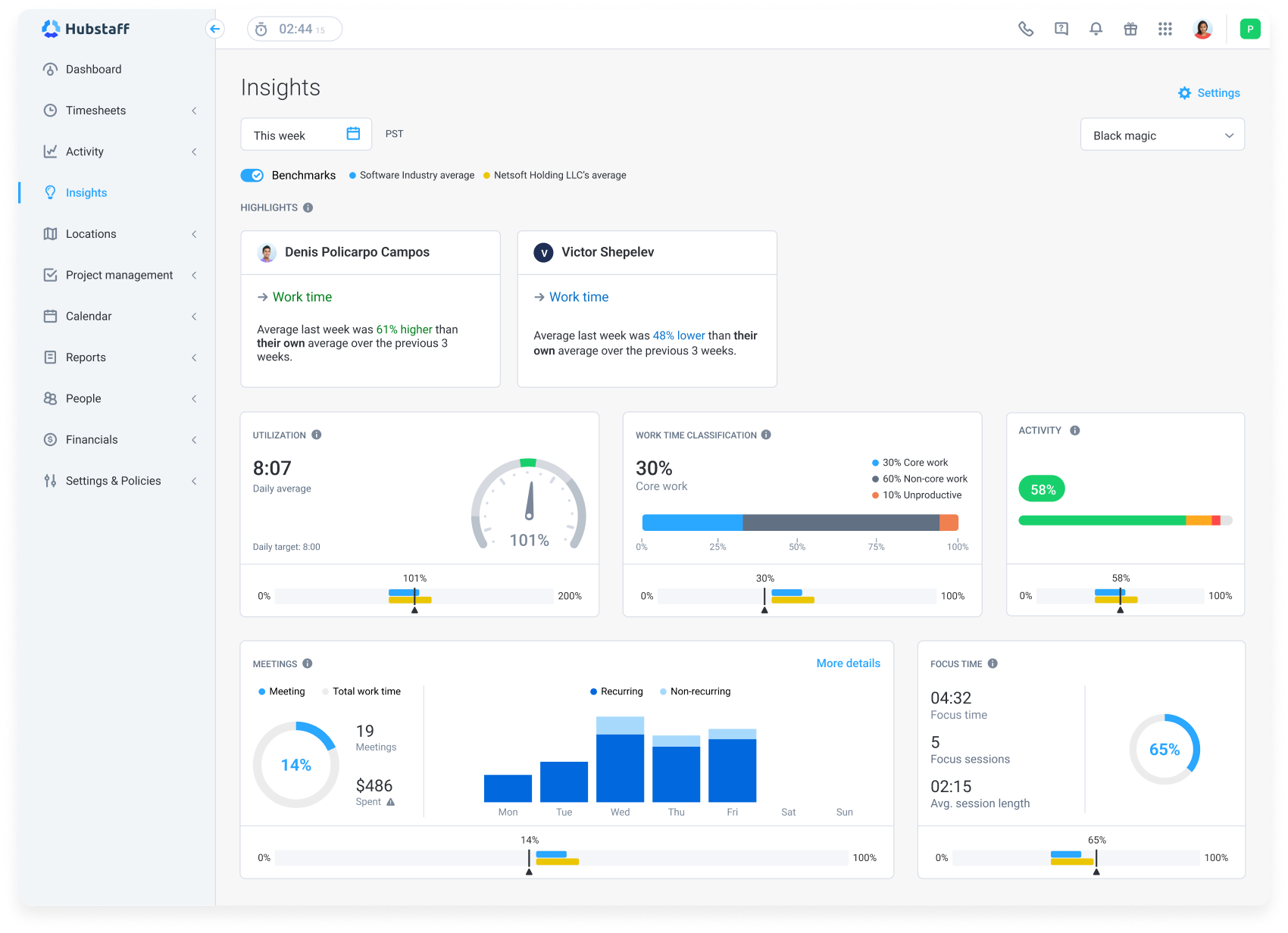
- Real-time insights, not lagging reports. The most useful tools don’t require you to wait until the end of the week or month to understand what has already happened. They reveal patterns while work is still in motion and there’s still room to respond thoughtfully.
- Actionable recommendations, not just charts. Dashboards are easy to build and easy to ignore, but strong analytics platforms go a step further by translating patterns into guidance — where to look, what changed, and why it might matter. The goal isn’t to automate decisions but to reduce the effort it takes to see what deserves attention.
- Team-level and individual-level visibility. Averages can hide more than they reveal. Good workforce analytics tools let leaders understand both collective trends and individual differences without forcing one to cancel out the other.
- Privacy-conscious design. Increasing visibility only works when those being monitored trust the software and their employer. Tools should be explicit about what’s measured and how data is used. When privacy is treated as a design principle instead of an afterthought, it only helps adoption.
- Easy adoption for managers and teams. Even the most advanced analytics lose value if they require heavy setup or constant explanation. The best platforms integrate smoothly into existing workflows and make insight feel intuitive rather than technical.
If a platform makes leaders more confident and teams more comfortable at the same time, it’s usually a sign the fundamentals are right.
This is where tools like Hubstaff stand out. Hubstaff combines accurate time tracking with AI-supported workforce analytics that surface focus patterns, workload shifts, and unusual activity as work happens — not weeks later. Insights are designed to support better decisions and healthier teams, with transparency and privacy controls built in by default.
How leaders can start using workforce analytics AI today
At this point, it’s fair to pause.
Workforce analytics AI can sound abstract and a little ahead of where most teams feel they are right now. The reality is that adoption doesn’t happen all at once — and it doesn’t need to.
You can’t operationalize all aspects of your business simultaneously, which is why it’s more important to start with a few grounded steps that build understanding and confidence over time.
- Start with clear performance questions. Before looking at tools or productivity metrics, get specific about what you want to understand. Focus on questions tied to decisions you already make, not vanity metrics that look impressive but change nothing.
- Choose tools that surface insights automatically. The value of AI shows up when insight doesn’t depend on constant setup or analysis. Look for platforms that highlight patterns on their own, without requiring you to know what to ask in advance.
- Combine AI insights with human context. Data can show what is changing, but rarely explains why on its own. Pair analytics with conversations, team knowledge, and situational awareness to avoid false conclusions.
- Use data to guide coaching and support. Insights are most effective when they help leaders ask better questions and offer more intentional support. Treat analytics as a starting point for dialogue, not an endpoint for judgment.
- Iterate as teams and workflows evolve. Work changes, and analytics should change with it. Revisit assumptions, refine questions, and adjust how you utilize data as teams grow. Remember, effective roadmaps are rarely linear.
Small, thoughtful steps create space to learn what’s genuinely helpful to your team and what isn’t. Over time, this steady approach turns analytics into something leaders trust rather than tolerate.
The future of workforce analytics AI
As predictive performance modeling matures, analytics will feel more like peripheral vision, alerting leaders to shifts in momentum before outcomes become permanent.
AI-assisted workforce planning will follow the same trajectory. Instead of relying on static forecasts or best guesses, leaders will be able to more accurately predict capacity, demand, and tradeoffs.
Goal-setting and benchmarking will evolve as well. Analytics can help teams set goals that reflect real-world working patterns and constraints. Benchmarks become reference points that are useful for orientation, not comparison for comparison’s sake.
As systems get better at handling complexity, leaders have more room to focus on context and care. As the technology fades into the background, what’s left is a clearer understanding of how work unfolds.
Frequently asked questions
How can AI be used in analytics?
AI is used in analytics to identify patterns, trends, and anomalies that are difficult to spot manually. It can process large volumes of data continuously and reveal insights almost in real time. This helps teams move from describing what happened to understanding what might happen next.
How is AI used in workforce management?
In workforce management, AI helps leaders understand capacity, workload distribution, and performance trends across teams. It supports planning, scheduling, and decision-making by highlighting risks like overwork or underutilization early.
What data does AI workforce analytics typically use?
AI workforce analytics usually relies on work activity data, time spent focused on activities like meetings, and collaboration patterns. The goal is to understand how work flows across people and teams over time. Privacy-conscious tools are careful about how this data is used.
Is workforce analytics AI only useful for large organizations?
No. While large organizations benefit from scale, smaller teams can gain value faster because patterns are easier to act on. AI can help teams of any size make better decisions with less manual analysis, as long as the insights are aligned with real leadership needs.
Most popular
7 Tools That Help Monitor AI Usage at Work in 2026
AI is everywhere. Adoption continues to grow, but from monitoring AI usage, we’ve learned that daily use is still a mixed bag, a...
Hidden AI Usage in the Workplace: What Your Tools Don’t Tell You
How much has AI changed your team’s work? On the surface, work might not look that different. The meetings are still there, docu...
How Many Meetings Are Too Many? 2026 Benchmarks by Role
How many meetings are too many? In 2026, the honest and boring answer is: it depends on your role. Our 2026 Global Trends and Benc...
When Evening Work Becomes a Red Flag: How to Fix Triple-Peak Overload with Smarter Core Hours (2026 Data)
Most people don’t remember the first time they worked in the evening, and even fewer people know when the last evening work sess...