8 Best Time Tracking Software for Managing Project Budgets and Labor Costs (2026)

 19 min read
- Labor typically makes up 50–70% of project costs, yet most teams track time and budgets separately — real-time integration between the two is what prevents overruns from compounding.
- Hubstaff delivers real-time labor cost visibility by directly connecting tracked hours to project budgets, payroll calculations, and invoicing as work happens — not days or weeks after the fact.
- Advanced time tracking tools automate labor cost calculations using predefined pay rates, enabling continuous budget monitoring so teams can act on overruns before they become write-offs.

When project budgets fail, why do they fail?
Is it scope creep or poor estimates? Perhaps a client decided they want a change of direction midway through a project?
In many cases, the answer is less dramatic and far less convenient. Hours accumulate as projects progress. And only later does anyone line up the original labor estimate against actual hours and costs.
By then, the number isn’t a forecast. It’s a fact.
Usually, labor is the largest controllable expense inside a project. In many industries, it accounts for well over half of total project spend. And yet, the systems that define budgets and the systems that record time often operate separately. Hours sit in dashboards but pay rates are in another. Only after everything has been approved and processed is the financial impact of that time calculated.
Teams that stay profitable treat time tracking as cost infrastructure — where tracked hours flow directly into payroll, project budgets, and labor cost calculations in real time.
With a connection that tight, you see overruns in real time, when you can still do something about them.
Boost your team’s efficiency with Hubstaff's productivity tools
Why project budgets fail
If you strip most projects down to the numbers, one thing stands out fast: labor dominates the spend.
In many industries, it accounts for 50% to 70% of total project cost. That means every hour carries financial weight, whether anyone is watching closely or not.
The problem isn’t that teams don’t track time. It’s how and when they see that tracked time.
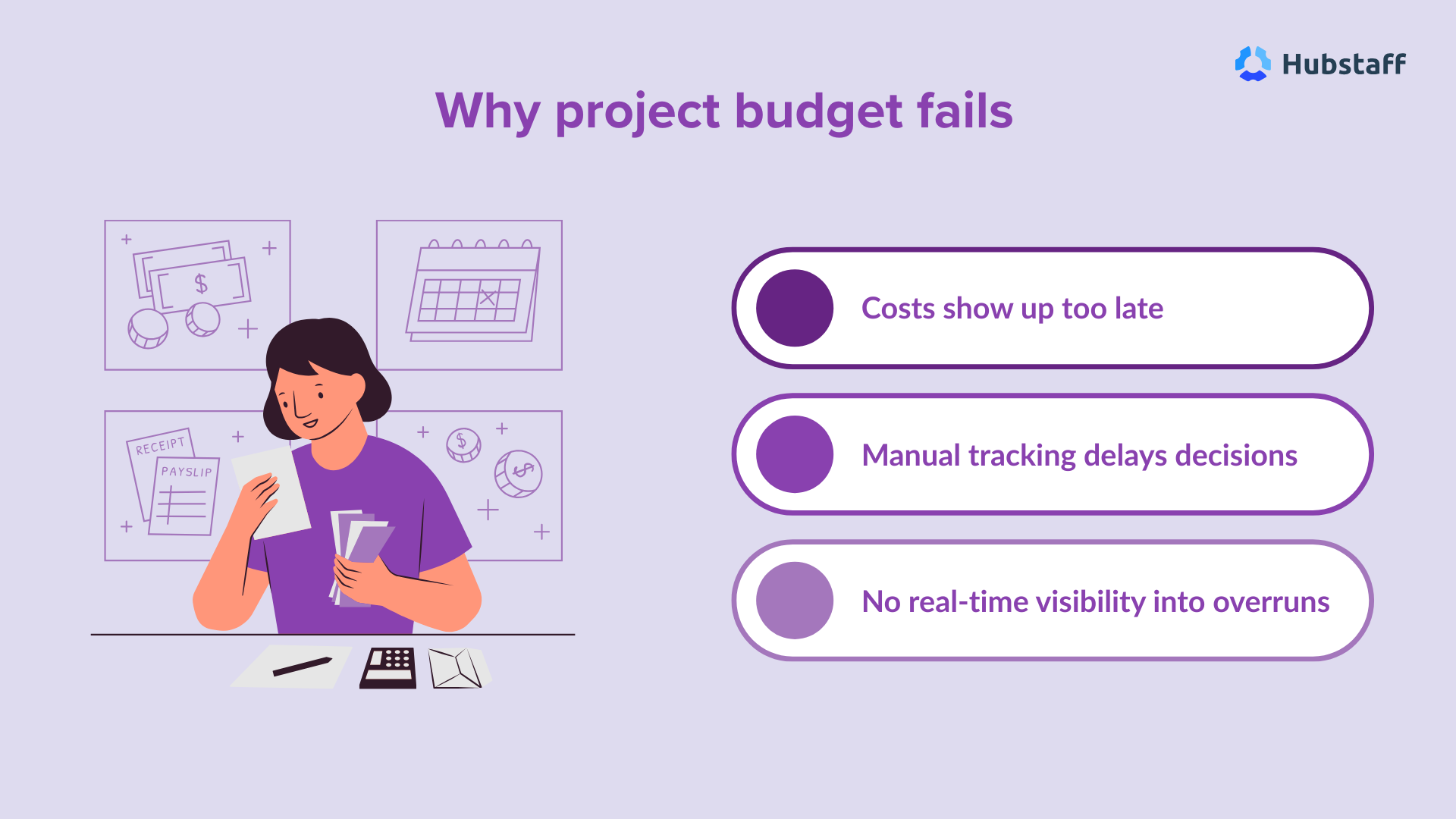
Manual timesheets delay visibility. Hours are often entered days later, approved later still, and payroll runs on a separate schedule from project budgets.
In other words, by the time labor costs are calculated, the budget comparison happens after the money has already been committed.
There’s usually no real-time utilization tracking either. Managers can’t see who is overallocated, where billable hours are stacking up, or how close a project is to exceeding its labor cap until the data settles.
Accurate time data changes that chain reaction.
When tracked hours connect directly to automated payroll and budget reporting, labor costs update as work happens. That chain — accurate time to automated payroll to budget protection — gives managers information while there’s still room for decisions.
What to look for in budget-focused time tracking software
If the goal is protecting project margins, time tracking can’t live in isolation. It has to connect hours worked to labor costs, payroll, and project budgets in a way that makes financial reality visible while work is still underway.
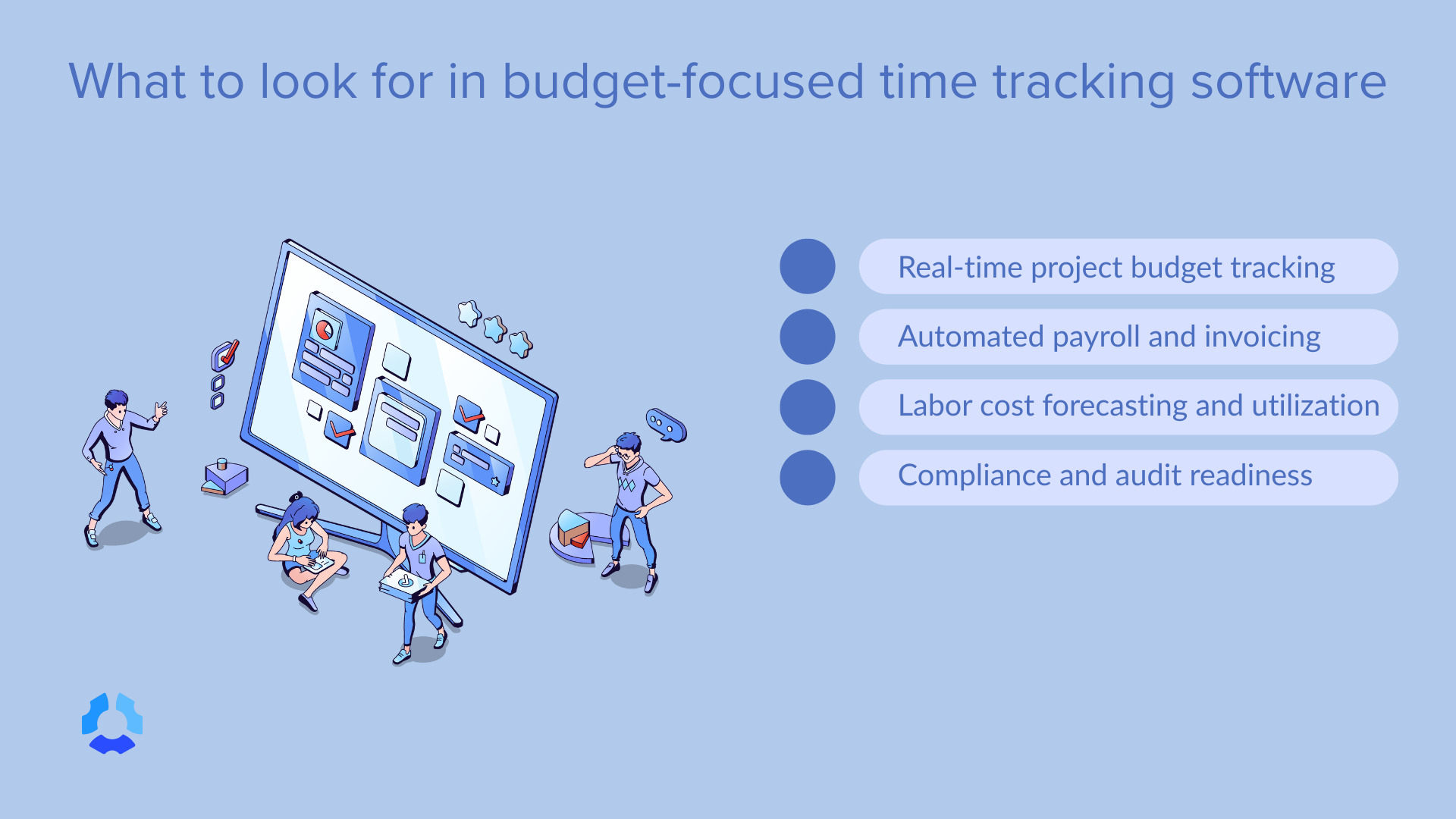
Here’s what that looks like in practice.
Real-time project budget tracking
Start with budget vs. actual labor cost visibility.
Not just hours logged, but what those hours cost based on real pay rates. A clear dashboard that updates as time is approved keeps the budget grounded in current numbers.
Alerts matter too. If a project is approaching its budget cap, someone should know before it crosses the line. And cost per task or milestone helps pinpoint where spend is concentrating. Without that layer, overruns get labeled as “the whole project” instead of the specific phase or deliverable that created them.
Automated payroll and invoicing integration
Time data should move directly into payroll systems. For instance, wage rates should apply automatically and approved timesheets should become payroll-ready without additional calculation.
For client work, the same tracked hours should generate client-ready invoices. That reduces manual reconciliation and closes the gap between work performed and hours billed. The fewer handoffs between time, payroll, and billing, the tighter your financial controls.
Labor cost forecasting and utilization reporting
Billable vs. non-billable tracking provides context.
Team utilization metrics show where capacity is stretched and where it isn’t. Some tools also forecast future labor costs based on current utilization and staffing plans, helping teams anticipate budget pressure before it happens Capacity planning tools add a forward view, not just a report on what already happened.
Without that visibility, staffing decisions rely on instinct. With it, they rely on data tied to actual project and labor cost tracking.
Compliance and audit readiness
Accurate time logs, visible wage calculations, and structured approval workflows give you a record you can stand behind. If labor costs are ever questioned — by finance, a client, or an auditor — you can trace every dollar back to approved hours and predefined pay rates.
That matters more than people admit. More often than not, disputes start as small inconsistencies. It could be a number that doesn’t match, a missing approval, or a rate applied incorrectly.
A system that ties tracked hours directly and transparently to wage calculations and payroll removes that ambiguity. Approvals are recorded and a paper trail is created at every step.
For distributed or field teams, GPS and location-based tracking can help confirm where work happened. Useful in certain environments, but not a requirement for everyone.
The core standard is simpler: every hour worked should be justifiable as a cost.
8 best time tracking tools for budget and labor cost control (2026)
Before you look at feature grids and integration lists, it helps to remember what you’re really choosing.
You’re choosing how tightly hours connect to money inside your operation. Some of these tools treat time as a reporting input, while others treat it as the starting point of payroll, invoicing, and project cost control.
Here’s how the top options stack up when labor cost visibility and budget discipline are the priority.
Hubstaff
Best for: Teams that need tight labor cost control across projects (especially remote, hybrid, and distributed teams) and want tracked hours to flow directly into payroll and invoicing instead of living in spreadsheets.
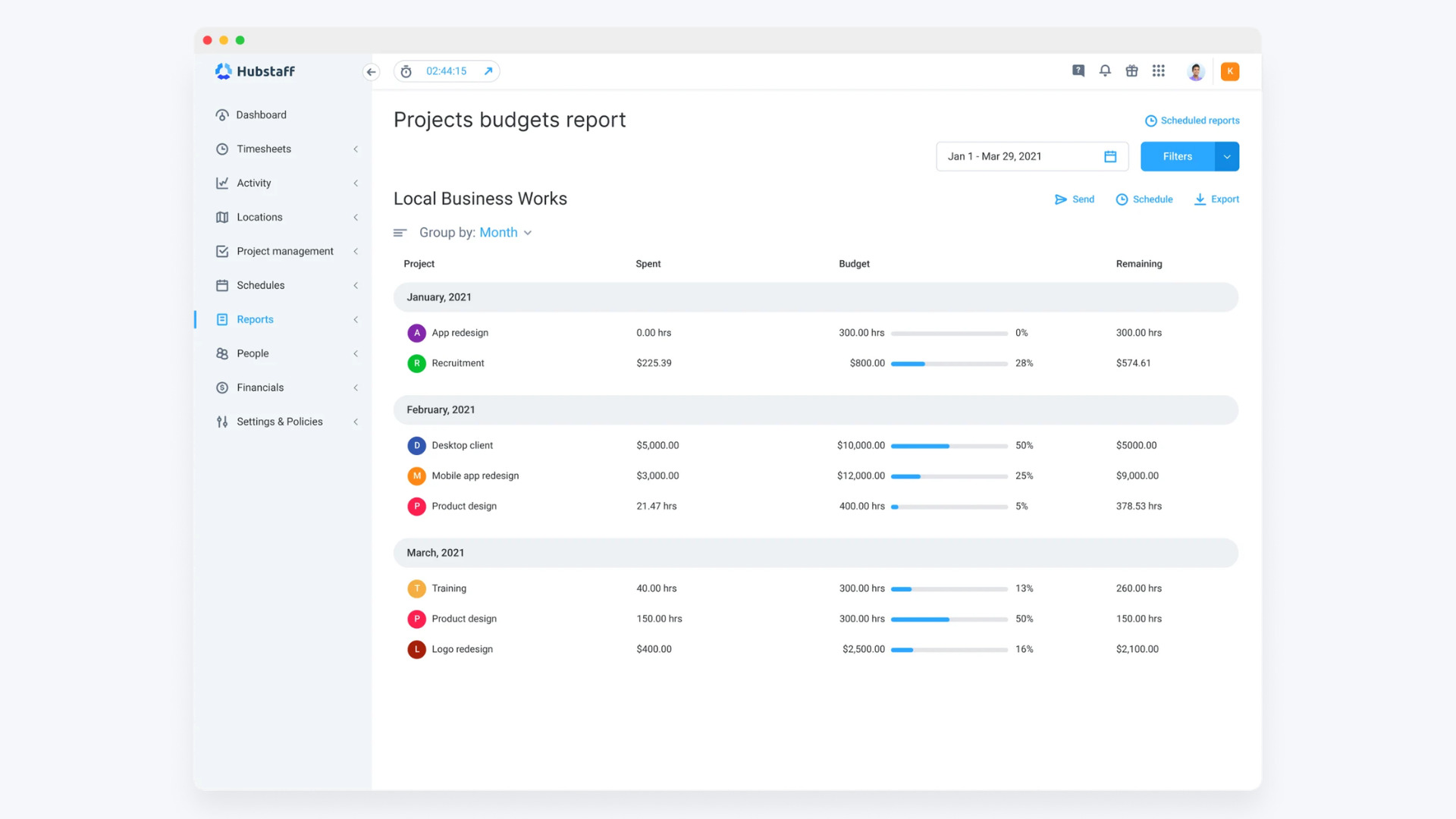
Hubstaff is a time tracking software that helps teams connect tracked work hours to project budgets, labor costs, and payroll workflows, making it a strong choice for teams that need tight control over project profitability.
Key strengths
Hubstaff ties time tracking directly to money movement and cost control. It gives you:
- Automatic time tracking across desktop, web, mobile, and browser extensions
- Real-time project budget tracking with alerts before limits are exceeded
- Payroll-ready timesheets generated automatically from tracked hours
- Automated payments based on approved time and predefined pay rates
- Invoicing generated directly from tracked time
- Utilization reporting and workforce analytics depth
Approved time doesn’t sit in a report waiting to be exported. Tracked hours flow directly into payments and invoicing, reducing admin friction, tightening the feedback loop between labor and profit, and ultimately improving performance.
Budgeting features
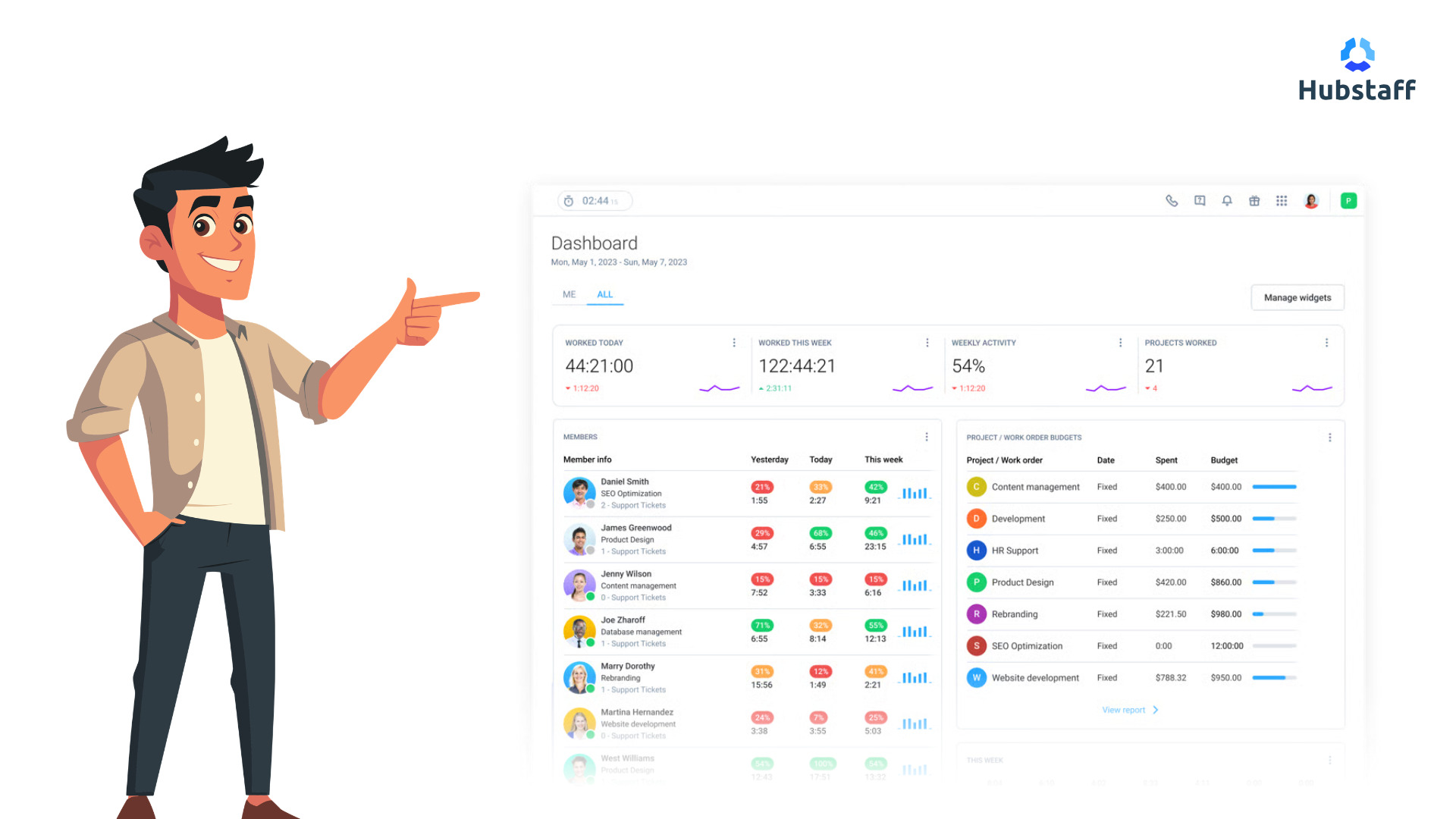
Hubstaff stands out for labor cost visibility. With Hubstaff, you can:
- Set project budgets by hours, bill rates, or pay rates
- Compare budget vs. actual labor spend in live dashboards
- Track amounts owed and upcoming payroll totals before pay runs
- Allocate costs by project and team member
- Receive alerts as projects approach budget caps
Because tracked hours feed directly into payroll calculations and invoicing, project profitability becomes visible during execution and not after payroll closes.
Payroll and invoicing integrations
Hubstaff supports a time-to-payroll workflow that connects approvals to payments. Set pay rates for team members, approve their timesheets, then let Hubstaff handle the rest. It has:
- Payroll integrations, including Gusto, Deel, Payoneer, PayPal, Wise, Bitwage, and accounting systems like QuickBooks
- Automatic or manual global payments based on approved timesheets
- Contractor payment automation tied to tracked billable hours
- Invoice generation from tracked time, with export and accounting sync options
Tracked hours flow directly into payments and invoicing, which strengthens cost control and reduces reconciliation work.
Productivity monitoring
For teams that need visibility into how work time is spent, Hubstaff includes:
- App and URL tracking while time is running
- Optional screenshots (with privacy controls like blurring)
- Activity-level reporting
- Idle time detection
These built-in productivity monitoring features are configurable and tied to transparency controls. They’re tools for visibility, not a requirement for using the payroll and budgeting workflows.
Workforce analytics and capacity planning
Hubstaff goes beyond basic time reports and delivers in-depth AI-powered workforce analytics that support smarter operational decisions. Your team can access several types of reports that help them understand where their time is going:
- 20+ report types across time, payments, activity, and project cost
- Utilization reporting by project, client, or team member
- Shift scheduling, daily/weekly limits, and overtime tracking
- Attendance and time-off management
This helps teams understand where labor cost is being spent and how it affects future capacity and profitability.
GPS and geofencing
For field and mobile teams, location matters.
Hubstaff can track GPS data while someone is tracking their time, and geofenced job sites can automate clock-ins and clock-outs based on proximity.
If you’re managing crews, delivery teams, or work that happens in a defined location, this can reduce disputes and tighten payroll accuracy.
Limitations
Hubstaff is built to connect time tracking with payroll, invoicing, and workforce data. That makes it a powerful time tracking platform, but it also means it’s more than a simple timer. Here’s what that looks like:
- Monitoring features benefit from clear communication and transparency during rollout
- Payroll automation will need to run through other providers for tax filing and compliance
- Teams that only need basic time capture and light reporting may find the broader controls unnecessary
Hubstaff fits best where tracked hours are directly tied to payroll runs, invoices, and project budget tracking.
Harvest
Best for: Client services teams that care about clean invoicing and visibility into project profitability.
Harvest has long positioned itself around a simple promise: turn hours into revenue. It’s designed for agencies, consultancies, legal teams, and professional services firms that bill for their time and need a clean line from tracked work to client invoices.
It stands out for teams that want time tracking and invoicing to live in the same system.
Key strengths
Harvest’s biggest advantage is usability. It stands out thanks to its:
- Intuitive timesheets with start/stop timers
- Desktop, browser, and mobile apps
- Calendar integrations to reconstruct your day
- Custom reminders and timesheet approvals
- 50+ integrations with common workplace tools
Beyond tracking, reporting is where Harvest earns its place in budget conversations.
It translates time data into visual project and team reports that show what work is costing, not just how long it took.
Budgeting features
Harvest connects tracked hours to project budgets and cost rates. You can:
- Set project budgets
- View budget vs. actual spend in real time
- Receive alerts as projects approach cost thresholds
- Track internal costs alongside billable revenue
- Generate profitability reports by project or client
Because cost rates are applied to tracked time, labor spend updates as hours are approved. That connection helps prevent budget overruns by showing financial impact while projects are still active.
Payroll and invoicing integrations
Harvest is strong on the invoicing side. It lets you:
- Convert tracked hours into client-ready invoices
- Include reimbursable expenses
- Accept online payments via Stripe and PayPal
- Sync invoices and payments with QuickBooks Online or Xero
Tracked hours connect directly to billing, which reduces manual reconciliation between time data and accounting systems.
Payroll visibility exists through cost rates and approved timesheets, but Harvest is not primarily a payroll automation platform. Wage payments typically depend on external payroll tools rather than built-in automated payroll workflows.
Limitations
Harvest works best for professional services teams focused on accurate billing and understanding project margins.
It offers less depth in:
- Automated payroll execution from approved timesheets
- Advanced labor cost forecasting tied directly to pay runs
- Broader workforce analytics beyond utilization reporting
For teams that need time tracking and invoicing tightly connected, Harvest stands out as a strong choice.
But for organizations that require automated payroll processing and deeper labor cost control tied directly to wage payments, other platforms may provide a tighter operational fit.
QuickBooks Time
Best for: Accounting-centric businesses that want time tracking tightly connected to payroll and the QuickBooks ecosystem.
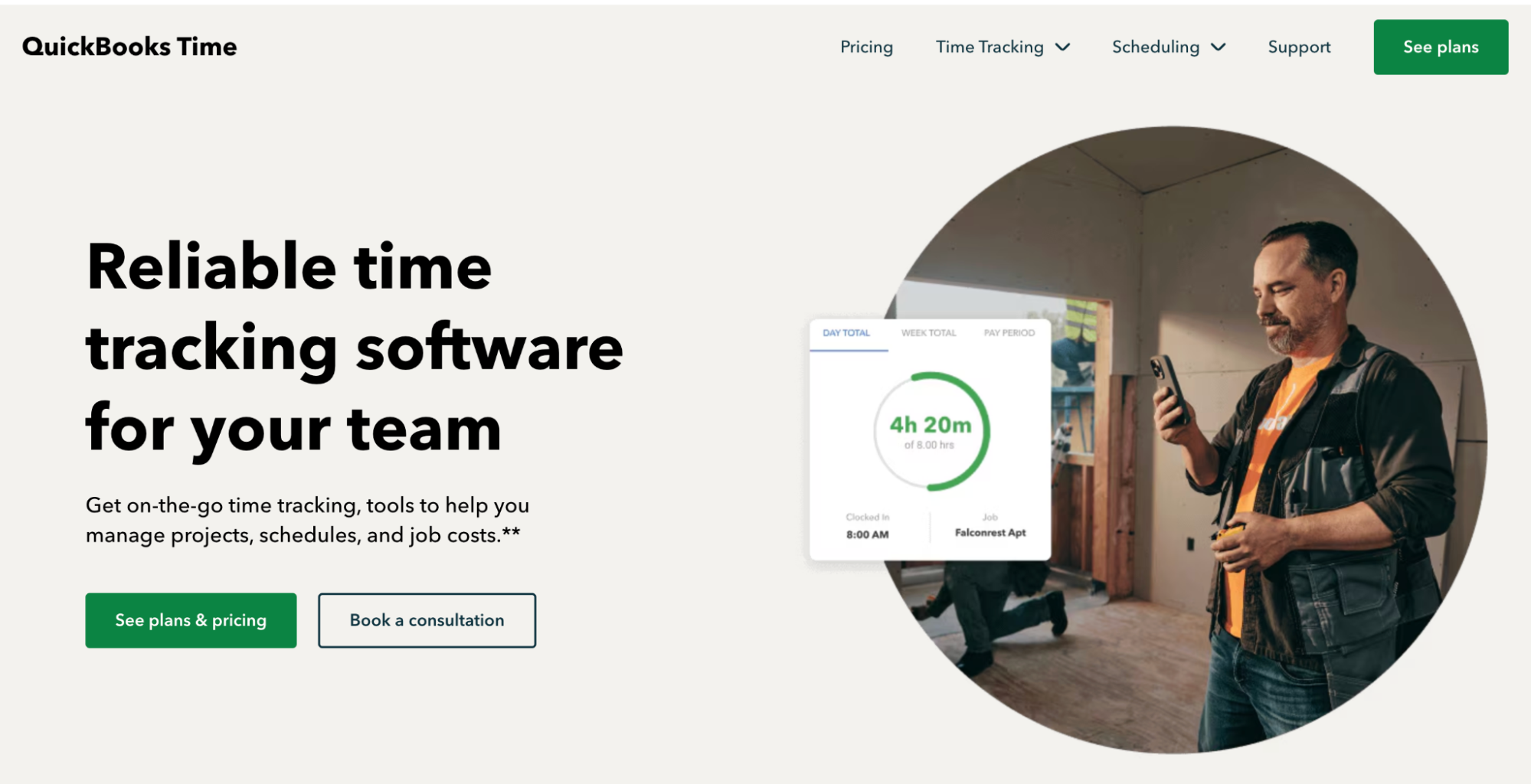
QuickBooks Time is built to sit inside a broader financial system. If your accounting already runs on QuickBooks, this tool is designed to extend that system into time tracking, payroll preparation, and job costing.
Key strengths
QuickBooks Time focuses on operational control and payroll efficiency:
- Online and mobile timesheets with approval workflows
- Workforce mobile app for tracking and approving time on-the-go
- GPS tracking and geofencing for job-site teams
- Scheduling tools by job or shift
- Overtime alerts based on current regulations
Managers can see who’s working, what they’re working on, and where work is happening. For distributed or field-heavy teams, that location layer can reduce disputes around time entries.
Customizable reports provide visibility into job costs, payroll planning, and project progress. For businesses managing multiple crews or job sites, that connection between hours logged and job-level cost reporting is central.
Budgeting features
QuickBooks Time supports job and project tracking with reporting that compares estimates to actual time worked. It lets you:
- Track time by job, customer, or task
- Apply wage rates to translate hours into labor costs
- See project estimates vs. actuals reporting
- Generate overtime calculations based on regulations
- Receive alerts for approval deadlines and schedule changes
Because the system syncs directly with QuickBooks accounting and payroll, tracked hours connect to broader financial reporting. Labor cost data flows into payroll and accounting systems, reducing manual reconciliation between time records and financial statements.
Payroll and invoicing integrations
Payroll integration is where QuickBooks Time stands out inside its ecosystem. You can:
- Directly integrate with QuickBooks Online Payroll and Desktop
- Sync approved timesheets into payroll
- Streamline payroll processing and reduce manual entry
- Export time data to supported payroll and accounting platforms
For companies already using QuickBooks for accounting, the connection is native.
Invoicing workflows typically run through QuickBooks itself rather than within QuickBooks Time. Time data feeds into the accounting system, where invoices and payroll are processed.
Limitations
QuickBooks Time is strongest for businesses embedded in the QuickBooks environment. Outside that ecosystem, integration depth is more limited.
It also places heavier emphasis on payroll compliance, scheduling, and workforce tracking than on advanced project profitability analytics. While it supports job costing and labor cost visibility, it is not primarily a project financial management platform.
Clockify
Best for: Budget-conscious teams that want broad coverage (time, budgets, reporting, approvals) without committing to a heavy platform.
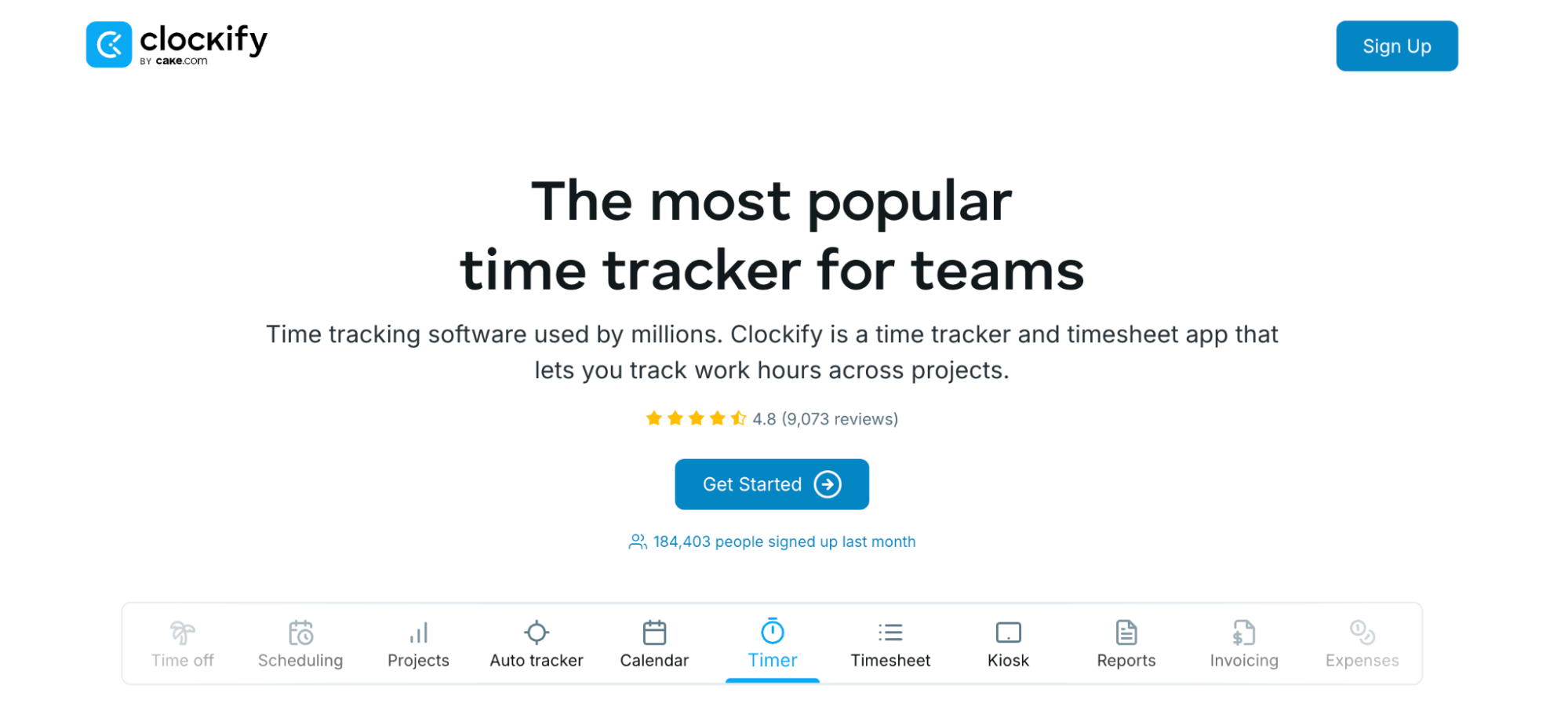
Clockify is a widely used option that combines time tracking with budgeting, reporting, and basic payroll calculations.
The core idea is simple: track time in whatever way that works with your team, then turn those hours into budget and cost reporting.
Key strengths
Clockify gives teams multiple ways to capture time. It offers:
- Timer, timesheet, kiosk, and auto-tracker options
- Works across web, mobile, desktop, tablets, and browser extensions
- Offline tracking with later sync
- Reminders, targets, and break tracking
- Custom fields and required fields (so entries don’t get logged half-finished)
On the admin side, there’s an audit and approval flow: review entries, edit gaps, approve or reject timesheets, and keep an audit trail of changes.
Budgeting features
Clockify supports budgets at the project level and at the task level, with controls that keep spend from drifting unnoticed. It lets you:
- Set total project budgets or task-based budgets
- Create recurring budgets (weekly, monthly, yearly)
- Add alerts based on percentage thresholds
- Set billable and cost rates
- Track expenses alongside time
- Monitor budget progress and remaining amount
- Export reports on earnings, costs, and profit
These make Clockify particularly useful for managing labor costs: cost rates apply directly to tracked time, so hours worked translate into labor cost reporting without requiring a separate spreadsheet.
Payroll and invoicing integrations
Clockify approaches payroll in a practical way: calculate earnings and employee costs, then export the data to run payroll elsewhere. You can:
- Assign billable and cost rates per person
- Track overtime, time off, breaks, and attendance
- Lock time periods to prevent retroactive edits
- Export payroll-ready hours for use in other payroll systems
It also supports invoicing for billable hours and expenses, with the ability to record payments. For teams that need a lightweight billing workflow, that can be enough.
Limitations
Clockify covers a lot of ground, but depth varies by area. Here’s what you can expect with this tool:
- Payroll is calculation + export, not full payroll automation
- Budgeting is strong for time-and-rate driven cost control, but less sophisticated than tools built for project financial management
- Some teams may find the “suite” approach broader than they need, depending on whether they want planning, attendance, and scheduling in the same place as time tracking
If your priority is a straightforward way to connect tracked hours to budgets, rates, and labor cost reporting — without spending enterprise money — Clockify is a strong choice for budget and labor cost control.
Toggl Track

Best for: Small to mid-sized teams that want simple, low-friction time tracking with strong billable visibility.
Toggl Track has always leaned into one thing: ease of use. It’s designed so that people can track their time without feeling policed or buried in configuration.
Key strengths
Toggl’s biggest selling point is frictionless adoption:
- One-click timer across web, desktop, and mobile
- Automated activity tracking (stored locally, user-controlled)
- Manual entry and bulk edits
- Idle time detection
- Calendar integrations (Google & Outlook)
- 100+ integrations, including Asana, Jira, Salesforce, and QuickBooks
It does not offer employee monitoring features.
Reporting is clean and fast, with reports like:
- Billable vs. non-billable tracking
- Profitability by project, client, or team
- Estimated vs. actual hour comparisons
- Workload views
- Exportable PDF, CSV, and XLS reports
Tracked hours translate directly into billable reporting, which helps teams maintain accurate invoicing and defend project budgets with real data.
Budgeting features
Toggl Track supports project-level budgeting and profitability tracking.
- Set billable rates by project, task, or team member
- Compare estimated vs. actual time
- Monitor labor costs against billable revenue
- Forecast project completion based on tracked time
- Track profitability at the client or project level
This connection between tracked hours and revenue reporting makes it particularly useful for agencies and consulting firms focused on billable utilization. Labor costs become visible as time is logged.
Payroll and invoicing integrations
Toggl allows teams to generate invoices directly from time reports or sync data to accounting systems.
- Create invoices from tracked time
- Integrate with QuickBooks and other accounting tools
- Export timesheet data for payroll processing
- Approval workflows for submitted timesheets
It supports payroll preparation through accurate timesheets and exports, but it does not run payroll itself. Payment execution happens through integrations rather than built-in payroll automation.
Limitations
Toggl Track is strongest as a time and billing platform. It is less focused on:
- Advanced labor cost forecasting tied directly to wage payments
- Deep project financial management beyond time-and-rate analysis
- Automated payroll workflows
That said, for teams that want a lightweight, privacy-forward tool that connects tracked hours to billable reporting and project profitability, Toggl Track is a strong choice.
BigTime
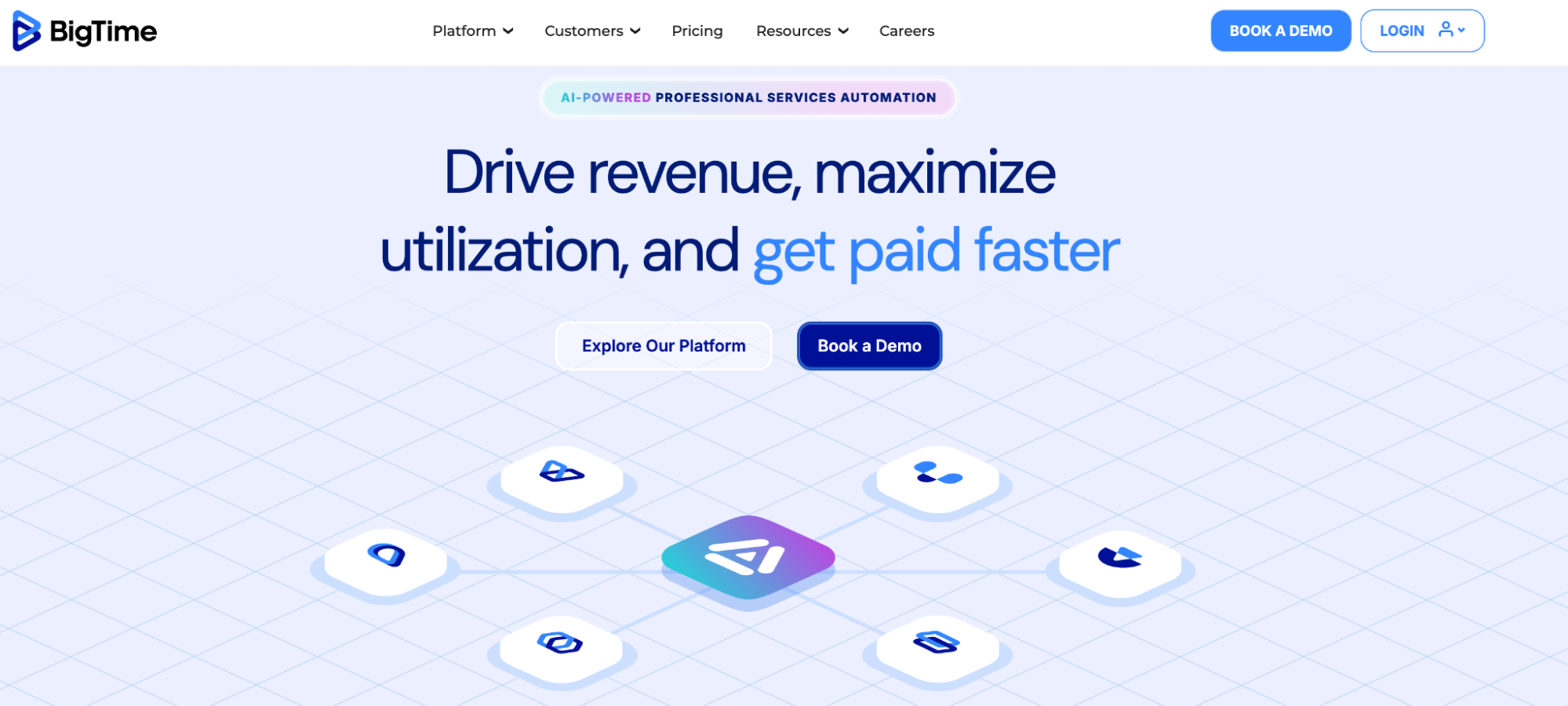
Best for: Professional services firms that need deep project financial control across time, staffing, billing, and portfolio performance.
BigTime isn’t “a time tracker.” Its goal is to be the system that stops a services firm from running its finances through a patchwork of timesheets, spreadsheets, and late-night gut checks.
Key strengths
BigTime’s strength is breadth with a finance-first bias. It’s built for firms that want time data to connect directly to project budgets, utilization, and revenue outcomes. It includes:
- Time and expense tracking built for services workflows
- Resource management and utilization visibility (who’s available, who isn’t, and what that means for delivery)
- Project portfolio oversight, not just project-by-project reporting
- Billing and invoicing workflows with multi-step review and approvals
- Reporting and analytics across clients, projects, and teams
It’s also positioned around “now” rather than end-of-month cleanup. The platform is meant to support decisions while projects are active.
Budgeting features
BigTime leans heavily into budget and profitability tracking across a firm’s delivery engine.
- Project budget and financial health views across an entire portfolio
- Planned vs. actual comparisons tied to time, staffing plans, and delivery performance
- Utilization reporting that helps connect staffing decisions to project economics
- Client and project profitability reporting (margin by client, service, project, or team)
- Governance controls for who can view, approve, and adjust financial inputs
For budget owners, the point is simple: tracked hours translate into labor cost visibility, and that labor cost visibility sits alongside project health and revenue reporting.
Payroll and invoicing integrations
BigTime is invoicing-centric and A/R-aware. It lets you:
- Generate invoices from tracked time and expenses
- Support different billing models and branded invoice templates
- Catch small mistakes before they turn into write-offs with multi-level invoice reviews
- Client payments via credit card or ACH
- Automated invoice reminders and client portal access for outstanding invoices
It also integrates with accounting systems to support existing A/R workflows, so tracked hours and expenses connect directly into the financial stack rather than staying trapped in a separate time tool.
BigTime helps calculate and report labor inputs, but it’s primarily a project financial management and billing platform. Payroll execution typically happens in payroll systems, with BigTime feeding clean time and cost data into that process.
Limitations
BigTime is not a quick-setup tool. It’s designed for firms that want a connected system across the project lifecycle, which usually means:
- More configuration than lightweight timers
- More value for mid-sized and larger professional services teams than solo operators
- A focus on services delivery and financial governance, not just basic time capture
If your main need is a simple timer and basic reports, BigTime will feel like too much. On the other hand, if you need real project financial control — budgets, staffing, billing, and portfolio-level performance tied together — it’s built for that.
Paymo
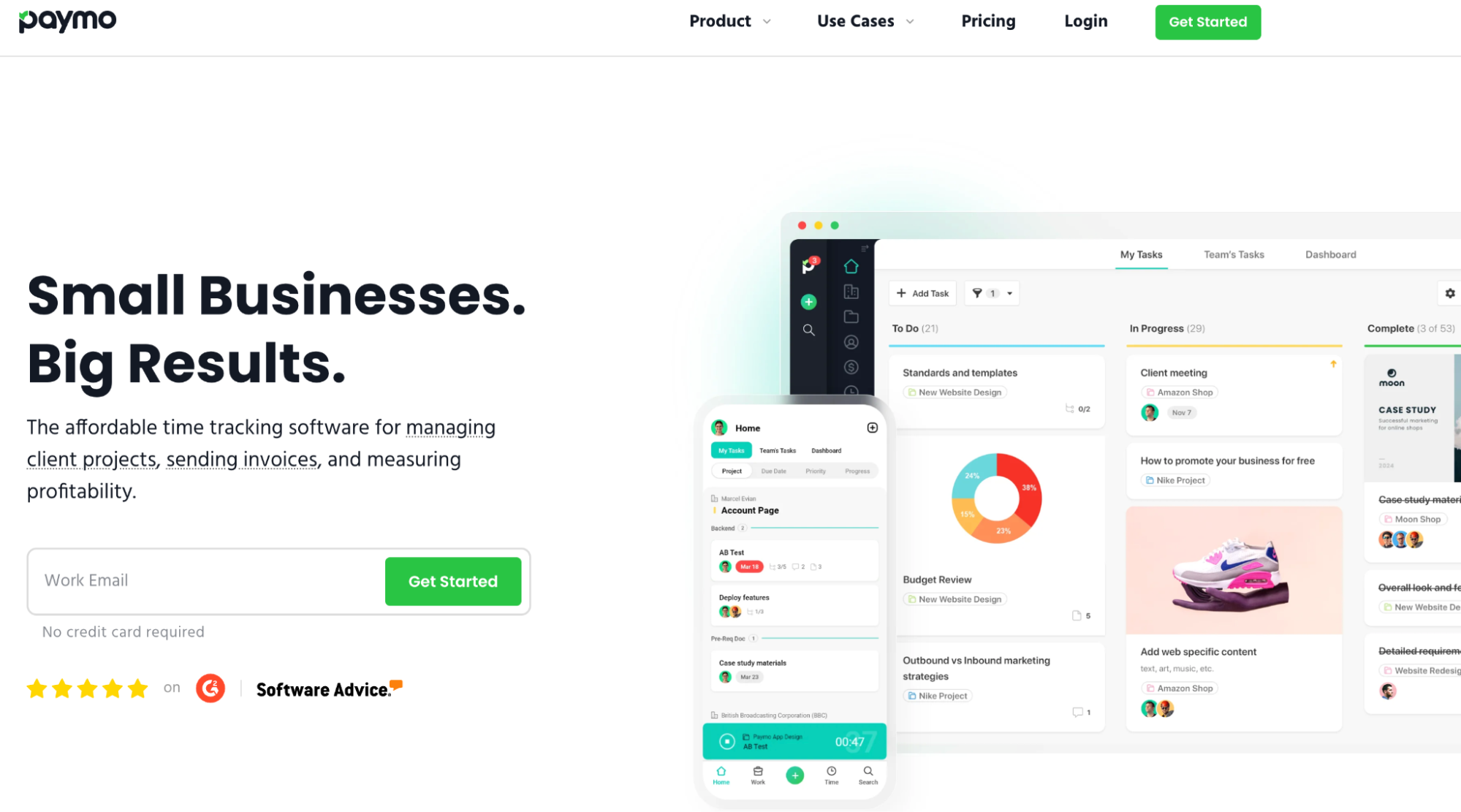
Best for: SMB teams that want time tracking, basic project management, and invoicing in one place.
Paymo’s main value proposition is a connected ecosystem but aimed at smaller teams. You get tasks, schedules, leave, invoices, expenses, and payment collection sitting in the same workflow.
Key strengths
Paymo gives teams multiple ways to track time, including automatic tracking, while keeping control at the user level.
- Browser-based timer with project/task selection and notes
- Timesheets with clear entry cards (who tracked what, when, and how)
- Idle time detection
- Parallel active timers visibility (who’s working on what right now)
- Visual reports and live reports that update when viewed
There’s also a resource scheduling layer — a visual timeline that shows overbooked/underbooked team members, with leave planning built in.
Budgeting features
Paymo supports project profitability tracking during delivery, not only after the project wraps. It allows you to:
- Track time by client, project, and task
- Project-level expense tracking
- Project profitability and profit margin visibility during execution and after sign-off
- Reports that let you break down hours by client/project/user
This is the core budget loop Paymo supports: tracked hours connect directly to cost and billing workflows, so you can see whether a project is behaving or starting to run away.
Payroll and invoicing integrations
Paymo is strongest on the invoicing side, especially for teams that bill clients regularly. You can:
- Create estimates, convert them into invoices, and generate invoices from timesheets
- Clone invoices to avoid rebuilding the same structure each billing cycle
- Create recurring invoices with scheduling and automation
- Access a client portal for invoice and expense visibility
- Make online payments via payment gateways (and Paymo’s own payment option for US customers)
- Sync invoices with QuickBooks or Xero for accounting continuity
Payroll is less of a first-class feature here. Paymo tracks time, approvals, and reporting inputs that payroll needs, but payroll execution typically runs through external payroll systems.
Limitations
Paymo is a strong all-in-one for small to mid-sized teams, but it’s not trying to be enterprise PSA software. More specifically:
- Resource scheduling is useful, but not as deep as dedicated capacity planning tools
- Payroll workflows depend on exports/integrations rather than built-in payroll automation
- Teams that need advanced project financial governance across a large portfolio may prefer tools built specifically for professional services operations
If you want one platform where tracked hours flow into invoicing, expenses, and project profitability tracking — and you don’t want to assemble that stack yourself — Paymo isn’t a bad option.
Float
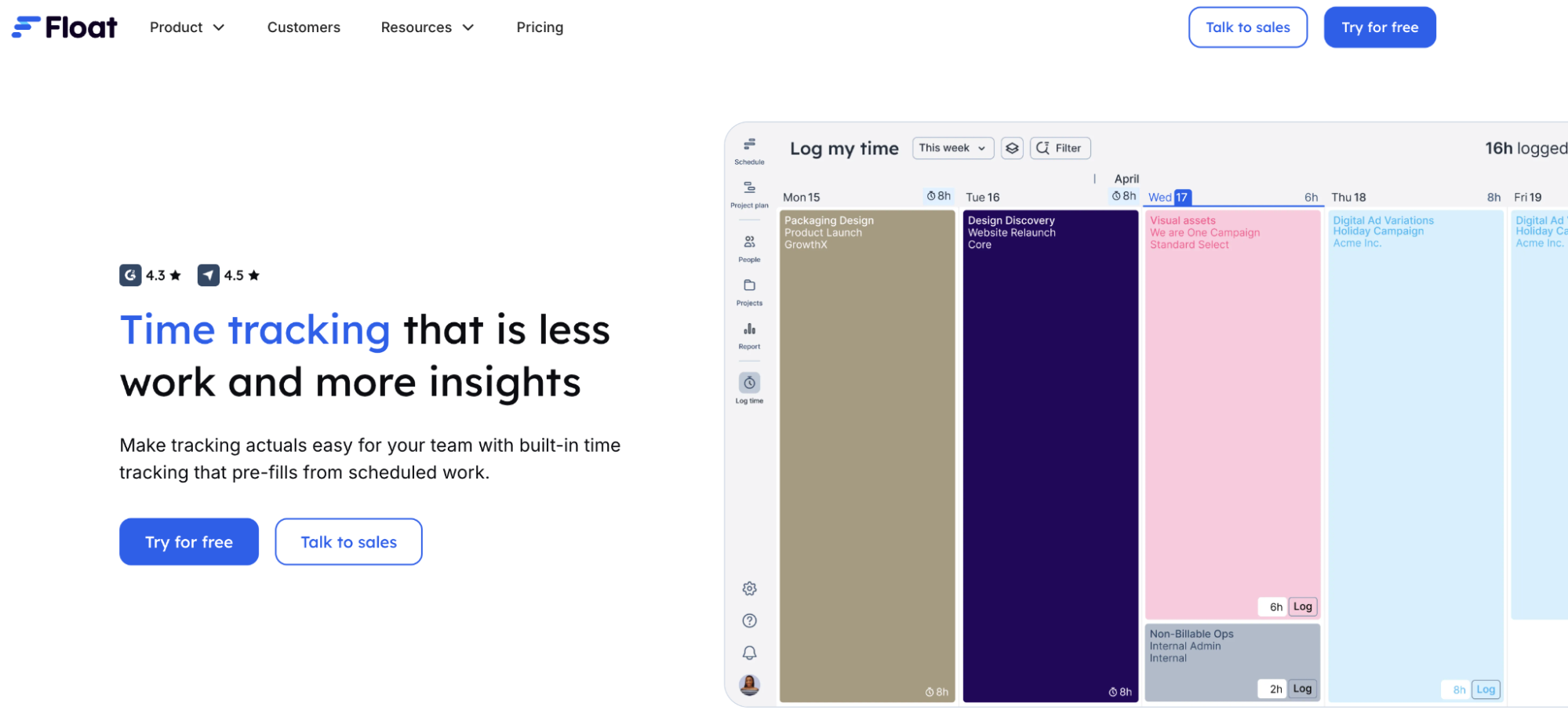
Best for: Teams that plan work in advance and want a clean planned-vs-actual loop, where scheduled allocations pre-fill timesheets.
Float comes at budget control from the planning side. Instead of asking people to remember what they did, it starts with what you expected them to do (the schedule), then makes it easy to confirm reality (actuals).
That makes it a strong fit for capacity-driven teams that care about utilization, cost forecasting, and keeping projects on budget without turning time tracking into a separate admin ritual.
Key strengths
Float reduces manual timesheet friction while keeping actuals accurate. It gives you:
- Pre-filled timesheets based on scheduled allocations
- Quick submissions for recurring work and retainers
- Timesheet deadlines with automated reminders
- Timesheet locking after submission
- Start/stop web timer for precise logging
- Built-in utilization and budget reporting
The effect is practical. Variance becomes visible without requiring heavy administrative follow-up with time entries originating from the schedule.
Budgeting features
Float connects planned allocations to real financial outcomes. You can:
- Set hourly, fee-based, or retainer budgets
- Track budget burn against logged actuals
- Compare planned hours to actual hours in reporting
- Monitor projected costs and margins during delivery
- Use historical actuals to refine future estimates
Because planned and logged time live in the same system, over-servicing is easier to detect early. The feedback loop strengthens future scoping and pricing decisions.
Payroll and invoicing integrations
Float focuses on resourcing and profitability visibility rather than payroll execution. It supports:
- Accurate time logging and approvals
- Budget and cost reporting tied to allocations
- Integrations with tools like Netsuite, Salesforce, and other ecosystem platforms
- Calendar and project tool integrations (Google Calendar, Jira, Asana, Monday.com, etc.)
Payroll and invoicing typically happen in connected accounting systems. Float’s role is to provide clean actuals and cost visibility upstream of those workflows.
Limitations
Float is strongest as a resource management and profitability visibility tool. More specifically:
- It does not automate payroll execution from approved time
- Invoicing workflows are handled through external systems
- Teams that only want a lightweight timer may find the planning depth unnecessary
If your margin depends heavily on getting capacity planning right before projects drift, Float fits that operating model. If you need time-to-pay automation built into the same system, other tools lean further in that direction.
Quick comparison of time tracking tools for managing project budgets (2026)
| Tool | Time tracking | Project budget tracking | Labor cost rates | Payroll / payment integrations | Invoicing | Best for |
| Hubstaff | Manual + automatic tracking | Budget vs. actual dashboards | Custom pay rates per user | Gusto, Deel, QuickBooks, PayPal, Wise, Payoneer | Yes (from tracked time) | Teams needing real-time labor cost visibility + payroll workflows |
| Harvest | Manual + timer | Budget alerts & cost tracking | Billable rates | Accounting integrations | Yes | Client services focused on invoicing |
| QuickBooks Time | Timesheets + mobile tracking | Basic project tracking | Wage rate sync | Native QuickBooks ecosystem | Via QuickBooks | Accounting-centric businesses |
| Clockify | Manual + timer | Estimated vs. tracked time | Cost rates (paid plans) | Via integrations | Limited | Budget-conscious teams |
| Toggl Track | Lightweight manual + automatic timer | Time-based budgets | Billable rates | Via integrations | Limited | Teams wanting simple tracking with cost visibility |
| BigTime | Timesheets + timers | Advanced project budgeting | Cost rates per role/resource | Accounting integrations | Yes | Professional services needing deep financial control |
| Paymo | Task-based timers + automatic desktop tracking | Time + money budgets | Billable & cost rates | Accounting integrations (QuickBooks, Xero) | Yes | SMB teams managing project profitability |
| Float | Pre-filled timesheets + manual timer | Budget burn + planned vs. actual tracking | Cost and billable rates tied to allocations | Via integrations (e.g., Netsuite, Salesforce, etc.) | No (handled externally) | Teams focused on capacity planning and planned vs. actual profitability control |
Our evaluation criteria
We focused on tools that go beyond basic time capture and help teams manage labor as a controllable project cost.
Specifically, we evaluated each platform on:
- Project budget visibility. Can you compare budget vs. actual spend in real time, and receive alerts before overruns happen?
- Labor cost calculation and rate flexibility. Does the system support custom pay rates, billable rates, and cost tracking at the user, role, or project level?
- Payroll and invoicing workflows. Do tracked hours flow cleanly into payroll calculations and client billing without manual reconciliation?
- Reporting depth and utilization insights. Are there clear reports on billable vs. non-billable time, productivity patterns, and team utilization?
- Scalability for growing teams. Can the platform handle expanding teams, multiple projects, and increasing financial complexity without becoming fragile?
Every tool in this list can track time. The difference is how well that time data connects to money — to budgets, to payroll, and to project profitability.
Which time tracking tool is right for you?
Choosing a time tracking tool for managing project budgets isn’t really about timers. It’s about how tightly you want hours, money, and decisions connected.
Best for deep project financial control: BigTime
If you run a professional services firm and think in terms of portfolio performance, margin by client, and board-ready reporting, BigTime is built for that environment. It connects time, resource planning, billing, and financial oversight into one system.
Best all-in-one for SMBs: Paymo
Paymo balances time tracking, project management, scheduling, invoicing, and online payments in one platform. For small and mid-sized teams managing both delivery and billing, it keeps operations cohesive.
Best lightweight option: Toggl Track
Toggl Track focuses on simple, clean time capture with basic budget visibility and billable rate tracking. It works well for teams that want cost awareness without heavier workforce controls.
Best accounting-centric teams: QuickBooks Time
If QuickBooks already anchors your financial system, QuickBooks Time fits naturally. Time data syncs into the accounting workflow, making payroll and job costing feel integrated rather than bolted on.
Best for real-time labor cost visibility + payroll workflows: Hubstaff
Hubstaff connects tracked hours directly to project budgets, payroll calculations, and invoicing. For teams that want labor costs updating in real time and approved time moving straight into payments, that linkage is the point.
Ultimately, the right choice depends on how central labor cost control is to your operations. The right time tracking software for you should connect the dots from hours worked to payroll, invoicing and, most importantly, profitability. With real-time visibility into your labor costs, you can make informed decisions before budgets slip.
Frequently asked questions
What is the best time tracking software for managing labor costs?
The best time tracking software for managing labor costs connects tracked work hours directly to project budgets, pay rates, and payroll workflows. It should calculate labor costs automatically as time is logged, not days or weeks later.
Tools like Hubstaff, BigTime, and Paymo stand out because they combine real-time budget visibility with cost-rate controls and invoicing or payroll integrations. The right choice depends on whether your priority is deep financial reporting, client billing, or payroll automation.
Can time tracking software help control project budgets?
Yes. Time tracking software helps control project budgets by tying hours worked to actual labor spend.
When cost rates are applied automatically to tracked time, managers can compare budgeted hours against real costs while the project is still in motion. This makes it easier to reallocate work or flag overruns before they compound.
Does time tracking software integrate with payroll systems?
Many modern time tracking tools integrate with payroll and accounting systems. Approved timesheets can sync directly into platforms like Gusto, Deel, QuickBooks, PayPal, or Wise, depending on the tool. This reduces manual data entry and lowers the risk of payroll errors.
Some platforms also automate wage calculations and payment scheduling based on predefined rates.
How do you calculate labor costs in project management?
Labor costs are typically calculated by multiplying tracked hours by each team member’s pay rate, including any adjustments for overtime or billable markup.
More advanced time tracking systems automate this by applying predefined cost rates to approved timesheets. That allows teams to monitor total labor spend continuously and compare it against project budgets in real time.
Most popular
The ROI of AI in Workforce Tools: Measuring Business Impact in Distributed Teams
It’s hard to pinpoint the exact moment AI became the standard in tech, but it’s a bit strange to picture a time before it now....
7 Tools That Help Monitor AI Usage at Work in 2026
AI is everywhere. Adoption continues to grow, but from monitoring AI usage, we’ve learned that daily use is still a mixed bag, a...
Hidden AI Usage in the Workplace: What Your Tools Don’t Tell You
How much has AI changed your team’s work? On the surface, work might not look that different. The meetings are still there, docu...
How Many Meetings Are Too Many? 2026 Benchmarks by Role
How many meetings are too many? In 2026, the honest and boring answer is: it depends on your role. Our 2026 Global Trends and Benc...