How to Track Employee Productivity on Company-Owned Devices Without Disrupting Your Team

 7 min read

When teams track employee productivity, what about it do people not like?
Is it being tracked? Or is it being tracked without understanding why?
There’s a big difference, and it matters. Most employee resistance to productivity tracking doesn’t stem from the act of tracking itself. Instead, it comes from the feeling of being watched without context or measured without explanation.
Often, the tool becomes the problem when the real issue is a lack of open communication. Company-owned devices make this even harder to get right, as transparency can become an afterthought for some managers when it’s not legally required.
At Hubstaff, we believe that ethics take precedence over law when it comes to conversations around monitoring. Even when the hardware belongs to the organization, expectations around how it’s used need to be set clearly, from the beginning, before anyone logs in for the first time.
In this guide, we’ll take a closer look at company-owned employee productivity tracking and how you can roll it out effectively and ethically.
Boost your team’s efficiency with Hubstaff's productivity tools
Why traditional employee productivity tracking may fall short
Most productivity tracking tools were built on the assumption that employees would actively participate in their own monitoring.
Often, that means starting timers, logging tasks, and other movements. However, that assumption doesn’t hold up well in real work environments where focus is fragmented, and context-switching is constant. In traditional productivity tracking:
- Manual timers are easy to forget. A meeting runs long? Someone gets pulled into Slack? When unexpected communications arise, hours of work can go untracked.
- Start/stop prompts interrupt deep work. Even a small nudge to “begin tracking” is enough to break concentration at the wrong moment.
- Self-reported data discrepancies. When people estimate instead of record, the numbers look clean but mean less.
- Inconsistency compounds over time. One missed session is noise. A month of them is a blind spot.
The result is data you can’t fully trust and a process your team resents. There’s a better way to get visibility without asking people to maintain it themselves.
What is company-owned device tracking?
Company-owned device tracking is the process used to track employee work hours, time spent on activities, websites visited, programs used, and other interactions that help monitor employee computer activity across the workday. The tracking runs automatically on hardware the organization owns and manages, so there are no timers to start or any employee interaction needed to initiate tracking.
Because the device belongs to the company, the business can configure permissions before it reaches someone’s desk. Tracking policies are set, software is deployed, and everything is ready to run in the background from day one.
What gets captured is activity data in the form of time spent in applications, work session length, and general usage patterns. This helps managers understand how work really happens without interrupting the people doing it.
How to track productivity without disrupting your team
Tracking productivity on company-owned devices doesn’t have to mean constant check-ins, visible timers, or tools that make people feel like their every move is being watched.
A good setup runs quietly, captures only what matters, and, most importantly, stays out of the way. Here’s how to make that happen.
1. Automate time tracking
The simplest fix for inconsistent data is to remove the human step that causes it.
With automated time tracking, tracking starts automatically the moment someone begins working. No timer to start, no session to close — by default, teams get a complete and accurate picture of how time is spent.
This accuracy doesn’t depend on habits or whether someone was too deep in a task to notice the clock. Over time, that consistency compounds into patterns you can trust, reports that reflect reality, and one less administrative burden on everyone.
2. Run tracking in the background
The most disruptive thing a tracking tool can do is remind people it exists.
Every pop-up, every prompt, every visible timer is a small interruption. Such interruptions have a way of arriving at exactly the wrong moment, pulling someone out of a state of concentrated work just as they’ve finally settled into a flow state.
Background tracking helps prevent that. It runs behind the scenes while employees stay focused on what they were hired to do. The work gets done, the data gets captured, and nobody has to waste time toggling between their job and the tool meant to measure it.
3. Focus on activity insights, not surveillance
There’s a meaningful difference between knowing someone is working and understanding how work is getting done. Activity data bridges that gap by uncovering patterns that would otherwise stay invisible.
Here is what that looks like in practice:
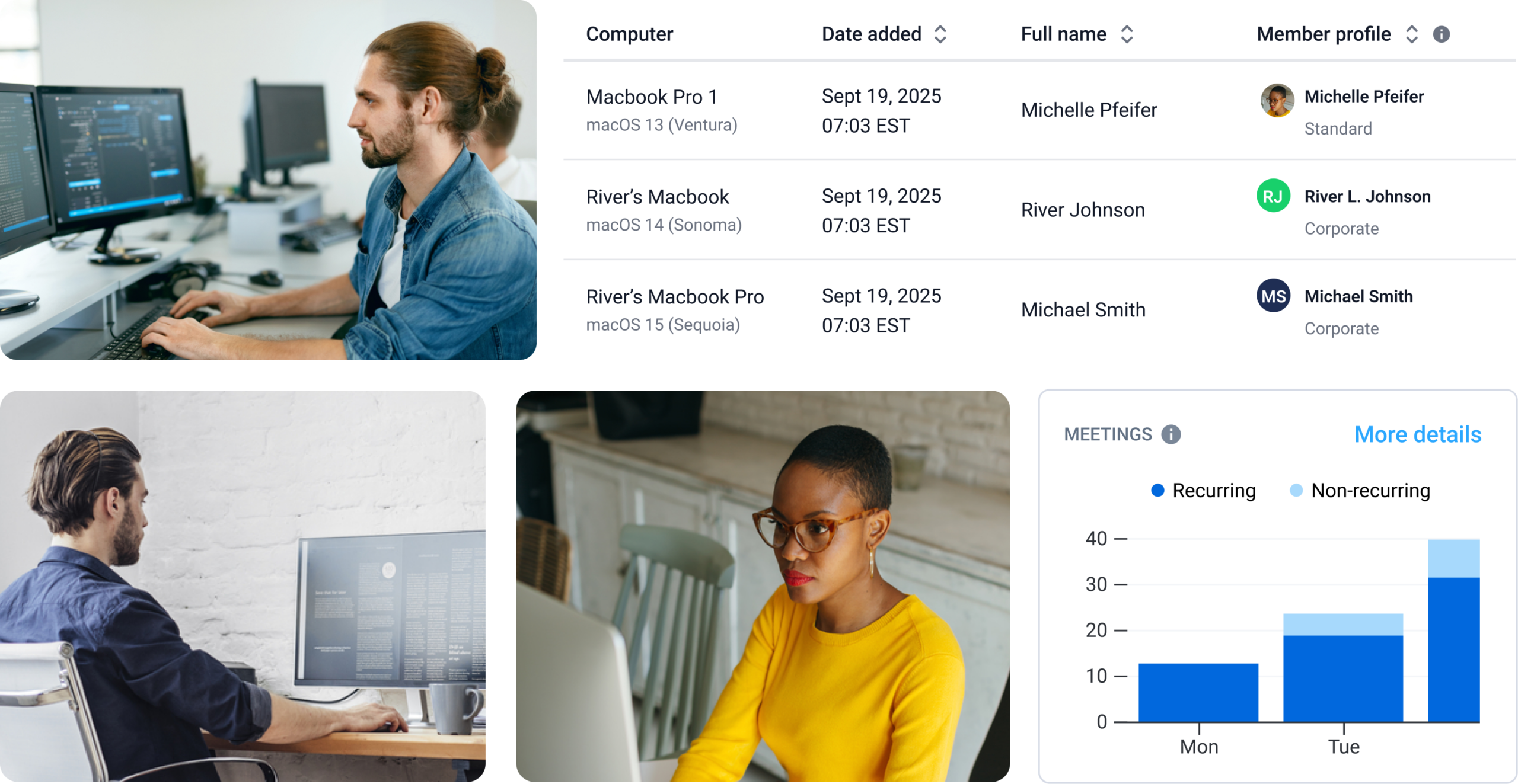
- App usage trends. See which tools your team spends the most time in, and whether that lines up with the work that actually matters.
- Website activity. Understand browsing patterns across a workday without micromanaging individual sessions.
- Productivity patterns. Identify when focus is highest, where time gets fragmented, and what a productive day looks like for your team.
- Time spent on meetings. See how much of the workday is spent on calls and whether that leaves enough time for focused work.
The goal isn’t to catch anyone doing something wrong but to understand how work moves through your organization. In turn, you can make better decisions about it.
4. Align tracking with company policies
Tracking that runs outside of established boundaries (e.g., capturing data during personal hours or in ways employees were never told about) is how you turn a useful tool into a liability. You need to supplement intention with configuration.
Most good tracking tools let you define exactly when and how monitoring runs — for instance, business hours only, specific devices, specific roles. A setup like this means the data you collect is defensible, and the people being tracked aren’t worried about being tracked on a weekend.
Compliance-ready reporting matters here, too. When audits occur or disputes arise, having clean, policy-aligned records is far more useful than trying to explain what your tracking tool was doing and why.
The role of tracking in company-owned devices
Company-owned devices create a natural opportunity to get tracking right from the start. The hardware belongs to and is configured by the organization, so users can simply start working without worrying about initiating tracking.
Hubstaff’s automatic tracking for company-owned devices does just this. It runs in the background, starts when there’s activity, and stops when there isn’t, without asking employees to do anything.
Administrators set the policy once (defining schedules, teams, and rules), and the tracking handles itself from there. New members added to the organization are automatically added to that policy, which means less configuration work as teams grow and fewer gaps in the data.
Key capabilities
- Automatic, discreet tracking. Time tracking starts and stops based on activity or a set schedule. No employee input is required, and nothing runs visibly in the foreground to distract people.
- Activity and app usage insights. Keyboard and mouse activity, app usage, and website data are captured in the background and are shown in the Hubstaff dashboard. This gives managers a real picture of how the workday is spent.
- Compliance-ready reporting. Reports are built around the tracking policies you define, which means the data you collect is already aligned with the boundaries you set.
- Offline tracking and sync. Activity is recorded even without an active internet connection and syncs to the dashboard once the device is back online, so connectivity gaps don’t mean data gaps.
- Enterprise-grade security. Hubstaff is SOC 2 Type II, GDPR, and HIPAA-compliant. Data is encrypted by default, with single sign-on and SCIM-based user provisioning capabilities.
- Centralized deployment via MDM. The tracking software can be distributed across an entire organization using MDM tools such as Microsoft Intune. It runs in the background, requires no user interaction, and is managed from a single place.
Benefits of automatic time tracking for teams
Aside from making data collection easier, automatic tracking also changes what that data is worth. With a system that runs without anyone managing it, you get data that mirrors how work truly happens.
- No disruptions. There are no timers to start, no pop-ups to dismiss, and no reminders pulling people out of whatever they were focused on. Tracking happens in the background, and the workday stays uninterrupted.
- Improved accuracy. Manual time entry depends on memory, habit, and attention, none of which are perfectly reliable. Automatic tracking removes that variable entirely, so the hours in your reports reflect what really happened.
- Better operational visibility. Because data is captured consistently and without manual input, reports are complete by default. Managers can see how time is moving across projects and teams without asking anyone for updates.
- Scalable for growing teams. The same tracking policies that work for a ten-person team can be deployed across hundreds of devices without adding administrative overhead as headcount grows, especially those managing remote employee productivity across different locations and time zones.
Over time, patterns emerge, decisions get easier to justify, and assumptions get replaced by knowledge.
Best practices for ethical, effective tracking
We’ve spent a good chunk of this article talking about getting the technology right, but that’s the easier part of tracking.
The harder part is making sure the people on the receiving end of it understand what the software is, why it’s there, and what you’ll do with what it tells you. Here are a few tips for ethical tracking.
Ethical tracking tips
- Be transparent with employees. This one isn’t complicated, but it gets skipped more often than it should. Right off the bat, tell your team what you’ll track, during what hours, and how the data will be used. Instead of writing a legal disclaimer buried in an onboarding doc, start an actual, human conversation, as openness has positive effects on employee well-being.
- Configure tracking intentionally. The fact that you can track a lot of data doesn’t mean you need to or should. Set schedules that reflect actual working hours, limit tracking to the devices and roles where it makes sense, and revisit those settings as your team evolves.
- Focus on outcomes, not oversight. If the main thing you’re looking for is proof that people are at their computers, you are using a very expensive tool to answer a very uninteresting question. The more useful question is whether work is moving as it should — and if not, where the friction lies.
- Use data to improve workflows, not to build cases. Tracking data is most valuable when it helps you make things better: redistributing workloads, identifying where meetings are eating into focus time, and understanding which projects consistently run long and why. If tracking becomes primarily about catching people doing something wrong, you might want to revisit your goals and identity as an organization.
None of this requires perfection, but it does require intention. Sustained success with company-owned device tracking centers around your willingness to acknowledge that your team deserves to fully understand how you plan to use it.
Get started with company-owned device tracking done right
The technical side of this is more straightforward than most people expect.
Policies get set, software gets deployed, and the dashboard starts showing you what work looks like in your organization — all without anyone on your team needing to do anything differently than they already do.
But the meaningful change here isn’t the installation of systems or the simplified reporting. It isn’t even the convenience of built-in compliance.
Instead, it’s the end of managing from assumption and the beginning of managing from something closer to the truth. Tracking that runs in the background on devices your organization already owns makes it possible without disrupting the people doing the work. If you want to see what that can look like in practice, you can book a demo or start a free trial of Hubstaff today.
Most popular
How to Spot and Manage Work Overload Before Your Best People Burn Out
Work overload occurs when the demands placed on an employee or team exceed their available resources, leading to stress, burnout,...
Workplace Productivity Statistics in 2026: What the Numbers Say
For many businesses, having the ability to maximize output without compromising quality gives them a major edge over their competi...
Time Doctor vs. ActivTrak: Which Tool Is Right for Your Team?
Time Doctor and ActivTrak are two of the most powerful and popular time tracking solutions. Both have strong features, and both ca...
Work-Life Balance Statistics in 2026: A Global Perspective
Work-life balance has become a deciding factor in how people, especially Gen Z, choose or leave jobs. The data shows that work-lif...