The ROI of AI in Workforce Tools: Measuring Business Impact in Distributed Teams

 10 min read
- AI workforce tools deliver ROI in four traceable areas: output predictability, cost efficiency, burnout detection, and decision speed—but only when built on complete, trustworthy data.
- To measure AI ROI accurately, establish baseline metrics before deployment, define which decisions AI should improve, and track before-and-after deltas with logged actions.
- Hubstaff's AI capabilities are designed to surface actionable insights (not black-box outputs) so managers can move faster on workforce decisions without second-guessing the data.

It’s hard to pinpoint the exact moment AI became the standard in tech, but it’s a bit strange to picture a time before it now.
For distributed teams, especially, the ROI of AI in workforce tools is a real opportunity to see what was previously invisible. Think patterns across time zones, capacity gaps, and productivity trends that no manager could reasonably track by hand.
But opportunity and outcome are different things, and without clear metrics, AI becomes something closer to a branding exercise than a true business advantage. The teams that extract value from it are the ones that know what they’re measuring before they start.
See Hubstaff in action
Watch our interactive demo to see how Hubstaff can help your team be more productive.
What “AI” actually means in workforce tools today
Since there’s often a disconnect between marketing jargon and true capability, it helps to be honest about what AI in workforce tools looks like.
In practice, AI shows up in a few specific and genuinely useful ways:
- Pattern detection. AI can reveal behavioral and output patterns across large teams that would take a human analyst significantly longer to find manually. Over time, those patterns become the baseline against which everything else is measured.
- Anomaly detection. Whether it’s a sudden drop in output, an unusual spike in hours, or a team that’s consistently missing delivery windows, AI can often detect unusual patterns before they become a bigger problem.
- Forecasting. Using historical data, AI can often predict capacity needs, likely bottlenecks, and cost overruns that can negatively impact your team’s current trajectory.
- Automated insights. Rather than requiring someone to pull and interpret reports, AI distills time and activity data into readable summaries and trend signals that leaders can act on without a background in data analysis.
What AI does not do is worth being equally clear about:
- Replace managers. The insight is only as useful as the decision it informs. AI can tell you that a team member’s output has dropped 30% over three weeks. However, it cannot tell you whether that’s a performance issue, a personal situation, unclear scope, or poor tooling. Only attentive managers can deduce the cause behind the numbers.
- Make decisions in isolation. Every signal AI finds still requires a human to interpret context, weigh tradeoffs, and choose a course of action. The judgment layer remains entirely human.
Think of AI as an analytical floor, not a ceiling. It handles the volume and the vigilance so that the people responsible for outcomes can spend their time on the human elements of their job.
Why distributed teams are the real AI ROI test case
There is a version of this conversation that applies to every kind of team. That said, distributed teams are where the stakes are highest, and the margin for error is smallest. The challenges are structural, not incidental.
In a team that spans multiple time zones, the normal feedback loops that keep work visible do not exist:
- A quick check-in
- A sense of the room
- An ambient awareness of who is heads-down and who is struggling
With distributed teams, work often happens asynchronously. This means by the time a problem becomes obvious, it has likely been compounding long before it’s been brought to one’s attention.
Capacity planning also gets complicated fast when you’re reconciling hours and output across regions, contractors, and changing project loads. You’ll often have to rebuild how your team operates to match the visibility that comes naturally in a shared office.
That’s precisely why AI has more to offer here than anywhere else. The data volume alone changes what’s possible.
Distributed teams generate enormous amounts of trackable signal:
- Hours logged
- Apps used
- Output rates
- Delivery patterns
That volume is exactly the kind of thing AI handles well.
4 business impact areas where AI ROI shows up
ROI lives in what changes after you use it. For distributed teams, that means looking at specific areas of the business where better data and faster insight influence the decisions being made.
The following areas are where AI in workforce tools tends to move the needle in ways that are traceable, defensible, and meaningful to both operations and finance.
1. Productivity and output predictability
For distributed teams, productivity has a specific and measurable meaning:
Are people producing what’s expected, at a consistent rate, without burning out to do it?
AI helps answer that question with more precision by focusing on:
- Output per hour. Rather than relying on hours logged as a proxy for work done, AI can track actual output rates over time and flag when the relationship between time and delivery starts to drift.
- Delivery variance. Consistent delivery is a signal of a healthy team; wide variance is a signal of something worth investigating. AI sees that variance early, way before it becomes a missed deadline or a conversation nobody wanted to have.
- Focus vs. distraction patterns. By analyzing app and activity data, AI can distinguish between deep work and fragmented time. This gives leaders a clearer picture of whether the team is operating under conditions conducive to productive work.
The value here is pattern recognition at a scale that lets you intervene early, adjust workloads intelligently, and build a more honest picture of what your team can sustainably accomplish.
2. Cost control and capacity efficiency
Budget leakage tends to happen gradually and invisibly in distributed teams. This doesn’t occur in one obvious place. Instead, it’s often spread across small inefficiencies nobody is tracking closely enough to catch.
AI lets you zoom in on that picture by providing data on:
- Overtime trends. Consistent overtime is rarely just a workload problem. Often, it’s a signal of poor capacity planning, unclear scope, or a team that has learned to absorb more than it should. AI makes it easier to distinguish a one-off crunch from a structural issue.
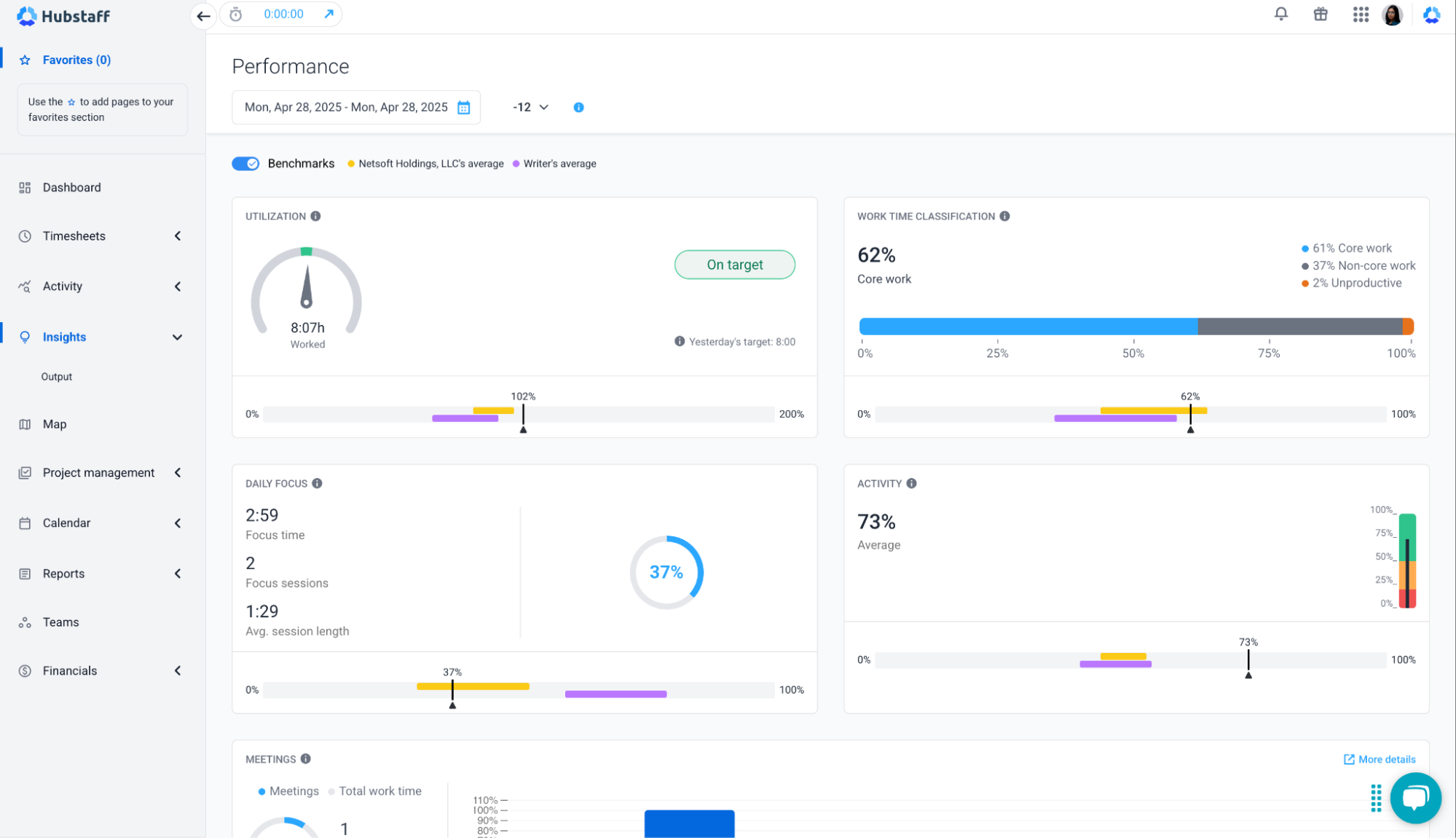
- Utilization gaps. Underutilization is as costly as overutilization while being harder to see. AI can identify team members or entire functions that are consistently operating below capacity, which is information that directly informs hiring decisions, project staffing, and budget allocation.
- Project cost variance. When actual hours and output diverge from what was scoped, AI can pinpoint that change in real time rather than at the end of a billing cycle when the damage is already done.
Taken together, these signals give finance and operations a shared language built on real data rather than estimates and retrospective guesswork. That alone can change how resource conversations are handled.
3. Risk, compliance, and burnout signals
This is the area where AI tends to surprise people.
Not because it’s a fancy capability, but because the problems it catches are the ones that, historically, go unnoticed until they’re expensive.
- Anomalous behavior patterns. Unusual spikes in after-hours activity, sudden drops in output, or access patterns that fall outside the norm can all indicate something worth a closer look. That could be a compliance risk, a security concern, or a struggling employee.
- Workload imbalance. Distributed teams are particularly prone to invisible inequity, where certain people absorb a disproportionate share of the load simply because they’re available, responsive, or easy to assign to. AI tracks distribution across the team over time so that the imbalance is harder to overlook.
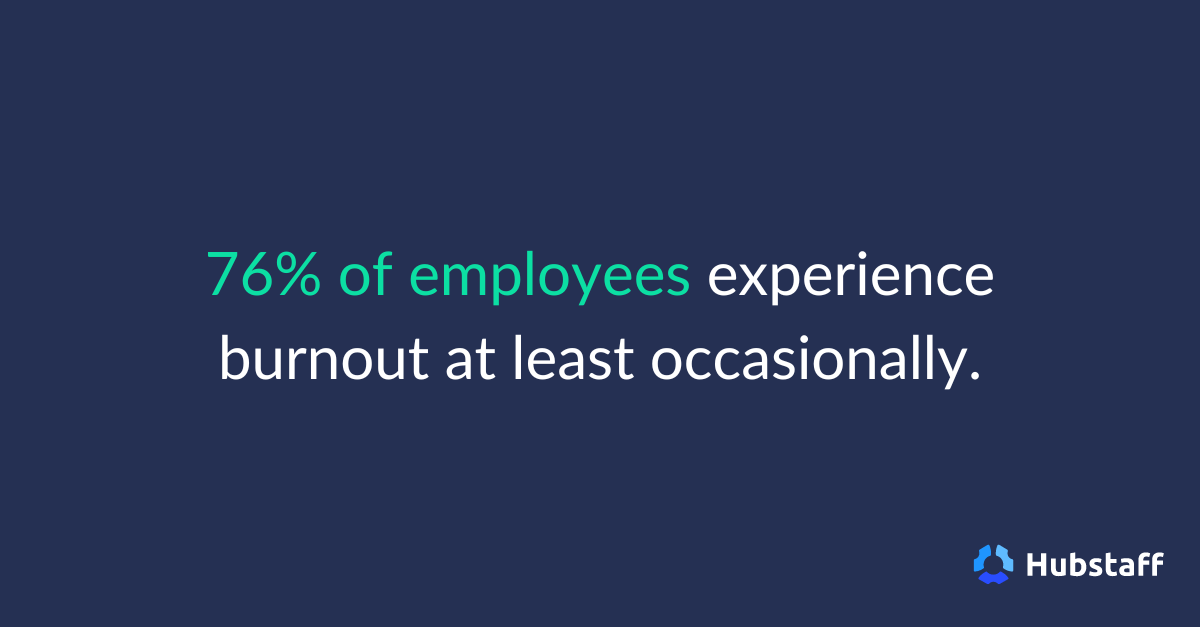
- Early burnout indicators. Over three-quarters of employees experience burnout. Fortunately, it builds through a recognizable progression: erratic hours, declining output, and shrinking focus time. AI can identify that progression weeks before a manager would otherwise notice anything was wrong.
Getting ahead of these signals is crucial. While this data doesn’t always show up cleanly in a spreadsheet, it tends to surface later as turnover, missed deliverables, and burnout.
4. Decision speed and operational efficiency
Speed matters less than people think — until it doesn’t. The window between a problem emerging and a problem compounding is often shorter than the reporting cycle that would have caught it. A lot of operational damage happens in that in-between.
- Time to insight. The distance between something going wrong and a leader knowing about it used to be measured in days, sometimes weeks. AI compresses that window considerably, turning raw activity data into real-time trends without requiring someone to build a report from scratch.
- Reporting time saved. Manual reporting never appears on a budget line but shows up everywhere in hours spent pulling, formatting, and presenting data that could have been automated. That time, redirected towards automated reporting, tends to compound in the right direction.
- Speed of corrective action. Knowing faster means responding faster. Time tracking software platform with built in AI-powered workforce analytics like Hubstaff turns tracked time and activity data into real-time insights and performance trends, helping leaders spot issues and act faster across distributed teams long before they’re discovered in a retrospective.
The operational case for this is straightforward: a team that can identify and respond to problems in hours rather than weeks is more efficient in the long term.
How to measure AI ROI the right way
To measure the true return on investment of AI, it will require some discipline upfront. The steps below aren’t complicated, but this discipline is what separates teams that can point to real outcomes from teams paying for a more expensive dashboard.
Step 1: Establish baseline metrics
Before AI can show you what changed, you need an honest record of where things stood before it arrived.
Pick the metrics that matter most to your operation. These could be:
- Output per hour
- Overtime rates
- Reporting time
- Delivery variance
Document them with enough specificity that future comparisons mean something.
A baseline doesn’t need to be exhaustive, but it does need to be real. Estimates and rough impressions won’t hold up when finance asks you to justify the spend six months from now. Start measuring before you need the measurement.
Step 2: Define which decisions AI is meant to improve
Many teams don’t think about this step, but it’s one that can prevent the most trouble later.
AI will generate insights regardless, but are those insights connected to anything that actually matters to how your business runs? Ask yourself these questions:
- What decisions are currently being made too slowly?
- What decisions are being made on incomplete information?
- What would your operations look like if a manager could see a capacity problem much earlier?
Getting specific here is best practice, and it’s what gives the ROI calculation somewhere to land.
Step 3: Measure before-and-after deltas
Once AI is in place and connected to real decisions, the measurement becomes comparative.
How long did it take to identify a utilization gap before, and how does that compare to now? What was the average delivery variance before, and what is it after three months of pattern-based interventions?
These aren’t rhetorical questions but actual math. The delta between before and after is where ROI lives. Without it you’re left making a qualitative argument (which is valuable but belongs elsewhere) to people who are looking at a budget line.
Step 4: Tie insights to real actions
An insight that doesn’t change a decision isn’t worth much, and this is where a lot of AI implementations gradually lose credibility.
For every signal AI reveals, there should be a corresponding action taken and logged:
- A workload adjustment
- A staffing conversation
- A project rescoped
Over time, that log becomes your evidence.
It also has the secondary benefit of making your team better at recognizing which signals are worth acting on and which ones are noise.
Step 5: Validate outcomes with ops and finance
ROI that has been stress-tested by skeptics is ROI you can trust. Bring your before-and-after data to the people who control budgets and operational decisions, and let them interrogate it.
Finance will find the holes in your methodology. That’s a feature, not a bug, because fixing those holes makes the case stronger. If the numbers hold up, you have a business case. If they don’t, you still have an honest picture of where the tool is and isn’t delivering.
Why many workforce tools fail to deliver ROI
Most workforce tools that fail to deliver on their ROI promises do so for reasons that have nothing to do with the sophistication of their algorithms and everything to do with the foundations underneath them.
There are a few failure patterns that come up reliably enough to be worth naming.
- Poor or incomplete data. AI is only as good as what it’s working with. Teams that haven’t established consistent tracking practices (or that have gaps in how work is logged and attributed) end up feeding their AI tool a partial picture. This produces conclusions that feel authoritative but aren’t.
- Black-box insights. An insight nobody can explain is an insight nobody will act on. When AI produces recommendations without showing its reasoning, the people responsible for decisions tend to distrust it, work around it, or ignore it entirely, all reasonable responses and not a failure of imagination.
- Vanity metrics. Some tools are very good at making teams look busy. Total hours logged, activity scores, and login frequency — these numbers are easy to generate and present. However, if you don’t connect this data to outcomes in any way that finance or operations would call meaningful, you’re doing yourself and your team a disservice.
- No accountability for outcomes. Insights without ownership go nowhere. If nobody is responsible for acting on what the AI gives you (and for tracking whether that action worked), the tool becomes nothing more than an expensive reporting layer.
The underlying problem threading through all of these is the same: AI cannot compensate for weak workforce data.
A more sophisticated model running on bad inputs doesn’t produce better answers. Instead, it produces worse ones, at a faster rate, and with a lot of confidence.
How to evaluate AI claims before you buy
The common complaint these days is that nearly every workforce tool on the market has “AI” somewhere on its homepage now.
That’s not an accusation, though. It simply is the landscape, and it isn’t very useful as a buying signal. The more productive question isn’t whether a tool uses AI, but whether the AI it uses is connected to anything that actually matters to how your team operates.
Ask these questions before you commit to anything:
- What decisions does the AI improve? This is the first and most clarifying question you can ask a vendor. A good answer is specific; it names a decision, a role, and a measurable outcome. A bad answer gestures broadly at “productivity” or “visibility” without landing anywhere concrete. The specificity of the answer tells you a lot about how well the product works in practice.
- What data does it rely on? AI recommendations are only as credible as the data pipeline feeding them. Ask what gets tracked, how it gets tracked, and what happens to the model’s output when tracking is inconsistent or incomplete. A vendor who can answer this clearly has likely thought carefully about the product. One who can’t is worth being cautious about.
- Are insights explainable and auditable? The people who will act on AI-generated insights (managers, ops leads, finance teams) need to be able to understand where those insights came from. If the reasoning is opaque, the insight becomes a liability — especially in any context where decisions could be questioned or reviewed.
- Can finance validate the ROI? This is the question that tends to make vendors uncomfortable, which is precisely why it’s worth asking. If the tool’s impact can’t be translated into numbers that hold up under financial scrutiny, it’s hard to argue there’s ROI.
A tool that can answer all four of these questions well is a tool that has earned some confidence. One that deflects, over-generalizes, or pivots to feature lists probably hasn’t.
AI ROI is earned through measurement, not branding
Distributed teams don’t get ROI from “AI tools.” That’s not how it works, and vendors who imply otherwise are selling the label more than the outcome.
What moves the needle is narrower and more honest than the marketing suggests. Better decisions, made faster, on the back of workforce data that is complete enough to trust.
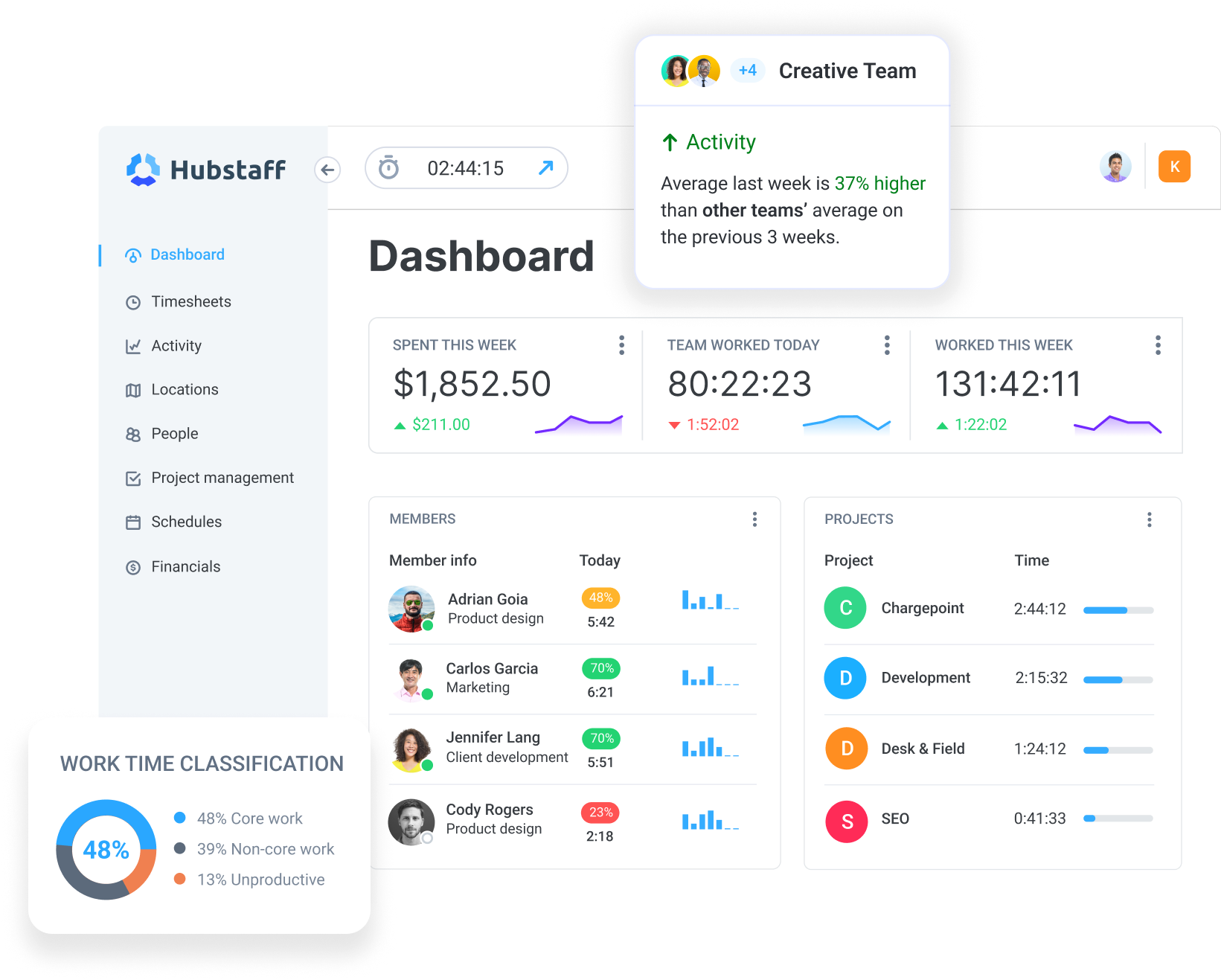
Time tracking tools like Hubstaff use AI to transform tracked time, activity, and app usage data into actionable workforce insights. For distributed teams, this data foundation is what makes measuring the real ROI of AI possible — without relying on guesswork or hype. The technology is genuinely useful. But useful is something you earn through how you use it, not something that comes included in the subscription. Test Hubstaff out for yourself with a free, full-featured 14-day trial.
Most popular
The ROI of AI in Workforce Tools: Measuring Business Impact in Distributed Teams
It’s hard to pinpoint the exact moment AI became the standard in tech, but it’s a bit strange to picture a time before it now....
7 Tools That Help Teams Monitor AI Usage at Work in 2026
AI is everywhere. Adoption continues to grow, but from monitoring AI usage, we’ve learned that daily use is still a mixed bag, a...
Hidden AI Usage in the Workplace: What Your Tools Don’t Tell You
How much has AI changed your team’s work? On the surface, work might not look that different. The meetings are still there, docu...
How Many Meetings Are Too Many? 2026 Benchmarks by Role
How many meetings are too many? In 2026, the honest and boring answer is: it depends on your role. Our 2026 Global Trends and Benc...