How Companies Track Time: Insights from 84M+ Hours Logged on Hubstaff

 8 min read
- Hybrid teams lead in focus time at 57%, versus 52% remote and 46% in-office, suggesting that intentional environment-switching may actually sharpen how people work.
- Across 84M+ hours tracked, only 8–10% of work time is genuinely unproductive, giving distributed teams concrete data to push back against proximity-based performance assumptions.
- Hubstaff's blended productivity score merges focus time and core work into one baseline metric — scores below 50% signal where to investigate, turning raw data into clear next steps.

Time tracking sounds simple in theory, but how companies track time can vary drastically based on industry, location, and other factors.
In practice, it doesn’t sound complicated: one click to start, another to stop. That said, what happens between those two clicks is anything but:
- Who’s clicking?
- When, why, and what do the activities between those clicks reveal about the way a team works?
- Do you need to automate the tracking altogether?
The method a 10-person agency uses to track time looks nothing like what a 5,000-person enterprise needs. A field crew punching in at a job site operates in a completely different reality than a remote developer logging hours across three time zones.
And yet, the question underneath it all remains the same: where does the time go?
This piece isn’t a tool comparison. It’s an analysis of time-tracking practices across company sizes, team structures, and workstyles, drawn from 84 million+ hours logged across 22,000+ organizations and 186,000+ users on Hubstaff.
See Hubstaff in action
Watch our interactive demo to see how Hubstaff can help your team be more productive.
Why companies track time
Ask most people why their company tracks time, and you’ll get one of two answers: billing or accountability. Both are true often enough, but they also only scratch the surface.
Time tracking can be divisive. When used poorly, it is far too easy to skew toward surveillance. On the other hand, it can serve as a signal — a way of understanding where work is happening, and whether the right work is getting the most attention.
The reasons organizations track time vary widely, but the most common ones tend to cluster around a few core functions:
- Measuring productivity. Understanding how much of the day goes toward meaningful output versus overhead.
- Client billing. Ensuring billable hours are captured accurately and invoiced without guesswork.
- Compliance and payroll. Meeting labor requirements and making sure people are paid correctly for the time they put in.
- Resource allocation. Knowing whether teams are over or underutilized before it becomes a problem.
- Team optimization. Identifying where time is lost to non-core work, and where you can protect focus.
These functions aren’t mutually exclusive, and most organizations are tracking time to address several of them at once. But the motivation to prioritize one over another (and the way each one gets implemented) tends to shift considerably depending on the company’s size and how its teams are structured.
For instance, a small remote agency tracking time primarily for client billing has a fundamentally different relationship with the practice than, say, a hybrid enterprise using it to understand how core work is distributed across departments. Same tool, different questions, and way different stakes.
How companies track time: 4 common methods
How a company chooses to track time usually says something about how it operates: its size, its industry, how distributed its teams are, and how much visibility leadership actually wants into the work.
There’s no universal approach to tracking employee hours, and the landscape has shifted considerably over the last decade. Below is a breakdown of the four most common methods in use today.
1. Manual timesheets
Yes, this is as labor-intensive as you might imagine. And yes, there are still businesses using this method.
Manual timesheets (i.e., spreadsheets, paper logs, end-of-week memory exercises) remain common in smaller businesses where the overhead of adopting new software feels like more trouble than it’s worth.
The appeal is straightforward: no cost, no learning curve, no dependency on a third-party platform.
Unfortunately, the downsides are just as straightforward:
- Accuracy suffers. Time logged from memory is time approximated instead of measured.
- It doesn’t scale. What works for a 5-person team becomes a liability at 50.
- There’s no real-time visibility. By the time the data exists, the week is already over.
Manual tracking hasn’t disappeared — especially in industries where administrative processes change slowly.
2. Desktop or app-based time trackers
Desktop and app-based time trackers are a common solution among remote and hybrid teams. These time trackers help users track time to tasks and projects, generate timesheets, create reports, and more.
Once set up, these tools often allow you to customize permissions to collect only the data your team needs. Tools that offer both a desktop and mobile version are great for field teams, as they often include alternative time tracking methods like GPS and geofenced time tracking.
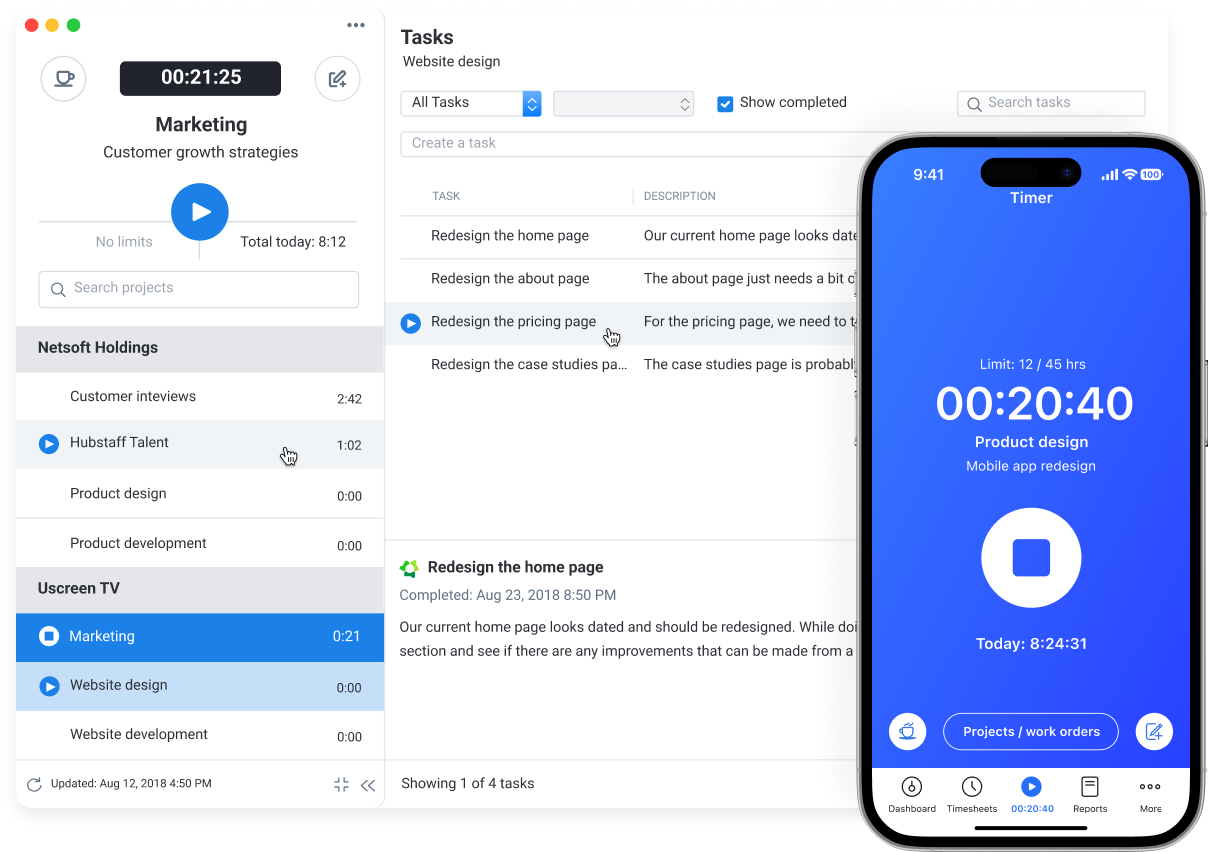
For teams evaluating employee time tracking software, here are some of the top options in this category:
- Hubstaff
- Clockify
- Toggl Track
- ActivTrak
- Time Doctor
- TimeCamp
Each serves a slightly different use case and team size, but the category as a whole has become the default for most companies engaged in distributed work.
3. Punch clocks and on-premises devices
Hardware-based time tracking is still very much alive in industries where work happens at a fixed location:
- Retail
- Manufacturing
- Construction
- Healthcare
- Logistics
Punch clocks, kiosks, biometric scanners, and badge readers offer something app-based tools aren’t always designed for: a physical record of when someone arrived and when they left, tied to a specific place.
For field crews, warehouse teams, or anyone whose work can’t be done from a laptop, on-premises devices remain the most practical option. They’re reliable, familiar, and don’t require workers to carry or manage an additional piece of software.
4. Passive and automated tracking systems
At the more advanced end of the spectrum are systems that run with minimal manual input. These systems log activity automatically through screen monitoring, app and URL tracking, and work pattern analysis.
Teams that are looking for more than a headcount of hours can delve into these tools to understand how the workday is spent.
Hubstaff’s Insights add-on includes several optional features that support this goal, like:
- Work time classification (which sorts time into core and non-core activity)
- Unusual activity detection
- Utilization rates
- Meeting and focus time
- Smart notifications
These are tools teams can opt into when visibility into workflow quality matters as much as visibility into hours logged. The distinction is worth understanding: passive tracking isn’t inherently about watching people but about understanding how work flows through an organization. This way, you can adjust project scope, add resources, and prevent bottlenecks.
What the data says: Insights from 84M+ hours logged on Hubstaff
Numbers at scale have a way of settling arguments that opinions can’t.
In our dataset, drawn from over 84 million hours logged across 22,000+ organizations and 186,000+ users, we discovered the following:
- Focus time averages 53% across all workstyles. When it comes to focus time (or the uninterrupted periods without meetings, communication, or tool switching), remote teams come in at 52%, hybrid at 57%, and in-office at 46%.
- 49% of tracked hours go toward core work, 43% toward non-core. Core work refers to tasks directly tied to an employee’s role. While non-core refers to the supportive layer around this work (emails, internal meetings, administrative work, etc.), both categories count as productive time.
- Genuinely unproductive time is low. Truly productive time hovers between 8% and 10% across modalities. The data doesn’t support the assumption that distributed teams are disengaged.
- The blended productivity score combines focus time and core work. With this blend in mind, remote teams land at 50.5%, hybrid at 53%, and in-office at 47.5%, putting the overall average at 51%.
What this data makes possible, more than anything else, is an honest conversation about where time goes.
Key insight #1: Hybrid teams track time most efficiently
Of the three workstyles, hybrid teams post the highest focus time at 57% — a substantial gap above the 53% average across all modalities.
Part of what likely drives this is structure: hybrid workers have learned to treat their in-office and remote days differently, limiting context switching and leading to an intentionality that tends to show up in how they protect their time.
The rhythm of switching between environments, rather than disrupting focus, may actually be sharpening it. For a deeper look at how hybrid productivity compares across industries and company sizes, the full breakdown is available in our Workstyle Report.
Key insight #2: SMBs track more focus time, enterprises track more core work
The difference between how small businesses and large organizations spend their time is dictated by structure.
| SMBs | Enterprises | |
| Time spent in focus | 50% | 46% |
| Time spent on core work | 45% | 48% |
The likely explanation is role specialization. In a larger organization, people tend to do fewer things more deeply, while in a smaller one, the same person is often carrying several functions at once, which demands a different kind of sustained attention.
Neither profile is more productive in an absolute sense, as they are simply optimized for different operating scenarios.
Key insight #3: Tracking time helps bust remote work myths
Thre are a lot of myths about remote work, and we’d honestly be surprised if you aren’t familiar with at least one of them.
In our survey, we put several of the most common ones to the test — and the results were fairly decisive:
- 85% disagree that remote workers are less productive than in-office workers
- 85% disagree that remote work stifles innovation
- 84% disagree that remote employees are less reliable than in-office employees
- 70% disagree that remote work makes communication harder
What time tracking contributes to this conversation is a record. When leaders have actual data on where hours go and what kind of work is getting done, the proximity debate starts to falter.
How leading companies are rethinking time tracking in 2026
The companies getting the most out of time tracking today aren’t using it the way many businesses marketed it: as a mechanism for making sure people are really working.
To be clear, that version of the tool still exists. However, failure to innovate beyond surface level monitoring that equates visibility with presence and hours logged with value delivered harms businesses, their employees, and software providers themselves.
Fortunately, this outdated concept is now being replaced with something more useful: a genuine effort to understand how work moves through an organization. This shows up in a few concrete ways:
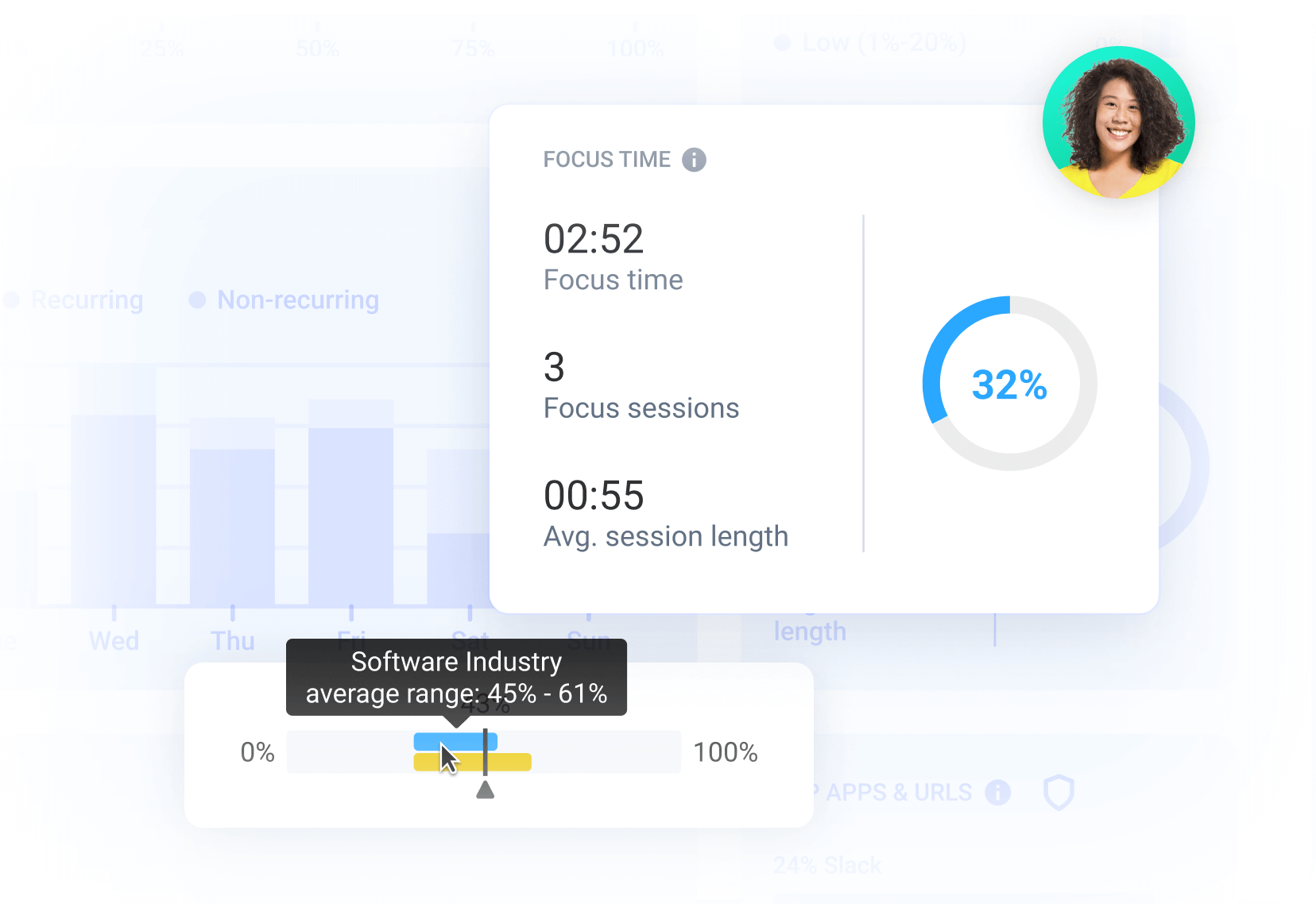
- Focus time as a metric. Rather than tracking hours alone, forward-thinking teams are measuring the quality of those hours, specifically how much of the day is spent in uninterrupted, deep work versus fragmented, reactive time.
- Workflow-based time allocation. Time tracking data is being mapped against project types and task categories, giving leaders a clearer picture of whether the right work is getting the right amount of attention.
- Automation and smart notifications. Excessive manual check-ins are giving way to systems that surface patterns automatically, flagging anomalies or inefficiencies without requiring someone to go looking for them.
- Transparency and self-awareness. Some of the most effective implementations put the data in the hands of the employees themselves, not just managers. This turns time tracking software into a tool for personal understanding rather than external oversight.
The organizations making this transition tend to share one underlying conviction: that the point of tracking time was never really about time. It was always about work; what kind, how much, and whether the conditions exist for people to do it well.
How to evaluate or improve your time tracking approach
Most organizations that struggle with time tracking aren’t struggling because they chose the wrong tool. They’re struggling because the practice has never been clearly defined:
- What the software is measuring
- How data should surface
- How users can take action with said data
Before evaluating a new system or overhauling an existing one, it’s worth slowing down long enough to answer a few honest questions internally:
- Are you tracking hours or outcomes? Hours tell you how long something took. Outcomes tell you whether it was worth doing.
- Does your team share a definition of productive time? If managers and employees are working from different assumptions about what a good day looks like, the data won’t have the same context.
- Are your tracking tools integrated into existing workflows, or do they live off to the side? A tool that requires people to context-switch just to log time will always be used inconsistently.
- Do employees have access to their own data? Tracking works differently when people can see their own patterns, not just when managers can. That’s why we advocate for tracking rooted in transparency, access, and control.
- Are you reviewing the data regularly, or collecting it and moving on? Time tracking data has a short shelf life if no one is acting on what it shows.
A useful starting point for teams that want a more structured view is Hubstaff’s blended productivity score.
It’s a simple formula that averages focus time percentage and core work percentage into a single number, giving teams a baseline to measure against and a direction to move toward. If the score reveals that less than half the workday is going toward focused or core work, that’s worth investigating.
For the full methodology and a deeper look at how organizations across industries and workstyles are putting this into practice, the complete findings are in our Workstyle Report.
Time tracking is a window into work
The case for time tracking was never really about control. It was always about knowing where focus goes and what that pattern means for the people doing the work.
Across 84 million hours and 22,000+ organizations, the data points in one direction: effective time tracking makes teams better at understanding themselves. This constructive approach to visibility and transparency is worth building toward, regardless of where your team logs in from.
Most popular
The ROI of AI in Workforce Tools: Measuring Business Impact in Distributed Teams
It’s hard to pinpoint the exact moment AI became the standard in tech, but it’s a bit strange to picture a time before it now....
7 Tools That Help Monitor AI Usage at Work in 2026
AI is everywhere. Adoption continues to grow, but from monitoring AI usage, we’ve learned that daily use is still a mixed bag, a...
Hidden AI Usage in the Workplace: What Your Tools Don’t Tell You
How much has AI changed your team’s work? On the surface, work might not look that different. The meetings are still there, docu...
How Many Meetings Are Too Many? 2026 Benchmarks by Role
How many meetings are too many? In 2026, the honest and boring answer is: it depends on your role. Our 2026 Global Trends and Benc...