9 Best Time Tracking Apps in 2026 to Track Work Hours

 8 min read
- Not all time tracking apps solve the same problem - some focus on simple time logs, while others connect time data to reporting, budgeting, and payments.
- The right tool depends on how your team works, whether you need lightweight tracking, visibility into productivity, or support for field and mobile teams.
- As teams grow, the biggest gap isn’t tracking hours - it’s turning that data into accurate reports, better planning, and fewer manual processes.

Drowning in too many spreadsheets or manual time cards? A time tracking app helps you record work hours accurately, manage billable time, and reduce errors — whether you’re a freelancer or managing a remote, hybrid, or field-based team.
If you want the short version, here are the top time tracking apps for 2026 by use case:
- Best overall: Hubstaff — best for remote, hybrid, and distributed teams that need accurate time tracking, automatic timesheets, and payments via integrations
- Best free option: Toggl Track — ideal for freelancers and small teams
- Best budget-friendly team tracker: Clockify — a solid choice for small businesses scaling up
- Best for invoicing-first billing: Harvest — well suited for agencies and client services
- Best for strict oversight: Time Doctor — built for remote teams that need detailed productivity monitoring
Below, you’ll find a side-by-side comparison table showing pricing, platforms, and core features at a glance. After that, we dive into a detailed review of each app — including key advantages, limitations, and who it’s best for — so you can choose the right time tracking tool for your needs in 2026.
The right time tracking app depends on how your team works — not just how many features it offers.
Choose based on team size
Small teams & freelancers
- Simple setup and ease of use
- Clear timesheets and billable hours
- Affordable pricing
Mid-size teams
- Project and budget tracking
- Payments or invoicing integrations
- Visibility across multiple projects
Large teams & enterprises
- Advanced reporting and permissions
- Compliance and audit-ready records
- Scalable integrations and support
Choose based on work style
Remote teams
- Automatic time tracking
- Optional productivity visibility (not intrusive)
- Reliable reports for async work
Hybrid teams
- Desktop + mobile tracking
- Flexible manual and automatic entries
- Insights across locations
Field teams
- GPS tracking and geofencing
- Mobile time clocks
- Offline tracking with auto-sync
The best tool is the one that fits your workflow today — and still works as your team grows.
Stay in the loop
Subscribe to our blog for the latest remote work insights and productivity tips.
9 Best time tracking apps of 2026: Detailed comparative review
1. Hubstaff – Best all-in-one time tracker for remote, hybrid, and distributed teams
Key advantages
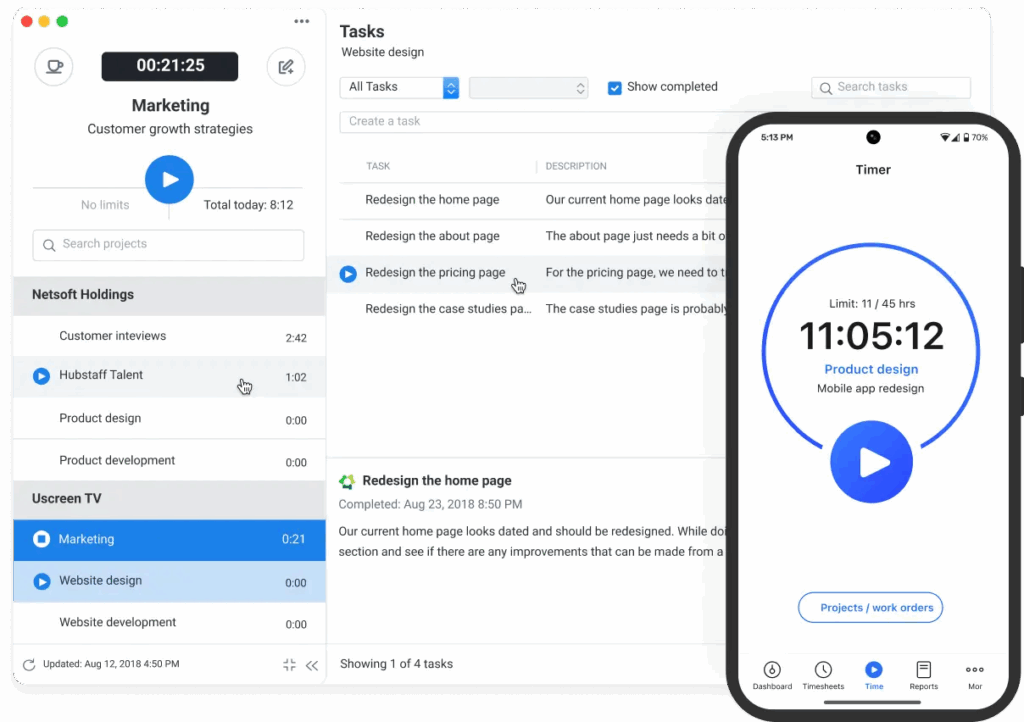
Hubstaff is a time tracking software platform built for teams that need more than just tracked hours — connecting time tracking with visibility into how work gets done and turning that data into budgets, reports, and payments. It works across Mac, Windows, Linux, Android, and iOS, making it easy for remote and hybrid teams to track time consistently, no matter where they work.
Tracked time in Hubstaff automatically becomes detailed online timesheets that teams can review, edit, and approve. Once approved, that same data flows into reports, budgets, and payment workflows through integrations — reducing manual admin and billing errors even when employees split their time between multiple projects or clients.
For field teams, Hubstaff adds location context to time tracking with GPS tracking and geofenced Job sites that can automatically start and stop time when a worker enters or leaves a location. Invoicing, expense tracking, and 35+ integrations with tools like Trello, Asana, and QuickBooks round out one of the most versatile time tracking apps on the market.
Limitations
Hubstaff doesn’t run native payroll and instead relies on payment integrations such as PayPal, Wise, Deel, and Gusto. While this provides versatility and allows you to pay your team on their preferred app, you will need to create accounts and set up integrations with the provider(s) you wish to use. While it works well for most teams, it may not be suitable for companies seeking a single, in-house payroll system.
Best For
Best for remote, hybrid, and distributed teams that need accurate time tracking across multiple projects, tasks, and clients, combined with visibility, budgets, reports, and payment workflows.
Pricing Plans
Starter – $4.99 per user/month, billed annually
Grow – $7.50/user/month, billed annually
Team – $10/user/month billed annually
Enterprise – $25/user/month (annual billing)
“Keeps our remote team on track every day.”
What do you like best about Hubstaff?
I’ve been using Hubstaff for over 4 years now, and it’s been a consistent part of how we manage our remote team. I love how easy it is to track time, check in on productivity, and even pull up reports when needed. The activity rates and screenshot features help keep everyone accountable without being overbearing. It’s super helpful, especially when working across time zones.”
2. Toggl Track – Best free time tracker for freelancers
Source: Toggl
Key advantages
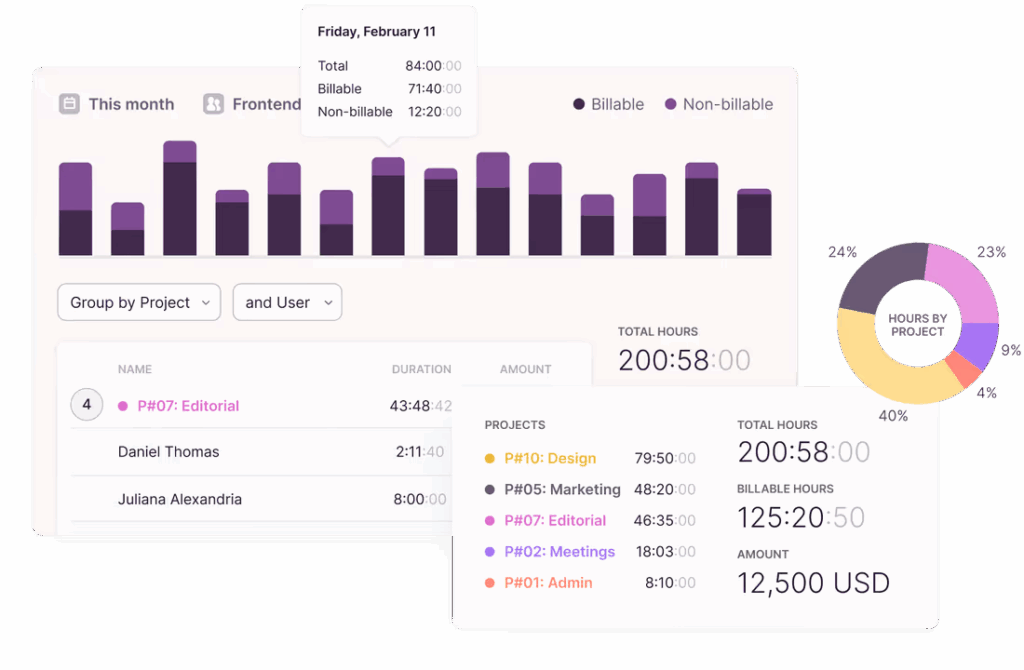
Toggl is one of the best small-market time tracking apps available, and it has a free plan for up to five users. A beautiful, intuitive interface makes it easy for users to track time, website visits, and app usage and create quick time entries with templates. It’s one of the shallowest learning curves of any tool on this list.
Limitations
Toggl lacks built-in timesheets and payroll functionality (or the ability to integrate with payroll tools and send payments from the app). You’ll need to export time tracking data to another tool to make payments.
Best For
Freelancers, small agencies, and independent contractors needing a sleek, lightweight tracker.
Pricing plans
Free plan
Starter – $9/user/month
Premium – $18/user/month
Enterprise – Custom pricing
3. Time Doctor – Best for monitoring remote employee activity
Source: Time Doctor
Key advantages
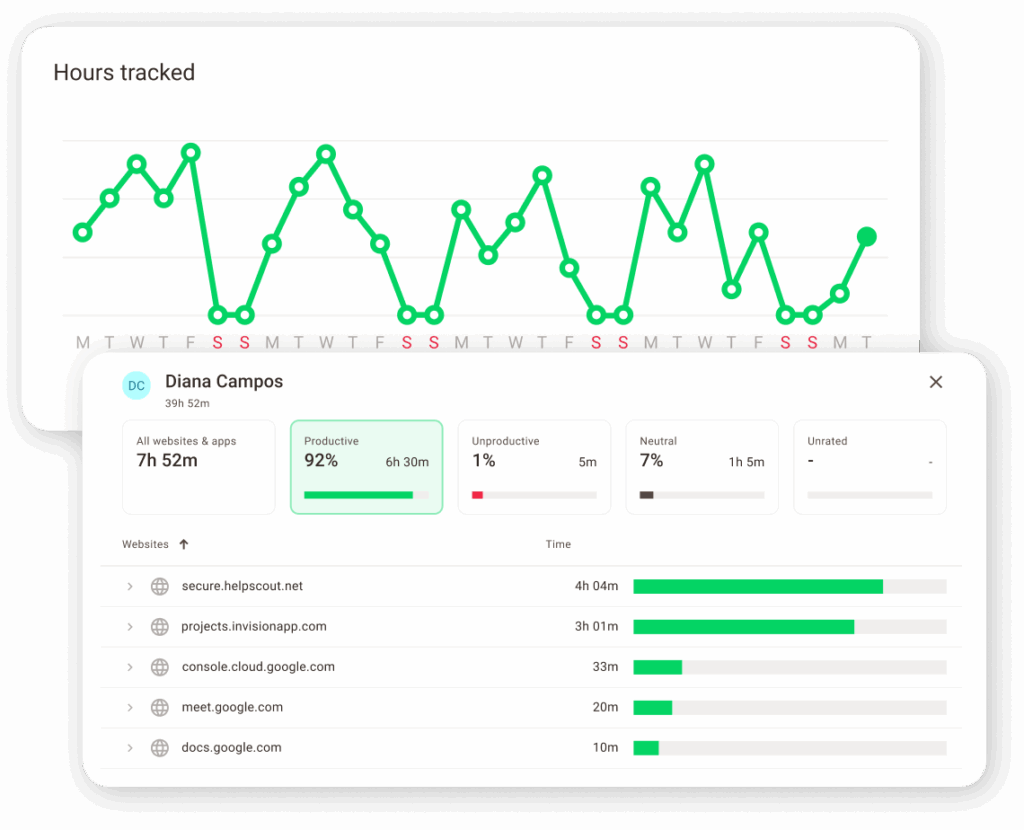
Time Doctor is more than a time tracker. It’s one of the most in-depth employee monitoring tools on the market, and it has video screen recording, alerts for inactivity, and scheduling and attendance tracking. These features keep both in-office and remote managers informed.
Limitations
Time Doctor lacks GPS tracking and built-in invoicing and relies on manually exporting CSV files to run payroll. Employees may also find video screen recording to be overly invasive if exploited outside of high-compliance or security-sensitive sectors.
Best For
Remote teams needing strict oversight and performance visibility.
Pricing plans
Basic – $6.7/user/month (billed annually)
Standard – $11.70/user/month (billed annually)
Premium – $16.70/user/month (annually) or $20 month-to-month
Enterprise – Custom pricing available upon request
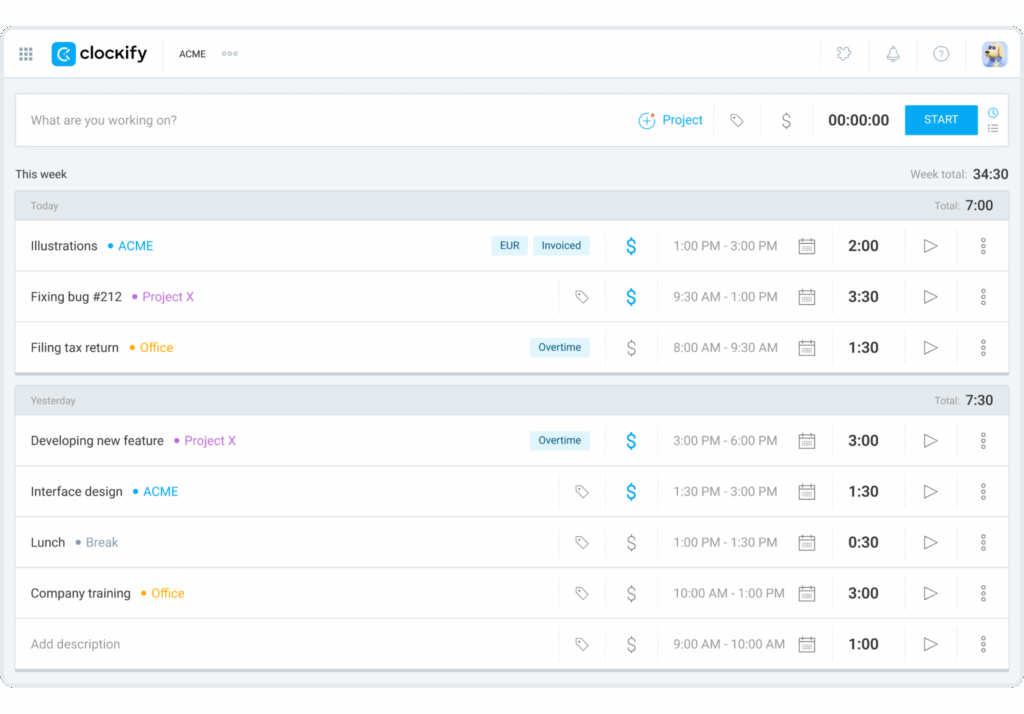
4. Clockify – Best for small businesses on a budget
Source: Clockify
Key advantages
Clockify is another versatile time tracking solution that boasts idle time detection, automated timesheets, and a versatile suite of integrations. It offers a free plan and the opportunity to upgrade as your team grows, which is great for small businesses on a budget.
Limitations
Clockify lacks payroll abilities and has limited productivity monitoring capabilities. For teams looking to delve into enterprise-grade workforce analytics, it’s probably best to go in a different direction.
Best For
Cost-conscious teams and startups looking for flexible/affordable time tracking.
Pricing plans
Standard – $5.49/user/month billed annually or $6.99 if billed monthly
Pro – $7.99/user/month billed annually or $9.99 if billed monthly
Enterprise – $11.99/user/month billed annually or $14.99 billed monthly
Bundle – $12.99/user/month billed annually or $15.99 billed monthly
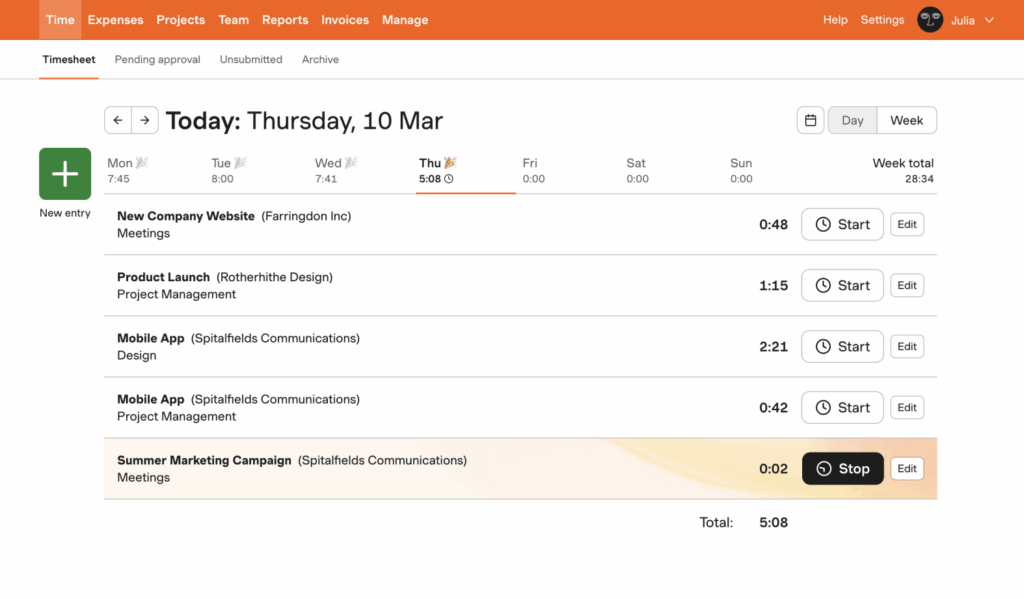
5. Harvest – Best for seamless tool integration
Source: Harvest
Key advantages
Harvest is another great time tracking solution. Like Toggl or Clockify, its intuitive interface makes it easy to onboard users as your team grows. The invoicing and reporting features are well-suited for managing client relationships and gaining better visibility on time spent on tasks and projects.
Limitations
Harvest is a pure time tracking tool. You won’t find built-in productivity monitoring features, payroll, or GPS tracking, but it’s reliable if you’re looking for basic tracking, invoices, expenses, and reporting.
Best For
Teams looking to plug time tracking into their existing SaaS stack.
Pricing plans
Free for individuals/freelancers
Pro – $11/user/month billed annually or $13.75 billed monthly
Premium – $14/user/month billed annually or $17.50 billed monthly
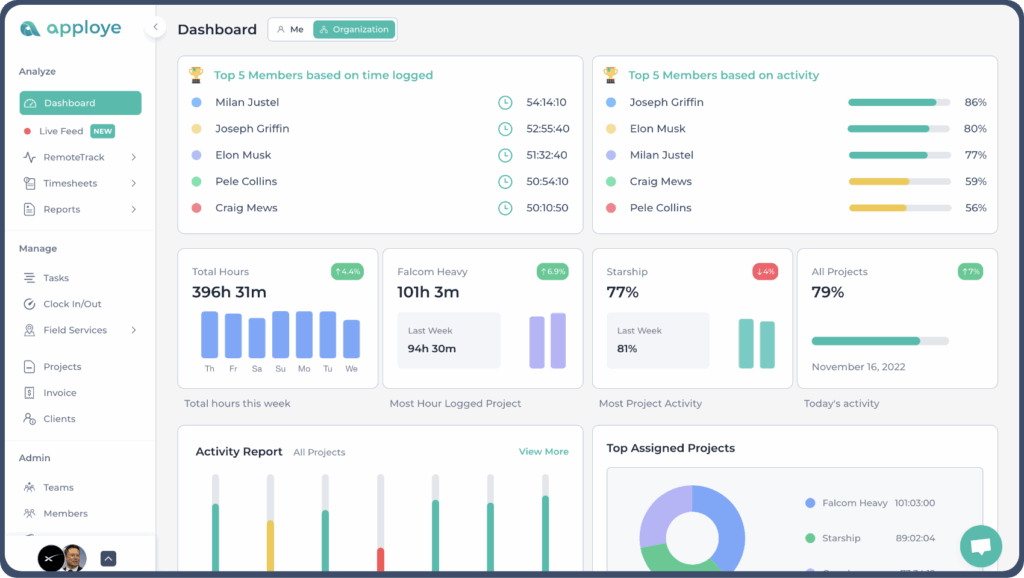
6. Apploye – Best for teams needing invoicing and budget tracking
Source: Apploye
Key advantages
This tool includes a Pomodoro timer to support focused work sessions, along with invoicing and budgeting features to help manage project finances. Its live project tracking view offers real-time visibility into progress and team activity.
Limitations
It doesn’t support payroll integrations, so teams will need separate tools to manage payments and compensation.
Best For
SMBs looking for work-life balance features and project-specific tracking.
Pricing plans
Standard – $2.50/user/month billed annually or $5/user/month billed monthly
Elite – $3.50/user/month billed annually or $7/user/month billed monthly
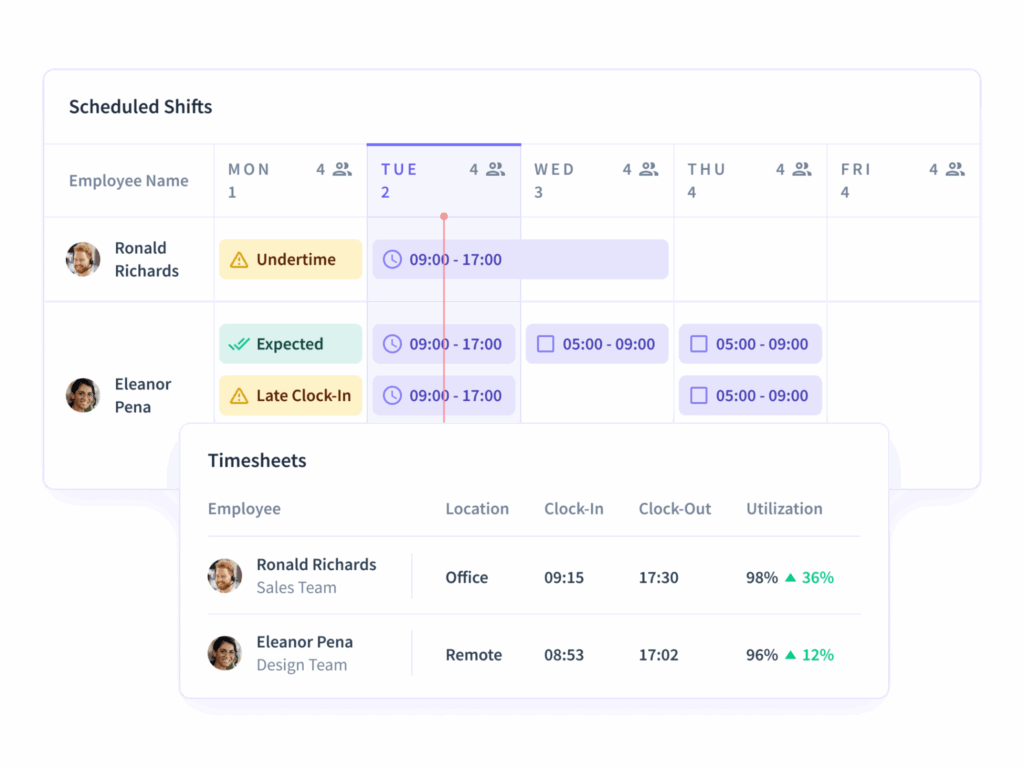
7. Insightful – Best for employee monitoring and process optimization
Source: Insightful
Key advantages
Insightful is a time tracker with a strong emphasis on employee monitoring. It goes a step further than tools like Hubstaff and Time Doctor, which have live screen monitoring features for real-time feedback. Shift scheduling, attendance tracking, and custom reports round out a versatile tool.
Limitations
Like other tools on this list, Insightful lacks payroll functionality and GPS tracking. But, like Time Doctor, the real draw back is likely the overly intrusive live screen monitoring features that can lead to micromanagement and damage employee trust.
Best For
Companies requiring high levels of employee oversight and data analysis.
Pricing plans
Productivity Management – $8/month billed monthly
Time Tracking – $10/user/month billed monthly
Process Improvement – $15/user/month billed monthly
Enterprise – Custom pricing is available upon request
8. DeskTime – Best for intuitive time tracking with scheduling
Source: DeskTime
Key advantages
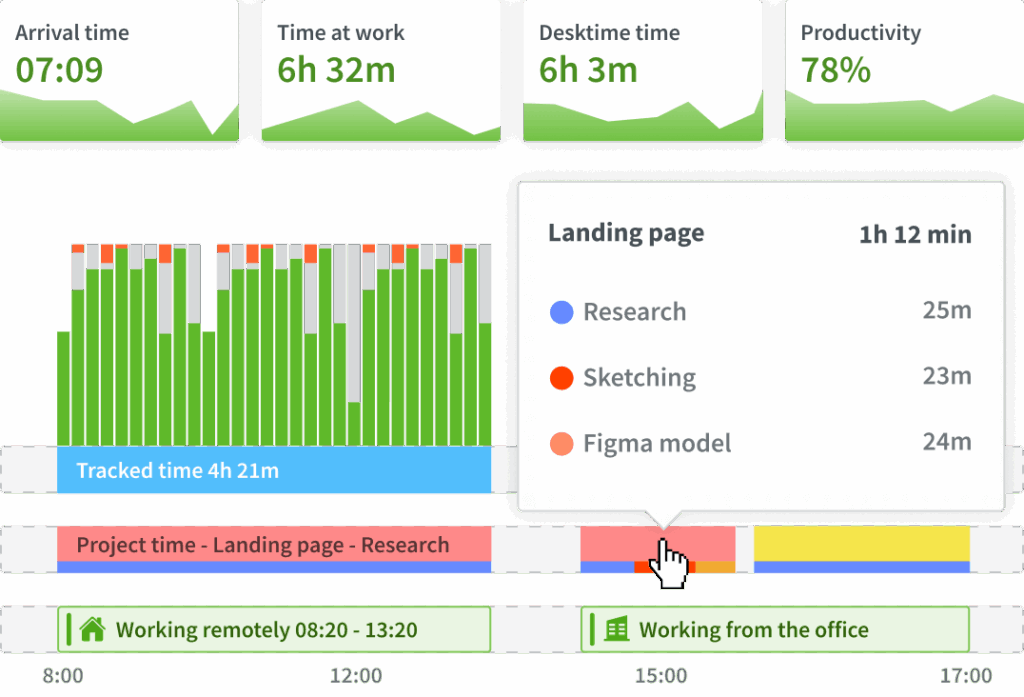
DeskTime is an impressive blend of automatic time tracking, reporting, and scheduling. It also has an absence management feature to manage team availability and integrates with your favorite tools.
Limitations
DeskTime has similar limitations to other tools on this list, with a lack of GPS and geofencing features and limited payroll capabilities.
Best For
Teams seeking easy onboarding and basic reporting.
Pricing plans
Free plan
Pro – $7/user/month
Premium – $10/user/month
Enterprise – Custom pricing is available upon request
9. Early App (formerly Timeular) – Best for physical time tracking and ease of use
Source: Early App (formerly Timeular)
Key advantages
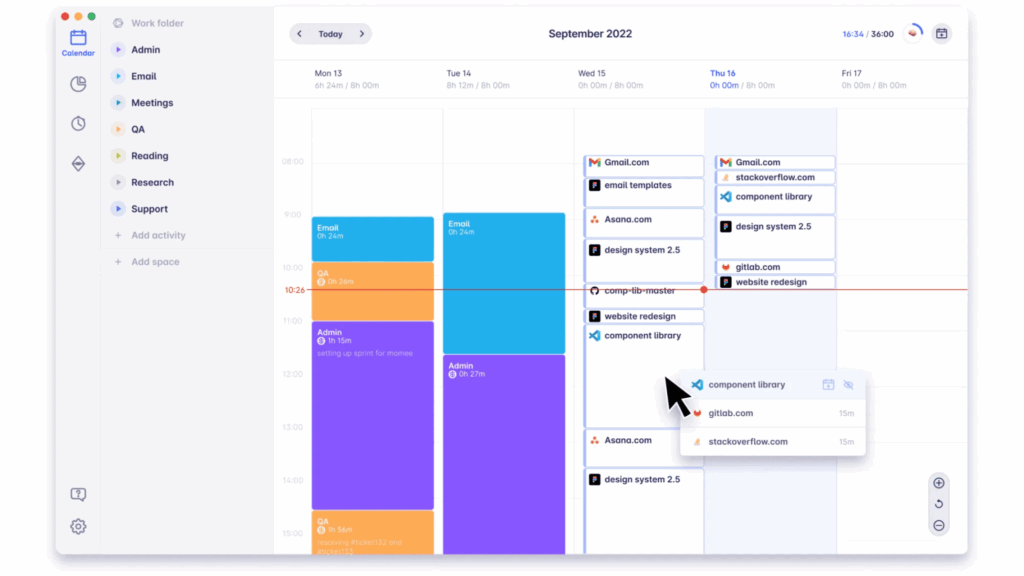
Early App (formerly Timeular) is an easy-to-use time tracking device — even when users are away from their computers. It helps managers monitor time-off, overtime, and app usage in an intuitive calendar view.
Limitations
Early App lacks payroll and employee monitoring features that provide context to the hours teams are working.
Best For
Users who value simplicity over advanced monitoring features.
Pricing plans
Personal – $7.50/user/month
Personal Pro – $11.70/user/month
Team – $15.80/user/month
Enterprise – Custom pricing
Frequently asked questions on tracking work hours effectively
What is a good app to track your hours?
We might be biased, but Hubstaff is a solid choice. In addition to time tracking, it offers comprehensive features like automated timesheets, project budgeting, invoicing, and payroll, making it suitable for businesses of all sizes.
How do you track work hours?
To track work hours, you can either track time manually or use a time tracking app. All the apps that are best for time tracking help you meet your goals by improving productivity, helping you stay on top of project budgets, or maintaining accurate records.
Use an automatic time tracker and regularly make manual updates to your time entries as needed. From there, you can review your tracked data and use the additional features at your disposal to improve your time management.
Is there an hours tracking app for self-employed professionals?
Yes, there are several apps designed specifically for self-employed individuals and solo entrepreneurs. These apps allow you to track time, manage online timesheets, and generate invoices with just a few clicks. Check out the free apps we mentioned above to get started.
Choosing the right time tracking app is no longer about features but solutions
Empower your teams to do their best work and have their most productive day wherever they are. Whether managing a remote startup, scaling a hybrid workforce, or running field operations, the best time tracking apps can help you boost productivity, improve team accountability, and gain the clarity to make better decisions.
With advanced productivity insights, built-in payroll, GPS functionality, and seamless integrations, Hubstaff goes beyond time tracking; it helps you lead with data, optimizing the entire workflow.
Start your free 14-day trial or book a demo to see how Hubstaff can streamline time tracking and productivity for your team.
Most popular
How Companies Track Time: Insights from 84M+ Hours Logged on Hubstaff
Time tracking sounds simple in theory, but how companies track time can vary drastically based on industry, location, and other fa...
The ROI of AI in Workforce Tools: Measuring Business Impact in Distributed Teams
It’s hard to pinpoint the exact moment AI became the standard in tech, but it’s a bit strange to picture a time before it now....
7 Tools That Help Teams Monitor AI Usage at Work in 2026
AI is everywhere. Adoption continues to grow, but from monitoring AI usage, we’ve learned that daily use is still a mixed bag, a...
Hidden AI Usage in the Workplace: What Your Tools Don’t Tell You
How much has AI changed your team’s work? On the surface, work might not look that different. The meetings are still there, docu...