What’s New at Hubstaff: Product Updates & Feature Announcements

 12 min read
- In Q3 2026, workforce data became AI-ready with the new MCP Server, five new Insights API endpoints, an upgraded Developer Portal, and Insights CSV exports.
- In Q3 2026, global payroll got simpler with new Remote.com and Sprout integrations, expanded Wise bank payouts, and a detailed payment breakdown page.
- Catch up on every quarterly update from Hubstaff, all in one place.
Whether you’re leading a high-velocity tech team, outsourcing global talent, or running a fast-paced agency, the underlying goal is to ensure efficient, data-driven, and compliant operations.
That’s why our Hubstaff product updates strive to help you grow your business and adapt to the demands of your industry with precision time tracking, productivity insights, and project management.
In this quarterly roundup, we’ll share the latest product innovations, feature releases, and company news — all designed to help you streamline operations, boost team efficiency, and confidently scale.
Whether you’re already part of the Hubstaff ecosystem or just discovering how we’re evolving, this is your go-to update for everything new and next.
Let’s get started.
Hubstaff Walkthrough
Dive into our interactive demo and explore the features that make managing global teams easier than ever.
Q3 2026 Updates
In Q3, we’ve introduced new ways to explore workforce data, simplify global payments, and manage teams more efficiently. From AI-powered insights to new integrations and reporting, these updates are designed to improve your workflows and help you make better decisions with less manual work.
Check out the latest updates below.
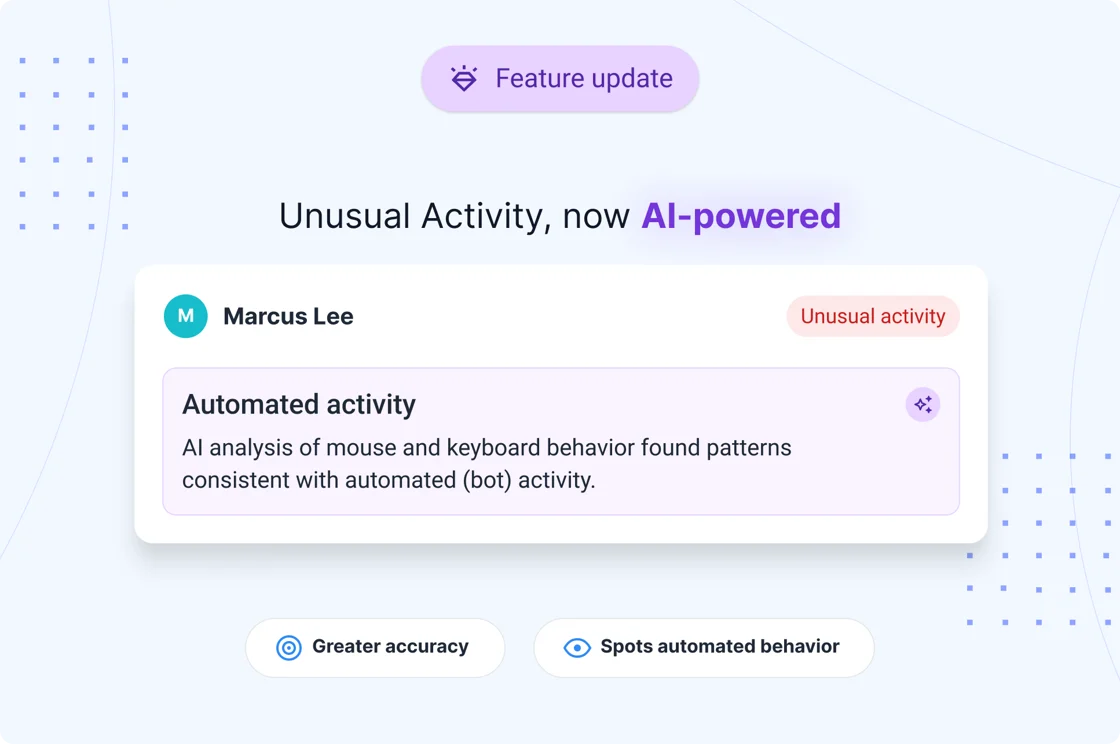
Unusual Activity, now AI-powered
Spot unusual activity patterns with greater accuracy. Hubstaff Unusual Activity now uses AI-powered detection to identify keyboard and mouse activity patterns that may indicate automated behavior, helping managers investigate unusual activity with more context.
New Insights API endpoints
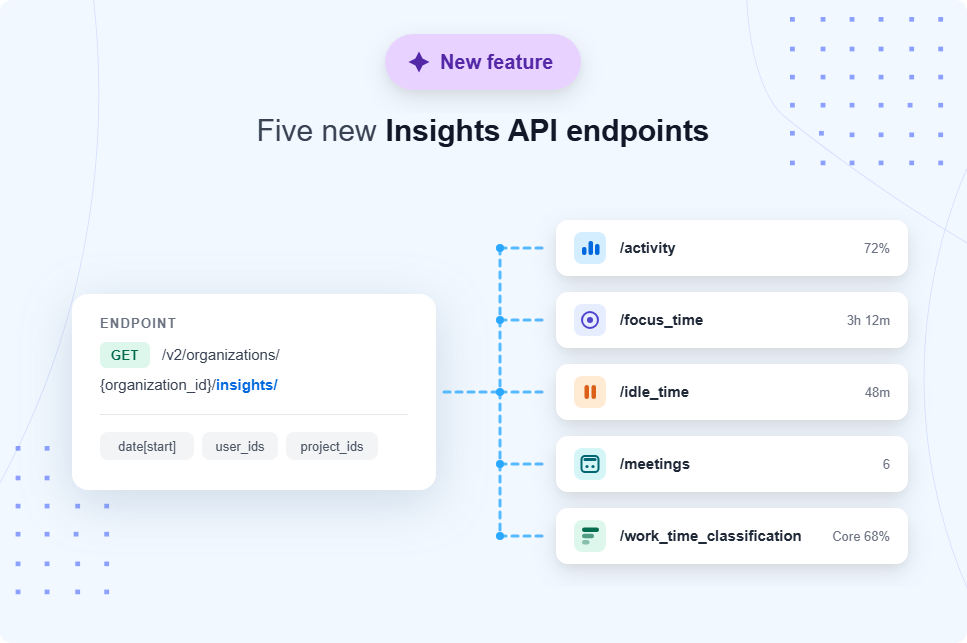
Bring workforce insights into your own reports and workflows. Five new Insights API endpoints give you access to activity, focus time, idle time, meetings, and work time classification data. You can also access the data via Hubstaff’s CLI and MCP server, as well as compatible AI assistants like Claude and ChatGPT.
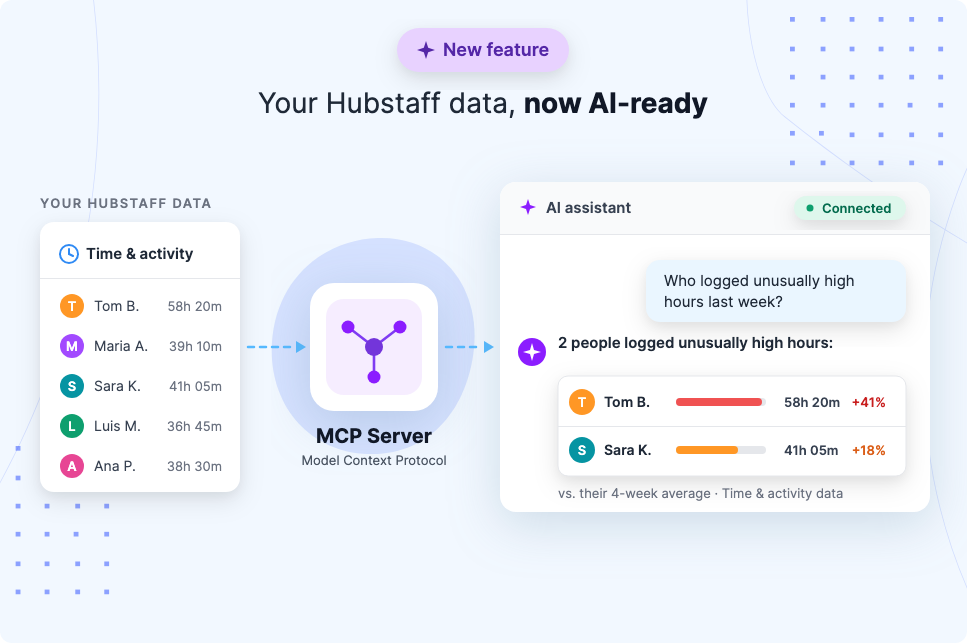
(NEW!) Hubstaff MCP Server
Your Hubstaff workforce data is now AI-ready. Connect Hubstaff to AI tools to ask questions about your team’s work patterns, identify anomalies, and uncover insights without having to build reports manually.
Remote.com integration
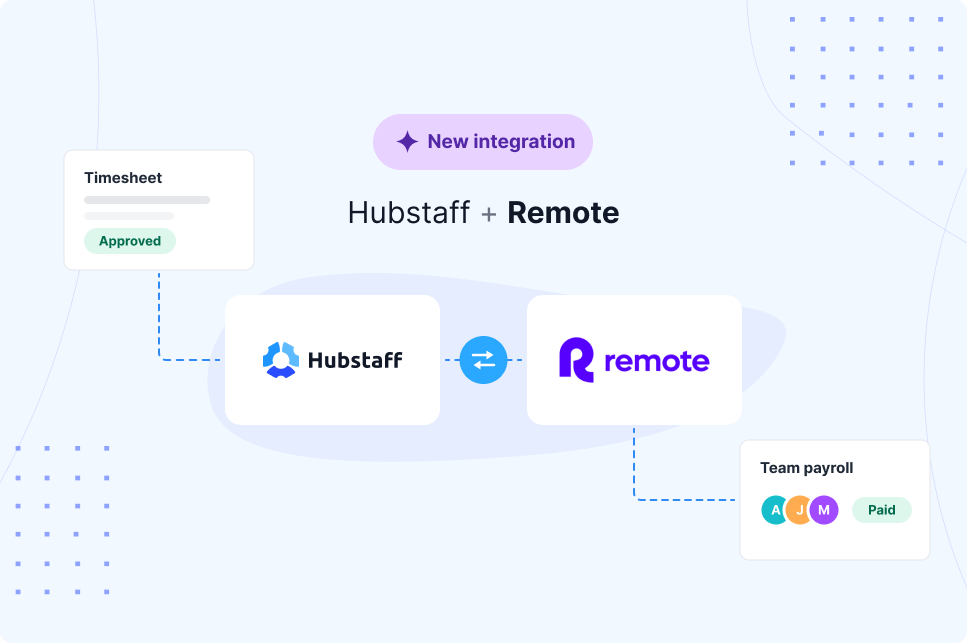
Simplify payroll for distributed teams with the new Remote.com integration. Sync approved timesheets directly from Hubstaff to Remote.com to reduce manual work and support accurate, timely payments.
Expanded Wise Bank Payouts
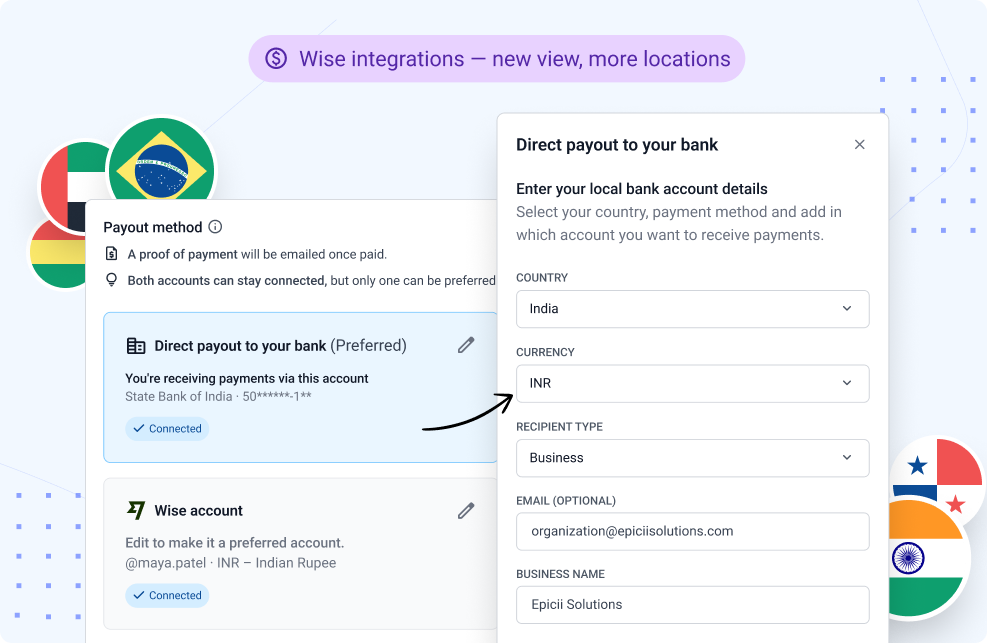
Paying global teams just got more flexible. With the upgraded Wise integration, team members in more locations can receive payments directly into their local bank accounts by selecting their country and preferred payout method.
Invite links upgrade
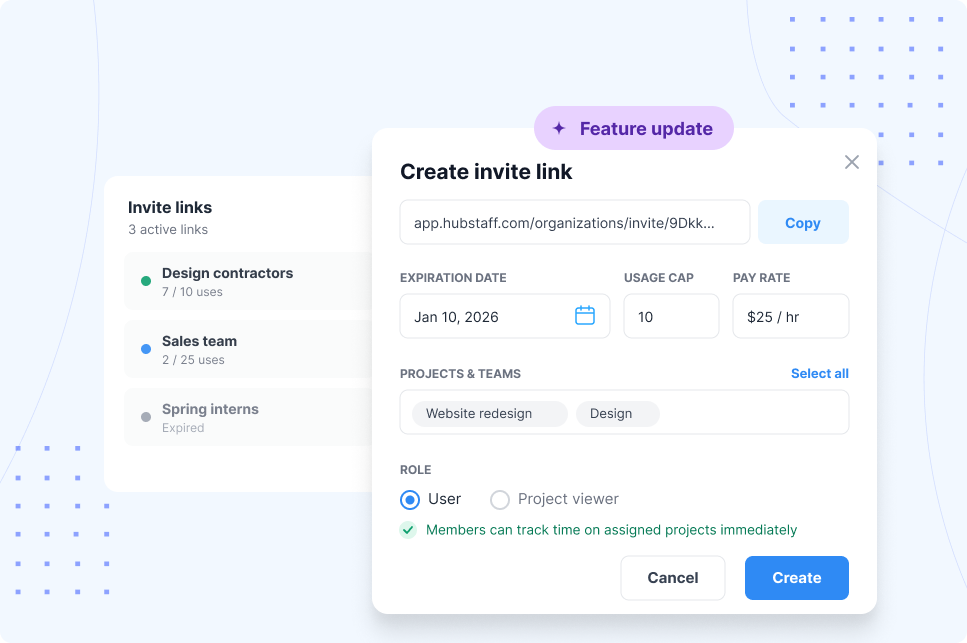
Bring new team members on board faster with reusable invite links. Configure roles, projects, and teams in advance, then share the links through welcome emails, internal portals, or automated workflows.
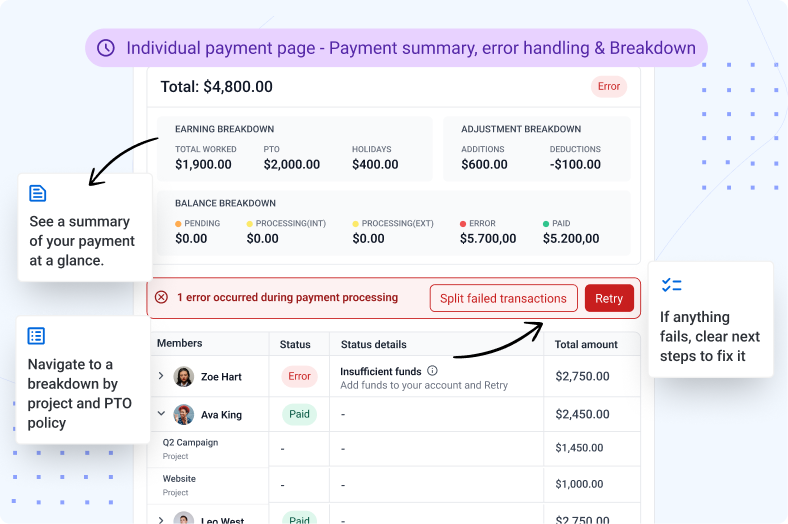
New payment page: Every payout, down to the last detail
Get a clearer picture of every payment processed. Open an individual payment to view a detailed breakdown of earnings by project, PTO policy, and adjustments. If a payment encounters an issue, you’ll also see what happened and the steps needed to resolve it.
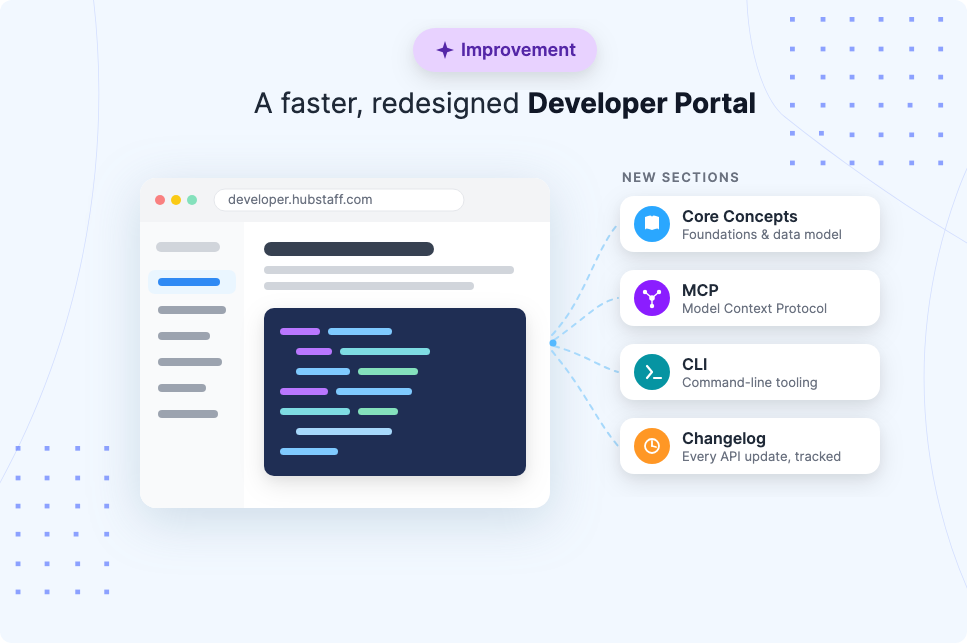
Upgraded Developer Portal
Building with Hubstaff’s public API is now easier than ever. The upgraded Developer Portal offers clearer documentation, improved navigation, and new sections to help developers explore integrations and connect Hubstaff with existing workflows.
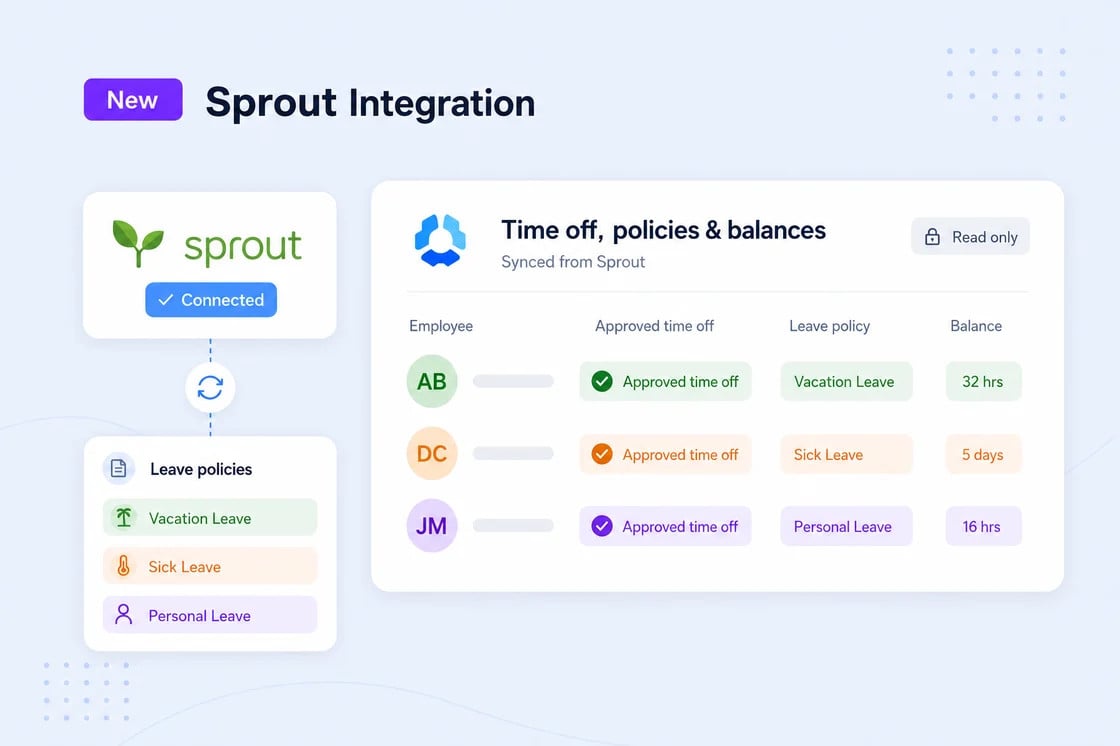
Sprout integration
Keep time tracking and payroll connected with the new Sprout integration. Automatically send approved Hubstaff timesheets to Sprout HR to sync clock-ins and streamline payroll processing.
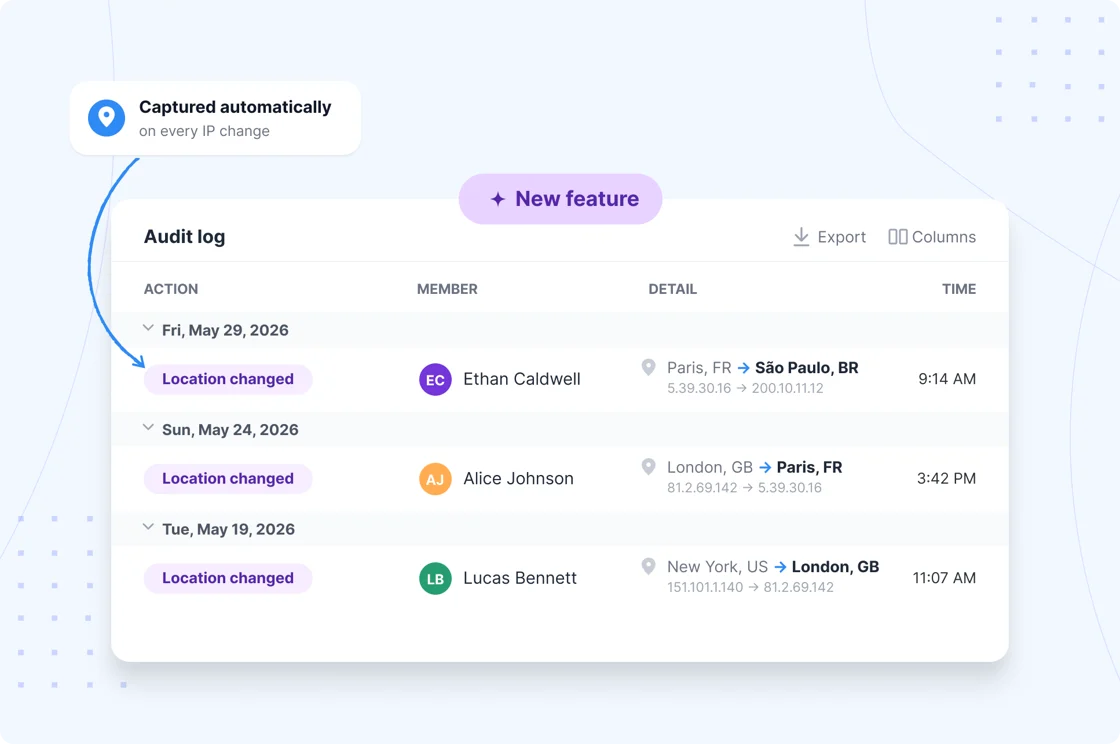
Geo tracking audit logs
Get better visibility into account access and location changes. Enterprise organizations can review IP and location changes through audit logs, receive Geo-IP Smart Notifications for unexpected login locations, and use the Audit Logs API to support security and compliance workflows.
Export Insights performance data to CSV
Take your workforce analysis further with CSV exports from Insights. Export metrics such as focus time, meetings, and core work, with one row per team member per day. Teams using Remote vs. In-office can also see metrics separated into remote and office columns for easier comparison.
Q2 2026 Updates
We’ve rolled out several new updates in Q2, refined existing features, and continued to improve the user experience based on your feedback.
Check out the new updates below:
We’ve rolled out several new updates in Q2, refined existing features, and continued to improve the user experience based on your feedback.
Check out the new updates below:
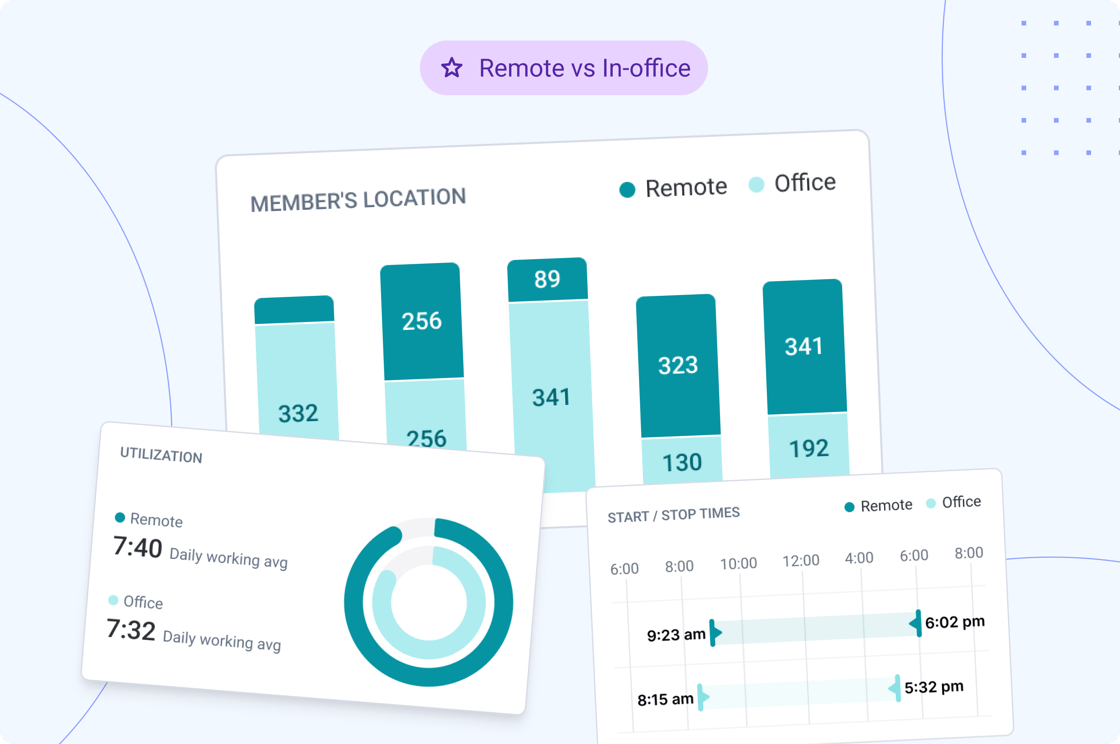
(NEW!) Remote vs. in-office productivity
Get clear visibility into how your team performs across remote vs. in-office locations. From average hours to focus time and activity levels, Hubstaff helps you understand and optimize productivity no matter where work happens, including co-working spaces and flexible environments.
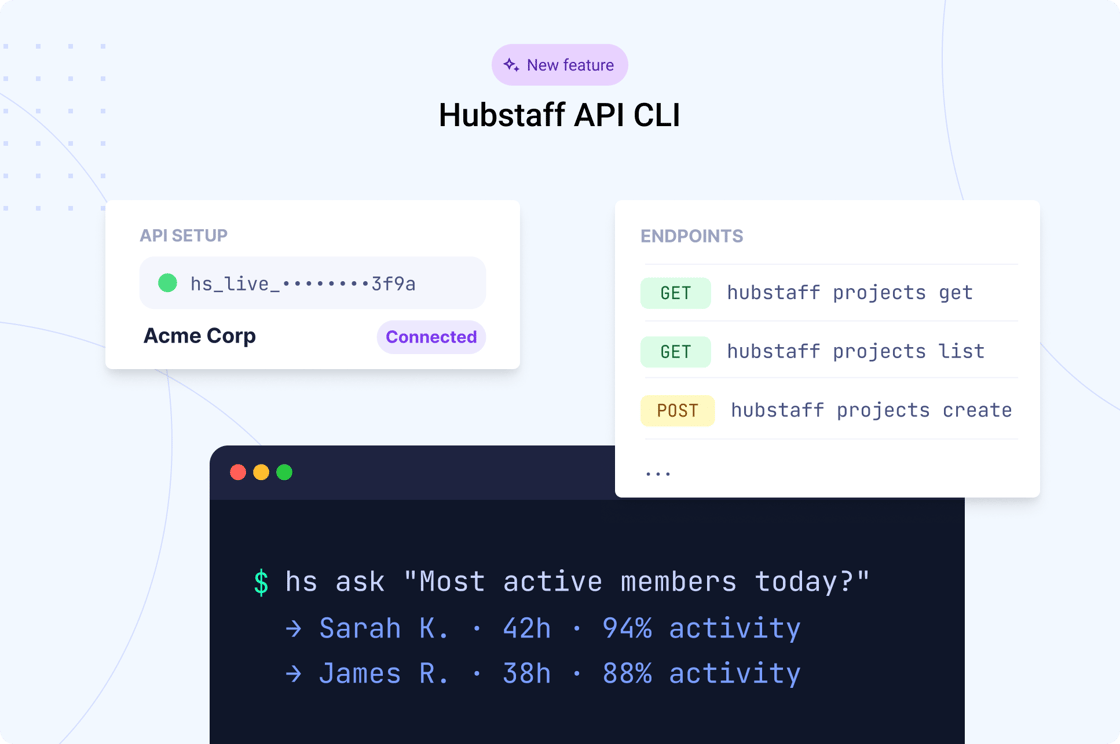
NEW!) Hubstaff API CLI
A faster way to work with the Hubstaff API from your terminal. Explore endpoints, run commands, and access data directly from the command line.
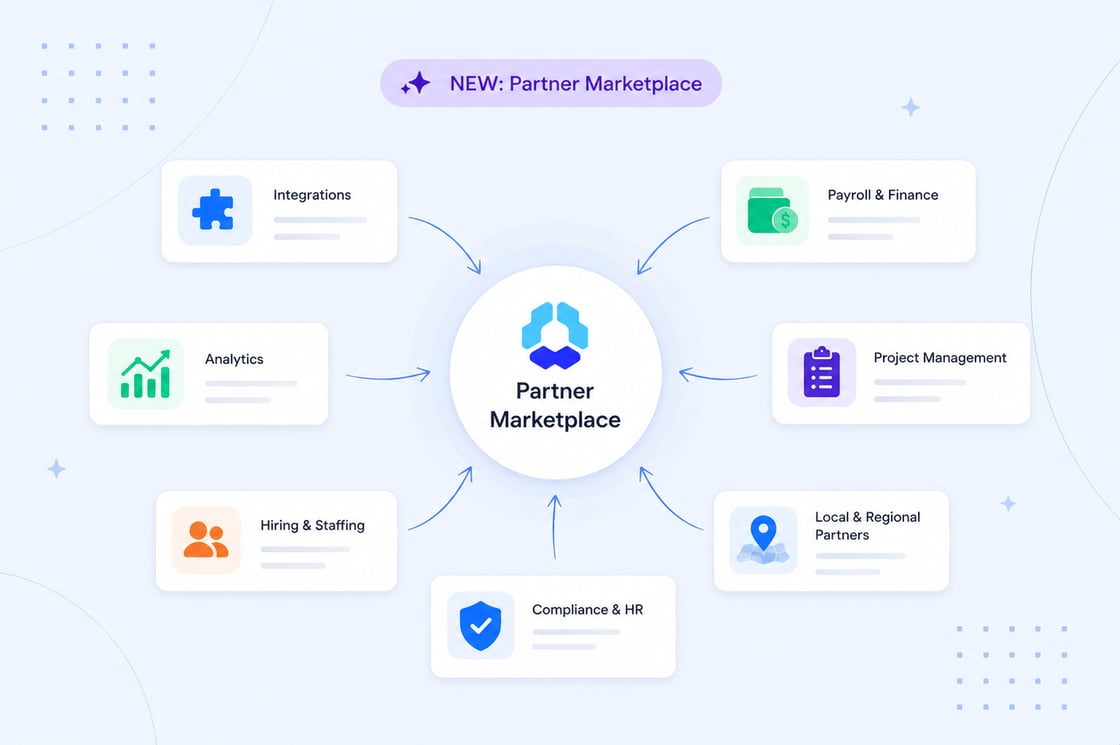
Hubstaff Partner Marketplace
Find trusted tools, services, and integrations that work well with Hubstaff. Browse Hubstaff Partner Marketplace by category or region, explore featured solutions, and discover new ways to support your team’s workflows.
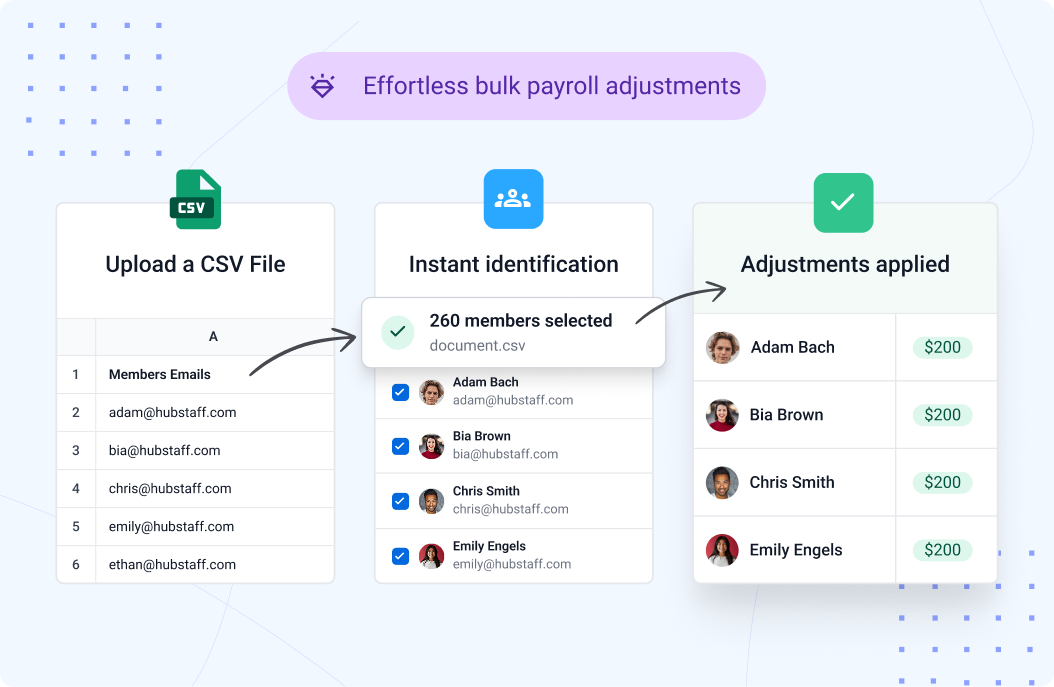
Payroll adjustments just got faster
Adding bonuses one by one is a thing of the past. Upload a CSV, and Hubstaff instantly applies payroll adjustments across your entire team, bundled into their regular pay, no separate transactions.
NEW: A better way to manage payroll is here
Your payroll setup just got an upgrade. Everything you need to manage your team’s payroll is now in one place, easier to configure, easier to track, and ready for your next run at a glance.
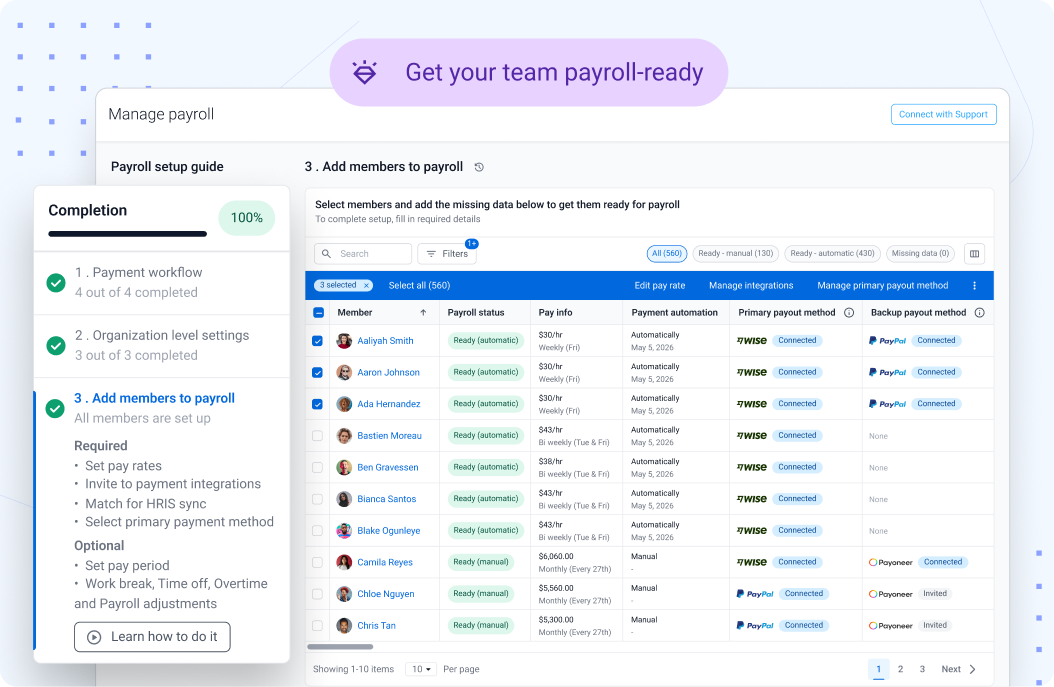
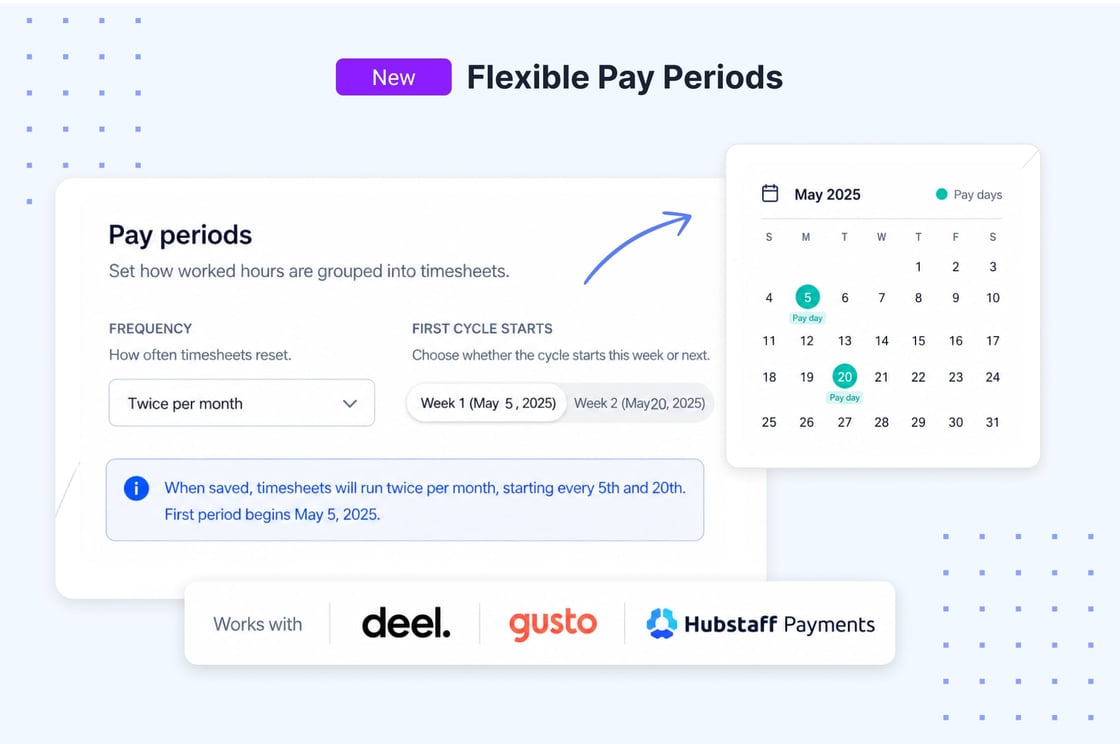
Flexible pay periods
Stop reconciling Hubstaff hours against your payroll calendar by hand. Weekly, biweekly, monthly, or semi-monthly. Start on any day that matches how you actually pay.
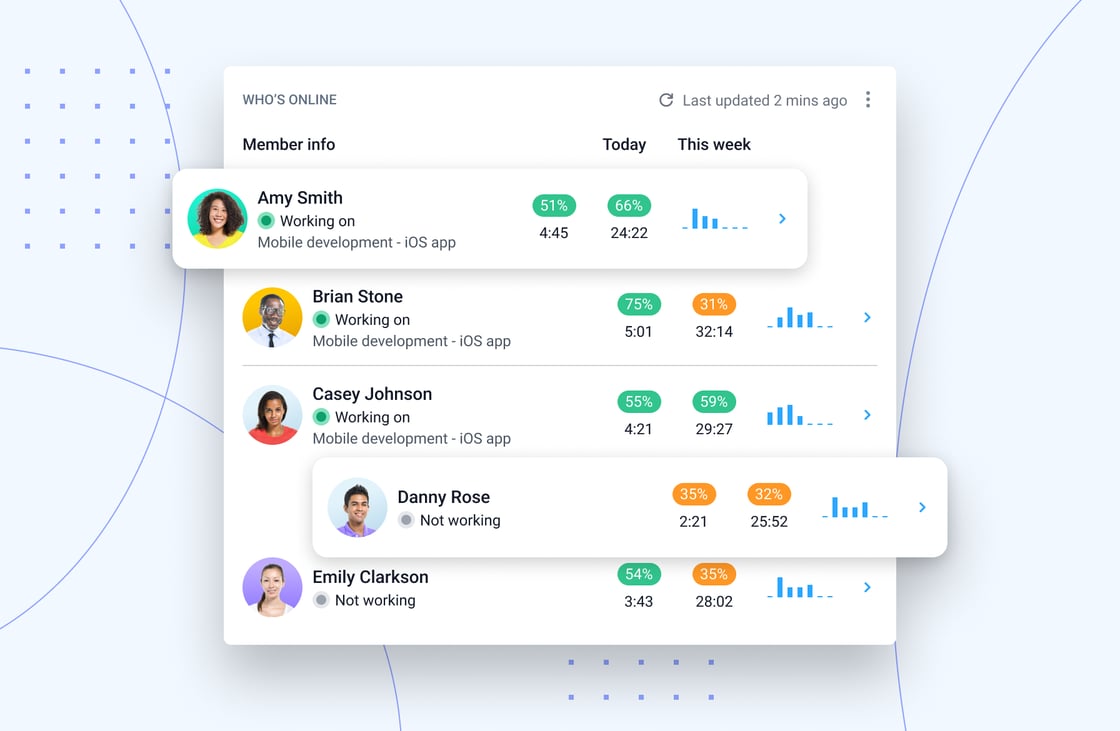
See Who’s Online
Enhancements to the Members dashboard view to see who’s actively working right now. Real-time online status, a quick refresh option, and one-click access to today’s screenshots help managers stay connected to team activity as it happens.
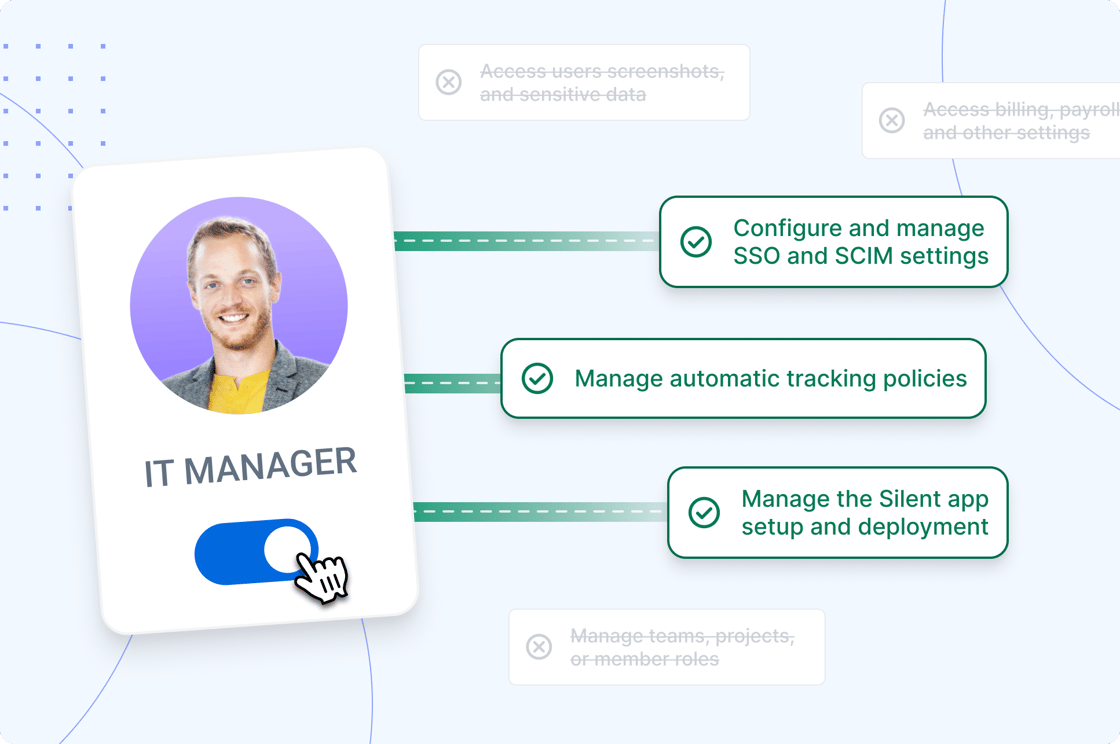
IT Manager Role
Give IT teams the access they need without exposing sensitive employee data. The new IT role lets technical admins access Silent app pages, SSO, and SCIM while keeping productivity insights, screenshots, and other private monitoring data protected.
Q1 2026 Recap
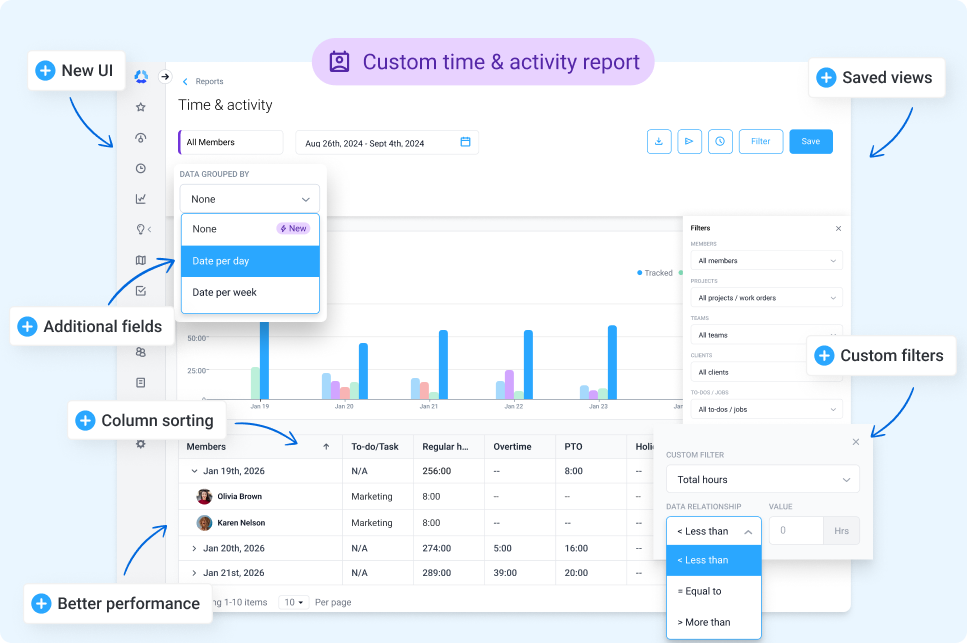
New Time & Activity report
Introducing the new Time & Activity report: A redesigned UI with improved performance, flexible grouping and column sorting, custom filters, and saved views. With the new report, you’ll gain better visibility into employee performance and improved customization, making it easier to share and analyze data with key stakeholders.
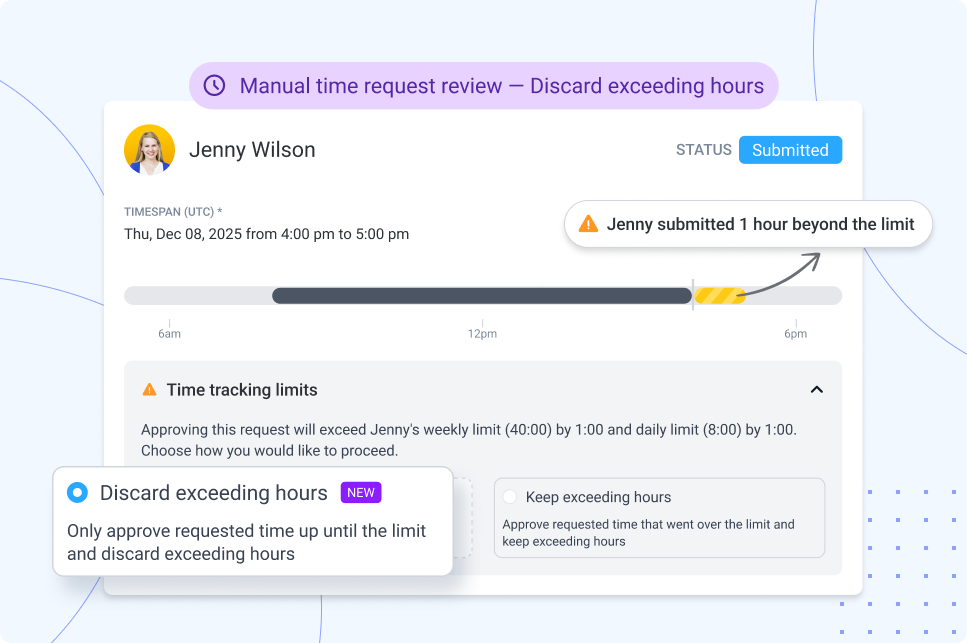
Manual time request review: Discard hours that exceed limits
With this update, Hubstaff now automatically discards any manually added time that exceeds your configured limits to keep timesheets accurate and aligned with the rules you’ve set. The goal? More accurate timesheets for streamlined payments.
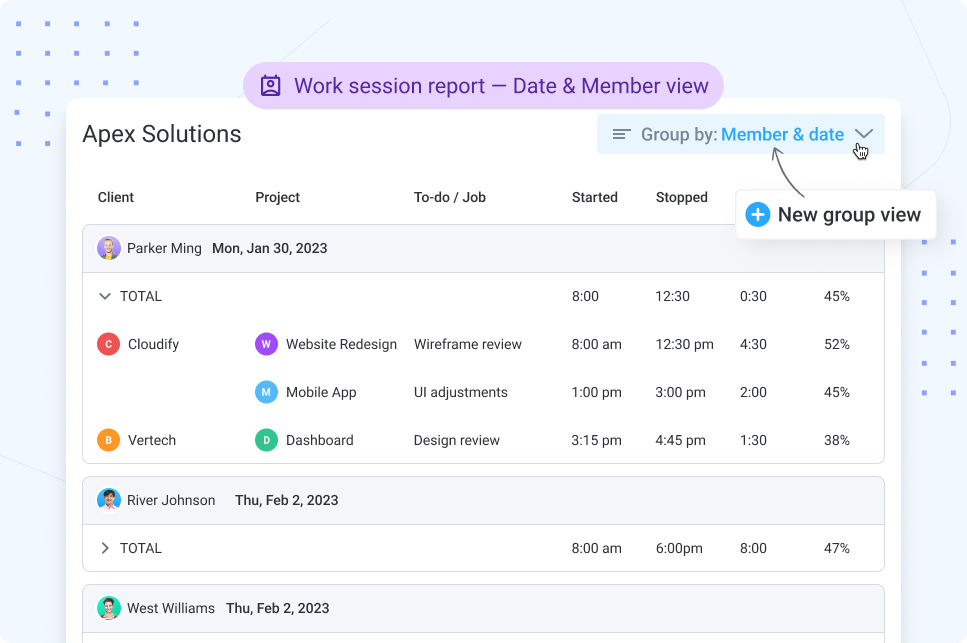
Work session report: New ‘Group By’ view
A new daily ‘Group By’ view shows users the first start, last stop, and total duration of the day in a single, clean row.
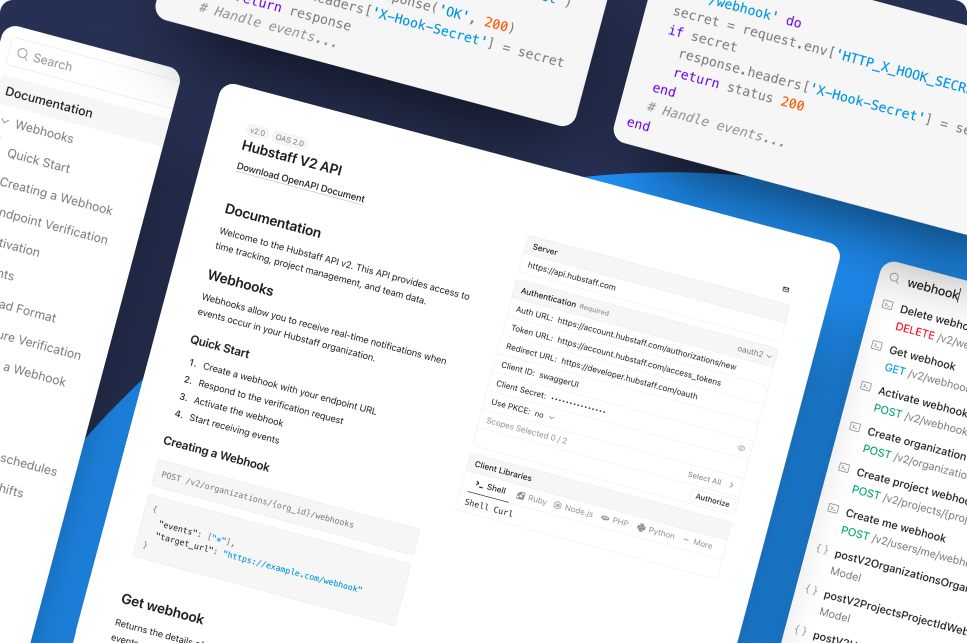
Updated: Hubstaff developer docs
We’ve launched an updated Hubstaff developer page to make building with our API easier and more transparent than ever. Explore clear documentation, endpoints, and examples to help you integrate Hubstaff into your workflows faster and with less friction.
Reporting for Insights
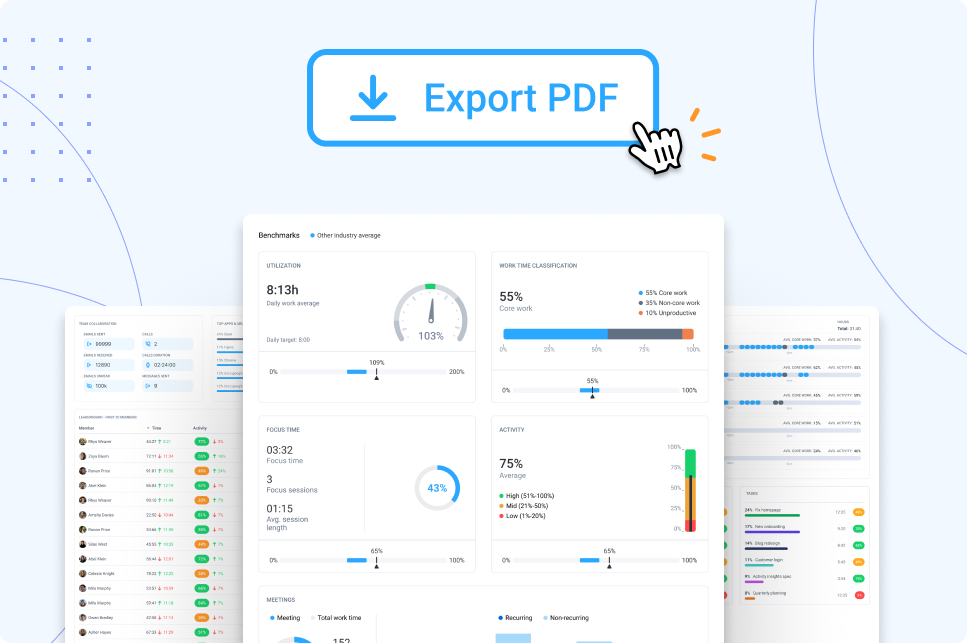
With Insights, you can now export the Performance page as a PDF. It’s perfect for sharing with leaders, clients, or your team and turning data into action fast. The best part? It’s just the beginning. Next, we’ll bring Work time classification, Focus time, Meetings time, and more into the Time & Activity report.
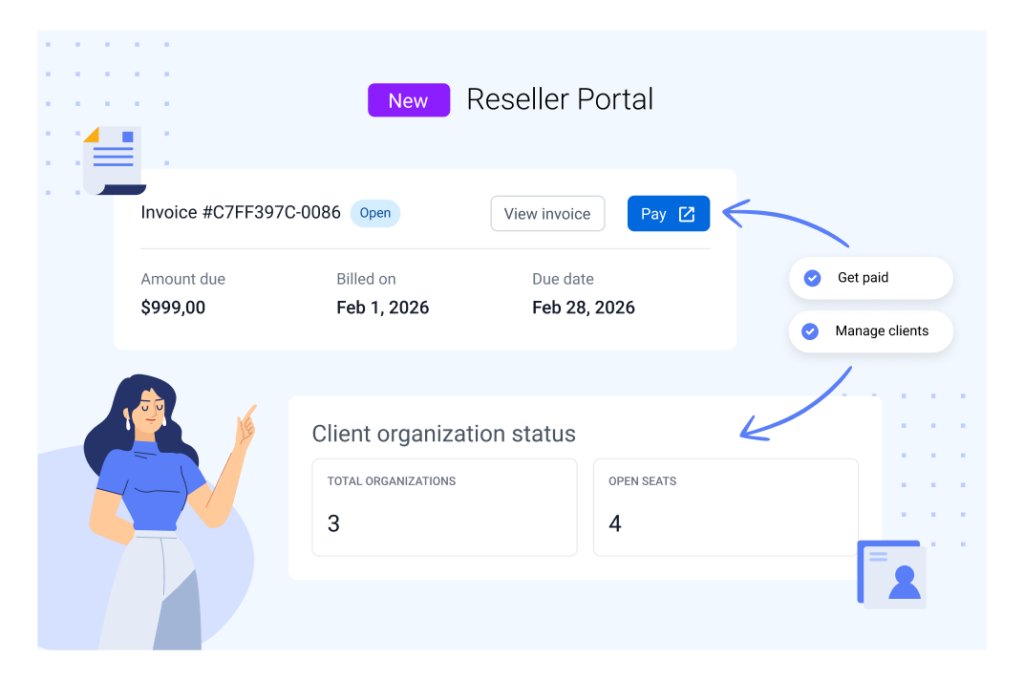
NEW: Hubstaff Reseller Program
We’re excited to officially launch the Hubstaff Reseller Program. Whether you’re an MSP, consultant, or operations partner, this portal makes it easier to manage clients and get paid accurately for the value you’re providing.
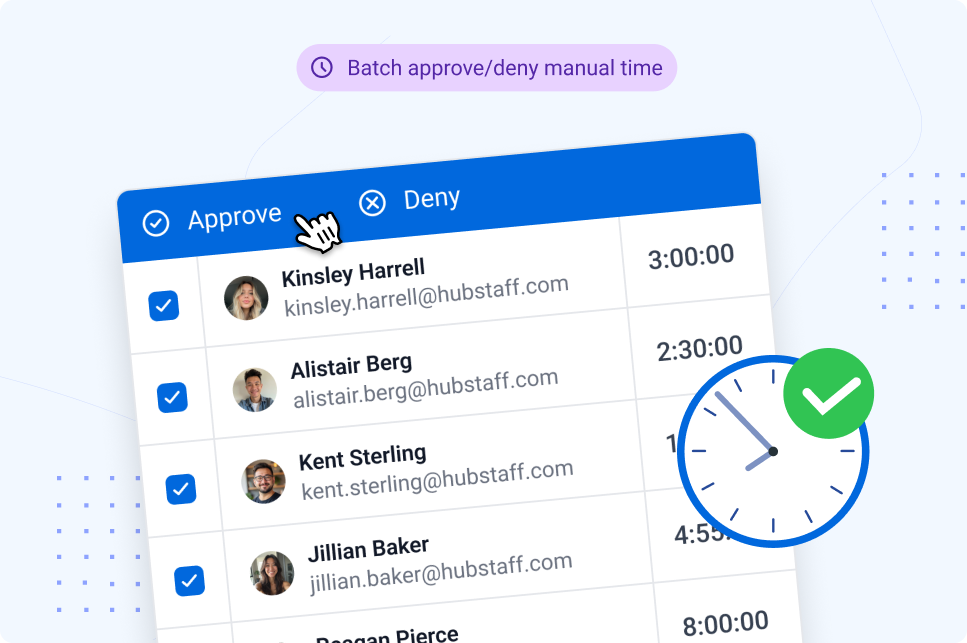
Batch actions for manual time requests
You asked, and we listened. With the new batch actions feature, users can approve or deny multiple manual time requests at once, saving time and reducing manual effort.
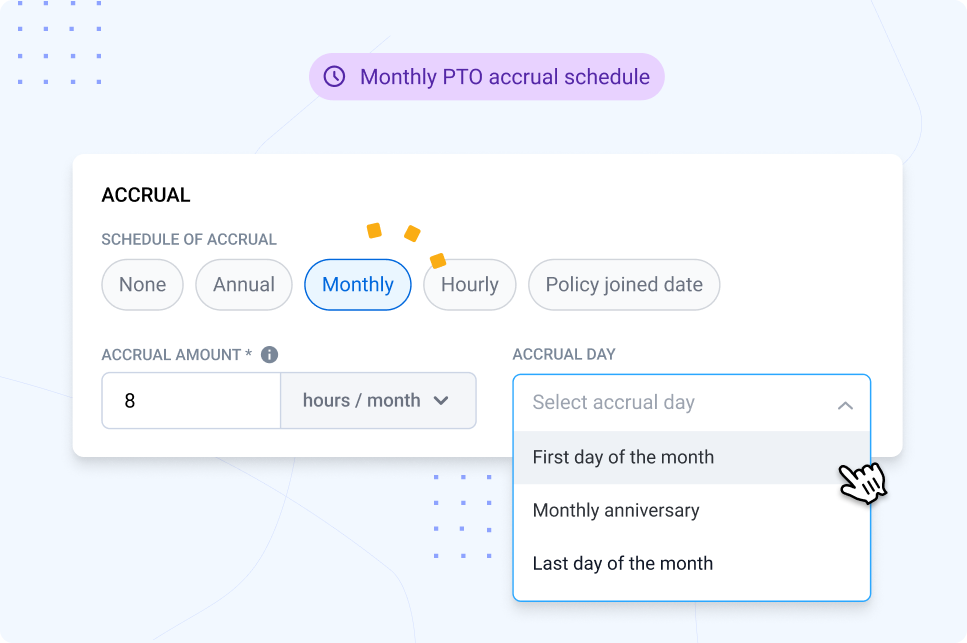
Monthly PTO accrual
With the new Monthly PTO accrual feature, users now accrue PTO monthly for more predictable balances and flexible time-off policies.
New updates to the performance page
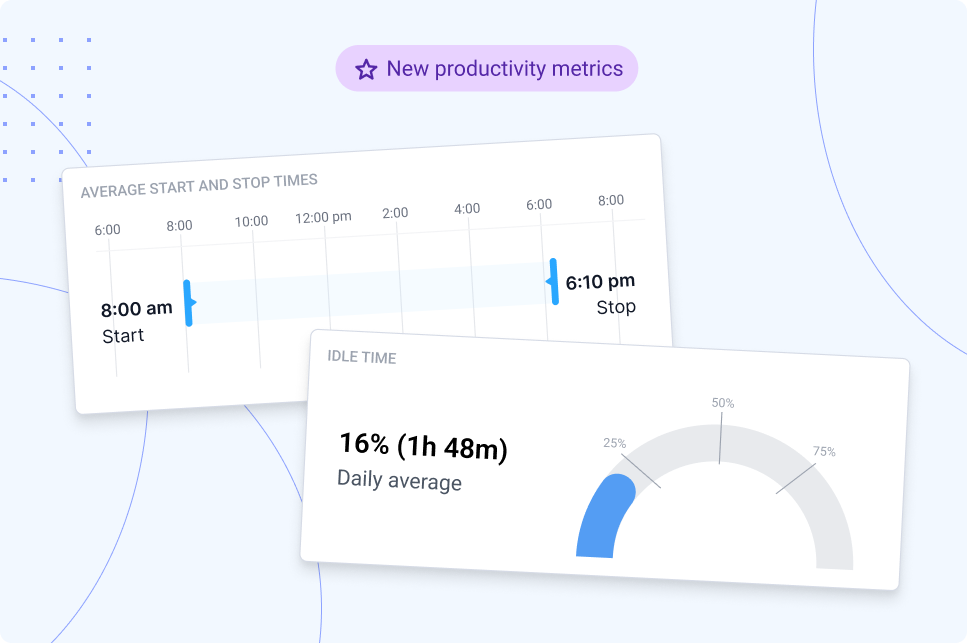
We’ve added start and stop times, a new idle time widget, and idle time tracking in the leaderboard so you can gain a better understanding of how work actually happens across all areas of your business.
API endpoints: Time Off
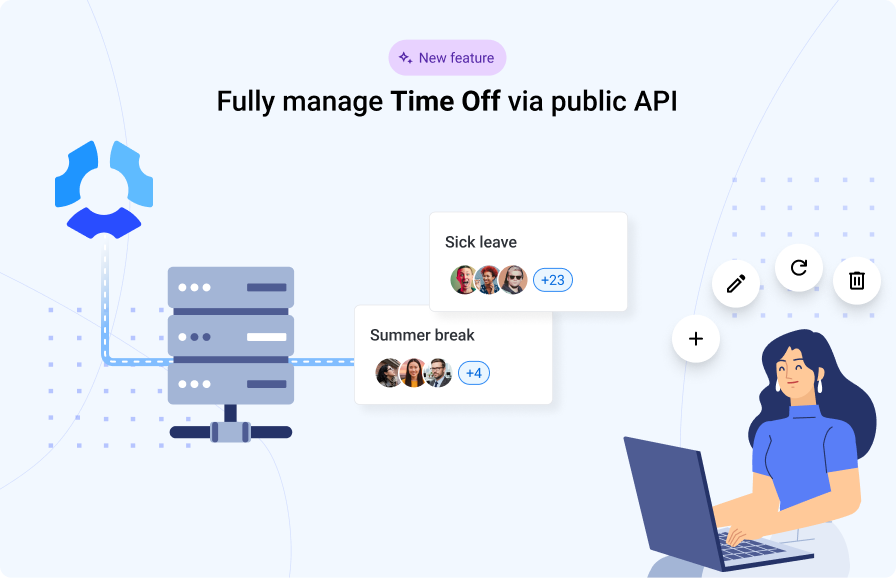
Users can now build deeper integrations with new Time Off endpoints. Automate requests, approvals, and time-off management via the Hubstaff API.
Q4 2025 Recap
Hubstaff Wrapped 2025
This year, Hubstaff users around the globe logged over 240 million hours on more than 3 million tasks. We pulled together a few standout insights that show how work actually happened across our customer base in 2025:
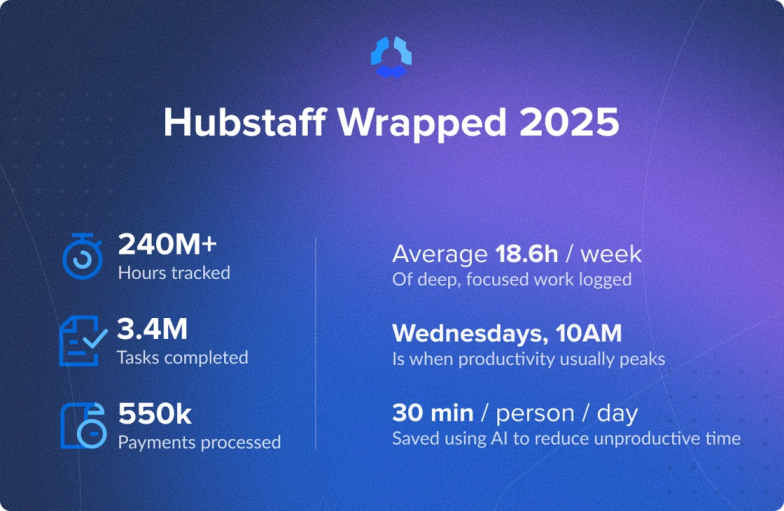
- 18.6 hours of deep work logged. The data showed that Hubstaff users were locked into deep, focused work for nearly half the work week.
- 10:00 AM is when productivity peaks. We discovered that Wednesdays at 10:00 AM were the average peak productivity time.
- AI saves users 30 minutes per day. AI solutions like ChatGPT, Perplexity, and Google Gemini saved users half an hour per day.
In addition to these findings, Hubstaff processed 550,000 payments this year — and hopefully you found it a lot easier thanks to our newly updated payments page.
Payments welcome page
We’ve refreshed the welcome page to make it easier to get started. Pay your team in one place with automated payments based on tracked time and manage hourly and fixed earnings, custom policies, and international payments through trusted partners.
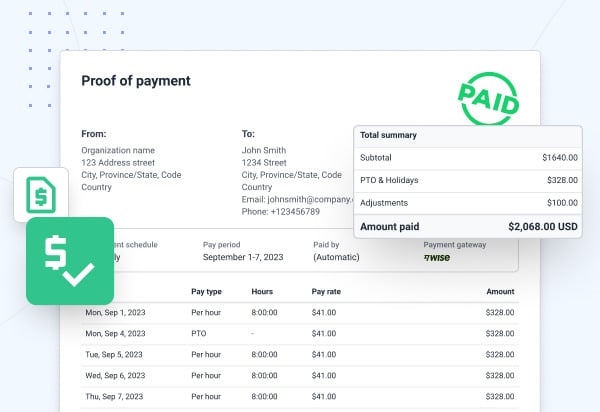
Proof of payment (payslips)
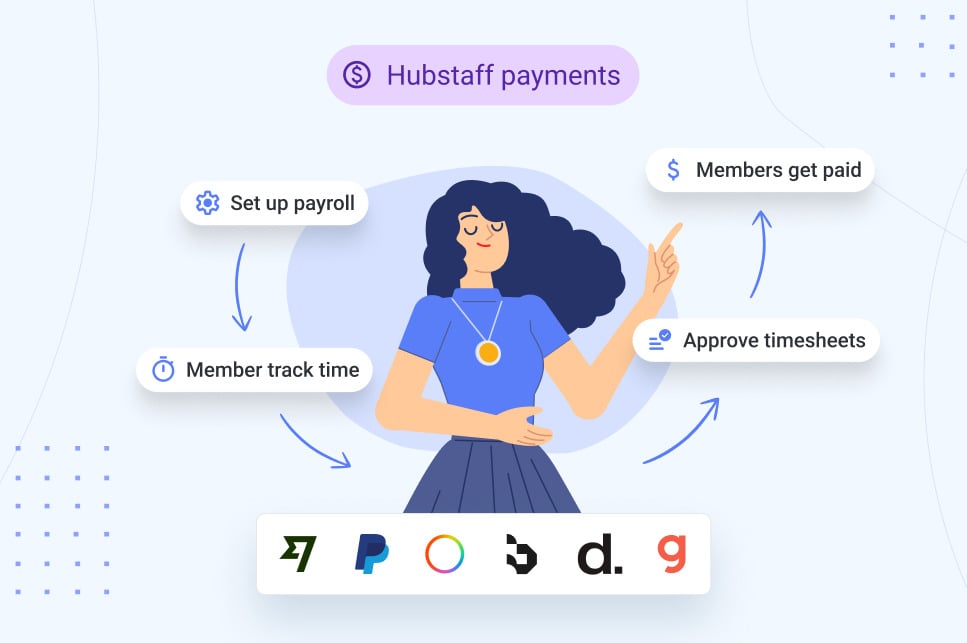
Hubstaff now automatically sends payslip-style proof of payment to team members paid via our integrated payment solutions, providing them with an official record they can use for banking, taxes, and more.
“AI tools” App & URL category
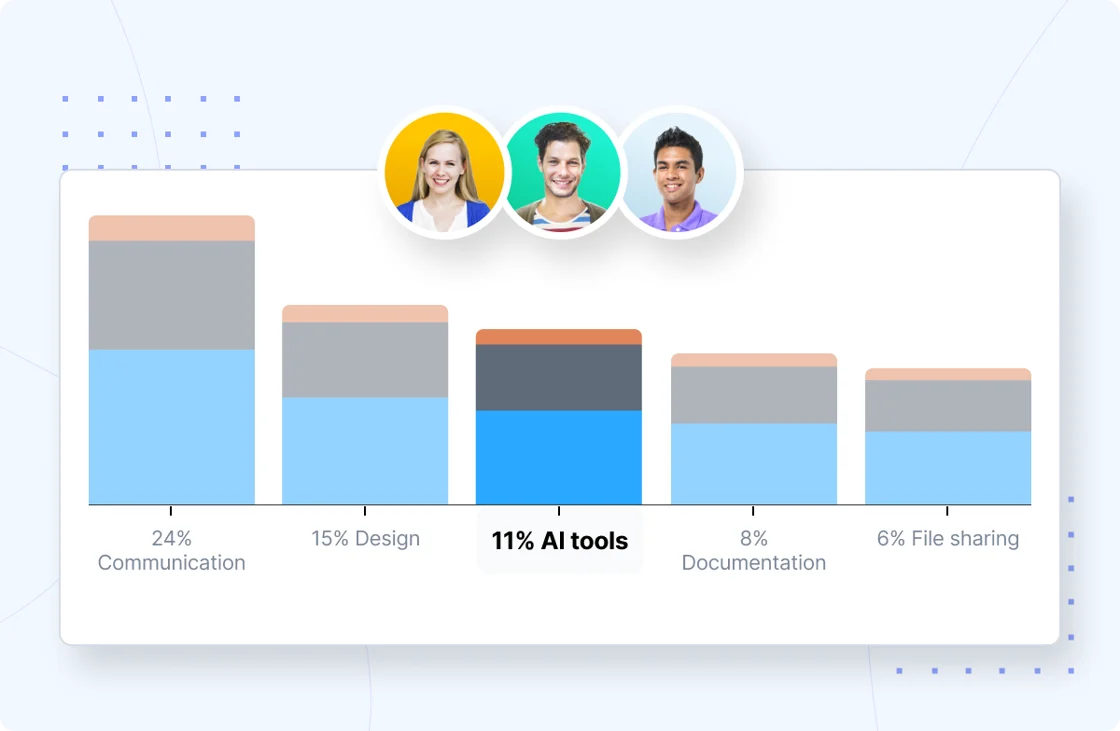
This past year, we found that AI is saving teams 30 minutes per day — but don’t just take our word for it.
We’ve added a new AI Tools category in Apps & URLs so you can easily track AI tools across apps and websites. Popular tools like ChatGPT, Claude, and Gemini are pre-tagged, and you can customize AI tracking by organization or job type under Insights → Settings.
Control who gets suspicious app alerts
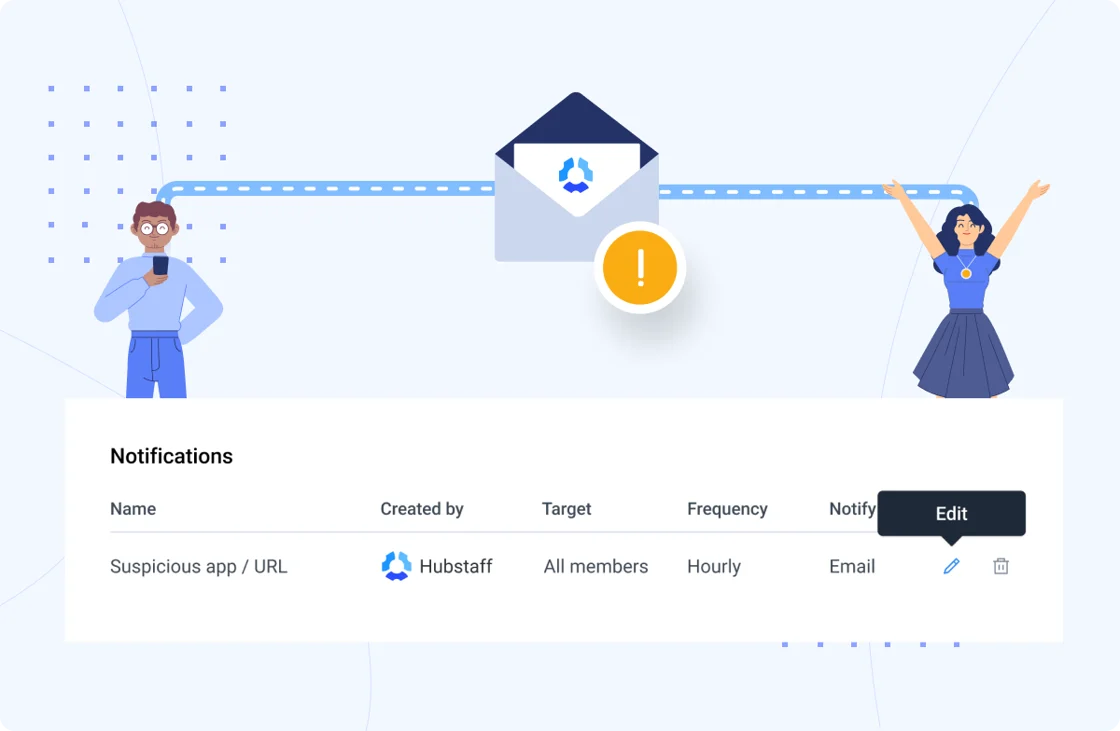
We’ve added a “suspicious apps” smart notification by default. Just edit it to choose who in your organization gets alerted to stay informed without crowding inboxes.
Payroll adjustments, everywhere you pay
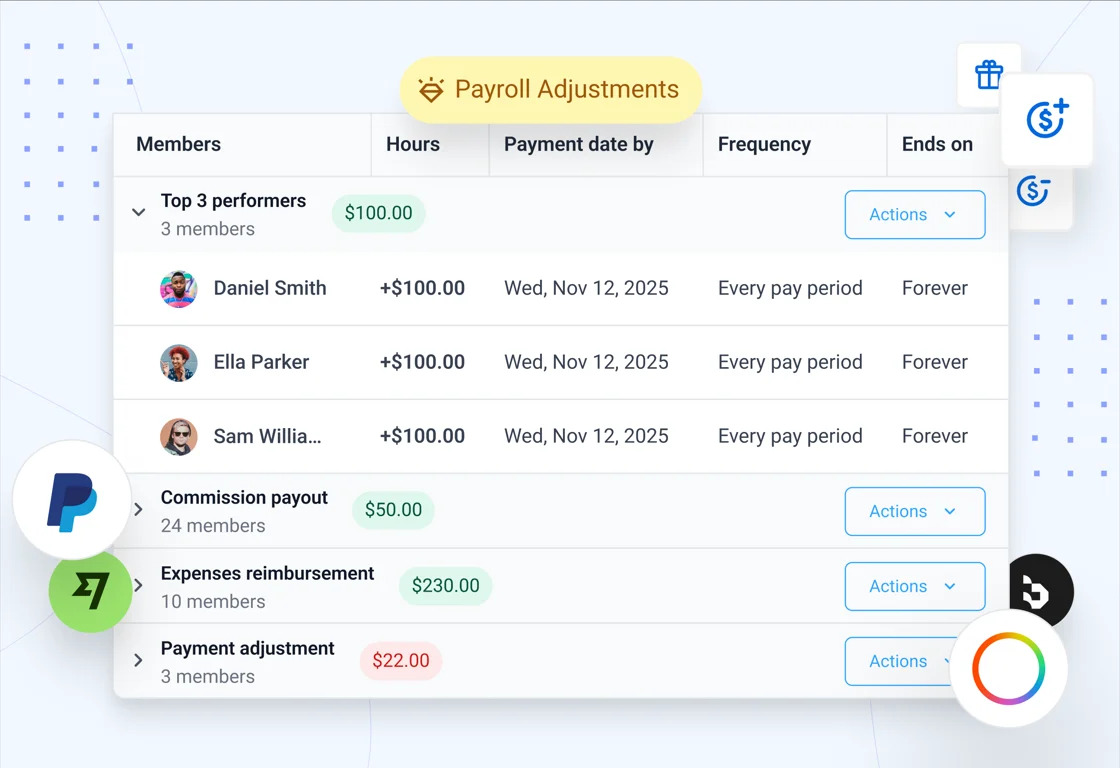
Payroll adjustments are now available to every organization on the Teams plan (no longer limited to Wise), so you can fine-tune payouts regardless of which payment integration you use.
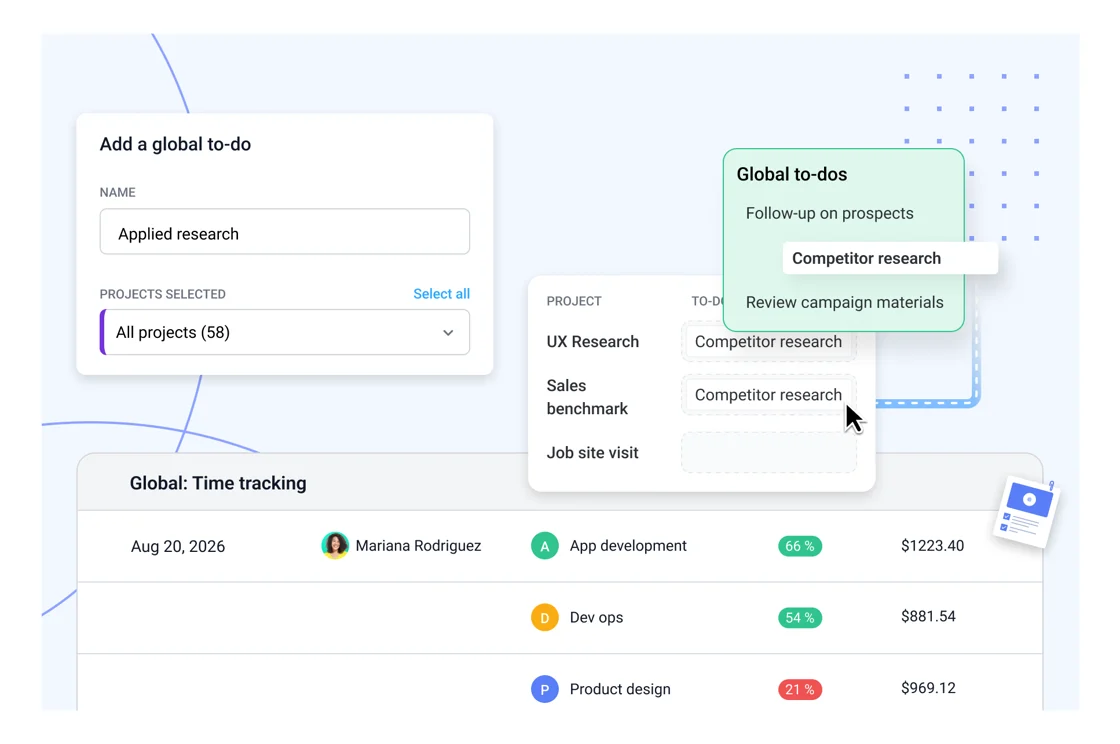
Global to-dos
Streamline project management with automatic to-do assignment and set them up in multiple projects at once. Use global to-dos to save time, standardize processes, and keep teams organized.
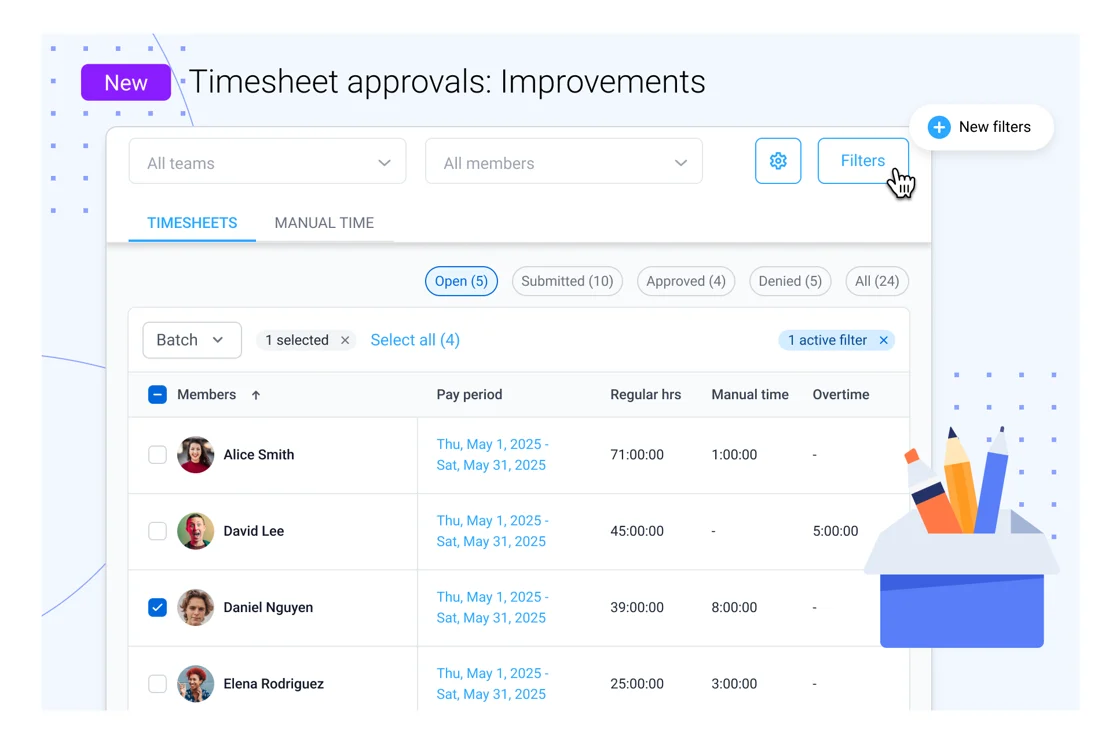
Timesheet approvals: Improvements
Save time reviewing timesheets with the new page layout, filters and batch actions. After timesheets are submitted, filter timesheets by member, team, project, activity level or time worked. Then, batch approve or deny timesheets in just a few clicks.
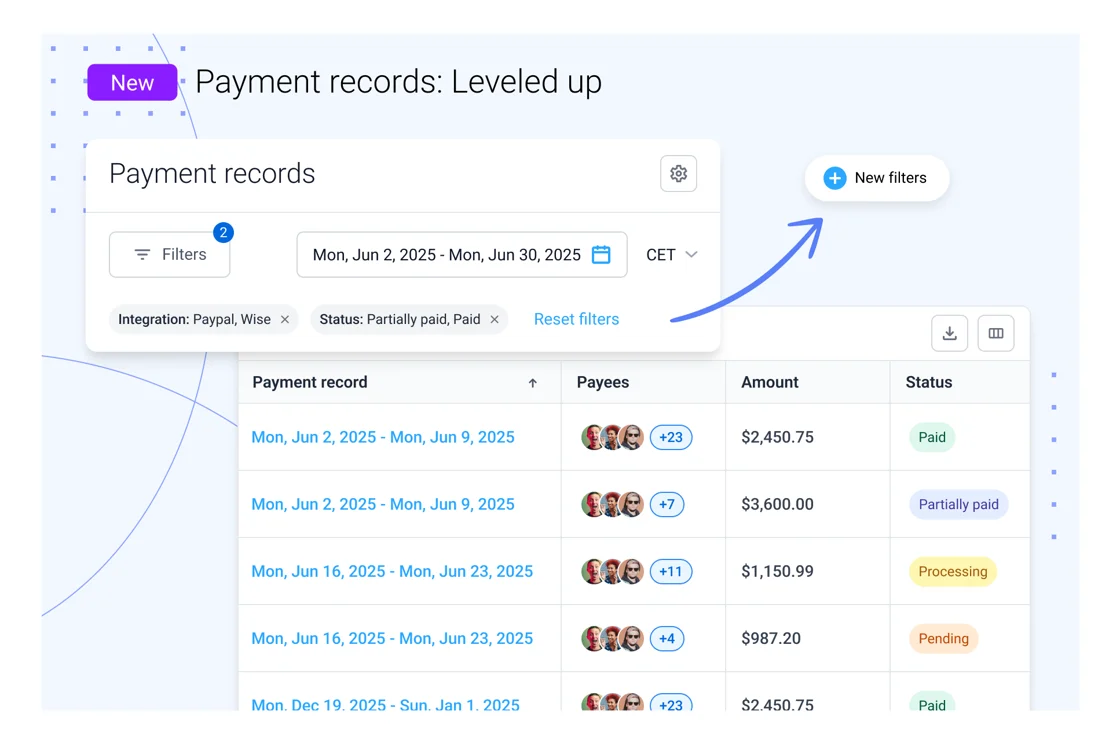
Payment records page: Leveled up
The past payment page has been improved and renamed. The new Payment records page includes filters and a detailed table to help you quickly find the records you need.
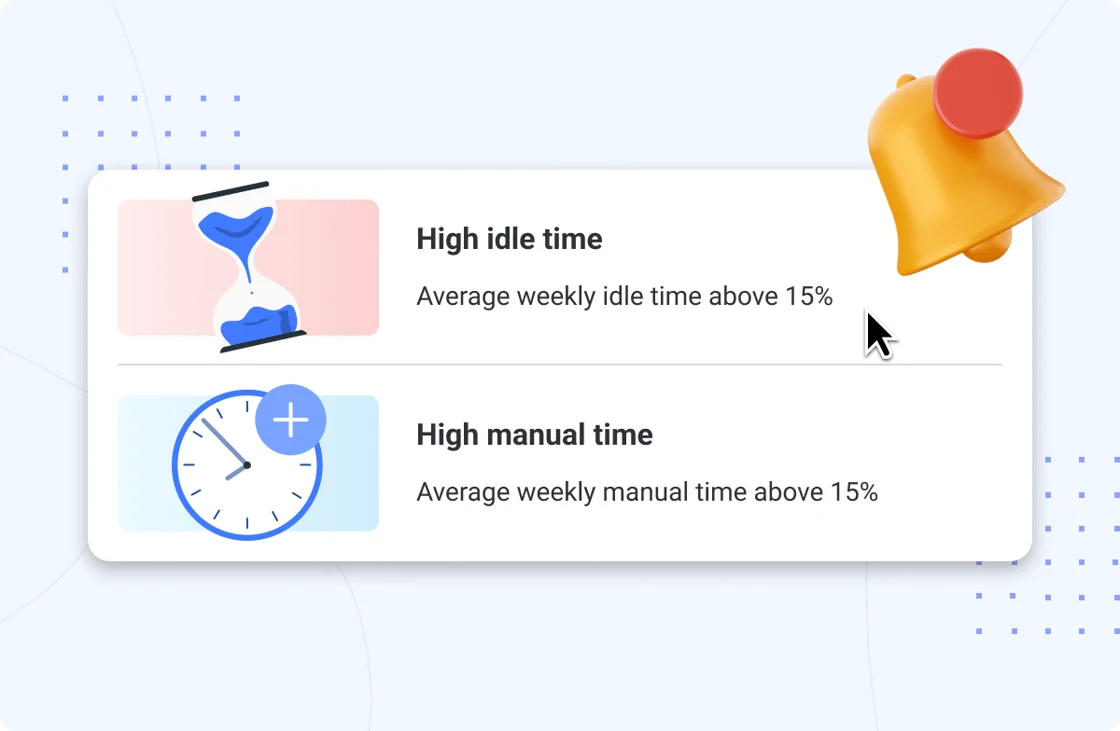
Smart notifications for idle and manual time
Spot idle spikes and manual hours before they snowball. Get friendly nudges that help you keep teams focused and timesheets clean.
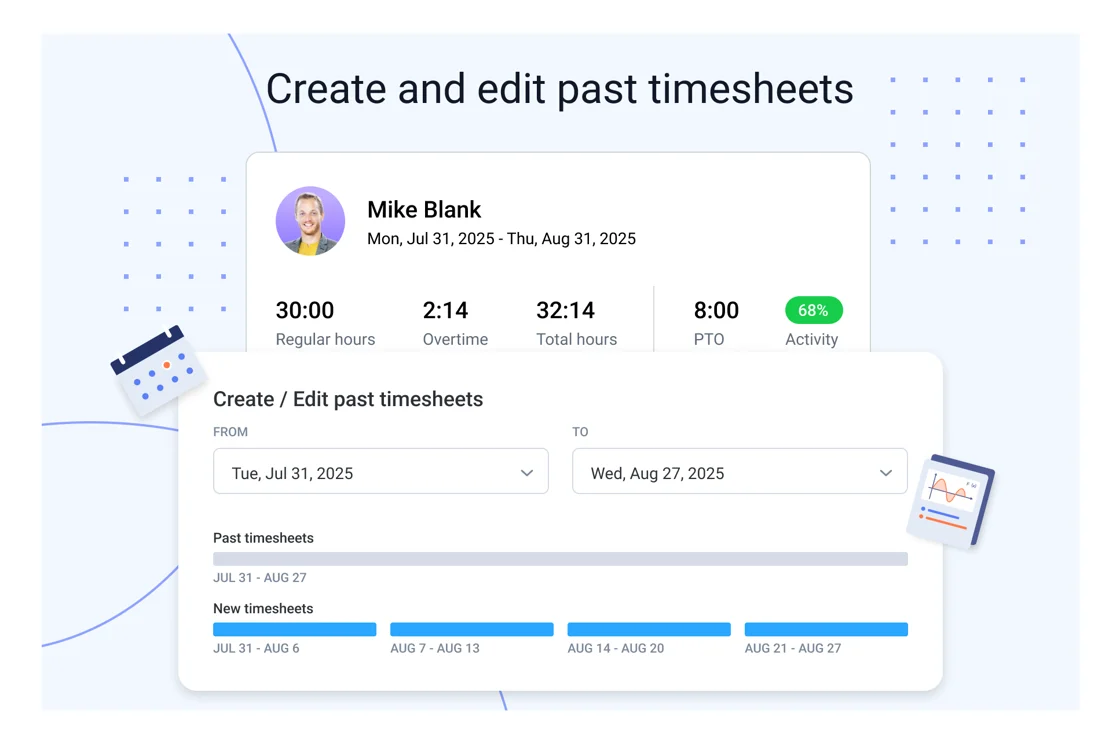
Create and edit past timesheets
We have improved the create and edit timesheet feature. Both ‘create’ and ‘edit’ have been merged into a single workflow and are still accessible from Member > Pay/Bill > Edit Timesheet. Past timesheets can now be created up to 1 month before a member’s start date.
Q3, 2025 Product Recap
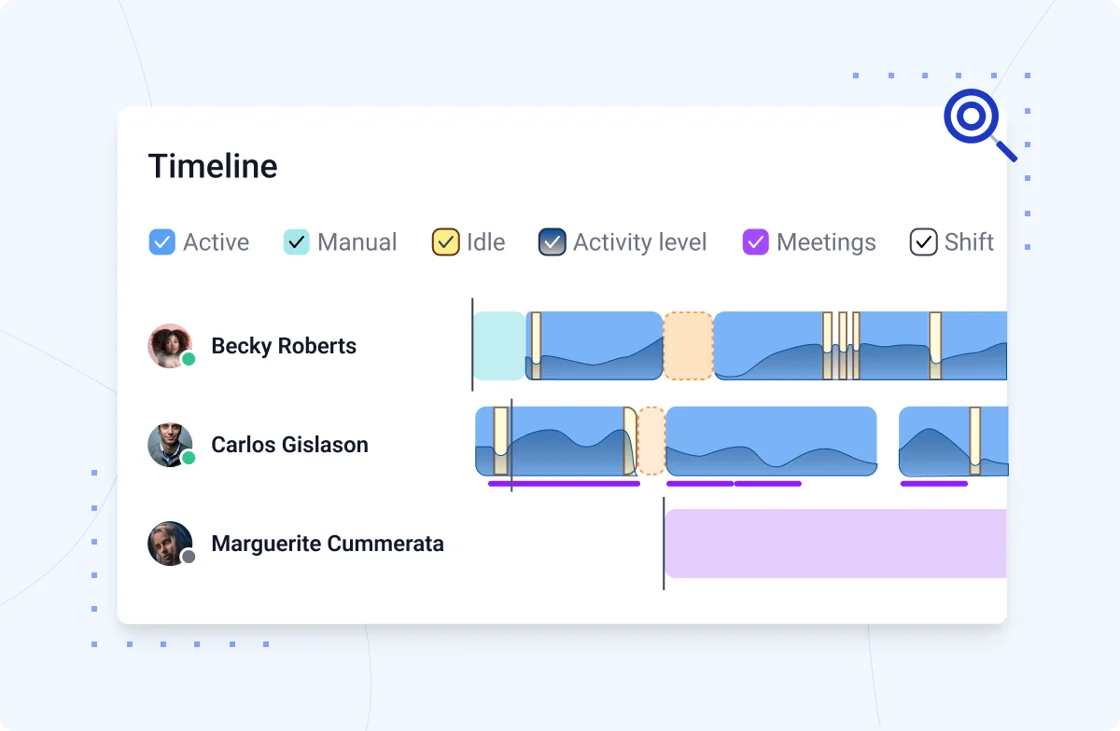
(NEW!) Insights Timeline
See exactly when your team worked, went idle, logged manual time, joined meetings, took breaks, or used PTO – all in one view. You can also check the “Activity level” box to see how activity changed during different work sessions. With these timelines, you can balance workloads, cut down on unnecessary meetings, and work to reduce burnout in 2026.
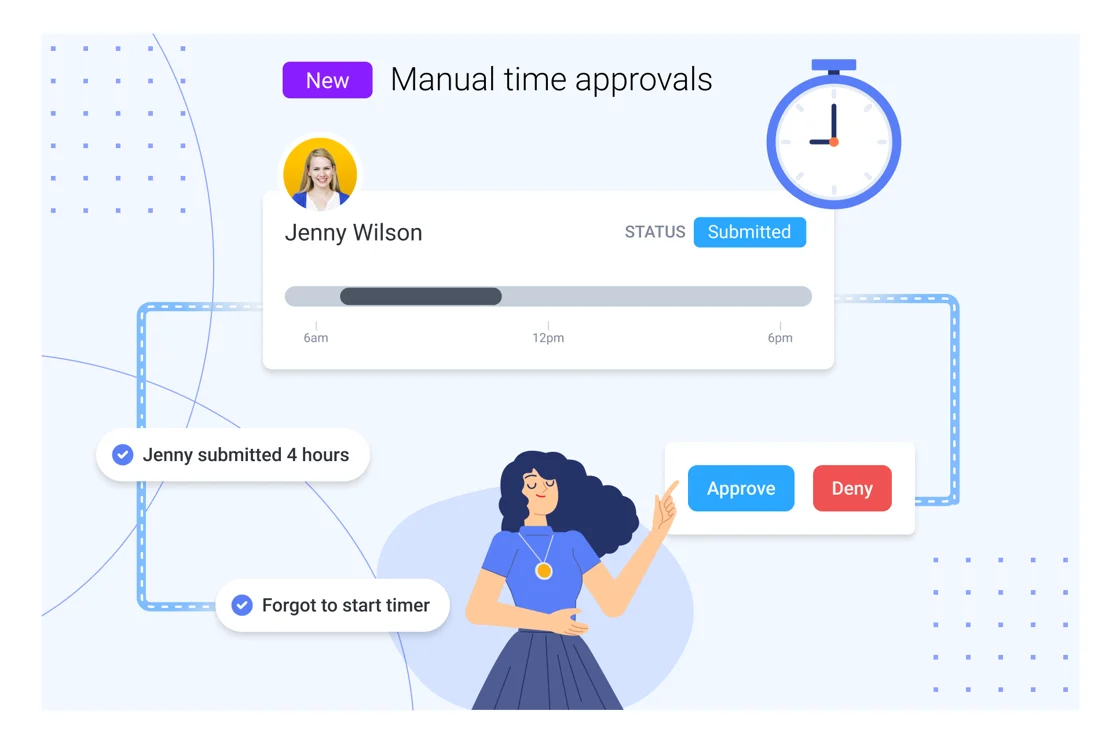
(NEW!) Approval for manual time entries
You asked, we answered! Managers can now review and approve manually added time before it’s logged, adding a layer of control and clarity while still supporting flexible work.
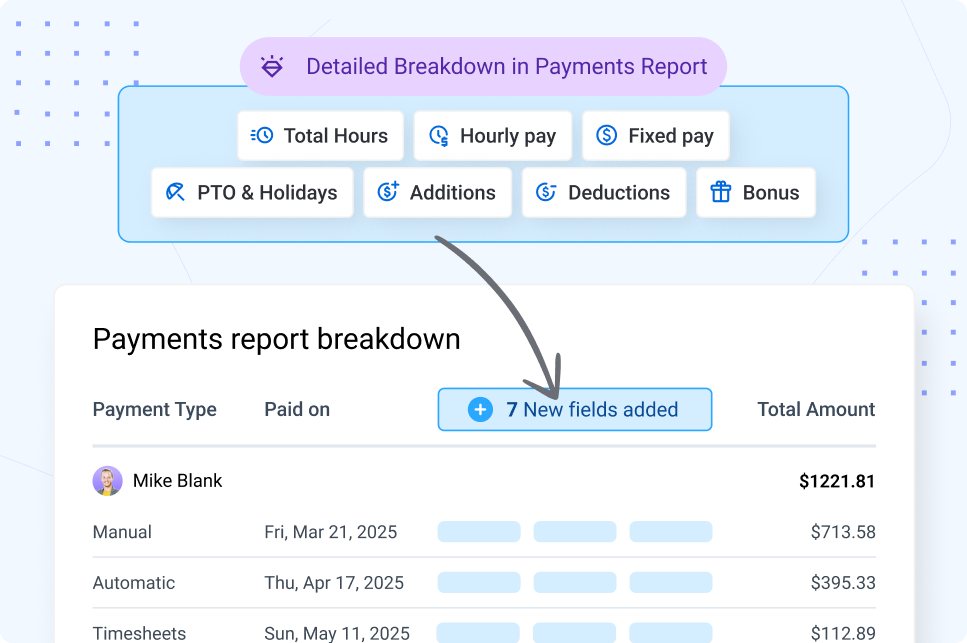
Detailed breakdown in the payments report
We’ve enhanced the Payments report to give you more visibility into payment details. You’ll now see a clear breakdown of each payment that includes:
- Hours worked
- Fixed rates
- PTO & holidays
- Bonuses
- Additions and deductions
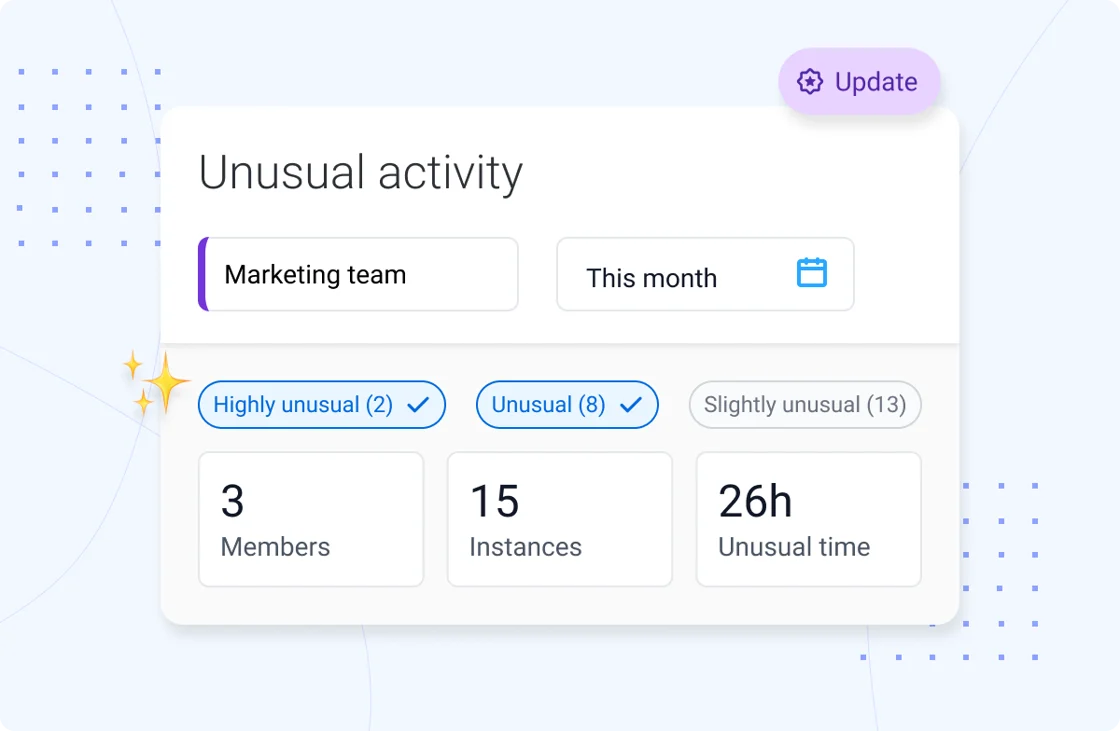
Enhanced Unusual Activity page
The Unusual Activity page is now simpler and easier to use. Confidence ratings are renamed, with filters that show counts and save your selections. Views are clearer, lists sort by priority, and detail modals are streamlined.
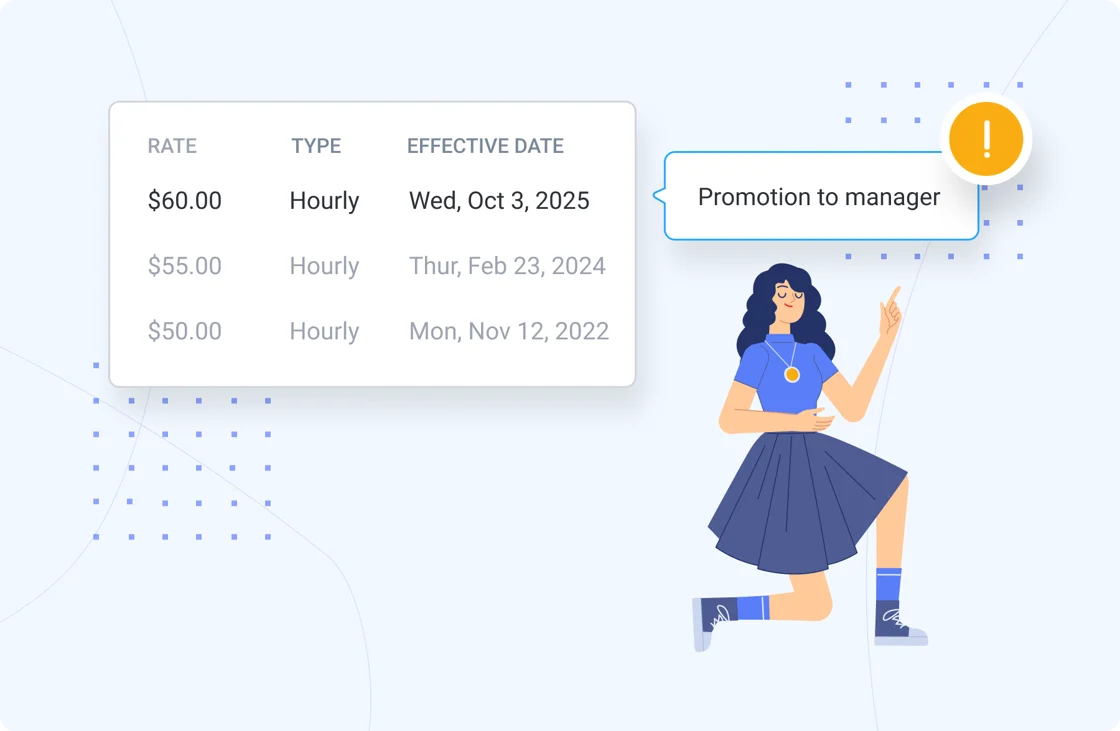
Add context to rate changes
You can now include notes when updating member pay or bill rates. This helps you track why changes were made and keeps historical records clear for better compliance and relationship management.
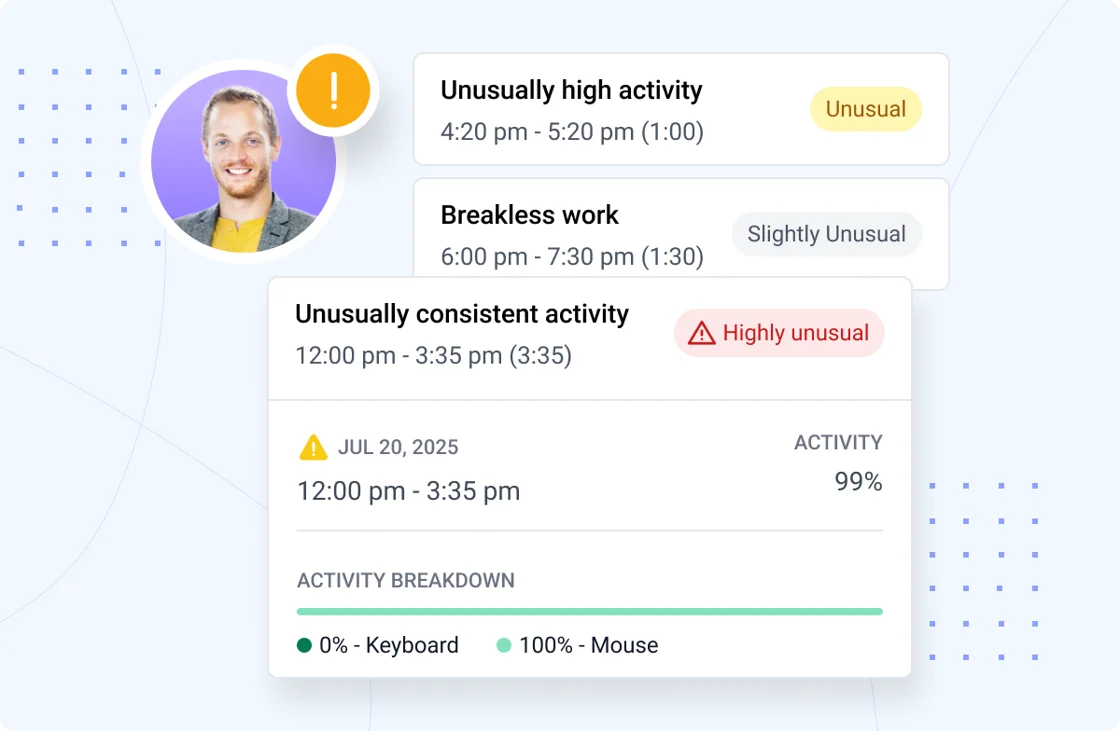
Smarter suspicious app detection
Our updated detection system now flags suspicious apps even when they’re running in the background—not just when they’re active on screen. Get stronger protection against fake activity with enhanced tracking and built-in alerts.
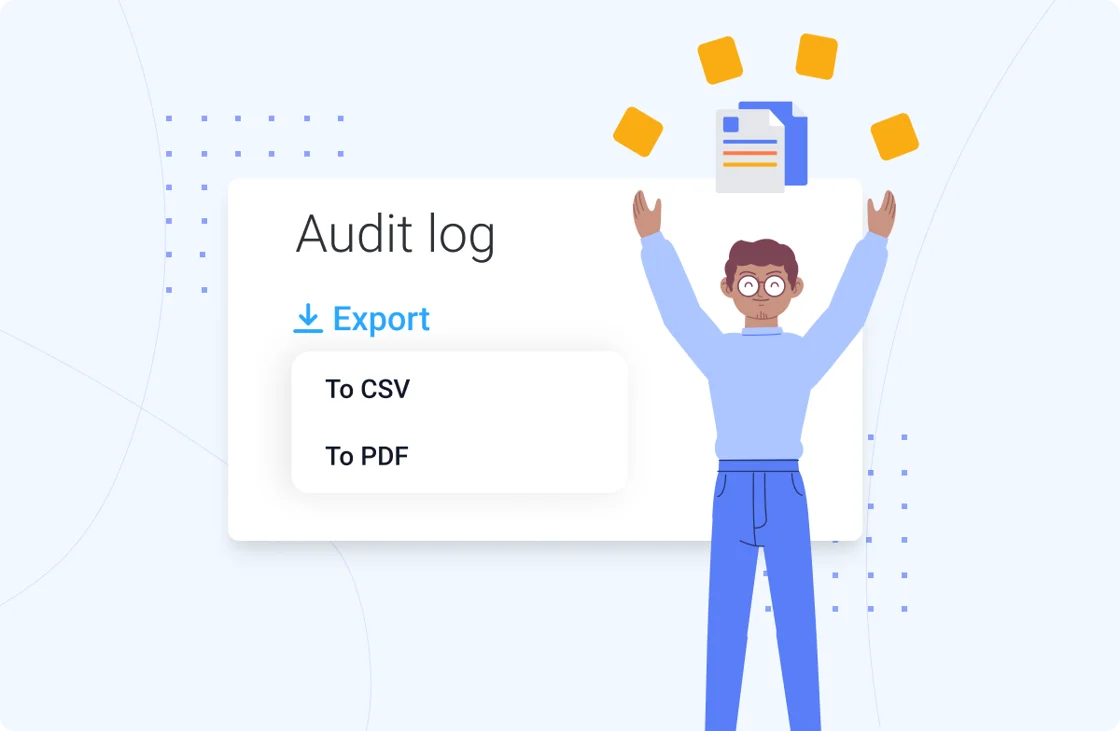
Audit log report export
You can now export your audit log directly from the report page—choose CSV or PDF to quickly save, share, or archive key account activity for better visibility and compliance.
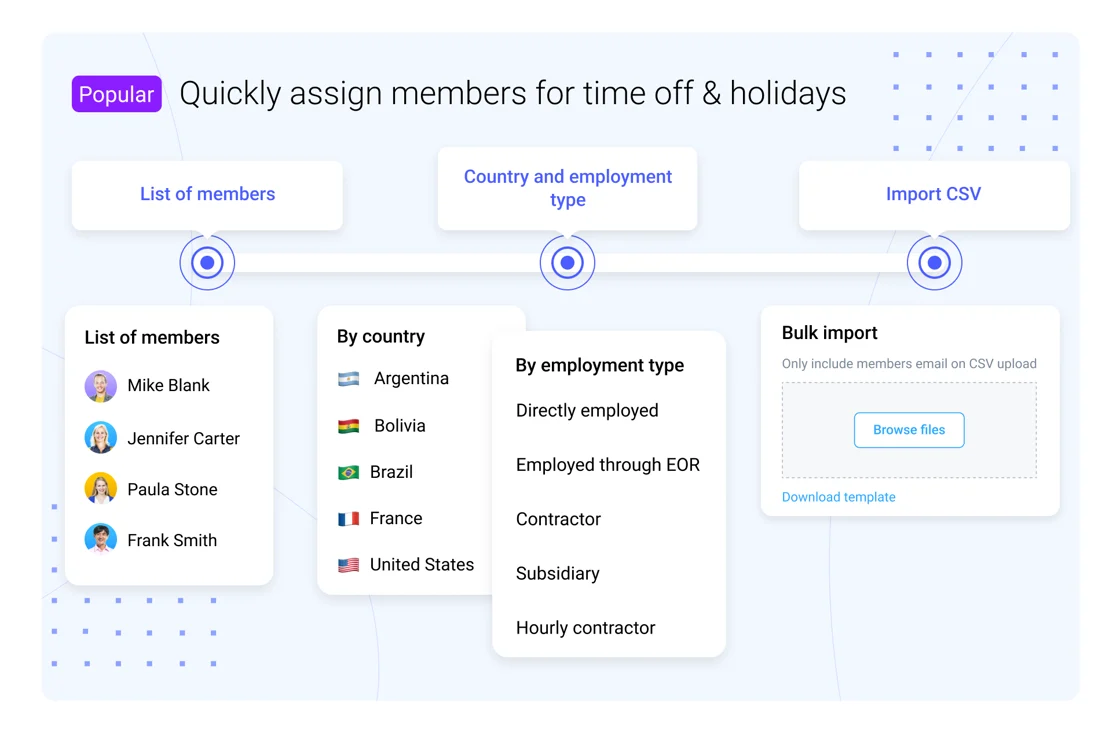
Time off, evolved
We’ve made time off in Hubstaff easier to manage — especially for larger teams. From adding members by country or employment type to smarter tracking and reporting, everything’s designed to scale with you. If you haven’t explored time off in a while, now’s a great time to take another look.
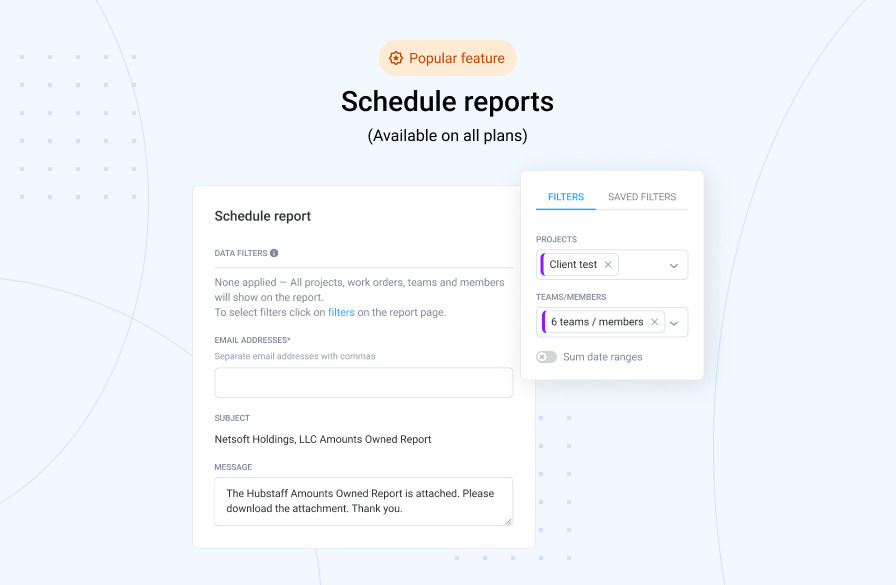
Big news: Scheduled reports for all plans
Unlimited scheduled reports are now available on all Hubstaff plans. Teams on our Starter and Grow plans can now save time and stay informed by automating report delivery straight to your inbox.
Reminder: ACH & RTP transfers in Hubstaff Payments
We’ve heard your feedback, and we’re happy to confirm that Hubstaff Payments supports both ACH (Automated Clearing House) and RTP (Real-Time Payments) transfers. This means more options and less hassle.
What’s coming up next?
| AI Category Enhancements | Advanced feature for better AI tool usage tracking. |
| Remote vs In-Office Productivity | End the in-office vs. remote debate once and for all with benchmarks comparing workstyle productivity. |
| Expanded Payslip Support | Enhanced payslip support for better compliance and more detailed records. |
Have a new feature request or feedback on Hubstaff?
At Hubstaff, your feedback plays a key role in shaping the future of our product. Real-world use cases and thoughtful input from users like you inspire every feature we build.
If you have a feature request or an idea to make Hubstaff even better, we’d love to hear it! Explore our public roadmap portal or reach out to our support team with your thoughts and ideas.
We’re building Hubstaff to help you work more efficiently and maximize every minute of your time. If you’re looking to stay informed about upcoming product updates, tips, and industry insights, follow us on social media and subscribe to our product newsletter.
Most popular
Daily Work Routines and Habits for Better Team Productivity
Small habits—like frequent context switching, losing time to distracting websites or apps, or having meetings during the most pr...
The Top Time Management Statistics in 2026 for Workplace Productivity
We all have the same hours in the day. But when employees struggle to focus, those hours likely won’t be used effectively. Witho...
The Best Coaching Conversations Start With Productivity Data
Most coaching conversations happen too late. A deadline is missed, or a client flags a problem, and then a manager schedules a sit...
A Quick Guide to Work Order Management
From quick fixes to long-term stability, work orders are crucial to asset management and helping managers keep operations running...