Like puzzles, projects come with a huge number of little pieces. And like puzzles, you can’t take a project to completion without every single one of those components.
How do you manage a million deadlines, tasks, responsibilities, objectives, details, files, and changes without letting any slip through the cracks?
With project management software, of course.
A project management software can serve as your team’s digital memory, keeping everything in one place.
They also play an instrumental role in keeping your team on target.
Yet we’re back to the same conundrum: there are so many project management tools out there, how do you choose one?
This list of project management software should help.

Hubstaff Tasks is full-featured project management software that keeps teams in sync with Kanban-style boards and workflows. This Agile platform features focused sprints, checklists, comments, and more, so that all projects and sub-tasks are managed in one place.
Managing projects is much easier when everyone is following a task’s progress and knows when it’s on their plate.
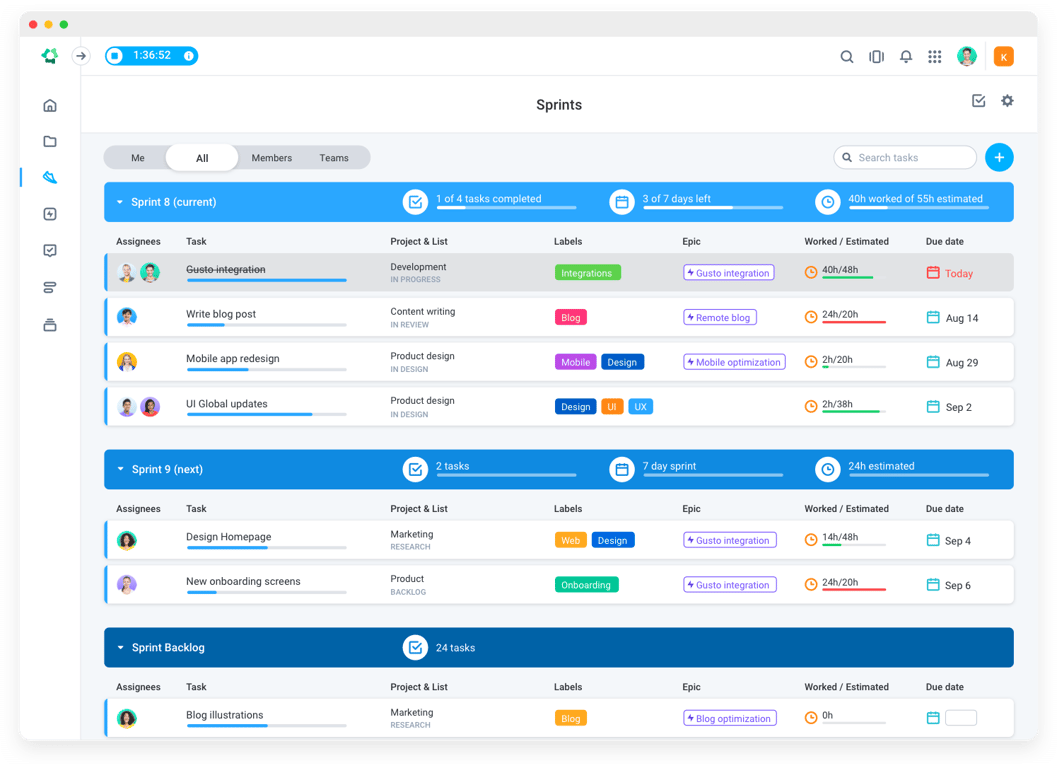
You can even set custom workflows so that a task follows the steps you’ve created. One button moves a task to the next step, alerting the next team member it’s time to pick it up.
The built-in sprints feature allows your team to focus on the most important work, and decide as a group where to spend time over the next few weeks.
Some of its main features include:
Kanban-style project management with sprints
Visual workflows so you can see where a project is at any time
Checklists within tasks for detailed progress tracking
Ability to assign or mention team members in the comments
Clear labels that give you an overview of an entire project
In addition to tracking time, many of our clients use Hubstaff along with Hubstaff Tasks to manage their projects.
The platform lets you not only monitor employees work activity, but also the time spent on each specific project task as well as app or URL visited, which is incredibly helpful to project managers.
For example, imagine that your team is working on a conversion optimization project for an ecommerce site.
Instead of asking your Wordpress developer where the search filters are, you can simply open Hubstaff and see the progress for yourself. Screenshots along with hours tracked give you a clear picture of how the project has progressed.
Open Hubstaff Tasks, and you can see a card for each task with checklists, due dates, assigned team members, and comment updates.
This shortcut saves time for everyone on the team — and those minutes add up.
Furthermore, Hubstaff makes your project reporting much simpler and more accurate. You won’t need to make rough estimates of how many hours a project took or what your clients owe you, because you’ll have the results automatically (and they’ll be accurate down to the second).
And as a bonus, next time you plan a similar project, you can develop a data-backed estimate.

If you fantasize about email — more specifically, never sending, reading, or forwarding one again — then Asana may be the solution you’ve been waiting for.
When you use it as planned, it negates the need for email.
Well, internal emails at least.
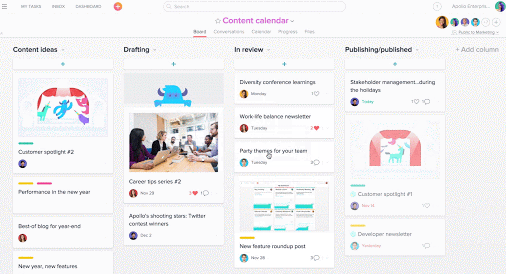
Interactions with your team members are broken up into two simple and intuitive categories: task conversations, and project conversations.
When you’re clarifying the details on a specific assignment, you’ll default to that assignment’s comments box. On the other hand, when you’re talking about the high-level plan for the entire project, you can hold your discussion in the project’s comment box.
The powerful search options make finding previous conversations even easier.
Search also comes in handy when you’re looking for files. Asana integrates with Box, Dropbox, and Google Drive to make adding attachments seamless, although you can always upload files from your computer.
Asana’s workflow templates differentiate it from other apps in the space.
To give you an idea, maybe your Technical Director always creates a preliminary brief estimating specs and resources. The brief goes to the PM for approval, who edits it, and sends it to the client.
You could set up this three-part workflow as a template in Asana, so it’s automatically added to each new project you create. As you can imagine, this small change can provide serious gains over time.
Asana integrates with Hubstaff, so your team members can track their time on specific tasks and projects.

It’s a sign of Trello’s universal popularity that many people think it’s the only app for Kanban.
That’s far from reality — there’s a ton of similar tools, including Hubstaff Tasks, Kanbanchi, Kanbanflow, and Kanbanery.
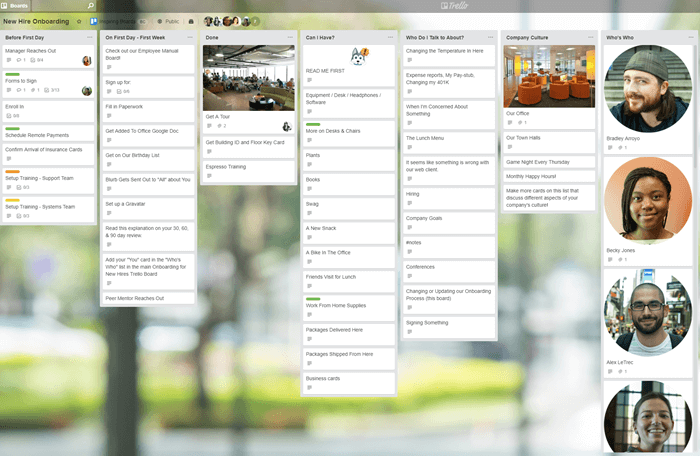
However, Trello’s simple yet aesthetically pleasing interface is definitely unique.
Being productive is usually more satisfying than fun. Nonetheless, there’s something inordinately pleasing about grabbing a task (referred to as a "card") and dropping it into the next list to mark your progress.
The app also makes it easy to find everything you need.
Each card can include file attachments, checklists, labels, a due date, and an owner (or multiple).
In addition, you can communicate with your team members in the Comments section of each card. However, it’s worth noting Trello isn’t set up for quick, informal, IM-style discussions.

Wrike's online software is well-suited to marketing, creative, product development, and project management teams.
(Although if your team doesn’t fit into any of those categories, that doesn’t mean Wrike isn’t a good option.)
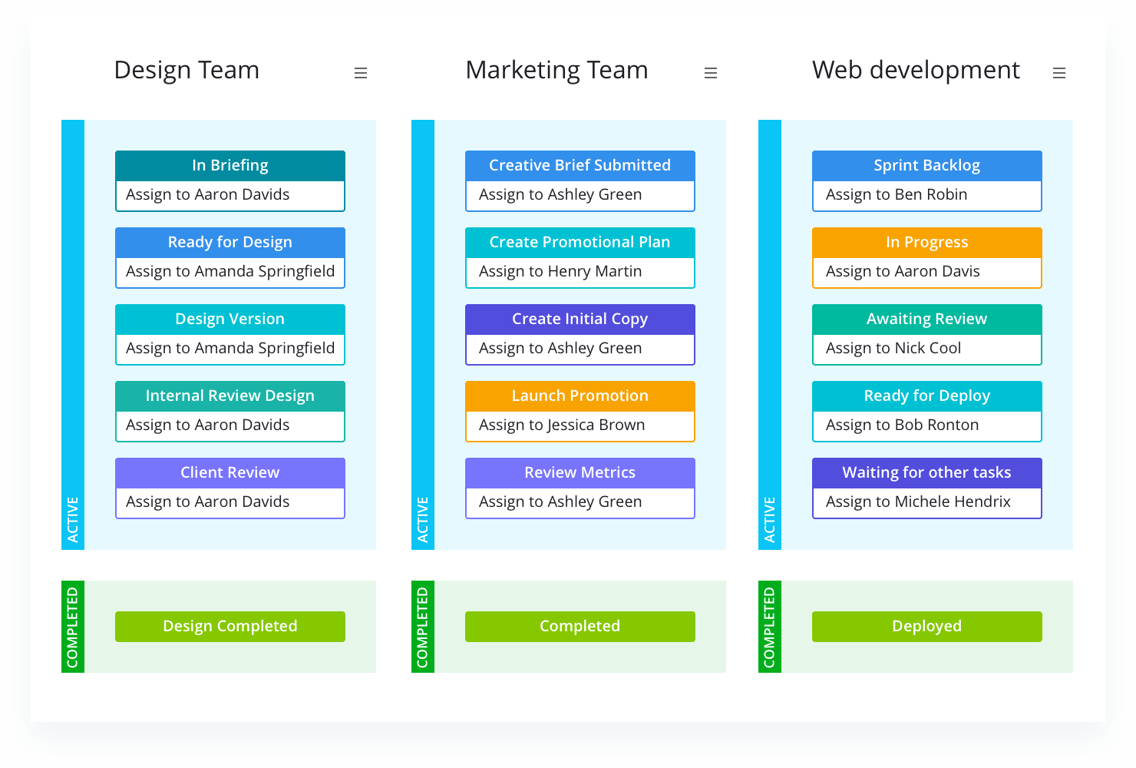
Like most project management apps, Wrike lets you create a hierarchy from folders, projects, and tasks down to sub-tasks.
Its "live editor" is a little more unusual; this feature lets you see everyone’s individual changes to a task in real-time.
Wrike will also create Gantt Charts based on your project schedule and dependencies, which is handy if you need to visualize what’s in the pipeline.
The app’s workload view shows you who’s overwhelmed, who doesn’t have enough to do, and who’s got the optimal amount.
To help you meet deadlines and stay within budget, use Hubstaff’s time and budget tracking integration for Wrike. This shows you how long a project or team member is taking.